
1. Introduction
This manual provides essential information for the safe and effective use of your UpBright 19V AC/DC Power Adapter. This adapter is designed to provide reliable power to compatible devices, specifically the Logitech Rally Bar (model VR0019) and Logitech Rally Bar Mini (model VR0020) all-in-one video conferencing camera and speakerphone systems.
Please read this manual thoroughly before installation and operation, and retain it for future reference.
2. Safety Information
Observe the following safety precautions to prevent damage to the product or injury to yourself:
- Ensure the power adapter is used with devices that match its voltage (19V) and current (4.74A) requirements. Using an incompatible adapter may damage the device.
- Do not expose the adapter to water, moisture, or extreme temperatures.
- Avoid dropping or subjecting the adapter to strong impacts.
- Do not attempt to open, modify, or repair the adapter. Refer servicing to qualified personnel.
- Disconnect the adapter from the power outlet during lightning storms or when unused for extended periods.
- Ensure proper ventilation around the adapter during operation to prevent overheating.
- Keep out of reach of children.
3. Package Contents
Verify that all items are present in the package:
- 1 x UpBright 19V AC/DC Power Adapter
- 1 x AC Power Cord (suitable for your region)

Image: The UpBright 19V AC/DC Power Adapter shown alongside its detachable AC power cord.

Image: Examples of different AC power cord plug types (US, EU, UK, AU) that may be included depending on the region.
4. Product Overview
The UpBright 19V AC/DC Power Adapter is a compact and efficient power supply designed for specific Logitech video conferencing equipment. It features a standard barrel connector for DC output and a detachable AC input cord.

Image: A close-up view of the UpBright AC/DC Power Adapter, showing its input/output specifications printed on the label.
5. Setup Instructions
Follow these steps to connect your UpBright power adapter to your Logitech Rally Bar or Rally Bar Mini:
- Connect the AC Power Cord: Insert the AC power cord into the input port of the UpBright 19V AC/DC Power Adapter. Ensure it is firmly seated.
- Plug into Wall Outlet: Insert the other end of the AC power cord into a standard wall electrical outlet.
- Connect to Device: Locate the power input port on your Logitech Rally Bar (VR0019) or Rally Bar Mini (VR0020). Insert the barrel connector from the UpBright power adapter into this port.
- Power On: Once connected, your Logitech device should receive power and can be turned on according to its own operating instructions.

Image: The UpBright power adapter connected to its AC cord, which is then plugged into a wall socket.
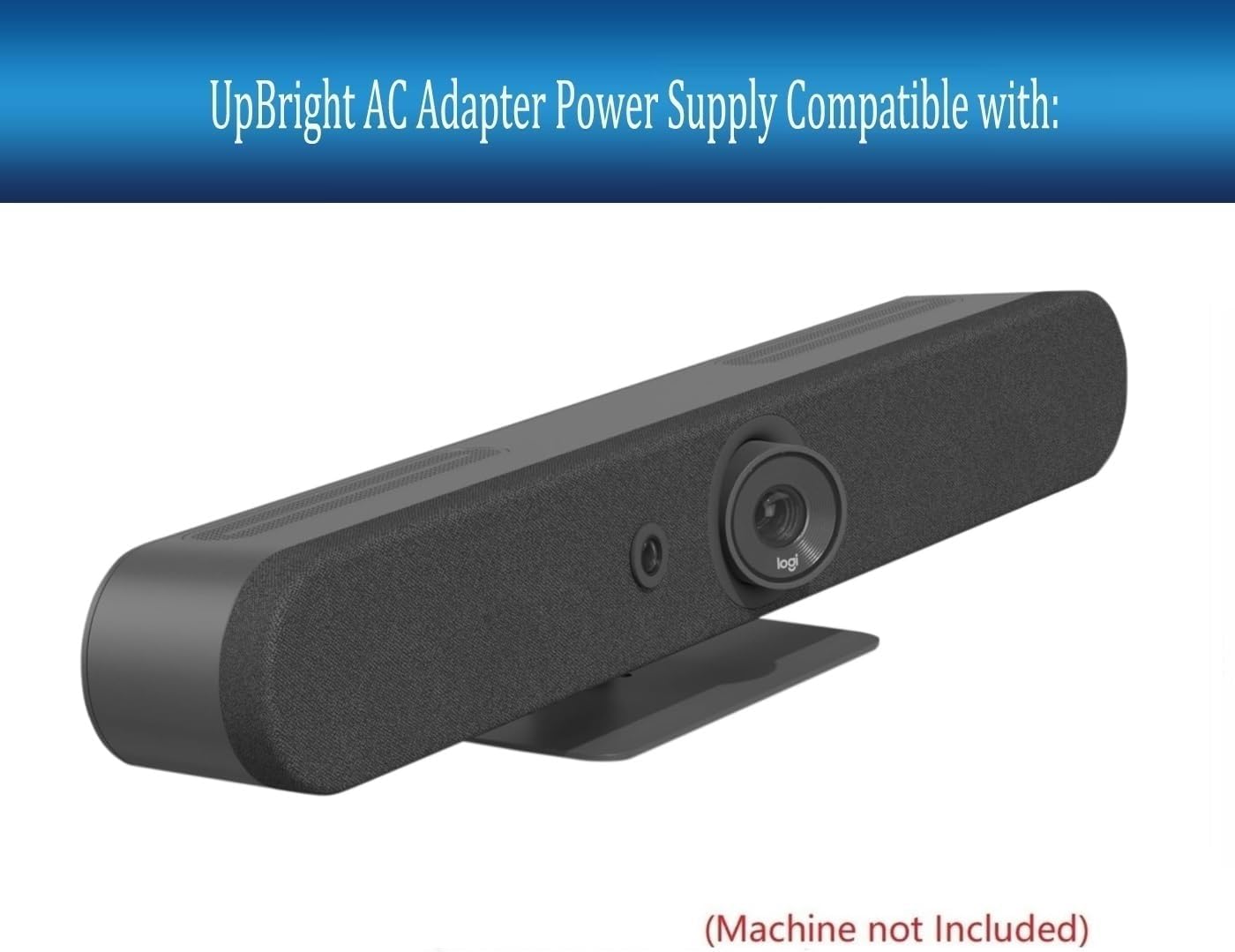
Image: A Logitech Rally Bar, illustrating the type of device this power adapter is compatible with. The power input port is typically located at the rear.
6. Operating Instructions
The UpBright 19V AC/DC Power Adapter operates automatically once connected to a power source and a compatible device. It provides a stable 19V DC output to power your Logitech Rally Bar or Rally Bar Mini.
- Ensure all connections are secure before powering on your device.
- The adapter is designed for continuous operation within its specified voltage and current limits.
- If the adapter feels excessively hot, disconnect it immediately and check for proper ventilation or potential issues with the connected device.
7. Maintenance
Proper maintenance ensures the longevity and safe operation of your power adapter:
- Cleaning: Disconnect the adapter from the power outlet and the device before cleaning. Use a soft, dry cloth to wipe the exterior. Do not use liquid cleaners or solvents.
- Storage: When not in use, store the adapter in a cool, dry place, away from direct sunlight and extreme temperatures. Avoid tightly winding the cables to prevent damage.
- Inspection: Periodically inspect the adapter and cables for any signs of damage, such as frayed wires, cracked casing, or bent pins. If damage is found, discontinue use and replace the adapter.
8. Troubleshooting
If you encounter issues with your power adapter, refer to the following common troubleshooting steps:
| Problem | Possible Cause | Solution |
|---|---|---|
| No power to device |
|
|
| Adapter is hot |
|
|
9. Specifications
| Feature | Detail |
|---|---|
| Brand | UPBRIGHT |
| Input Voltage | 100-240VAC, 50/60Hz (Worldwide Compatible) |
| Output Voltage | 19V DC |
| Output Current | 4.74A |
| Wattage | 90W |
| Connector Type | Barrel Connector |
| Protection Features | OVP (Over Voltage Protection), OCP (Over Current Protection), SCP (Short Circuit Protection) |
| Compatible Devices | Logitech Rally Bar VR0019, Logitech Rally Bar Mini VR0020, and other compatible 19V devices requiring 4.74A or less. |
| Product Dimensions | Approximately 6 x 4 x 2 inches |
| Item Weight | Approximately 13 ounces |
10. Warranty and Support
UpBright products are designed for reliability and performance. This power adapter comes with:
- 30-Day Refund Policy: If you are not satisfied with your purchase, you may be eligible for a refund within 30 days.
- 24-Month Exchange Policy: The product is covered by a 24-month exchange policy for manufacturing defects.
For technical support, warranty claims, or further assistance, please contact your retailer or the UpBright customer service department through their official channels. Please have your product model number and purchase information ready.
