
1. Introduction
This manual provides essential information for the safe and effective use of your RIDGID R840040 18V 4.0 Ah MAX Output Lithium-Ion Battery. The RIDGID MAX Output 4.0 Ah battery is designed to deliver maximum power and extended runtime for your RIDGID 18V tools. Featuring advanced electronics and innovative cooling technology, it ensures optimal performance and battery longevity, even in demanding applications. Its compact and lightweight design helps reduce user fatigue during prolonged use. This battery is 100% compatible with all RIDGID 18V tools.
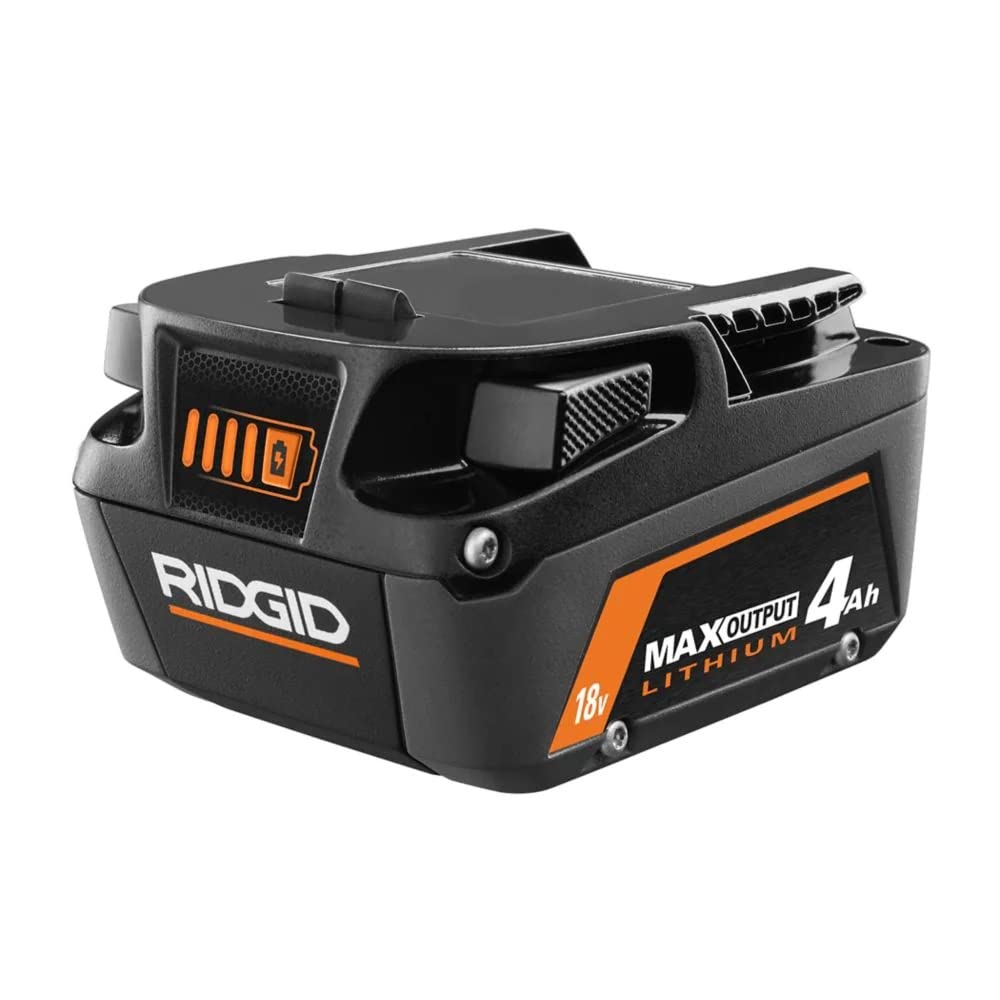
Image: The RIDGID R840040 18V 4.0 Ah MAX Output Lithium-Ion Battery, showcasing its black and orange design with '18V MAX OUTPUT LITHIUM 4Ah' branding.
2. Safety Information
Always read and understand all safety warnings and instructions before using this battery. Failure to follow the warnings and instructions may result in electric shock, fire, and/or serious injury.
- Do not disassemble, open, or shred battery cells or packs.
- Do not short-circuit a battery pack. Do not store battery packs haphazardly in a box or drawer where they may short-circuit each other or be short-circuited by conductive materials.
- Do not expose battery packs to heat or fire. Avoid storage in direct sunlight.
- Do not subject battery packs to mechanical shock.
- In the event of battery leakage, do not allow the liquid to come into contact with the skin or eyes. If contact has been made, wash the affected area with copious amounts of water and seek medical advice.
- Keep battery packs clean and dry.
- Recharge only with the charger specified by the manufacturer. Using a charger unsuitable for a specific type of battery pack may create a risk of fire.
- Do not use any battery pack which is not designed for use with the equipment.
- Keep battery packs out of the reach of children.
- Observe the plus (+) and minus (-) marks on the battery and equipment and ensure correct use.
3. Setup
Initial Charging
Before first use, fully charge the battery. The RIDGID R840040 18V 4.0 Ah MAX Output Lithium-Ion Battery typically charges in approximately 60 minutes when connected to a compatible RIDGID 18V charger (charger sold separately).
- Connect your RIDGID 18V charger to a standard power outlet.
- Slide the battery pack onto the charger, ensuring it clicks into place.
- Monitor the charger's indicator lights for charging status. Refer to your charger's manual for specific light patterns.
- Once charging is complete, remove the battery from the charger.
4. Operating Instructions
Attaching the Battery to a Tool
- Align the battery pack with the battery port on your RIDGID 18V tool.
- Slide the battery into the tool until it clicks securely into place. Ensure it is fully seated to prevent accidental dislodgement during operation.
Removing the Battery from a Tool
- Locate the two release tabs (often referred to as 'ears') on the sides of the battery pack where it connects to the tool.
- Press both release tabs simultaneously.
- Slide the battery pack out of the tool.
Using the Fuel Gauge
The RIDGID R840040 battery features an integrated fuel gauge to display the remaining power level. To check the charge level, press the button located on the back of the battery.
- One light illuminated: 0-25% charge remaining.
- Two lights illuminated: 25-50% charge remaining.
- Three lights illuminated: 50-75% charge remaining.
- Four lights illuminated: 75-100% charge remaining.
It is recommended to recharge the battery when the fuel gauge indicates a low charge to maintain optimal performance and battery life.
5. Maintenance
Cleaning
Keep the battery pack and its terminals clean. Use a clean, dry cloth to wipe off any dust or debris. Do not use water or chemical cleaners.
Storage
Store the battery pack in a cool, dry place away from direct sunlight, heat sources, and moisture. For long-term storage, it is recommended to store the battery with a partial charge (around 50%) to prolong its lifespan. Avoid storing fully discharged batteries for extended periods.
Battery Life
To maximize battery life, avoid completely draining the battery before recharging. Regular charging and proper storage practices will help maintain the battery's performance over time.
6. Troubleshooting
- Battery not charging: Ensure the charger is properly plugged into a working outlet and the battery is fully seated on the charger. Check for any visible damage to the battery or charger.
- Battery not powering tool: Verify the battery is fully charged and securely attached to the tool. Check the tool for any malfunctions.
- Battery overheating during use or charging: Discontinue use or charging immediately. Allow the battery to cool down in a well-ventilated area. If overheating persists, contact customer support.
- Reduced runtime: Battery capacity can decrease over time with normal wear and tear. Ensure proper charging and storage. If runtime is significantly reduced, the battery may need replacement.
7. Specifications
| Feature | Specification |
|---|---|
| Brand | RIDGID |
| Model Number | R840040 (AC840040) |
| Voltage | 18V |
| Battery Capacity | 4.0 Ah |
| Battery Cell Composition | Lithium Ion |
| Product Dimensions | 6 x 4.5 x 4.25 inches |
| Item Weight | 1.43 pounds |
| Recommended Uses | Power Tool |
8. Warranty Information
Please be aware that RIDGID products purchased from unauthorized retailers, including certain online marketplaces, may not be eligible for registration under the RIDGID Lifetime Service Agreement. To ensure eligibility for the Lifetime Service Agreement, RIDGID batteries typically MUST BE PURCHASED FROM HOME DEPOT OR RIDGID DIRECT. It is recommended to verify the warranty terms and conditions with RIDGID directly or through an authorized dealer at the time of purchase.
9. Support
For further assistance, technical support, or inquiries regarding your RIDGID R840040 battery, please contact RIDGID customer service. You can find contact information on the official RIDGID website or through your product documentation.
RIDGID Official Website: www.ridgid.com


