
1. Introduction
This manual provides essential instructions for the safe and effective use, installation, and maintenance of your Henhaoro CS-SHR710VX replacement battery. This battery is designed for various Shark ION Robot Vacuum models, ensuring optimal performance and extended cleaning cycles. Please read this manual thoroughly before installation and retain it for future reference.
2. Safety Information
Your safety is paramount. Please observe the following precautions:
- Do not attempt to disassemble, open, or service the battery pack.
- Replace only with the battery pack designated for this product.
- Do not crush, puncture, short external contacts, or dispose of in fire or water.
- Do not store above 60°C (140°F).
- Keep the battery away from children and pets.
- Dispose of used batteries according to local regulations.
This battery is certified with ROSH, CE, and UL, ensuring high quality and safety standards, including protection against over-charge, over-discharge, over-heat, over-current, and short-circuit.
3. Product Specifications
| Specification | Detail |
|---|---|
| Model No. | CS-SHR710VX |
| Part No. | RVBAT850, RVBAT850A |
| Battery Type | Li-ion (Lithium-ion) |
| Capacity | 2600mAh |
| Voltage | 14.8V |
| Rate | 38.48Wh |
| Color | Blue (battery casing) |
| Dimensions | 70.00 x 36.80 x 36.80mm |
| Net Weight | 190.0g / 6.70oz |
| Gross Weight | 260.0g / 9.17oz |
4. Compatible Shark ION Robot Vacuum Models
This replacement battery is compatible with the following Shark ION Robot Vacuum models:
- R71, R72, R75, R76, R85, R87
- S86, S87
- RV700_N, RV720_N, RV725_N, RV750_N, RV761
- RV1000, RV1001, RV1001AE
- UR1005AE, IQ R101
- RV1101ARUS, UR1105ARUS
- RV2000WD, RV2001, RV2001WD
5. Installation Instructions
Follow these steps to replace the battery in your Shark ION Robot Vacuum:
- Prepare the Vacuum: Turn off your robot vacuum and place it upside down on a clean, flat surface.
- Locate the Battery Compartment: Identify the battery compartment cover, usually secured by screws.
- Remove the Old Battery:
- Unscrew the battery compartment cover.
- Carefully disconnect the old battery's connector from the vacuum's port.
- Remove the old battery.
- Install the New Battery:
- Connect the new Henhaoro CS-SHR710VX battery to the vacuum's port, ensuring the connector is securely seated.
- Place the new battery into the compartment.
- Secure the Compartment: Replace the battery compartment cover and secure it with the screws.
- Initial Charge: Place the robot vacuum on its charging dock to fully charge the new battery before its first use.
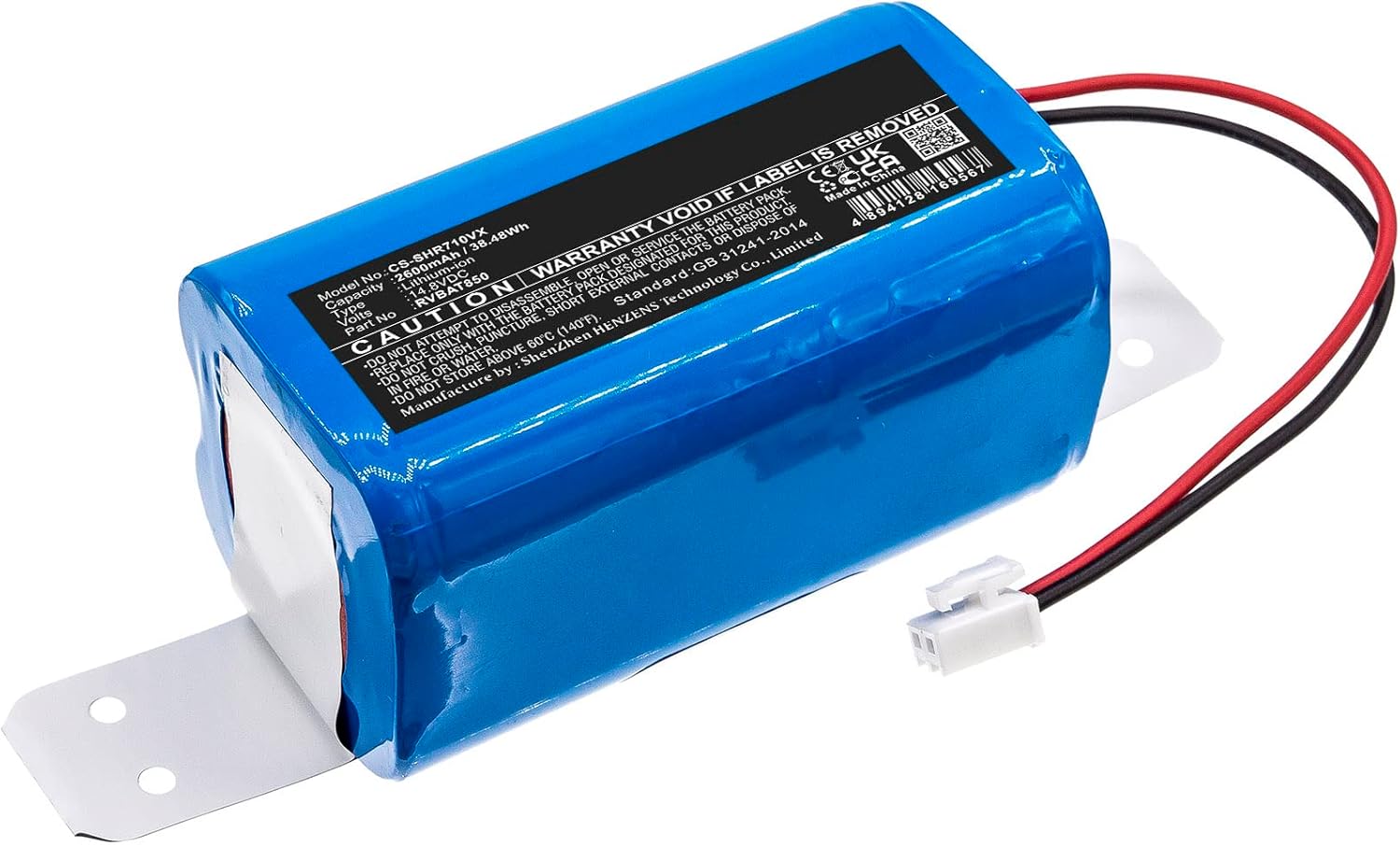
Figure 1: Henhaoro CS-SHR710VX Replacement Battery. This image shows the blue battery pack with its specifications label and connector wires.

Figure 2: Close-up of the battery connector. This image highlights the white two-pin connector that attaches the battery to the vacuum.
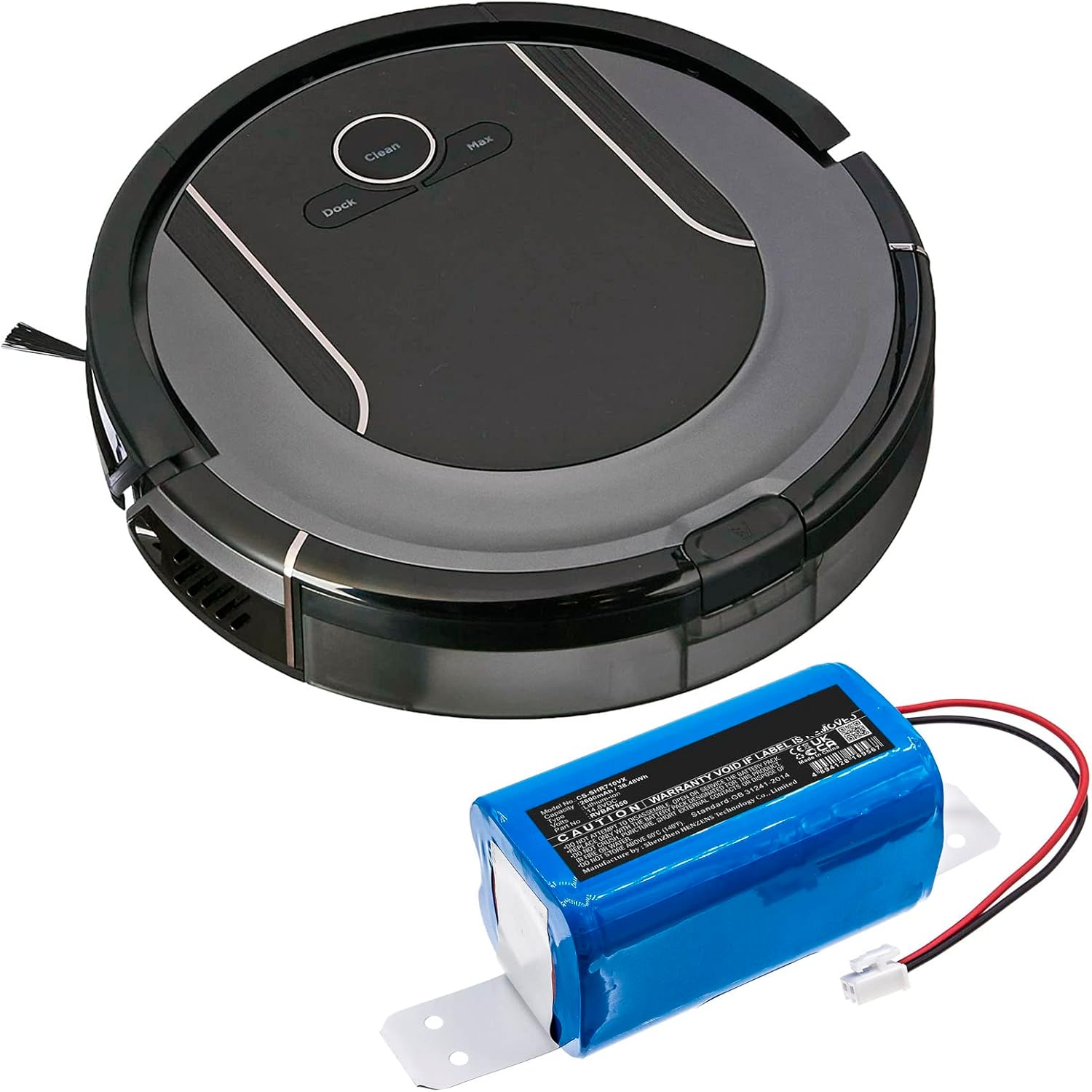
Figure 3: Shark ION Robot Vacuum with the replacement battery. This image illustrates the battery positioned next to a compatible robot vacuum, showing the scale and intended use.
Installation Video Guide:
Video 1: RVBAT850 Battery Replacement for Shark ION/IQ/AI Robot RV1001AE. This video demonstrates the step-by-step process of replacing the battery in a Shark ION Robot Vacuum.
6. Operating Instructions
After successful battery installation and initial charging, your Shark ION Robot Vacuum should operate as usual. Refer to your robot vacuum's original user manual for specific operating instructions.
- First Use: Ensure the battery is fully charged before the first cleaning cycle.
- Charging: Always return the vacuum to its charging dock when not in use to maintain battery health.
- Power On/Off: Use the power button on the vacuum or its remote/app to control operation.
7. Maintenance and Storage
Proper maintenance extends the life of your battery:
- Regular Charging: Avoid completely draining the battery frequently. Charge it regularly.
- Long-Term Storage: If storing the vacuum for an extended period, charge the battery to about 50% and store it in a cool, dry place. Recharge every 3-6 months to prevent deep discharge.
- Temperature: Do not expose the battery to extreme temperatures (above 60°C/140°F or below 0°C/32°F).
8. Troubleshooting
If you encounter issues after replacing the battery, consider the following:
- Vacuum Not Powering On:
- Ensure the battery connector is firmly seated.
- Verify the battery is charged.
- Check if the vacuum's power switch is in the ON position.
- Short Run Time:
- Ensure the battery is fully charged.
- Clean the vacuum's brushes and filters, as excessive debris can increase power consumption.
- Charging Issues:
- Confirm the charging dock is powered and the vacuum is correctly docked.
- Clean the charging contacts on both the vacuum and the dock.
If problems persist, consult your Shark ION Robot Vacuum's original manual or contact customer support.
9. Warranty and Support
The Henhaoro CS-SHR710VX battery is manufactured with quality and safety in mind, holding ROSH, CE, and UL certifications. For further support or inquiries, please refer to the manufacturer's website or contact your retailer.
Manufacturer's Website: cameronsino.com