
Introduction
Thank you for choosing the arungo MP10 Portable MP3 Player. This device is designed to provide a convenient and enjoyable audio experience, featuring a compact design, large storage capacity, and multiple functions including music playback, voice recording, e-book reading, and FM radio. Please read this manual carefully to ensure proper use and optimal performance of your device.

Image: Overview of arungo MP10 MP3 Player features including music, long battery life, FM radio, 32GB memory card, picture viewing, e-book reading, HD recording, and file management.
Package Contents
Please check the package contents upon unboxing to ensure all items are present:
- 1 x arungo MP3 Player
- 1 x 32GB Micro SD Card (pre-inserted)
- 1 x Earphone
- 1 x Charging Cable
- 1 x User Manual
Product Overview
Familiarize yourself with the buttons and ports of your arungo MP10 MP3 Player for easy navigation and control.

Image: Button Guide for the arungo MP10 MP3 Player.
Button Functions:
- M (Menu/Up): Short press to enter the menu. Long press to return to the main interface.
- ◀◀ (Left/Previous): When playing music, short press to select the previous music file. Long press to rewind the music.
- ►► (Play/Pause/Confirm): Short press to play or pause. Long press to turn the player on or off.
- ▶▶ (Right/Next): When playing music, short press to select the next music file. Long press to fast forward the music.
- VOL (Volume/Down/Return): Short press to return to the previous step. Long press to enter the volume adjustment menu, then use ◀◀ or ▶▶ to adjust.
Setup
1. Charging the Device
Connect the MP3 player to a computer or a USB wall adapter using the provided charging cable. The battery icon on the screen will turn stable green when fully charged. A full charge typically takes 3-4 hours.

Image: Charging the arungo MP10 MP3 Player.
2. Transferring Music Files
To transfer music or other files, connect the MP3 player to your computer using the charging cable. The device will appear as a removable disk. You can then drag and drop files directly into the player's storage or the inserted Micro SD card. Ensure the memory card is inserted into the player before attempting to transfer files.
3. Micro SD Card Management
The device comes with a 32GB Micro SD card pre-inserted, capable of storing over 5,000 songs and e-books. The player supports Micro SD cards up to 128GB (not included). It is recommended to format the memory card on your computer before initial use to ensure compatibility and optimal performance.
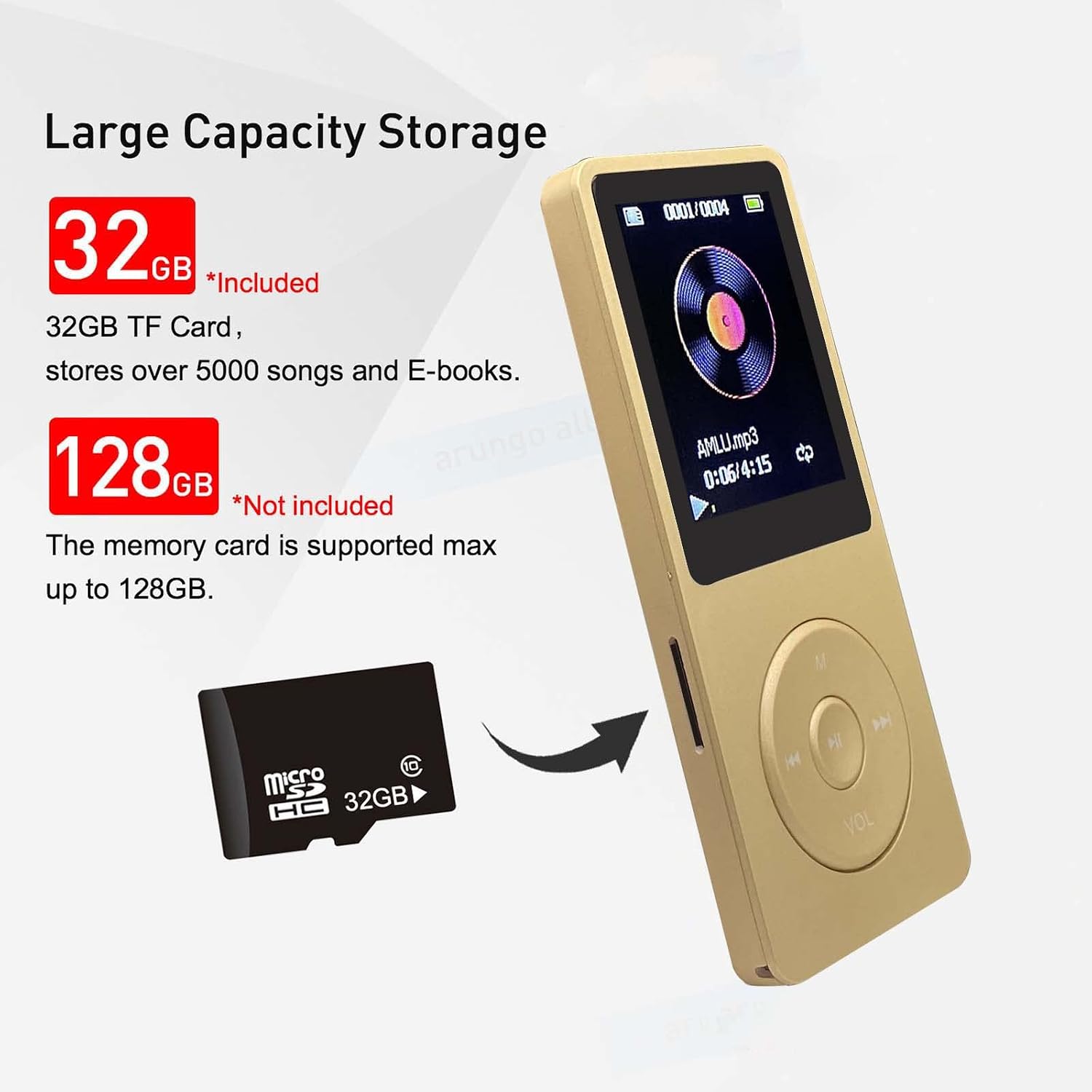
Image: Micro SD card insertion and storage capacity information.
Operating Instructions
1. Power On/Off
Long press the ►► (Play/Pause/Confirm) button to turn the player on or off.
2. Music Playback
Navigate to the 'Music' option from the main menu using the M, ◀◀, ▶▶, and ►► buttons. Select your desired song or playlist. Use ►► to play/pause, ◀◀ for previous track/rewind, and ▶▶ for next track/fast forward. The player supports MP3, WMA, APE, FLAC, WAV, and AAC audio formats. The shuffle feature allows for random playback.
3. Volume Adjustment
Long press the VOL button to enter the volume adjustment interface. Use the ◀◀ and ▶▶ buttons to increase or decrease the volume. Press VOL again to exit.
4. FM Radio
To use the FM Radio function, ensure earphones are connected to the player, as they act as the antenna. Navigate to the 'FM Radio' option in the menu. You can then adjust the frequency range and select your preferred channels.
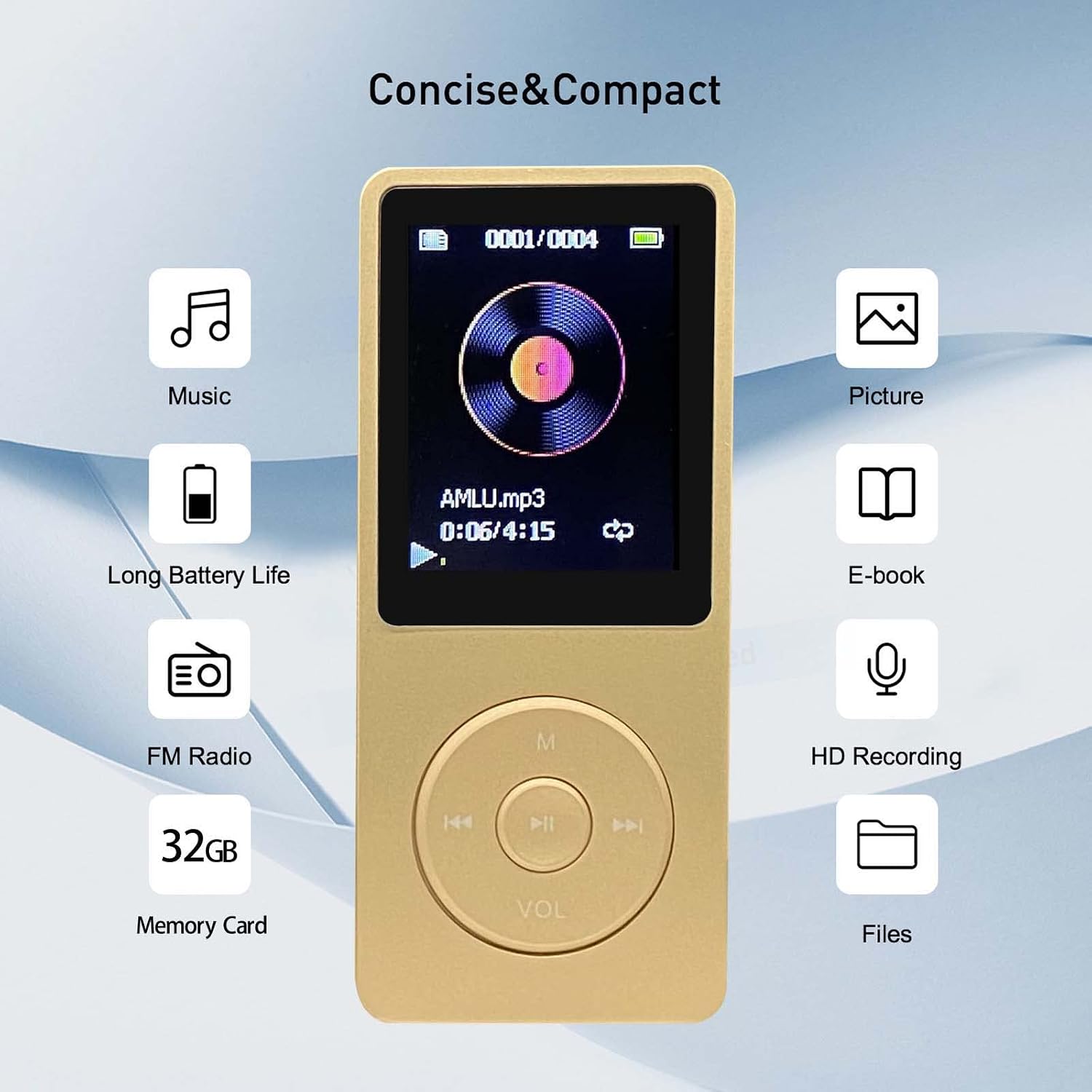
Image: FM Radio function on the arungo MP10 MP3 Player.
5. Voice Recorder
The MP10 includes a voice recorder function. Access this feature from the main menu to record audio. Refer to the on-screen prompts for recording, saving, and playback options.
6. E-Book Reader
The device supports e-book reading. Transfer compatible e-book files to the player and access them through the 'E-book' menu option.
Maintenance
To ensure the longevity and optimal performance of your arungo MP10 MP3 Player, follow these maintenance guidelines:
- Keep the device dry. Avoid exposure to moisture or liquids.
- Clean the screen and body with a soft, dry cloth. Do not use abrasive cleaners.
- Avoid extreme temperatures. Do not expose the device to direct sunlight or very cold environments.
- Handle with care. Avoid dropping or subjecting the device to strong impacts.
- Store the device in a safe place when not in use to prevent scratches or damage.
Troubleshooting
If you encounter any issues with your arungo MP10 MP3 Player, please refer to the following common solutions:
- Device does not power on: Ensure the battery is sufficiently charged. Connect the player to a power source and allow it to charge for at least 30 minutes before attempting to power on again.
- Cannot transfer files: Verify that the USB cable is securely connected to both the player and the computer. Ensure the Micro SD card is properly inserted into the player. Try restarting both the player and the computer.
- No sound or poor sound quality: Check if the earphones are properly plugged in. Ensure the volume is not set to minimum or muted. Try using a different pair of earphones to rule out earphone issues.
- FM Radio static or no signal: Ensure earphones are connected, as they serve as the antenna. Try moving to an area with better signal reception.
- Device freezes or becomes unresponsive: Long press the power button (►►) to force a restart. If the issue persists, connect the device to a computer and try formatting the Micro SD card (backing up data first).
Specifications
Detailed technical specifications for the arungo MP10 MP3 Player:
| Product Dimensions | 0.28 x 1.54 x 3.54 inches |
| Item Weight | 2.89 ounces |
| Model Number | MP10 |
| Batteries | 1 Lithium Polymer battery (included) |
| Connectivity Technology | USB |
| Memory Storage Capacity | 32 GB (expandable up to 128 GB via Micro SD) |
| Screen Size | 1.8 Inches |
| Display Technology | LCD |
| Supported Audio Formats | MP3, WMA, APE, FLAC, WAV, AAC |
| Special Features | Voice Recorder, E-Book Reader, FM Radio, Shuffle Playback |
Support
For any usage issues or further assistance, please contact arungo customer support. You can send a message via the Amazon seller message box, and our team will respond within 24 hours.