
Introduction
Thank you for choosing the BANTI Electric Standing Desk B-SDE-55WE-DD. This manual provides essential information for the safe assembly, operation, and maintenance of your new electric standing desk. Please read these instructions carefully before use and retain them for future reference.
This height-adjustable electric standing desk is designed to enhance your working environment by allowing seamless transitions between sitting and standing positions, promoting better posture and reducing discomfort associated with prolonged sitting.
Safety Information
- Ensure all components are present and undamaged before assembly. Do not use if any parts are missing or broken.
- Keep children and pets away from the desk during operation, especially when adjusting height.
- Ensure there are no obstructions above or below the desk when adjusting its height to prevent collision.
- Do not overload the desk. The maximum weight capacity is 150 lbs (68 kg).
- Only use the provided power adapter and controller.
- Do not disassemble or modify the desk's electrical components. Contact qualified service personnel for repairs.
- Keep liquids away from electrical components to prevent electric shock.
- Always unplug the desk from the power outlet before cleaning or performing maintenance.
Package Contents
Please verify that all the following components are included in your package:
- Desk Frame (Legs and Crossbar)
- Desktop Surface
- Control Panel
- Power Adapter and Cable
- Drawer Components (2 sets)
- Monitor Stand / Top Shelf
- Assembly Hardware (screws, tools)
- Optional Detachable and Lockable Casters
- Instruction Manual (this document)
Setup and Assembly
The BANTI Electric Standing Desk is designed for straightforward assembly. A detailed installation manual with visual guides is included in your package. Please follow those instructions carefully for proper setup.
General Assembly Steps:
- Unpack all components and lay them out on a clean, soft surface to prevent scratches.
- Assemble the desk frame according to the provided diagrams, ensuring all screws are tightened securely.
- Attach the desktop surface to the assembled frame.
- Install the double drawers and the monitor stand/top shelf.
- Mount the control panel to the underside of the desk in an accessible location.
- Connect all electrical cables (motor to control box, control box to control panel, power adapter to control box).
- If desired, attach the detachable and lockable casters to the desk legs. Ensure they are securely fastened.
- Plug the power adapter into a wall outlet.

Image: Fully assembled BANTI Electric Standing Desk, showcasing its design and functionality in a home office setting.

Image: Diagram illustrating the product dimensions, including desktop size (55x24 inches) and height adjustment range.
Operating Instructions
Electric Height Adjustment
Your BANTI Electric Standing Desk features an electric lift system allowing you to adjust the desk height smoothly between 32.48 and 51.38 inches. The control panel includes up/down buttons and memory presets for convenience.
- Adjusting Height: Use the ▲ (Up) and ▼ (Down) buttons on the control panel to raise or lower the desk to your desired height. Release the button to stop movement.
- Setting Memory Presets: The desk features 3 preset memory buttons (1, 2, 3). To save a height setting: Adjust the desk to your preferred height, then press and hold one of the memory buttons (1, 2, or 3) until you hear a beep or see the display flash, indicating the height is saved.
- Using Memory Presets: Press a saved memory button (1, 2, or 3) to automatically move the desk to the corresponding pre-set height.
- Collision-Avoiding Feature: The desk is equipped with a collision-avoiding system. If the desk encounters an obstruction during height adjustment, it will automatically stop and reverse slightly to prevent damage.

Image: Visual representation of the desk's height adjustment capabilities, illustrating both sitting and standing positions.
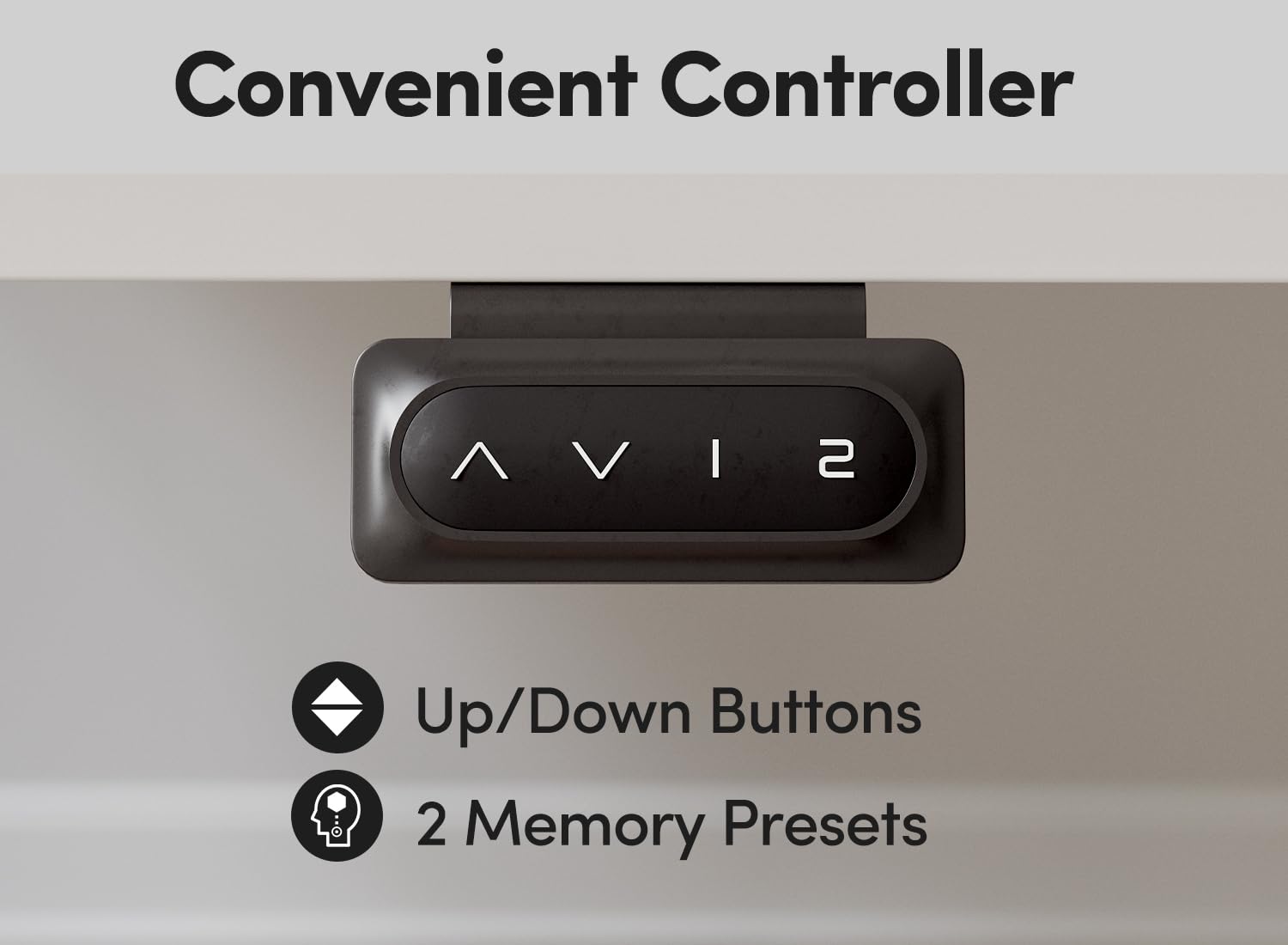
Image: Detailed view of the convenient control panel, highlighting the up/down arrows and two memory preset buttons.
Drawer and Storage Use
The desk features integrated storage solutions to help keep your workspace organized.
- Dual Drawers: Utilize the two integrated drawers for storing small office supplies, documents, or personal items, keeping your desktop clutter-free.
- Open Storage Zone: The top shelf includes an open storage area, ideal for placing items like speakers, books, or decorative elements, providing convenient access and saving space.

Image: View of the dual-drawer organization, showing internal dimensions and examples of items that can be stored.

Image: Detailed view of the open storage zone, demonstrating its capacity for various items like speakers and books.
Detachable and Lockable Casters
The desk comes with optional swivel casters that allow for easy mobility. These casters can rotate 360 degrees and include a locking mechanism.
- Mobility: When unlocked, the casters allow you to easily move the desk to different locations without lifting.
- Stability: Engage the locking mechanism on the casters to secure the desk in place and prevent unintended movement.
Maintenance
Regular maintenance ensures the longevity and optimal performance of your BANTI Electric Standing Desk.
- Cleaning: Wipe the desk surface and frame with a soft, damp cloth. Avoid harsh chemicals or abrasive cleaners that could damage the finish.
- Cable Management: Periodically check and organize cables to prevent tangles and ensure they do not interfere with the desk's movement.
- Fasteners: Occasionally check all screws and bolts to ensure they remain tight. Retighten if necessary.
- Motor Inspection: Listen for any unusual noises during height adjustment. If you notice any issues, unplug the desk and contact support.
Troubleshooting
If you encounter any issues with your BANTI Electric Standing Desk, please refer to the following troubleshooting guide:
| Problem | Possible Cause | Solution |
|---|---|---|
| Desk does not move or respond to controls. | Power cable disconnected, control panel cable loose, motor error. | Check all cable connections. Ensure the power adapter is securely plugged into both the desk and the wall outlet. Try unplugging the desk for 2-5 minutes, then plug it back in. |
| Desk moves unevenly or makes unusual noises. | Overload, loose fasteners, obstruction. | Reduce weight on the desk. Check for any obstructions. Ensure all assembly fasteners are tight. |
| Desk stops during adjustment (Collision-Avoiding). | Obstruction detected. | Remove any objects that may be obstructing the desk's movement. The desk should resume normal operation. |
| Memory presets are not working. | Presets not saved correctly. | Re-save your desired height settings by adjusting the desk to the height, then pressing and holding the desired memory button until confirmed. |
Specifications
Detailed specifications for the BANTI Electric Standing Desk B-SDE-55WE-DD:
| Feature | Specification |
|---|---|
| Model Number | B-SDE-55WE-DD |
| Desktop Dimensions | 55 x 24 Inches |
| Height Adjustment Range | 32.48 to 51.38 Inches |
| Minimum Height | 27.6 Inches (without casters) |
| Maximum Weight Capacity | 150 lbs (68 kg) |
| Number of Drawers | 2 |
| Frame Material | Alloy Steel |
| Top Material | Alloy Steel Engineered Wood |
| Color | White Top / White Frame |
| Special Features | Adjustable, Electric, Ergonomic, Double Drawers, Storage Shelf, Collision-Avoiding |
| Assembly Required | Yes |
| Item Weight | 85.98 Pounds (approx. 39 kg) |
Warranty and Support
BANTI stands behind the quality of its products. For specific warranty details, please refer to the warranty card included with your purchase or visit the official BANTI website.
If you require technical assistance, have questions about assembly, or need to report a missing/damaged part, please contact BANTI customer support through the retailer where you purchased the product or via the contact information provided on the official BANTI website.


