
Tiptiper 01
Tiptiper Vintage Vanity Desk Instruction Manual
Model: 01
Introduction
This manual provides essential information for the safe and proper assembly, operation, and maintenance of your Tiptiper Vintage Vanity Desk. Please read these instructions thoroughly before use and retain them for future reference.
Safety Information
For your safety and to prevent damage to the product, please observe the following:
- Avoid exposing the vanity to excessive water or cleaning with harsh chemicals.
- Exercise caution when handling electrical components, including the charging station and LED lights.
- Be careful when using the large mirror and 10 LED bulbs to prevent injury.
- Ensure all electrical connections are secure and comply with local safety standards.
Product Features
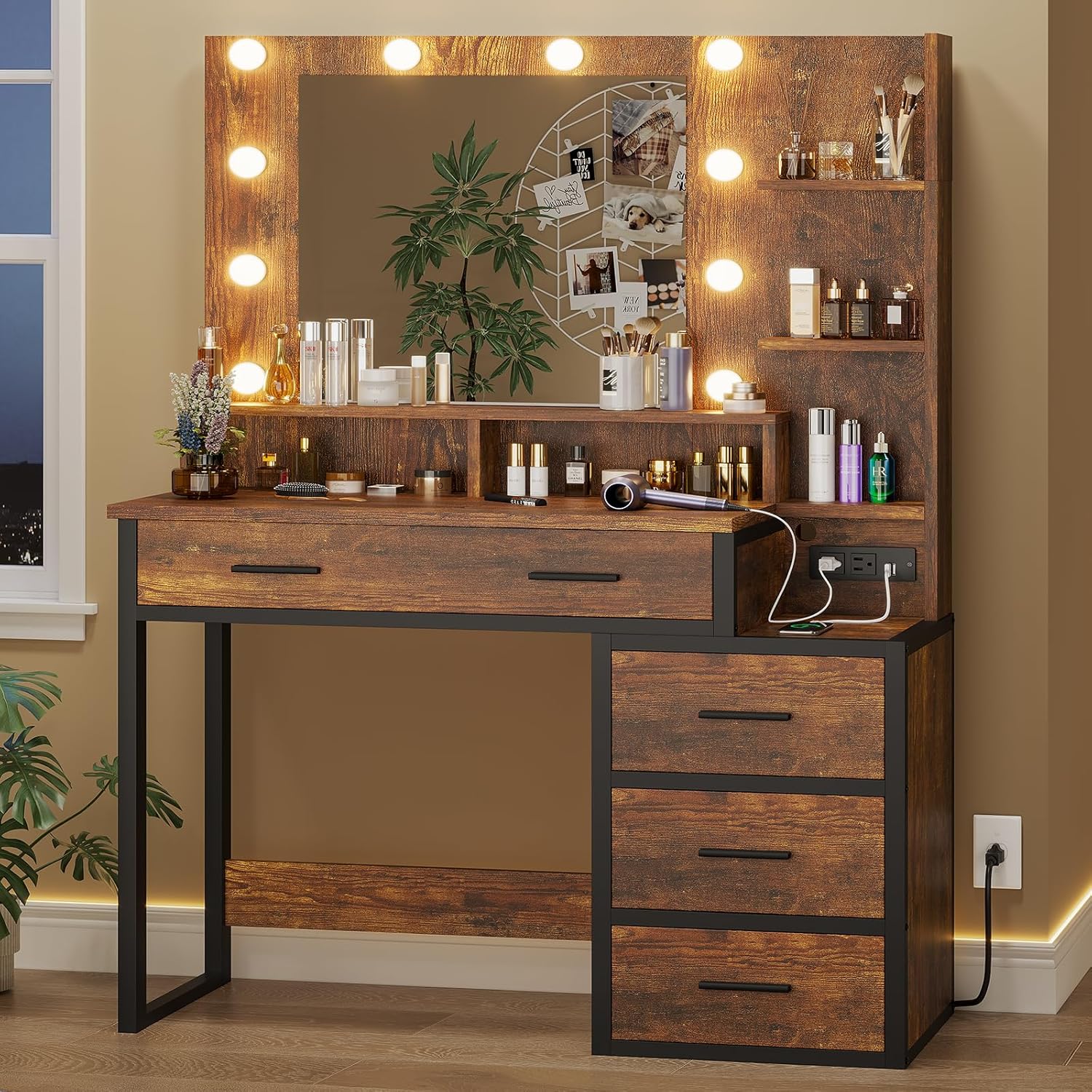
The Tiptiper Vintage Vanity Desk is designed with several features to enhance your experience:
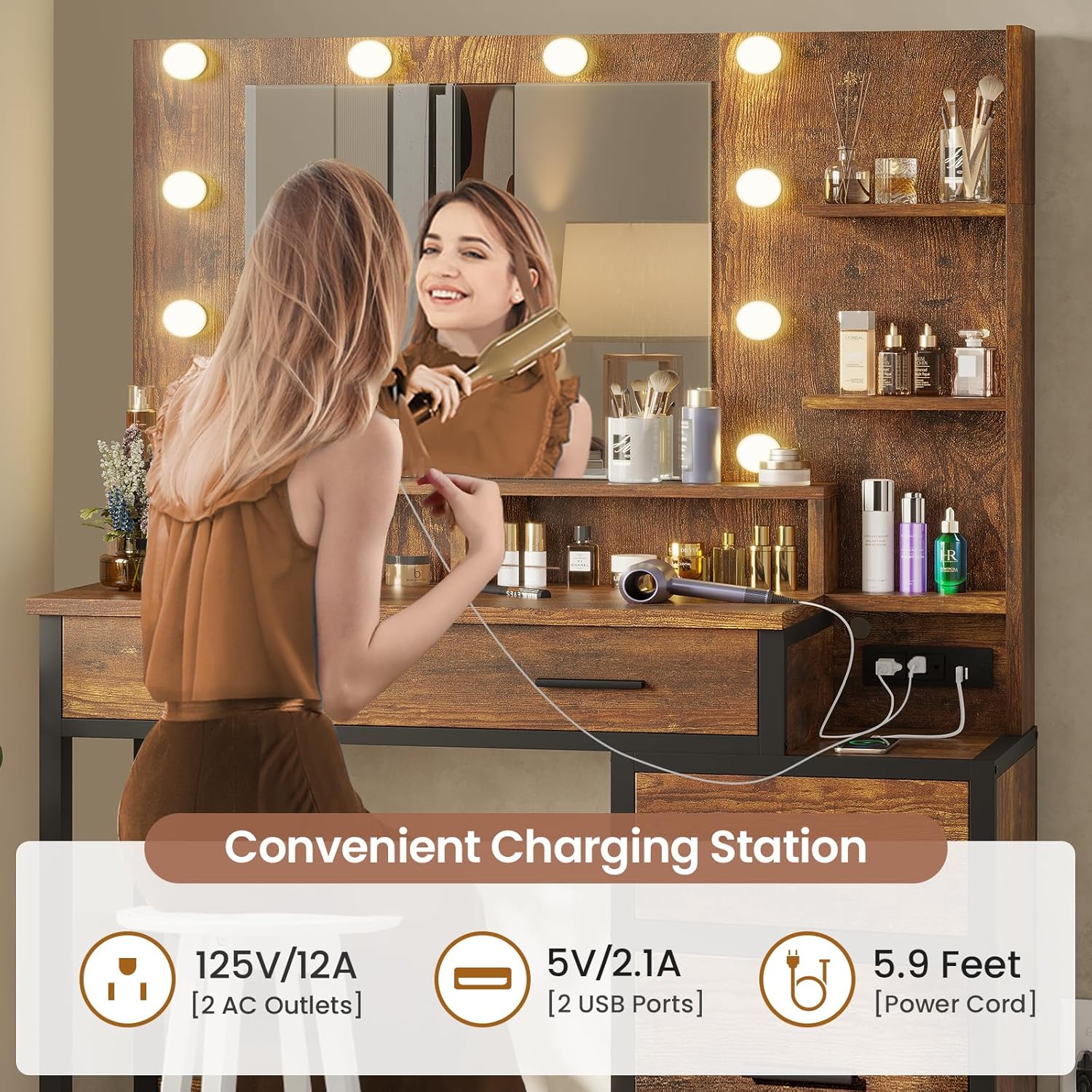
- Integrated Charging Station: Equipped with 2 standard AC plug sockets and 2 USB ports for convenient charging of electronic devices.
- Dimmable LED Mirror Lights: Features 10 LED bulbs with 3 color modes (Warm Yellow, Warm White, Cold White) and adjustable brightness for optimal illumination.
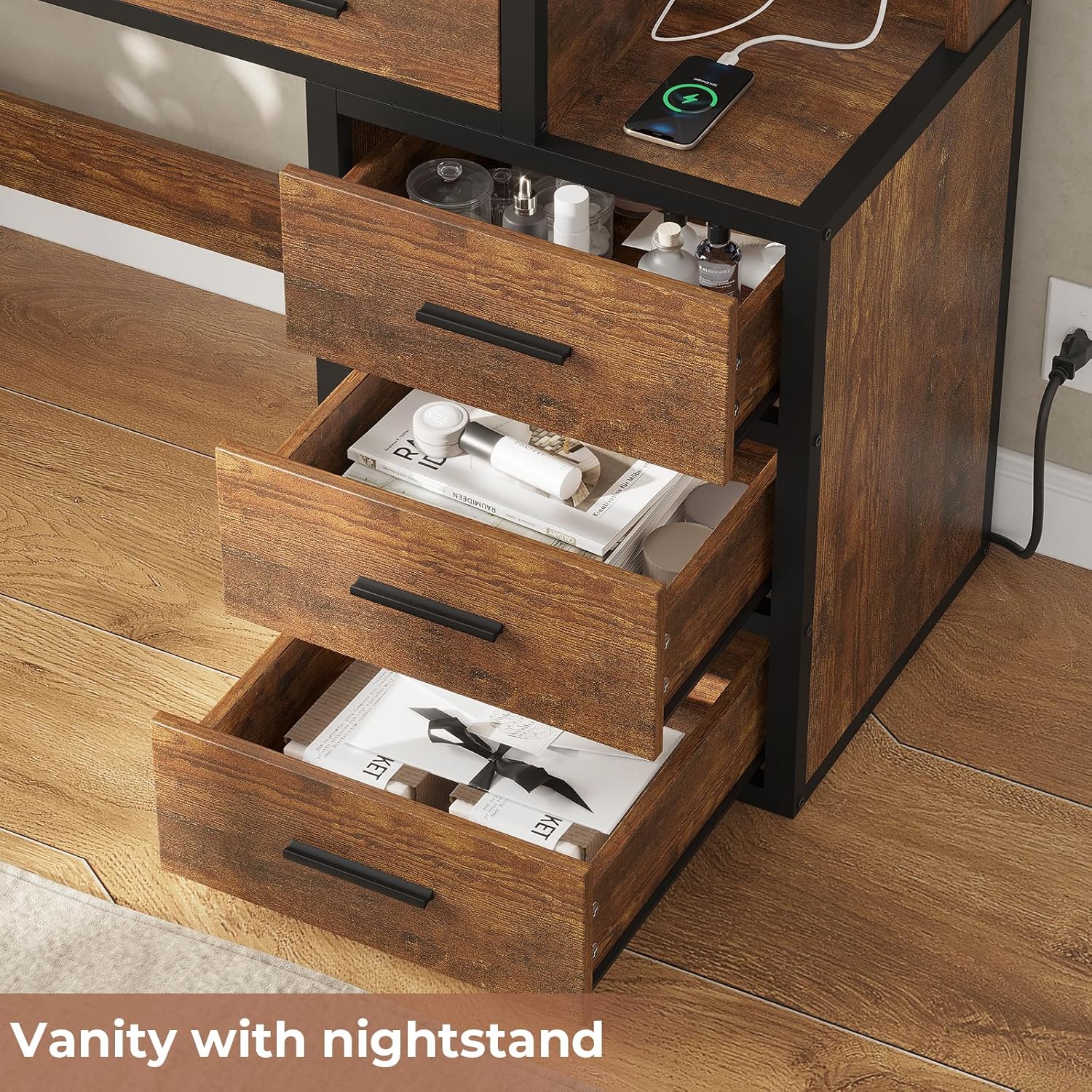
- Ample Storage: Includes 5 practical drawers and 3-layer side storage shelves to organize cosmetics, jewelry, and accessories.
- Durable Construction: Made from environmental particle board with solid metal legs for long-lasting use.
Assembly Instructions
The Tiptiper Vintage Vanity Desk requires assembly. Detailed, easy-to-follow assembly instructions are included in the product packaging to ensure correct and fast setup. Please refer to the separate assembly manual for step-by-step guidance.
Operating Instructions
1. LED Mirror Lights
The vanity mirror is equipped with 10 dimmable LED light bulbs offering three color modes. Use the inline controller to adjust settings.
- Power Button: Press to turn the lights ON or OFF.
- Brightness Adjustment: Use the '+' and '-' buttons to increase or decrease the light intensity.
- Color Mode Selection: Press the 'M' button to cycle through the three color modes: Warm Yellow, Warm White, and Cold White.

2. Charging Station
The integrated charging station provides convenient power access for your devices.
- AC Outlets: Two 125V/12A standard plug sockets are available for powering appliances like hair dryers or curling irons.
- USB Ports: Two 5V/2.1A USB ports are provided for charging mobile phones, tablets, and other USB-powered devices.
- Ensure the vanity is properly plugged into a wall outlet using its 5.9-foot power cord before using the charging station.
Maintenance
Proper care will extend the life and appearance of your vanity desk:
- Cleaning Surfaces: Wipe surfaces with a dry cloth for general dusting. For more thorough cleaning, use a damp cloth. Avoid abrasive cleaners or harsh chemicals.
- Mirror Care: Clean the mirror with a glass cleaner and a soft, lint-free cloth.
- Electrical Components: Ensure the charging station and LED lights are kept dry. Do not immerse any part of the electrical components in water.
- Drawer Maintenance: Periodically check drawer slides for smooth operation.
Troubleshooting
If you encounter any issues with your Tiptiper Vintage Vanity Desk, please refer to the following common solutions:
- Lights Not Turning On:
- Check if the power cord is securely plugged into both the vanity and a working wall outlet.
- Ensure the power button on the inline controller is pressed.
- Verify that the wall outlet is receiving power by testing it with another device.
- Charging Station Not Working:
- Confirm the vanity is plugged in and receiving power.
- Test the USB ports and AC outlets with different devices to rule out device-specific issues.
- Drawers Sticking or Not Sliding Smoothly:
- Ensure the drawers are correctly installed on their slides.
- Check for any obstructions within the drawer slides.
If problems persist, please contact Tiptiper customer support for assistance.
Specifications
| Feature | Detail |
|---|---|
| Brand | Tiptiper |
| Model Number | 01 |
| Product Dimensions | 36.2"D x 15.7"W x 56.5"H |
| Frame Material | Metal |
| Furniture Finish | Rustic Brown & Black |
| LED Lights | 10 Dimmable Bulbs, 3 Color Modes |
| Charging Station | 2 AC Outlets (125V/12A), 2 USB Ports (5V/2.1A) |
| Power Cord Length | 5.9 Feet |
| Storage | 5 Drawers, 3-Layer Side Storage Shelves |
| Care Instructions | Wipe with Dry, Wipe with Damp Cloth |
Warranty and Support
For warranty information or technical support, please contact Tiptiper customer service. Details for contacting support are typically found in the product packaging or on the official Tiptiper website.