
Aidapt VM909B
Aidapt Liquid Level Indicator User Manual
Model: VM909B | Brand: Aidapt
1. Introduction
The Aidapt Liquid Level Indicator is an assistive device specifically designed for individuals with visual impairments. It provides crucial alerts through sound and vibration, notifying the user when the liquid in a cup or glass reaches a pre-set detection level. This helps prevent spills and burns, promoting independence in daily activities. The device is compact, lightweight, and powered by a single CR2032 battery.

Image: The Aidapt Liquid Level Indicator, a compact white device with three metal prongs extending from its base, designed to clip onto the rim of a cup.
2. Key Features
- Designed for the Visually Impaired: Specifically engineered to assist users with low vision or blindness.
- Sound and Vibration Alerts: Provides clear auditory and tactile feedback when the liquid level is reached.
- Adjustable Detection Level: Allows users to pre-assign the desired liquid level for alerts.
- Versatile Use: Suitable for both hot and cold beverages.
- Integrated Magnet: Features a convenient magnet for easy storage on metallic surfaces like refrigerators when not in use.

Image: A visual representation of the Aidapt Liquid Level Indicator alongside a bulleted list highlighting its main features, such as sound and vibration alerts and suitability for hot or cold drinks.
3. Safety Information
- Always ensure the device is clean and dry before use.
- Do not immerse the entire device in liquid. Only the metal prongs should come into contact with the liquid.
- Keep out of reach of children and pets.
- Dispose of batteries responsibly according to local regulations.
- Do not attempt to disassemble or repair the device yourself. Contact support if issues arise.
4. Setup
4.1 Battery Installation
The Aidapt Liquid Level Indicator requires one CR2032 alkaline battery (not included). To install the battery:
- Locate the battery compartment on the back of the device.
- Gently open the battery cover.
- Insert one CR2032 battery with the positive (+) side facing upwards.
- Close the battery cover securely.

Image: The rear view of the Aidapt Liquid Level Indicator, displaying the battery compartment and product details including the model number and battery type.
5. Operation
5.1 Attaching the Device
To use the Liquid Level Indicator:
- Clip the device onto the rim of your cup or glass. Ensure the three metal prongs are positioned inside the cup.
- Adjust the device's position so that the tips of the metal prongs are at the desired liquid level. This is the point at which you want to be alerted.
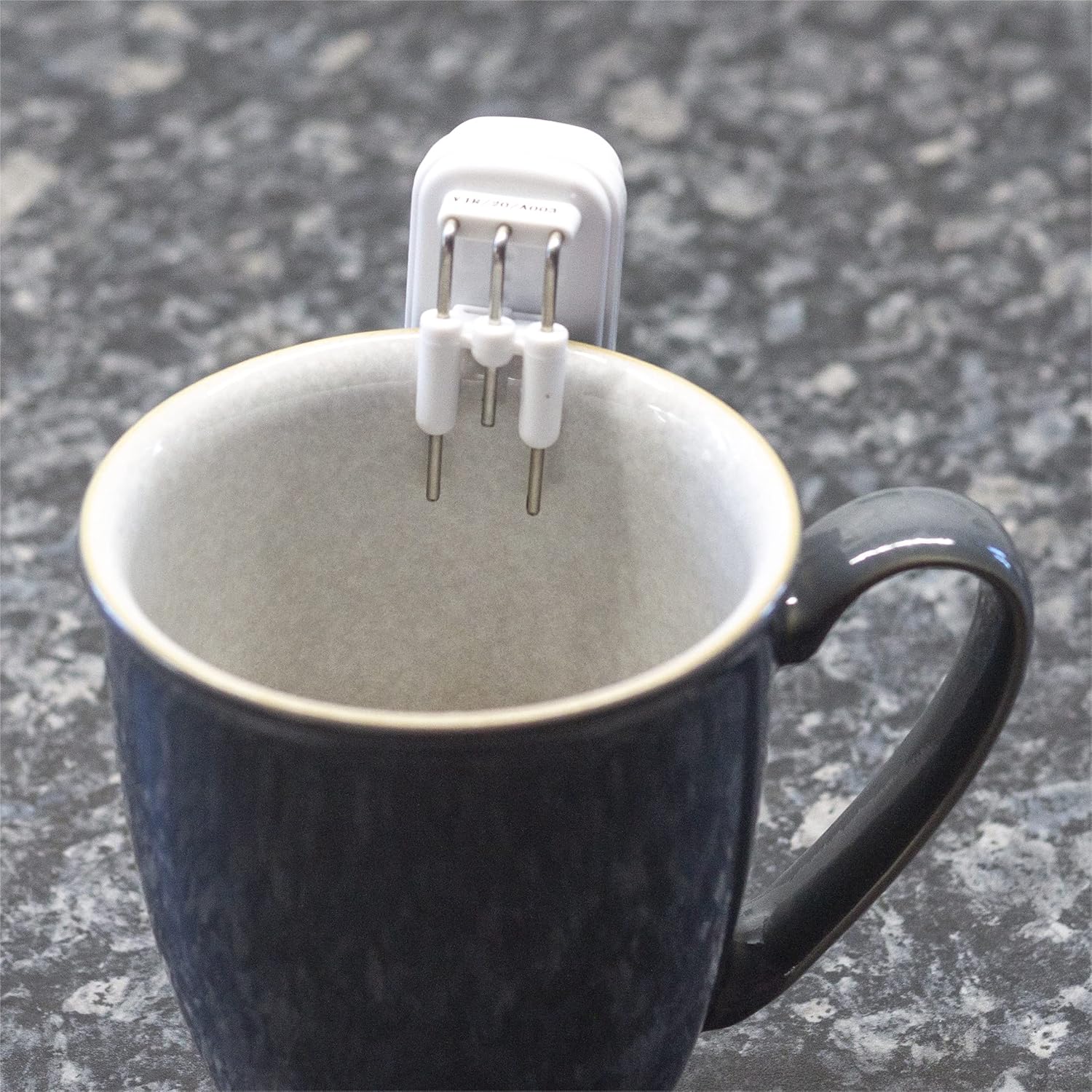
Image: A detailed view of the Aidapt Liquid Level Indicator securely clipped to the edge of a mug, with its three metal sensors extending into the cup's interior.
5.2 Filling the Cup
Begin pouring your liquid into the cup. As the liquid rises and makes contact with the metal prongs, the device will emit a clear sound and vibrate, signaling that the desired level has been reached.

Image: A kettle pouring water into a dark grey mug, with the Aidapt Liquid Level Indicator clipped to the rim, demonstrating the device in active use as the liquid level rises.

Image: Another perspective of water being poured into a mug, illustrating the moment the liquid makes contact with the sensors of the Aidapt Liquid Level Indicator, triggering an alert.
6. Maintenance
6.1 Cleaning
After each use, gently wipe the metal prongs and the body of the device with a damp cloth. Ensure the device is completely dry before storing. Do not use abrasive cleaners or immerse the main unit in water.
6.2 Battery Replacement
If the alerts become weak or the device stops functioning, it may be time to replace the battery. Follow the battery installation steps in Section 4.1.
7. Troubleshooting
- No Alert: Check if the battery is correctly installed and has sufficient charge. Ensure the metal prongs are making proper contact with the liquid.
- False Alerts: Ensure the device is clean and dry before use. Avoid touching the prongs with wet hands or placing the device on a wet surface when not in use.
- Weak Alert: Replace the CR2032 battery.
8. Specifications
| Model Number | VM909B |
| Manufacturer | Aidapt |
| Product Dimensions (L x W x H) | 3 x 3 x 5.4 cm |
| Weight | 30 Grams |
| Power Source | Battery Powered |
| Battery Type | 1 x CR2032 Alkaline (not included) |
| Voltage | 3 Volts |
| Control Method | Tactile |
| Attachment Type | Clip |
| Sensor Technology | Level Sensor |
| Color | White |
9. Warranty and Support
For warranty information and customer support, please refer to the documentation provided with your purchase or visit the official Aidapt website. Keep your proof of purchase for any warranty claims.

Image: The Aidapt Liquid Level Indicator demonstrating its magnetic feature, attached to a refrigerator door, highlighting its convenient storage capability.
Ask a question about this manual
Ask about setup, troubleshooting, compatibility, parts, safety, or missing instructions. Manuals+ will review the question and use this page’s manual context to help answer it.