
Smof BT4805
Smof Bluetooth Car Adapter User Manual
Model: BT4805
1. Introduction
The Smof Bluetooth Car Adapter (Model BT4805) is designed to enhance your in-car audio experience by adding Bluetooth connectivity to non-Bluetooth car audio systems. This device allows for wireless music streaming, hands-free calling, and features a dual-port USB car charger for convenient device charging. It also includes a ground loop noise isolator to ensure high-definition sound quality.
2. Package Contents
Please check the package for the following items:
- Smof Bluetooth Car Adapter (Main Unit)
- Dual-Port USB Car Charger
- Ground Loop Noise Isolator
- 3.5mm Audio Cable
- USB Charging Cable
- Magnetic Mounting Disc with Adhesive Sticker
- User Manual (this document)
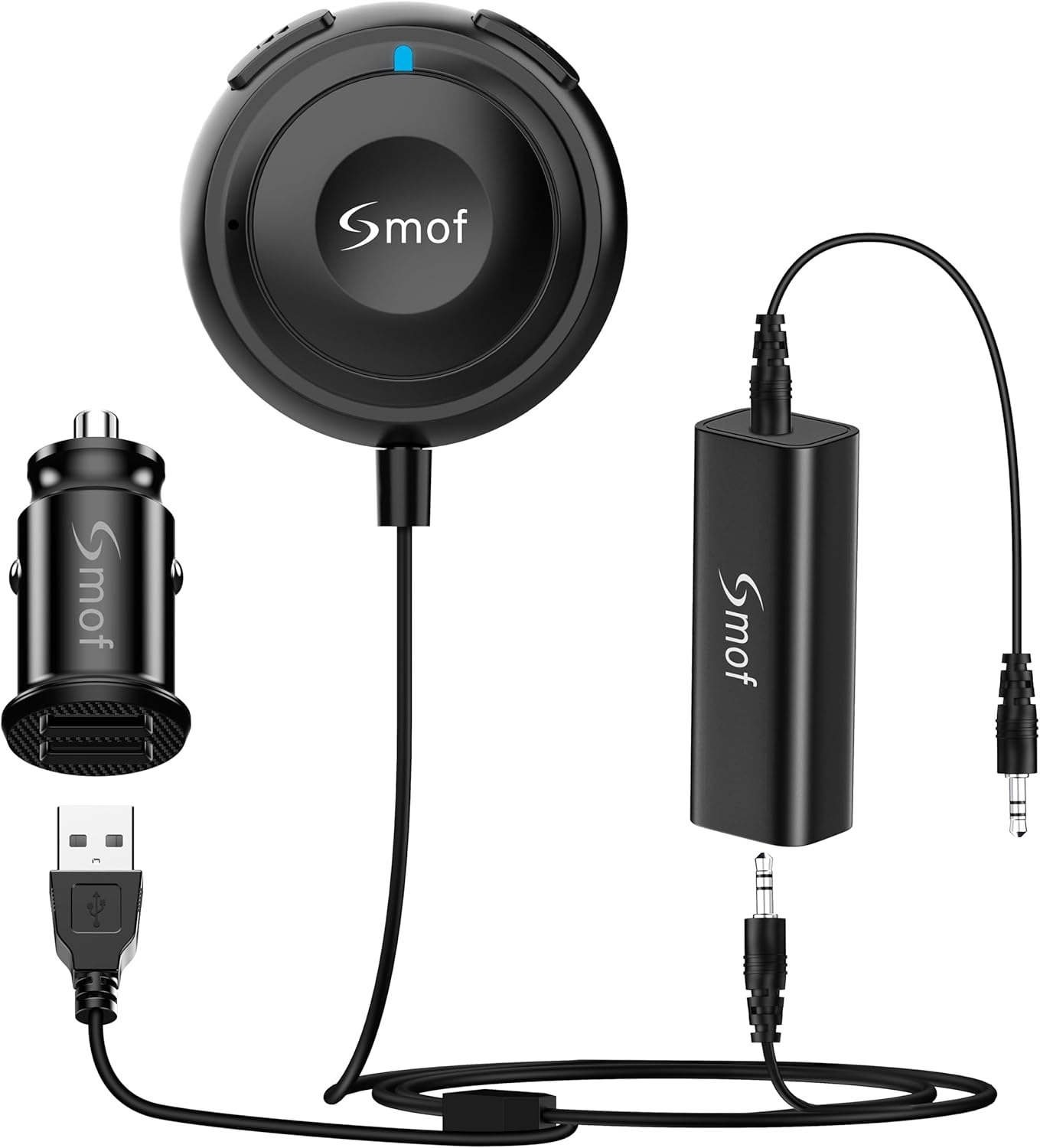
Image: Smof Bluetooth Car Adapter, showing the main unit, car charger, noise isolator, and cables.
3. Product Overview and Components
Familiarize yourself with the different parts of your Smof Bluetooth Car Adapter:

Image: Diagram illustrating the various components of the Smof Bluetooth Car Adapter system.
| No. | Component Name |
|---|---|
| 1 | Multifunction Button |
| 2 | Previous Song / Volume Down Button |
| 3 | Next Song / Volume Up Button |
| 4 | Indicator Light |
| 5 | Microphone |
| 6 | USB Output (on Car Charger) |
| 7 | USB Cable |
| 8 | 3.5mm Audio Cable |
| 9 | Car Charging and Losing (Car Charger) |
| 10 | Ground Loop Noise Isolator |
4. Setup and Installation
- Power Connection: Insert the dual-port USB car charger into your vehicle's 12V power outlet (cigarette lighter socket).
- Connect Adapter: Connect the USB cable from the Smof Bluetooth Car Adapter's main unit to one of the USB output ports on the car charger.
- Audio Connection: Connect the 3.5mm audio cable from the Bluetooth adapter's main unit to your car's AUX input port. If you experience background noise, connect the 3.5mm audio cable from the adapter to one port of the Ground Loop Noise Isolator, and then connect the other port of the isolator to your car's AUX input.
- Mounting (Optional): Use the magnetic mounting disc with its adhesive sticker to securely attach the main Bluetooth adapter unit to a convenient location on your dashboard or console.
- Power On: Once connected, the adapter will power on automatically and the indicator light (4) will illuminate, indicating it's ready for pairing.

Image: Smof Bluetooth Car Adapter installed in a car dashboard, showing its compact size and placement.

Image: Close-up view of the Smof Bluetooth Car Adapter connected to the car's USB charger and AUX input.
5. Operating Instructions
5.1 Bluetooth Pairing
- Ensure the Smof Bluetooth Car Adapter is powered on (indicator light is active).
- On your smartphone or Bluetooth-enabled device, go to Bluetooth settings.
- Search for available devices and select "Smof" from the list.
- Once connected, the indicator light on the adapter will change (e.g., solid blue) and you will hear an audible confirmation.
5.2 Music Playback
- Play/Pause: Press the Multifunction Button (1) once.
- Next Track: Press the Next Song / Volume Up Button (3) once.
- Previous Track: Press the Previous Song / Volume Down Button (2) once.
- Volume Up: Press and hold the Next Song / Volume Up Button (3).
- Volume Down: Press and hold the Previous Song / Volume Down Button (2).
5.3 Hands-Free Calling
- Answer Call: Press the Multifunction Button (1) once when a call comes in.
- End Call: Press the Multifunction Button (1) once during a call.
- Reject Call: Press and hold the Multifunction Button (1) for 2 seconds when a call comes in.
- Redial Last Number: Double-press the Multifunction Button (1).
- Activate Voice Assistant (Siri/Google Assistant): Triple-press the Multifunction Button (1).

Image: Illustration of the hands-free calling feature with the built-in microphone.
5.4 Dual Connection
The adapter supports simultaneous connection to two Bluetooth devices. This allows you to easily switch between two paired smartphones or tablets for music playback without needing to disconnect and reconnect.

Image: Depiction of the dual connection capability, showing two devices connected to the adapter.
6. Troubleshooting
- No Power/No Indicator Light: Ensure the car charger is properly inserted into the 12V outlet and the USB cable is securely connected to both the charger and the adapter. Check your car's fuse for the 12V outlet if necessary.
- Cannot Pair with Device:
- Make sure the adapter is in pairing mode (indicator light blinking).
- Ensure Bluetooth is enabled on your device.
- Forget "Smof" from your device's Bluetooth history and try pairing again.
- Restart both the adapter (by unplugging and replugging) and your device.
- Background Noise/Static:
- Utilize the included Ground Loop Noise Isolator. Connect the adapter's 3.5mm output to one end of the isolator, and the other end of the isolator to your car's AUX input.
- Ensure all cable connections are secure.
- Try a different AUX cable if available.
- Poor Audio Quality/Distortion:
- Adjust the volume on both your device and your car's audio system. Avoid setting either to maximum, which can cause distortion.
- Ensure there are no strong electromagnetic interferences nearby.
- Check if the Ground Loop Noise Isolator is correctly installed if noise is present.
- Hands-Free Call Issues:
- Ensure the microphone (5) on the adapter is not obstructed.
- Check your phone's call audio routing settings to ensure it's directed to the Bluetooth adapter.

Image: Comparison showing the effectiveness of the included noise isolator in reducing background noise.
7. Specifications
| Feature | Detail |
|---|---|
| Model Number | BT4805 |
| Product Dimensions | 4 x 3.1 x 1.3 inches |
| Item Weight | 3.52 ounces |
| Connectivity Technology | Auxiliary, Bluetooth, USB |
| Bluetooth Version | Bluetooth 5.0 |
| Power Source | DC (Car Charger) |
| Material | Plastic |
| Special Features | Car Charger, Bluetooth Receiver, Hands-Free Calls, Dual Connection, Noise Isolator |
8. Maintenance
- Keep the device dry. Moisture and liquids can damage the internal circuits.
- Do not use harsh chemicals, cleaning solvents, or strong detergents to clean the device. Wipe it with a soft, slightly damp cloth.
- Avoid extreme temperatures. High temperatures can shorten the life of electronic devices and warp or melt plastic parts.
- Do not drop, knock, or shake the device. Rough handling can break internal circuit boards and fine mechanics.
- Store the device in a clean, dust-free environment when not in use for extended periods.
9. Warranty and Support
Smof products are designed for reliability and performance. For any issues or questions regarding your Smof Bluetooth Car Adapter, please contact Smof customer support. We are committed to providing excellent service and are always here to work for you.
Please refer to your purchase documentation for specific warranty terms and contact information. Typically, support can be reached via the seller's contact page on the platform where the product was purchased.
Seller: Smof
Amazon Store: Visit the Smof Store on Amazon
Related documentsBT4805


Ask a question about this manual
Ask about setup, troubleshooting, compatibility, parts, safety, or missing instructions. Manuals+ will review the question and use this page’s manual context to help answer it.