
1. Product Overview
The KIMILAR Anti-Theft Video Doorbell Mount (Model: TYZJ02) provides a secure and drill-free solution for mounting your video doorbell. Designed for various door types, this mount offers full coverage protection against theft and damage, making it ideal for homes, rentals, dormitories, and offices. Its innovative design ensures easy installation and removal without causing any damage to your door.

Image: The KIMILAR Anti-Theft Video Doorbell Mount, showcasing its sleek black design and secure housing for a video doorbell.
2. Key Features
- Anti-Theft Design: Features a full-coverage design and an innovative invisible fastening method to prevent theft of your video doorbell.
- No Drilling Required: Installs without the need for drilling, preserving your door's integrity and making it suitable for rental properties.
- Easy Installation & Disassembly: Simple screw-based adjustment allows for quick setup and removal without causing damage to the door.
- Motion Sensor Unobstructed: T-shaped opening design ensures the doorbell's motion sensor remains fully functional.
- Versatile Application: Ideal for various settings including homes, rental properties, school dorms, condos, and businesses.

Image: Visual representation of key features including T-shaped opening, all-around protection, no drilling needed, and anti-theft capabilities.
3. Compatibility
3.1 Compatible Video Doorbell Models
This anti-theft video doorbell mount is designed to fit a range of popular video doorbells. Ensure your doorbell's dimensions are within the specified limits for a proper fit.
- Video Doorbell (Original)
- Video Doorbell (2020 release)
- Video Doorbell 2
- Video Doorbell 3
- Video Doorbell 3 Plus
- Video Doorbell 4
Maximum Doorbell Dimensions:
- Length: Less than 13 cm (5.11 inches)
- Width: Less than 6.5 cm (2.55 inches)
- Height/Thickness: Less than 2.9 cm (1.14 inches)

Image: A visual guide showing various compatible video doorbell models and the maximum dimensions for fitting into the mount.
3.2 Applicable Door Requirements
For optimal performance and secure installation, your door must meet the following criteria:
- Door Thickness: Must be between 1.5 cm (0.59 inches) and 6 cm (2.36 inches).
- Door Gap: The distance between the door and the door frame must be greater than 0.2 cm (0.08 inches).
- Door Swing: Applicable to doors that open from the left or right, but the door must swing inwards.
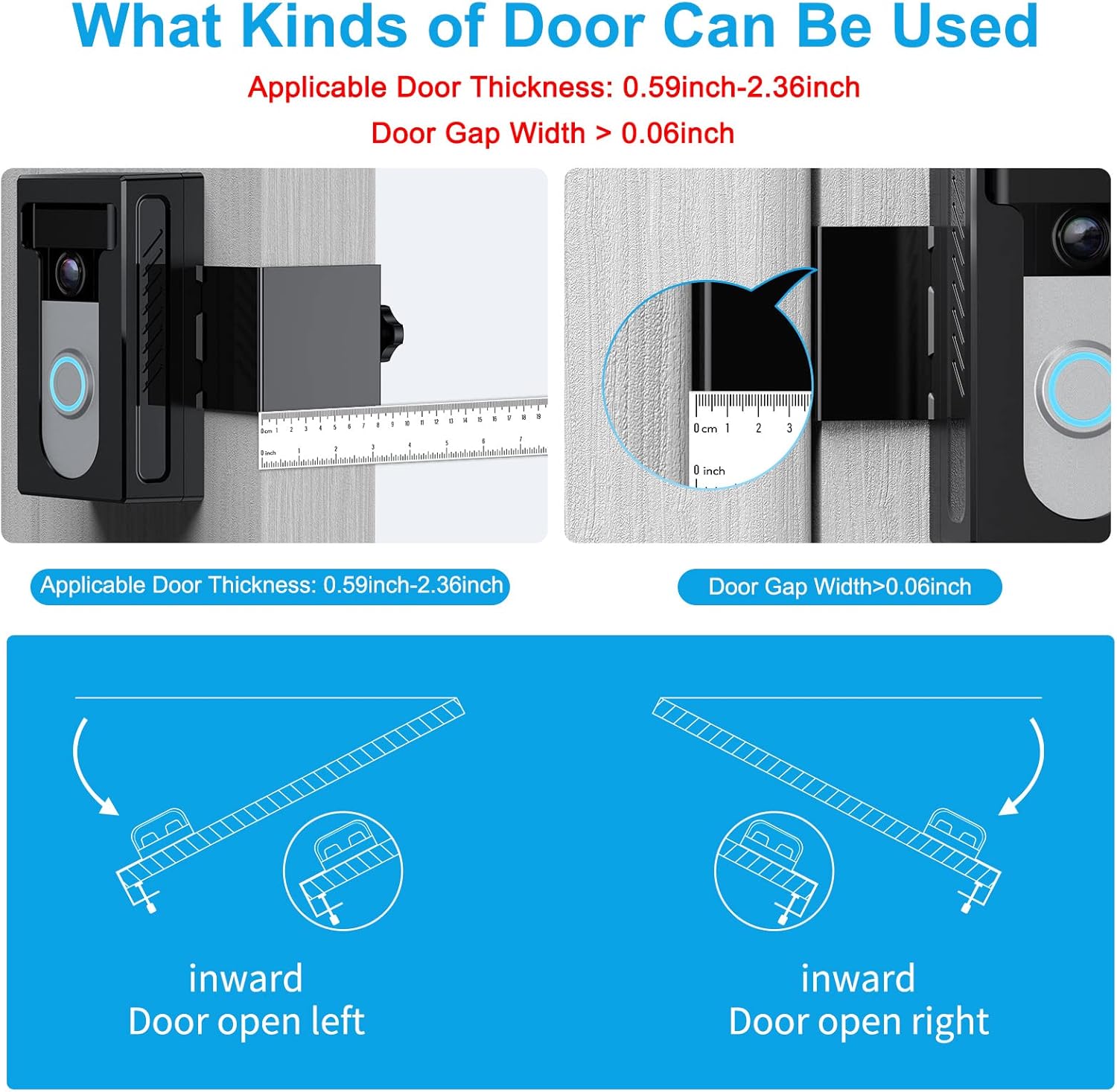
Image: Diagrams illustrating the required door thickness and the necessary gap between the door and frame for proper installation.

Image: Illustration showing that the mount is compatible with doors that swing inwards, regardless of whether they open from the left or right.
4. Setup & Installation
4.1 What's in the Box
Before you begin, ensure all components are present:
- KIMILAR Anti-Theft Video Doorbell Mount
- Installation Guide
- Adjustable Screw
- Security Screws
- Screwdriver
- Protective Gaskets/Pads

Image: A flat lay of all components included in the KIMILAR doorbell mount package, such as the mount, screws, screwdriver, and manual.
4.2 Installation Steps
Follow these steps to install your KIMILAR Anti-Theft Video Doorbell Mount:
- Insert Doorbell: Carefully place your video doorbell into the main casing of the KIMILAR mount. Ensure it fits snugly.
- Secure Back Cover: If your doorbell has a removable back cover, push it into place to secure the doorbell within the mount.
- Fix Security Screw: Use the provided screwdriver to fix the security screw at the bottom of the mount. This prevents the doorbell from being easily removed.
- Insert Metal Bracket & Fix Screws: Insert the metal bracket into the side of the mount. Use the two PM2*8 screws to fix it securely.
- Install Thumb Screw & Gasket: Install the adjustable thumb screw and place the alloy gasket onto it. This screw will be used to secure the mount to your door.
- Mount to Door: Open your door. Position the mount on the edge of the door, ensuring the doorbell faces outwards. Turn the thumb screw to adjust the fixed distance according to your door's thickness until the mount is firmly secured.
Important Note: Do not overtighten the screws, as this may prevent your door from closing normally.

Image: Illustration showing how the mount can be adjusted left and right along the door edge to achieve the desired position.
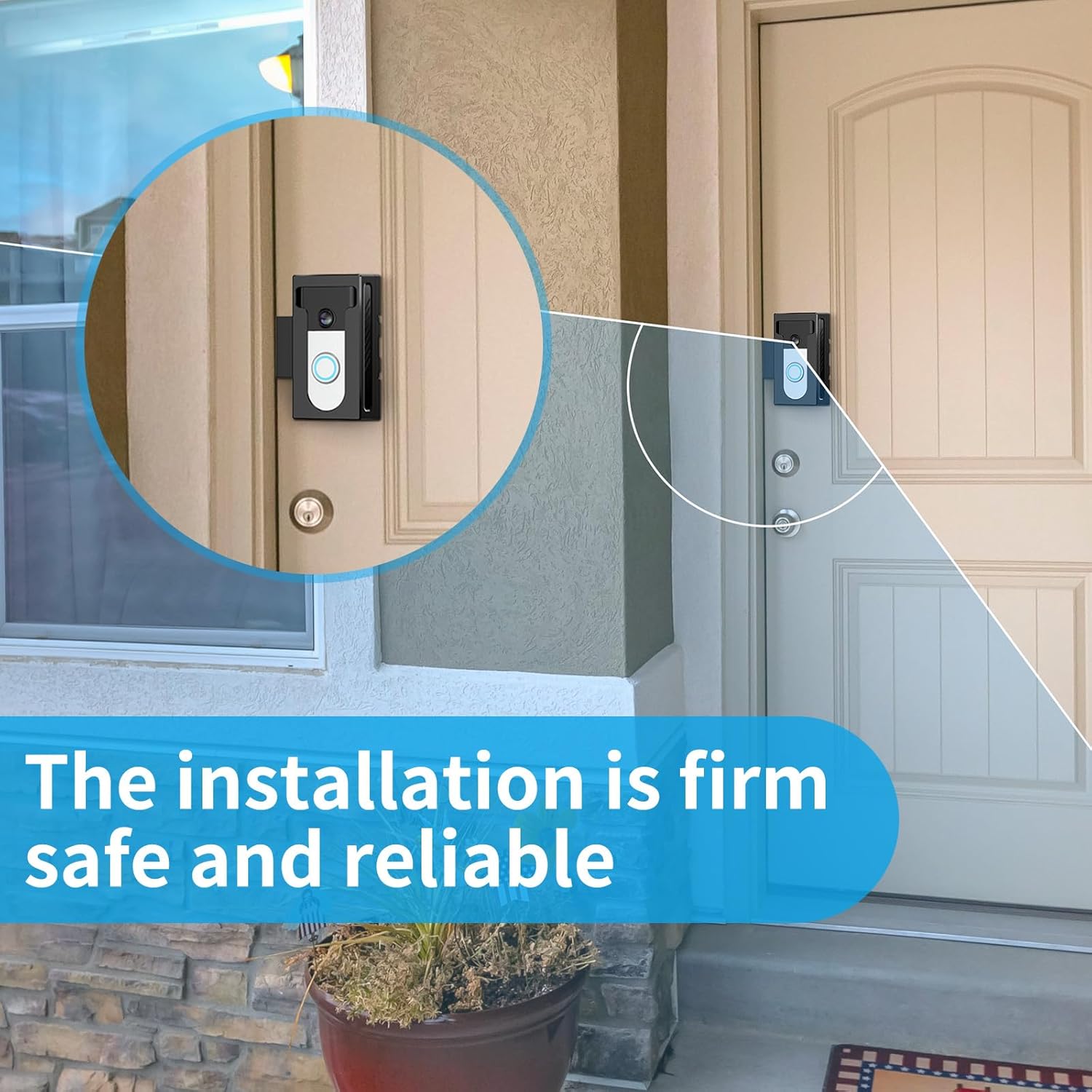
Image: A view of the KIMILAR doorbell mount securely installed on a door, demonstrating its firm and reliable placement.
5. Maintenance
The KIMILAR Anti-Theft Video Doorbell Mount requires minimal maintenance to ensure its longevity and continued performance:
- Cleaning: Wipe the mount periodically with a soft, damp cloth to remove dust and dirt. Avoid using abrasive cleaners or solvents that could damage the finish.
- Check Tightness: Occasionally check the adjustable thumb screw to ensure it remains tight and the mount is securely fastened to the door. Retighten if necessary.
- Inspect for Wear: Periodically inspect the mount for any signs of wear or damage. If any components appear compromised, contact customer support for assistance.
6. Troubleshooting
| Problem | Possible Cause | Solution |
|---|---|---|
| Mount is loose on the door. | Adjustable thumb screw is not tightened sufficiently. | Open the door and firmly tighten the adjustable thumb screw until the mount is secure. |
| Door does not close properly after installation. | Adjustable thumb screw is overtightened, or door gap is too small. | Slightly loosen the adjustable thumb screw. Ensure your door meets the minimum gap requirement (greater than 0.2 cm / 0.08 inches). |
| Video doorbell does not fit into the mount. | Doorbell dimensions exceed the maximum compatible size. | Verify your doorbell's dimensions against the compatibility section (Section 3.1). This mount is not compatible with all doorbell models. |
| Motion sensor is blocked. | Doorbell is not correctly seated, or mount is misaligned. | Ensure the doorbell is fully inserted and aligned with the T-shaped opening. Adjust the mount's position if necessary. |
7. Specifications
| Attribute | Detail |
|---|---|
| Brand | KIMILAR |
| Model Number | TYZJ02 |
| Color | Black #2. |
| Package Dimensions | 14.8 x 8.3 x 7.9 cm (5.83 x 3.27 x 3.11 inches) |
| Item Weight | 270 grams (0.6 lbs) |
| Compatible Doorbell Max. Dimensions (L x W x H) | 13 x 6.5 x 2.9 cm (5.11 x 2.55 x 1.14 inches) |
| Applicable Door Thickness | 1.5 cm - 6 cm (0.59 - 2.36 inches) |
| Minimum Door Gap | > 0.2 cm (> 0.08 inches) |
| Batteries Required | No |
8. Support & Warranty
8.1 Customer Support
If you encounter any issues with your KIMILAR Anti-Theft Video Doorbell Mount or have questions not covered in this manual, please do not hesitate to contact our customer support team. We are committed to providing responsive assistance.
How to Contact Us:
- Via Amazon: Navigate to your order details on Amazon and select the "Contact Seller" option.
- Refer to the product packaging or included documentation for additional contact methods, if available.
8.2 Warranty Information
Specific warranty details for the KIMILAR Anti-Theft Video Doorbell Mount are typically provided with your purchase documentation. Please refer to the warranty card or information included in your product packaging for terms, conditions, and duration of the warranty. Keep your proof of purchase for warranty claims.