
Introduction
Thank you for choosing the Riworal 4-Channel Headphone Amplifier. This ultra-compact stereo headphone amplifier is designed to distribute a single audio source to up to eight headphones or speakers, each with independent volume control. It is ideal for studio monitoring, live stage applications, podcasting, gaming, and other audio production needs. This manual provides essential information for setting up, operating, and maintaining your device.
Package Contents
Please ensure all items are present in the box:
- 1 x Riworal 4-Channel Headphone Amplifier
- 1 x 5V Power Plug
- 1 x USB to Type-C Charge Cable
- 1 x User Manual

Image: Contents of the Riworal 4-Channel Headphone Amplifier package.
Setup
1. Power Connection
Connect the provided 5V power plug to the Type-C USB port on the amplifier and then to a power outlet. The device requires a stable 5V power supply for optimal performance.

Image: Connecting the Type-C USB power supply to the amplifier.
2. Audio Input
Connect your audio source (e.g., mixer, mobile phone, computer, musical instrument) to the amplifier's input jack. The amplifier supports both 3.5mm (1/8") and 6.35mm (1/4") TRS audio input jacks. This allows for simultaneous input from two audio devices, which can then be mixed and outputted.
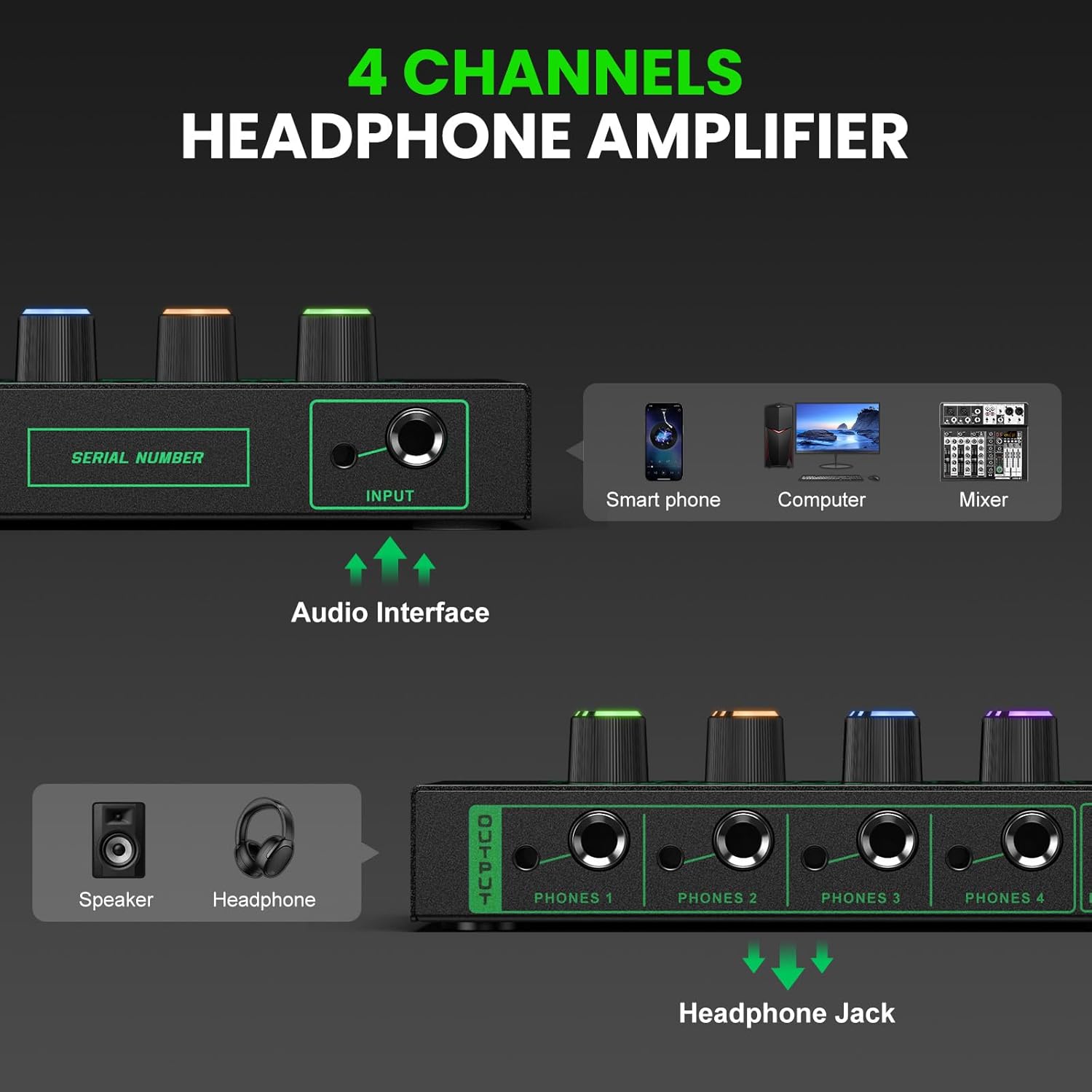
Image: Audio input connections for the Riworal 4-Channel Headphone Amplifier.
3. Audio Output
Connect your headphones or speakers to the output ports. Each of the four channels features dual 3.5mm (1/8") and 6.35mm (1/4") TRS audio output jacks, allowing up to eight audio outputs simultaneously.

Image: Universal input and output options on the amplifier.
Operating Instructions
1. Power On/Off
Once the power supply is connected, the amplifier will power on. There is no dedicated power switch; the unit powers on when connected to power.
2. Adjusting Volume
Each of the four output channels has an independent rotary volume knob. Turn the knob clockwise to increase the volume and counter-clockwise to decrease it. The knobs feature RGB illumination, providing visual feedback.
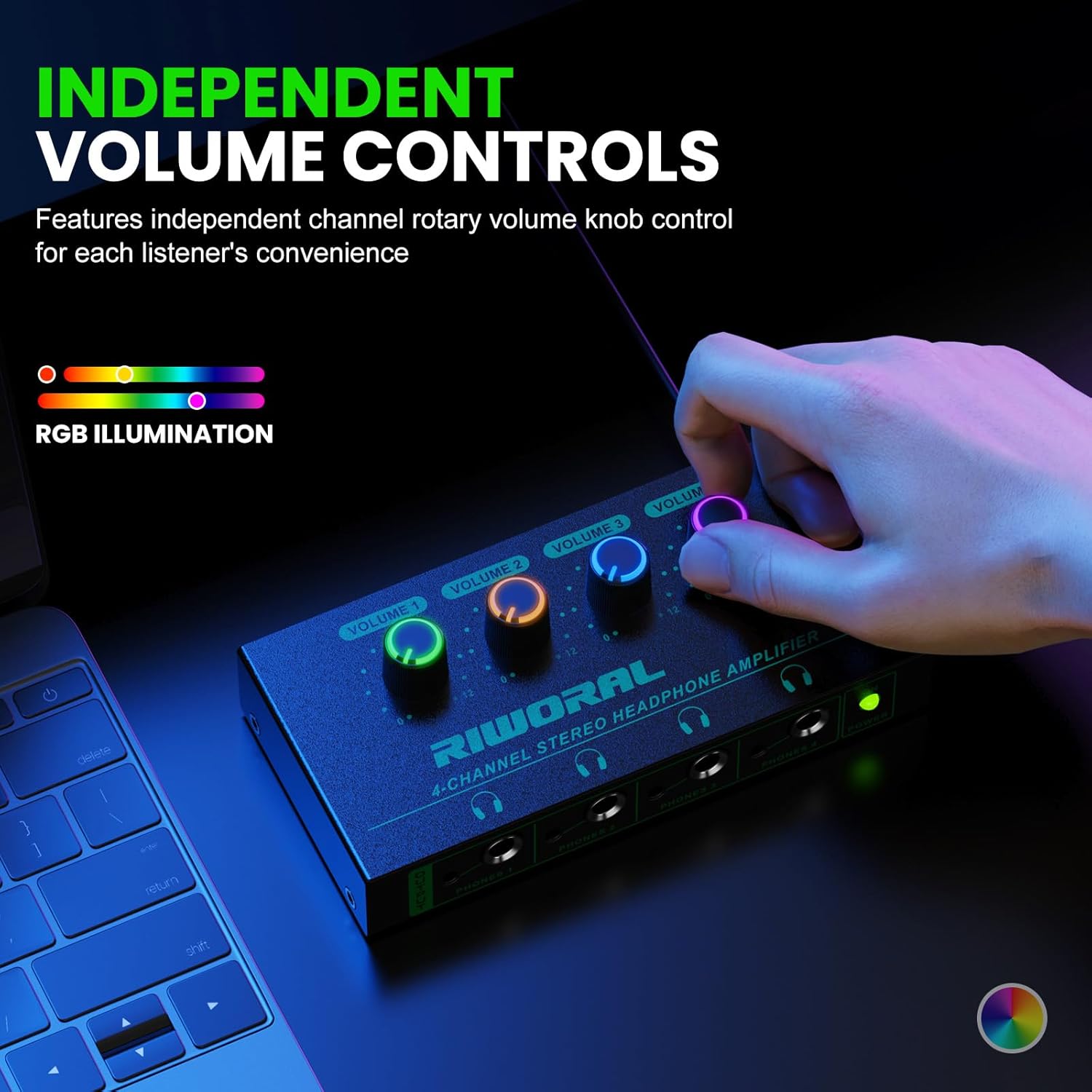
Image: Independent volume controls with RGB illumination.
3. Monitoring Audio
The amplifier is designed to provide minimal distortion and ultra-low noise, ensuring excellent sound quality even at high volumes. Adjust each channel's volume to suit individual listener preferences without affecting other outputs.

Image: Features contributing to excellent sound quality.
4. Operational Video
For a visual guide on connecting and operating the amplifier, please watch the official operation video below.
Video: Official operation guide for the Riworal 4-Channel Headphone Amplifier, demonstrating connections and controls.
Maintenance
- Cleaning: Use a soft, dry cloth to clean the surface of the amplifier. Avoid using liquid cleaners or solvents.
- Storage: Store the device in a cool, dry place away from direct sunlight and extreme temperatures.
- Handling: Handle the amplifier with care to prevent damage to the knobs, jacks, or casing.
Troubleshooting
- No Sound/Low Volume:
- Ensure the power supply is securely connected and the unit is powered on.
- Check all audio cables for proper connection to both the input source and output devices.
- Verify that the volume knobs for the individual channels and the input source are turned up.
- Static/Hissing/Thumping Noise:
- A common cause for static or thumping can be an incompatible or low-quality power supply. If experiencing these issues, try using a different 5V 3A (or higher amperage) USB power adapter.
- Ensure all connections are firm and free from interference.
- Reduce the volume levels on both the input source and the amplifier to see if the noise diminishes.
- Distorted Audio:
- Lower the volume on both the input source and the individual output channels. Excessive volume can lead to distortion.
- Ensure the input signal is not too strong for the amplifier.
Specifications
| Product Dimensions | 2.56 x 0.59 x 5.51 inches |
| Item Weight | 14.1 ounces |
| Model Number | Headphone Amplifier |
| Manufacturer | Riworal |
| Color | Black/Green |
| Compatible Devices | Cellphones, Laptop, Music Production Equipment, Tablet |
| Specific Uses | Gaming, Music, Sound reinforcement, Podcasting, Stage performance, Studio or personal recording |
| Connector Type | Auxiliary, 3.5mm, 6.35mm TRS |
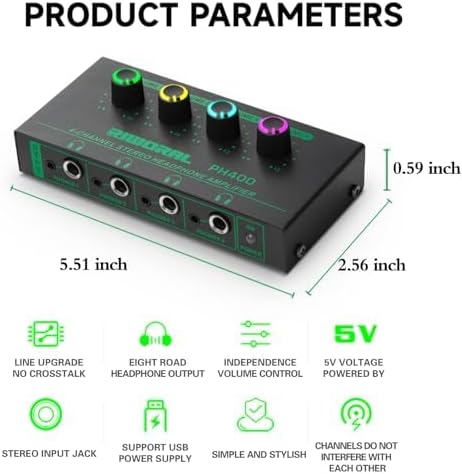
Image: Detailed product parameters and features.
Warranty and Support
For warranty information or technical support, please refer to the contact details provided with your purchase or visit the official Riworal website. Keep your purchase receipt as proof of purchase.