
1. Introduction
Thank you for choosing the ACEFAST T4 True Wireless Bluetooth Earbuds. These earbuds are designed to provide a superior audio experience with ultra-low latency, deep bass Hi-Fi stereo sound, and a comfortable, secure fit. This manual will guide you through the setup, operation, and maintenance of your new earbuds.
Video Description: An overview of the ACEFAST T4 True Wireless Earbuds, highlighting key features such as low latency, immersive bass, Bluetooth 5.0 technology, composite fiber PU diaphragm moving coil speaker, one-step automatic pairing, water resistance, lightweight design, and USB-C charging. The video visually demonstrates these features and the product's design.
2. Package Contents
Please ensure all items are present in the package:
- ACEFAST T4 Wireless Earbuds (Left and Right)
- Charging Case
- L/M/S Silicone Ear Tips (one set pre-installed)
- USB-C Charging Cable
- User Manual

Image Description: A visual representation of the ACEFAST T4 earbuds package contents, including the wireless earbuds, charging case, L/M/S silicone ear tips, USB-C charging cable, and the user manual, all neatly arranged next to the product box.
3. Setup
3.1 Charging the Earbuds and Case
Before first use, fully charge the earbuds and charging case. The charging case features a USB-C port for fast charging.
- Connect the provided USB-C cable to the charging port on the case and a power source.
- LED indicators on the case will show charging status.
- A 10-minute charge provides approximately 1 hour of use.
- Earbuds provide about 5 hours of listening time on a full charge.
- The charging case extends total listening time to approximately 24 hours.
- The charging case takes about 2 hours to fully charge.

Image Description: An illustration demonstrating the USB-C fast charging capability of the ACEFAST T4 earbuds and their charging case. It highlights the charging port and indicates listening times: 5 hours for earbuds and 24 hours total with the charging case.
3.2 Automatic Pairing
The ACEFAST T4 earbuds feature one-step automatic pairing for convenience.
- Open the charging case cover. The earbuds will automatically enter pairing mode.
- On your device (smartphone, tablet, etc.), enable Bluetooth and search for available devices.
- Select "ACEFAST T4" from the list to connect.
- Once paired, the earbuds will automatically connect to your device when the case is opened for subsequent uses.

Image Description: A visual showing the one-step automatic pairing process of the ACEFAST T4 earbuds. A smartphone displays a call screen, and the open charging case with earbuds is shown, indicating automatic connection upon opening.
4. Operation
4.1 Wearing the Earbuds
For optimal sound quality and comfort, choose the correct ear tip size.
- The earbuds are lightweight, weighing approximately 0.17 oz (4.8g) each.
- Three sizes of silicone ear tips (S, M, L) are included to ensure a secure and comfortable fit for various ear canal sizes.
- Gently insert the earbuds into your ears and rotate them slightly to find the most comfortable and secure position.
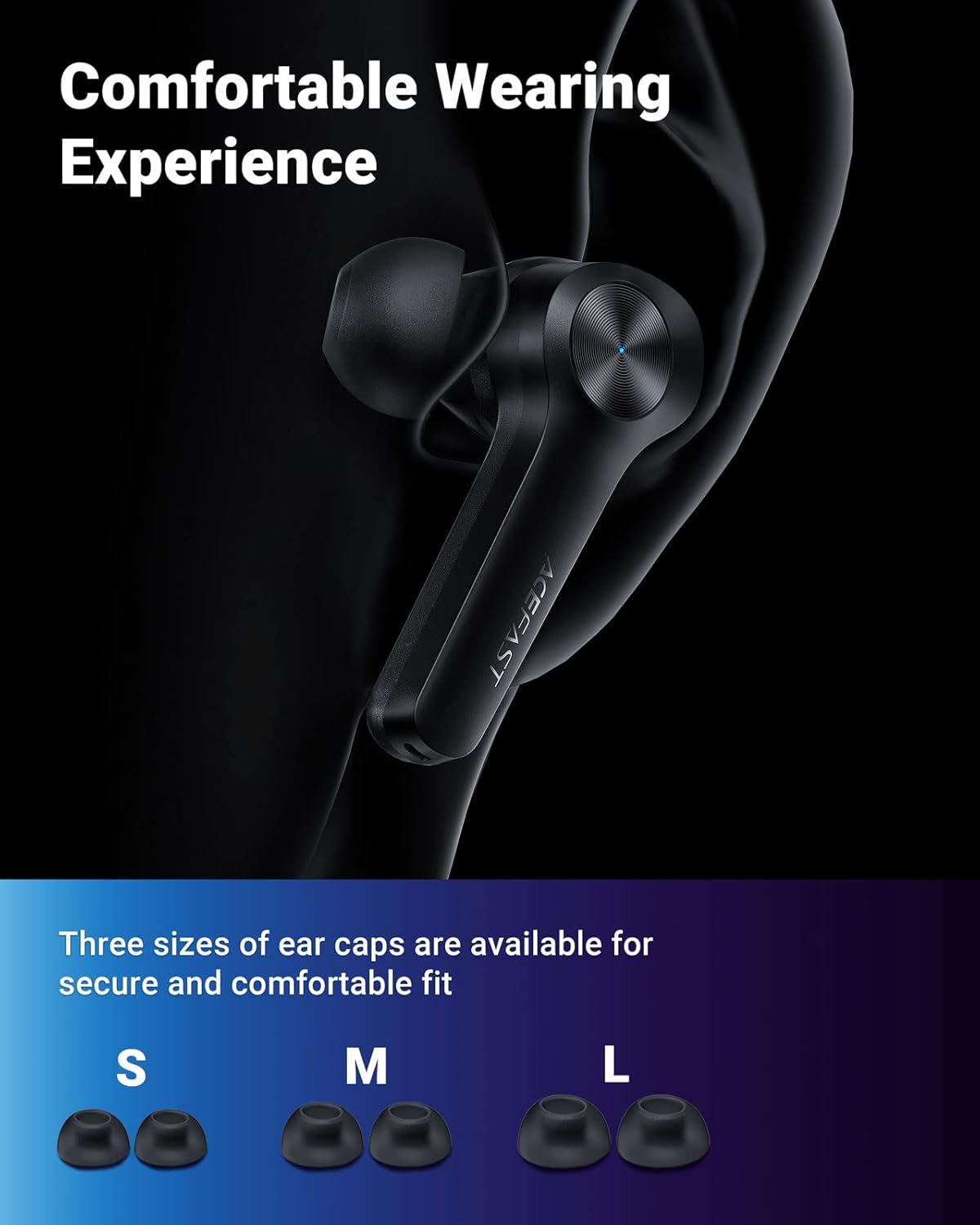
Image Description: A close-up view of an earbud comfortably seated in an ear, emphasizing the ergonomic design. Below, three sets of ear tips (Small, Medium, Large) are displayed, illustrating the options for a customized fit.
4.2 Touch Controls
The earbuds feature touch-sensitive controls for easy management of calls and music playback.
- Play/Pause: Single tap on either earbud.
- Next Track: Double tap the right earbud.
- Previous Track: Double tap the left earbud.
- Answer/End Call: Single tap on either earbud.
- Reject Call: Press and hold either earbud.
- Activate Voice Assistant: Triple tap on either earbud.
4.3 Audio Experience
The ACEFAST T4 earbuds are engineered for high-quality audio performance.
- Ultra-Low Latency: With 65ms ultra-low latency, these earbuds provide highly synchronized audio, enhancing your gaming and video watching experience by minimizing delay.
- Deep Bass Hi-Fi Stereo Sound: Equipped with a composite fiber PU diaphragm moving coil speaker, the earbuds deliver a wide sound field and powerful low-frequency response for rich, immersive audio.
- Original Acoustic Technology: This technology accurately restores sound effects, providing a realistic audio environment for games and videos.

Image Description: A graphic illustrating the 65ms ultra-low latency of the ACEFAST T4 earbuds compared to regular wireless earbuds (200ms). It shows a person playing a mobile game with the earbuds, emphasizing the synchronized audio and video experience.

Image Description: A detailed diagram showcasing the internal structure of the composite fiber PU diaphragm moving coil speaker, highlighting its components responsible for delivering premium deep bass and Hi-Fi stereo sound with a wide sound field.
Image Description: A dynamic image depicting a person enjoying media (gaming and music) with the ACEFAST T4 earbuds, illustrating the 'Original Acoustic Technology' that realistically restores sound effects for an immersive experience.
5. Maintenance
5.1 Water Resistance
The ACEFAST T4 earbuds are rated IPX5 water resistant, meaning they can withstand splashes and sweat. They are not designed for submersion in water.
- Avoid exposing the earbuds to excessive moisture or liquids.
- Do not wear them while swimming or showering.
- If they get wet, wipe them dry thoroughly before placing them back in the charging case.
5.2 Cleaning
Regular cleaning helps maintain optimal performance and hygiene.
- Use a soft, dry, lint-free cloth to wipe the earbuds and charging case.
- Remove ear tips and clean them with mild soap and water, then dry completely before reattaching.
- Avoid using abrasive materials, solvents, or aerosol sprays.
6. Troubleshooting
If you encounter issues with your ACEFAST T4 earbuds, please refer to the following common solutions:
- No Sound: Ensure earbuds are charged, properly paired, and volume is adjusted on both the earbuds and your device.
- Pairing Issues: Turn off Bluetooth on your device, place earbuds back in the case, close and reopen the case, then try pairing again. Ensure no other devices are trying to connect.
- Intermittent Connection: Ensure earbuds are within range of your device and there are no significant obstructions. Try resetting the earbuds (refer to specific reset instructions if available in a full manual).
- Charging Problems: Check the USB-C cable and power adapter. Ensure the charging contacts on the earbuds and inside the case are clean and free of debris.
7. Specifications
| Feature | Detail |
|---|---|
| Model Number | T4 |
| Connectivity Technology | Wireless |
| Wireless Communication Technology | Bluetooth V5.0 |
| Latency | 65ms Ultra-Low Latency |
| Ear Placement | In Ear |
| Form Factor | In Ear |
| Material | Plastic |
| Control Method | Touch |
| Microphone | Included |
| Water Resistance Level | IPX5 |
| Music Play/Phone Call Time | About 5 hours |
| Headphone Charging Time | About 1 hour |
| Charging Case Charging Time | About 2 hours |
| Working Time with Charging Case | About 24 hours |
| Frequency Response Range | 20Hz-20kHz |
| Compatible Devices | Cell phones and tablets with Bluetooth connection function (Android, iOS) |
| Item Weight | 3.87 ounces (109.7g) |
| Package Dimensions | 4.29 x 4.29 x 1.77 inches (10.9 x 10.9 x 4.5 cm) |
8. Warranty and Support
ACEFAST provides an 18-month worry-free quality guarantee for the T4 True Wireless Bluetooth Earbuds.
If you encounter any problems or have questions regarding your product, please contact ACEFAST customer support through the retailer's platform or the official ACEFAST website for assistance. Please retain your proof of purchase for warranty claims.


