
1. Product Overview
The AIMS Power SCC11ARPM is a waterproof 11 Amp solar charge controller designed for 12 Volt DC charging systems. It is compatible with multiple battery types, including AGM, Gel, Lead Acid, and LiFePO4 lithium batteries. This controller features a PWM 2-stage charging algorithm and comes with pre-wired cables for simplified installation.
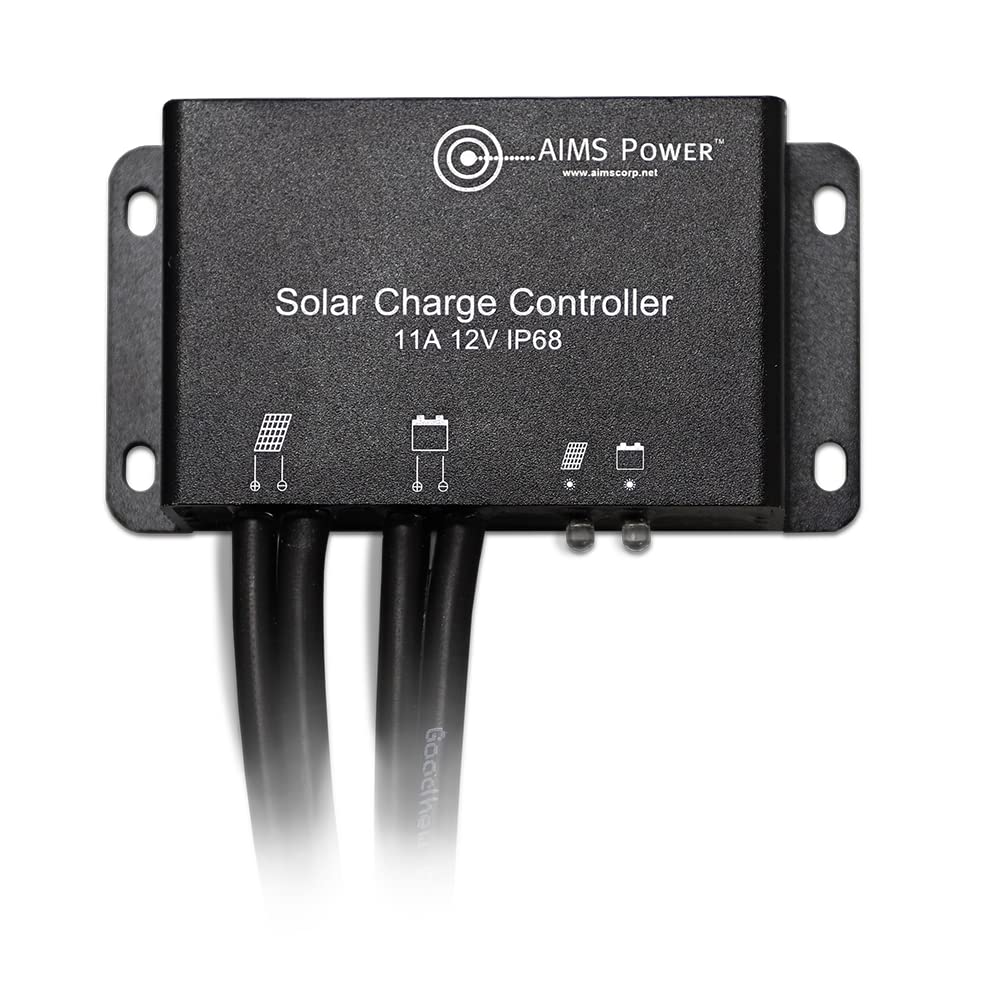
Figure 1: AIMS Power SCC11ARPM Solar Charge Controller. This image shows the compact, black, rectangular solar charge controller with its pre-attached cables and LED indicators visible on the front panel.
Key Features:
- Waterproof Design: IP68 rated for protection against dust and water immersion.
- LED Indicators: Provides easy status information for solar charging and battery status.
- Battery Compatibility: Supports 12 Volt DC charging for AGM, Gel, Lead Acid, and LiFePO4 battery types.
- Pre-Wired Cables: Includes built-in cables for easy extension using MC4 connectors. The PV input cable is 13 inches long, and the battery output cable is 5 feet long.
- Easy Installation: Designed for straightforward setup.
- PWM 2-Stage Charger: Utilizes a Pulse Width Modulation charging method.
- Max PV Input: Supports up to 190 Watts of solar panel input.
What's in the Box:
- AIMS Power SCC11ARPM Solar Charge Controller
2. Safety Information
Warning: This product may contain materials cautioned by California Proposition 65. Always handle with care and follow all local safety guidelines.
Always ensure proper ventilation around the charge controller during operation. Incorrect wiring can cause damage to the unit, battery, or solar panels, and may pose a safety risk. Always observe correct polarity when making connections.
3. Setup and Installation
The SCC11ARPM solar charge controller is designed for easy installation with its pre-wired cables. Follow these steps for proper setup:
Wiring Instructions:
- Connect Battery First: Always connect the battery to the charge controller first. Connect the positive (+) battery lead, then the negative (-) battery lead.
- Connect Solar Panel: Once the battery is connected, attach the solar panel leads to the charge controller.
- Disconnecting: To disconnect, always disconnect the solar panel first, then the battery.
Important: Use caution when wiring your solar system. Live power is present. AIMS Power recommends using 10 AWG waterproof PV wire and good quality MC4 connectors. NOTE POLARITY.
The battery input cable includes MC4 connectors. If you need an extender cable, use MC4 connectors. If you do not need an extender, you can cut off the MC4 connectors on the battery output cable and add lugs for direct connection. Ensure all connections are tight and of good quality.

Figure 2: Wiring Diagram and Dimensions. This diagram illustrates the connections for the solar input cable (1), battery output cable (2), solar charge indicator (3), and battery status indicator (4). It also provides detailed dimensions of the controller.
4. Operation
Once properly installed, the SCC11ARPM controller will automatically manage the charging process from your solar panel to your battery. The LED indicators provide visual feedback on the system's status.
Recommendations During Use:
- The controller generates heat during operation. Install the charge controller in an environment with good ventilation.
- Regularly check your connections. Ensure wires and MC4 connectors are in good condition and securely connected.
- The charge controller is waterproof (IP68). Ensure all wiring connections are also waterproof to maintain system integrity.
- It is important to fully charge the battery at least once a month. Failure to do so may cause permanent damage to the battery.
- When charging the battery, ensure the load on the battery is lower than the charge rate so the battery can achieve a full charge.
- Incorporating a voltage meter into your system is recommended for monitoring.
- If you extend the battery cable, do not reverse the polarity. Reversing polarity will void the warranty.
5. Status Indicators
The SCC11ARPM features two LED indicators to provide real-time status information:
| LED Indications | Status | Functions |
|---|---|---|
| Solar Charge Indicator | Off | Solar panel has no voltage |
| Steady On | Solar panel has voltage | |
| Slow Flash | Charging | |
| Battery Status Indicator | Off | Battery is not connected |
| Steady On | Battery on | |
| Quick Flashing | Battery is over-discharged |

Figure 3: Status Indications and Specifications. This image displays tables detailing the LED status indications and the technical specifications of the SCC11ARPM controller.
6. Maintenance
To ensure optimal performance and longevity of your AIMS Power SCC11ARPM Solar Charge Controller, follow these maintenance guidelines:
- Regular Connection Checks: Periodically inspect all wiring connections (solar panel to controller, controller to battery) to ensure they are secure, free from corrosion, and properly insulated. Loose connections can lead to power loss or system malfunction.
- Battery Health: Ensure your battery is fully charged at least once a month. Consistent undercharging can reduce battery lifespan. Consider using a voltage meter to monitor battery voltage.
- Environmental Conditions: Although the controller is IP68 waterproof, ensure it is installed in a location with adequate ventilation to dissipate heat, especially during prolonged operation. Avoid exposing the controller to extreme physical stress or corrosive environments.
- Cleanliness: Keep the controller free from excessive dust or debris. A soft, dry cloth can be used for cleaning the exterior. Do not use harsh chemicals or abrasive cleaners.
7. Troubleshooting
Refer to the LED Status Indications table (Table 1) for initial troubleshooting. Common issues and their potential solutions are listed below:
- Solar Charge Indicator Off: This indicates no voltage from the solar panel. Check solar panel connections, ensure the panel is receiving sunlight, and verify the panel's output voltage.
- Battery Status Indicator Off: This means the battery is not connected. Verify the battery connections to the charge controller. Ensure correct polarity.
- Battery Status Indicator Quick Flashing: This indicates the battery is over-discharged. Disconnect any loads from the battery and allow the solar panel to charge the battery. If the issue persists, the battery may need to be replaced or serviced.
- No Charging (Solar Charge Indicator Steady On, Battery Status Indicator Steady On, but no Slow Flash): Ensure the solar panel input power (Watts) does not exceed the controller's maximum (190W). Check for any excessive loads on the battery that might be drawing more power than the solar panel can supply.
- System Not Functioning: Double-check all wiring for correct polarity and secure connections. Ensure the battery voltage is within the acceptable range for the controller (12V system).
If problems persist after following these steps, contact AIMS Power customer support for further assistance.
8. Specifications
Detailed technical specifications for the AIMS Power SCC11ARPM Solar Charge Controller:
| Parameter | Value |
|---|---|
| Model Number | SCC11ARPM |
| Battery System Voltage | 12V |
| Max System Current | 11 Amps |
| No-Load Loss | <8mA |
| Max PV Input Voltage | <30Vdc |
| Max PV Input Power | 190 Watts |
| Equalize Charge Voltage | NA |
| Boost Charge Voltage | 14.2V |
| Float Charge Voltage | 13.8V |
| Boost Charge Recovery Voltage | 13.2V |
| Over-Discharge Recovery Voltage | 12.6V |
| Over-Discharge Voltage | 11.1V |
| Equalize Charge Duration | NA |
| Boost Charge Duration | 2 Hours |
| Operation Temperature | -31°F to 140°F / -35°C to 60°C |
| IP Protection - Waterproof | IP68 |
| Product Dimensions (L x W x H) | 1.75" x 6.25" x 3.25" |
| Weight | 11.64 ounces |
| Efficiency | High Efficiency |
| UPC | 840271005966 |
9. Warranty and Support
For warranty information, technical support, or any questions regarding your AIMS Power SCC11ARPM Solar Charge Controller, please contact AIMS Power directly. Refer to the official AIMS Power website or your purchase documentation for specific warranty terms and contact details.
Manufacturer: AIMS POWER
Website: www.aimscorp.net