
1. Introduction
This manual provides detailed instructions for the setup, operation, and maintenance of your Auna AMP-4000 DAB HiFi Stereo Amplifier. Please read this manual thoroughly before using the device to ensure proper functionality and safety. Keep this manual for future reference.

Image 1.1: Front view of the Auna AMP-4000 DAB HiFi Stereo Amplifier. This image displays the amplifier's sleek design with its silver and black finish, featuring two large rotary knobs on either side and a central LED display.
2. Safety Instructions
To prevent fire, electric shock, and damage to the unit, observe the following safety precautions:
- Do not expose this appliance to rain or moisture.
- Do not block any ventilation openings. Install in accordance with the manufacturer's instructions.
- Do not install near any heat sources such as radiators, heat registers, stoves, or other apparatus (including amplifiers) that produce heat.
- Protect the power cord from being walked on or pinched, particularly at plugs, convenience receptacles, and the point where they exit from the appliance.
- Only use attachments/accessories specified by the manufacturer.
- Unplug this appliance during lightning storms or when unused for long periods of time.
- Refer all servicing to qualified service personnel. Servicing is required when the appliance has been damaged in any way.
3. Product Overview
3.1 Front Panel Controls
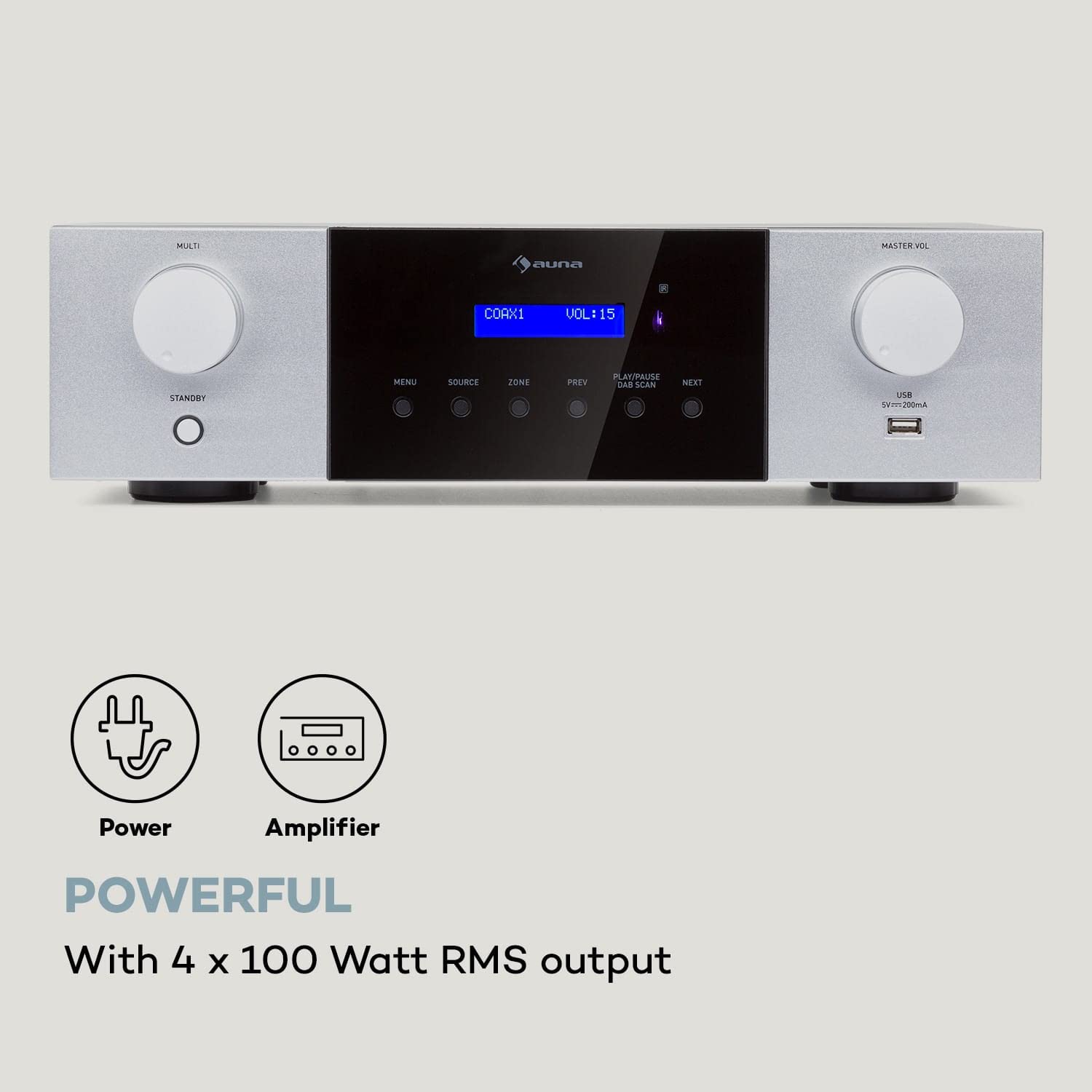
Image 3.1: Detailed view of the Auna AMP-4000 front panel. This image highlights the main controls including the Multi-function knob, Standby button, Menu, Source, Zone, Previous, Play/Pause/DAB Scan, Next buttons, Master Volume knob, and USB port.
- MULTI Knob: Adjusts various settings depending on the selected menu option.
- STANDBY Button: Powers the unit on or off.
- MENU Button: Accesses the system menu for settings and options.
- SOURCE Button: Selects the audio input source (DAB, Bluetooth, USB, AUX, Optical, Coaxial).
- ZONE Button: (If applicable) Controls multi-zone audio output.
- PREV / NEXT Buttons: Navigates tracks or radio stations.
- PLAY/PAUSE / DAB SCAN Button: Controls playback or initiates a DAB radio scan.
- MASTER VOL Knob: Adjusts the overall volume level.
- USB Port: For connecting USB storage devices for audio playback.
- LED Display: Shows current status, source, volume, and track information.
3.2 Rear Panel Connections
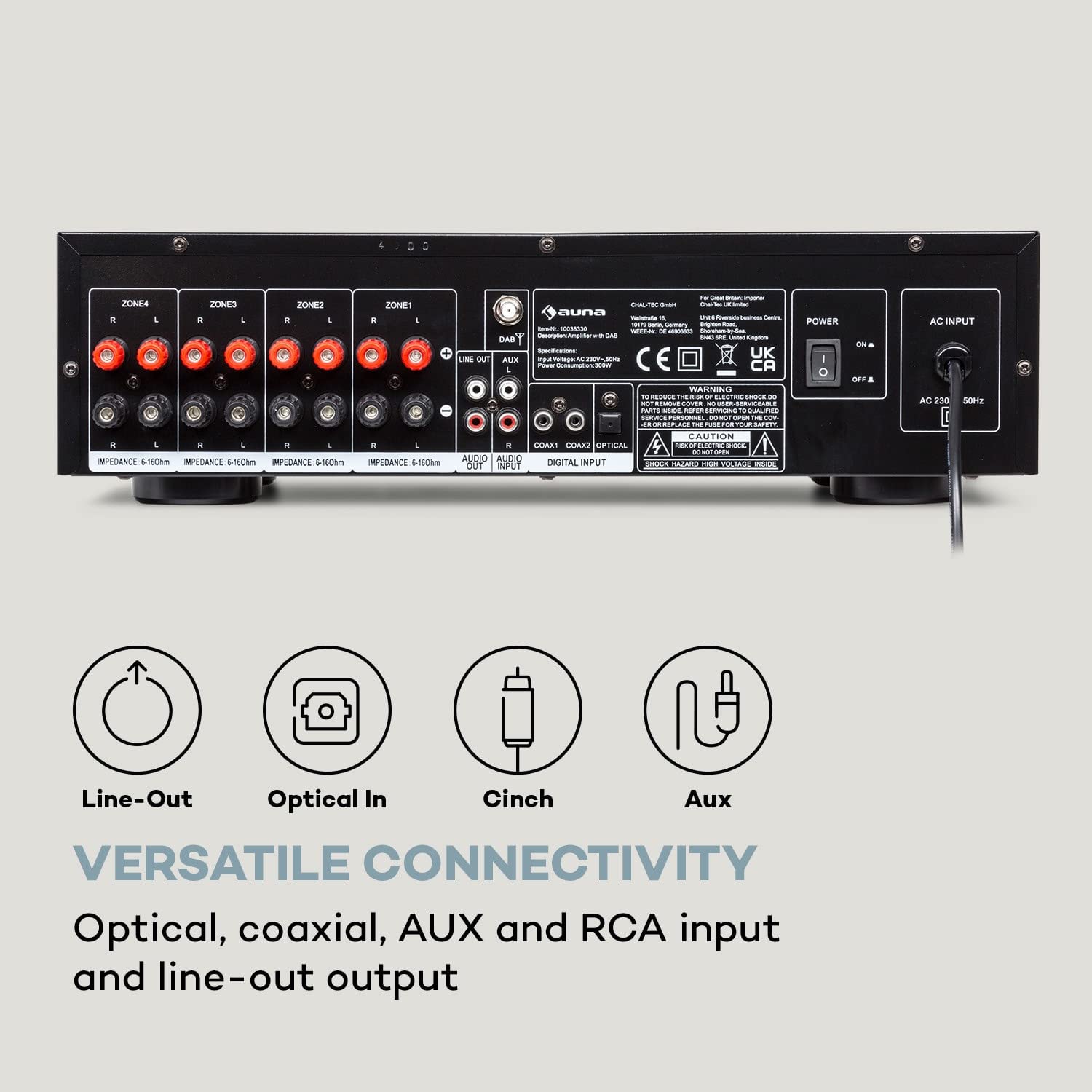
Image 3.2: Rear view of the Auna AMP-4000, showing all available input and output connections. This includes speaker terminals for multiple zones, Line Out, Audio Input (RCA), Digital Input (Coaxial, Optical), and the AC power input.
- Speaker Terminals (ZONE1, ZONE2, ZONE3, ZONE4): Connect your passive speakers. Ensure correct polarity (+ to + and - to -) and impedance matching (5-16 Ohms).
- LINE OUT (RCA): For connecting to another amplifier or recording device.
- AUDIO INPUT (RCA): Connect external analog audio sources (e.g., CD player, turntable with pre-amp).
- DIGITAL INPUT (COAXIAL, OPTICAL): Connect digital audio sources (e.g., TV, Blu-ray player).
- AC INPUT: Connect the power cord to a suitable AC power outlet.
- DAB Antenna Input: Connect the DAB antenna for digital radio reception.
4. Setup
4.1 Speaker Connection
- Ensure the amplifier is powered off and unplugged from the mains.
- Connect your passive speakers to the corresponding speaker terminals on the rear panel (ZONE1, ZONE2, etc.).
- Match the positive (+) terminal on the amplifier to the positive (+) terminal on the speaker, and the negative (-) terminal on the amplifier to the negative (-) terminal on the speaker.
- Ensure the speaker impedance is within the recommended range of 5-16 Ohms.
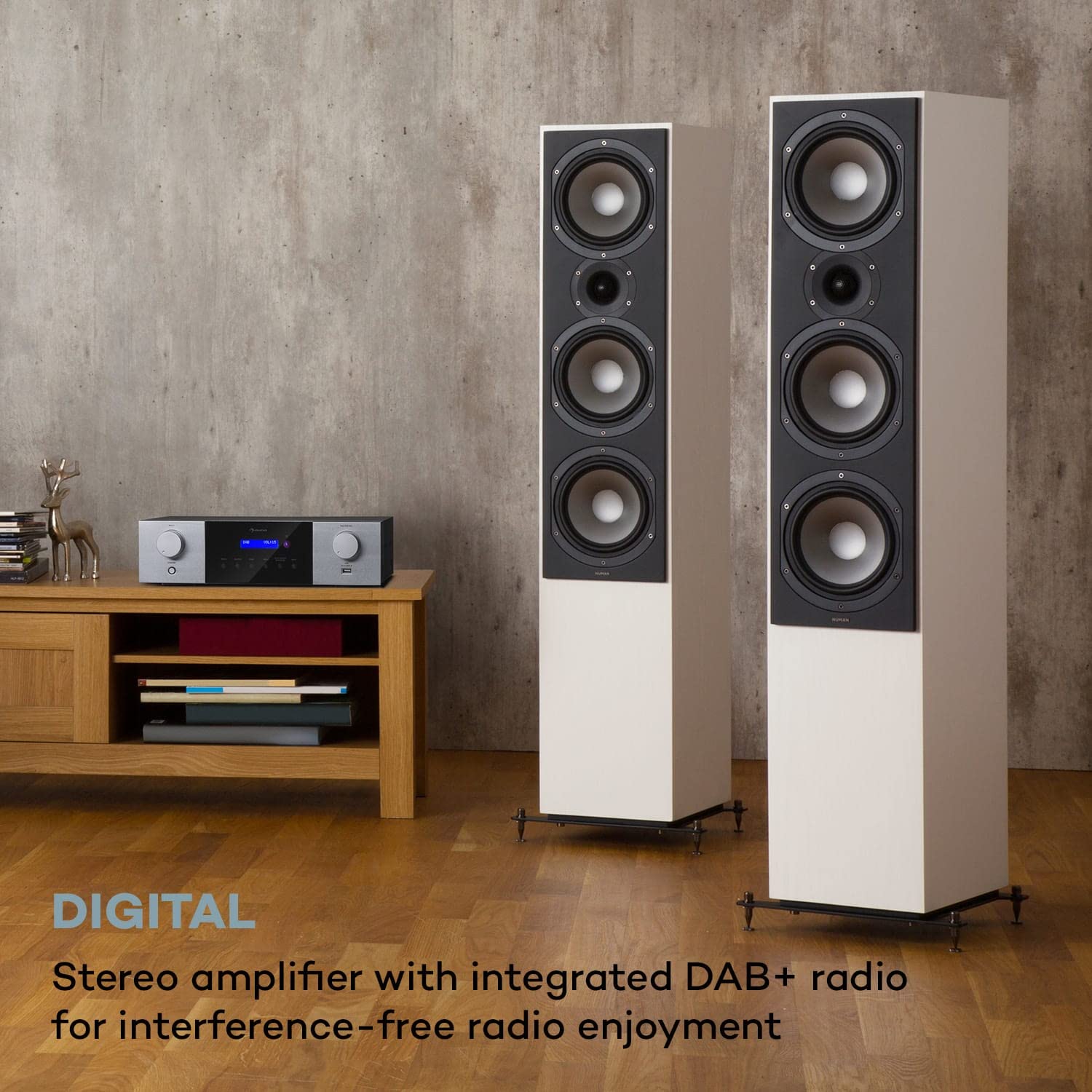
Image 4.1: The Auna AMP-4000 amplifier positioned with two large floor-standing speakers in a living room setting. This illustrates a typical setup for home audio, emphasizing the connection to external speakers.
4.2 Audio Source Connection
- Analog Sources (RCA): Connect your CD player, DVD player, or other analog audio devices to the "AUDIO INPUT" RCA jacks using appropriate RCA cables.
- Digital Sources (Optical/Coaxial): Connect your TV, game console, or Blu-ray player to the "DIGITAL INPUT" (Optical or Coaxial) using optical or coaxial cables.
- DAB Antenna: Connect the supplied DAB antenna to the DAB antenna input for optimal digital radio reception.
4.3 Power Connection
After all audio and speaker connections are made, connect the power cord to the "AC INPUT" on the rear panel of the amplifier and then plug it into a wall outlet.
5. Operating Instructions
5.1 Power On/Off
Press the STANDBY button on the front panel or the remote control to power the amplifier on or off.
5.2 Source Selection
Press the SOURCE button on the front panel or the remote control repeatedly to cycle through available input sources (DAB, Bluetooth, USB, AUX, Optical, Coaxial).
5.3 DAB+ Radio Operation
- Select "DAB" as the source.
- If it's the first time using DAB, or if you want to rescan, press the PLAY/PAUSE / DAB SCAN button to initiate an automatic scan for available DAB+ stations.
- Use the PREV and NEXT buttons to navigate through the found stations.
5.4 Bluetooth Pairing
- Select "Bluetooth" as the source. The LED display will indicate "Pairing" or similar.
- On your smartphone or tablet, enable Bluetooth and search for available devices.
- Select "Auna AMP-4000" from the list of devices to pair.
- Once paired, you can stream audio wirelessly from your device to the amplifier.

Image 5.1: The Auna AMP-4000 amplifier shown with a smartphone, illustrating the wireless Bluetooth streaming capability. This image highlights the convenience of playing music from mobile devices.
5.5 USB Playback
- Insert a USB storage device (e.g., USB flash drive) into the USB port on the front panel.
- Select "USB" as the source.
- The amplifier will automatically detect and begin playing compatible audio files. Use the PREV, NEXT, and PLAY/PAUSE buttons to control playback.
5.6 Volume Control
Rotate the MASTER VOL knob on the front panel or use the volume buttons on the remote control to adjust the audio output level.
5.7 Remote Control
The included remote control provides full functionality for operating the amplifier from a distance. Refer to the remote control diagram (if available) for specific button functions.

Image 5.2: The Auna AMP-4000 amplifier's front panel displayed alongside its remote control. This image emphasizes the convenient operation provided by the remote, allowing control of various functions including volume, source, and radio stations.
6. Maintenance
- Cleaning: Use a soft, dry cloth to clean the exterior of the amplifier. Do not use liquid cleaners or abrasive materials.
- Ventilation: Ensure that the ventilation openings are not blocked to prevent overheating.
- Storage: If storing the unit for an extended period, unplug it from the power outlet and store it in a cool, dry place.
7. Troubleshooting
| Problem | Possible Cause | Solution |
|---|---|---|
| No power | Power cord not connected; power outlet faulty. | Check power cord connection; try a different outlet. |
| No sound output | Incorrect source selected; speaker cables loose; volume too low; mute activated. | Select correct source; check speaker connections; increase volume; deactivate mute. |
| Bluetooth not connecting | Amplifier not in pairing mode; device too far; Bluetooth off on source device. | Ensure amplifier is in Bluetooth source mode; bring device closer; enable Bluetooth on source device. |
| Poor DAB+ reception | Antenna not connected or poorly positioned; weak signal in area. | Check antenna connection; reposition antenna; perform a new DAB scan. |
8. Specifications

Image 8.1: Diagram illustrating the physical dimensions of the Auna AMP-4000 amplifier, showing its width (43 cm), depth (24.5 cm), and height (12.5 cm).
- Brand: AUNA
- Model: AMP-4000
- Output Power: 4 x 100 Watts RMS
- Tuner Technology: DAB+
- Connectivity: Auxiliary, Bluetooth, USB, RCA, Optical, Coaxial
- Compatible Devices: Smartphone, Tablet
- Audio Output Mode: Stereo
- Speaker Impedance: 5-16 Ohms
- Product Dimensions (LxWxH): 24.5 x 43 x 12.5 cm
- Item Weight: 4 kg
- Color: Black-White
9. Warranty and Support
For warranty information and technical support, please refer to the documentation provided with your purchase or contact AUNA customer service. Keep your proof of purchase for warranty claims.


