
1. Introduction
Thank you for choosing the BLACK+DECKER BCKSB05-QW 18V Hammer Drill and Accessories Kit. This kit provides a versatile solution for various drilling and screwing tasks around the home and workshop. This manual contains important information regarding the safe operation, setup, maintenance, and troubleshooting of your new tool kit. Please read it thoroughly before use and keep it for future reference.
2. Safety Instructions
Always observe basic safety precautions to reduce the risk of fire, electric shock, and personal injury when operating power tools. Failure to follow these instructions may result in serious injury.
- Work Area Safety: Keep your work area clean and well-lit. Cluttered or dark areas invite accidents. Do not operate power tools in explosive atmospheres, such as in the presence of flammable liquids, gases, or dust.
- Electrical Safety: Avoid body contact with earthed or grounded surfaces. Do not expose power tools to rain or wet conditions.
- Personal Safety: Always wear eye protection. Use hearing protection when operating the hammer drill. Wear appropriate respiratory protection if drilling dusty materials. Dress properly; avoid loose clothing or jewelry. Maintain proper footing and balance at all times.
- Tool Use and Care: Do not force the power tool. Use the correct tool for your application. Disconnect the battery pack from the power tool before making any adjustments, changing accessories, or storing power tools. Store idle power tools out of the reach of children.
- Battery Tool Use and Care: Recharge only with the charger specified by the manufacturer. Use power tools only with specifically designated battery packs.
3. Package Contents
Your BLACK+DECKER BCKSB05-QW kit includes the following items:
- 18V Hammer Drill
- 1.5Ah Lithium-ion Battery
- Battery Charger
- Hammer
- Long Mouth Pliers
- Cutter (Utility Knife)
- Phlexometer (Tape Measure)
- 10 Screwing Tips
- 10 Drill Bits
- Assorted Fixings
- Storage Case / Toolbox
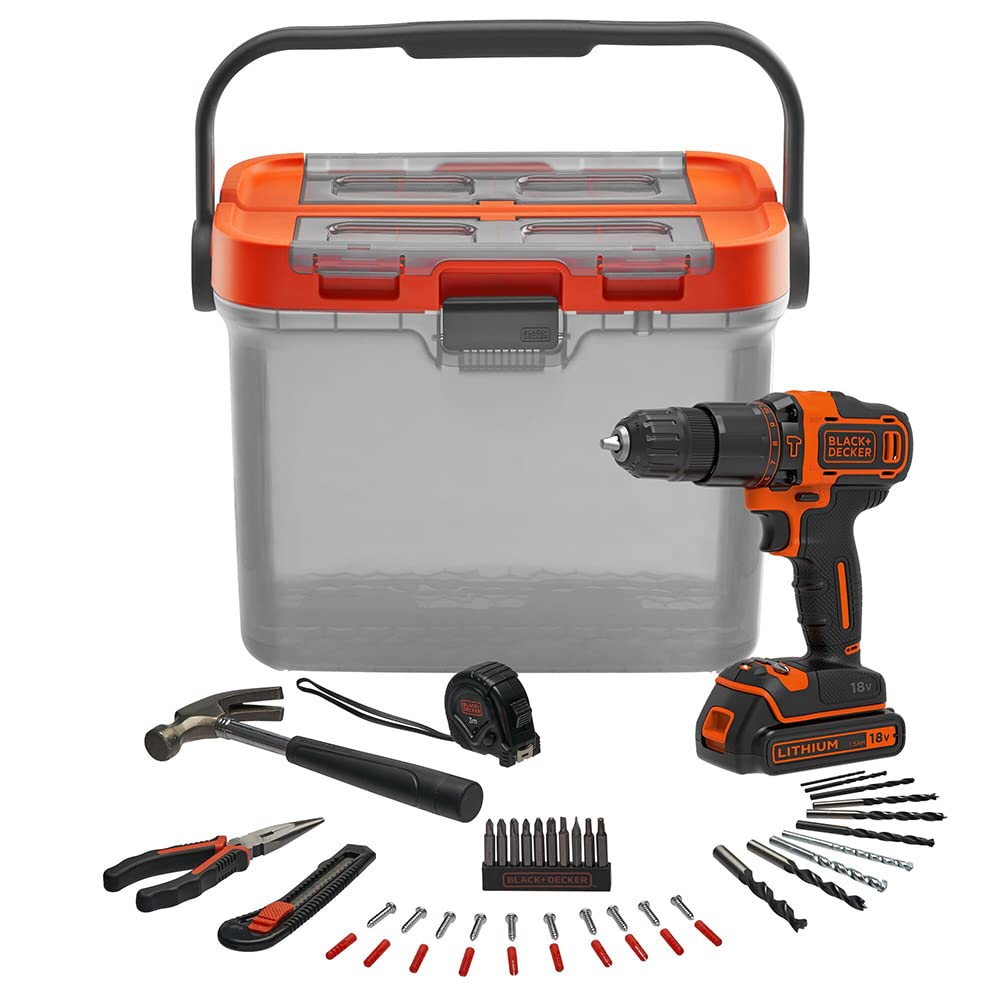
Image: All components of the BLACK+DECKER BCKSB05-QW kit, including the 18V hammer drill, battery, charger, manual tools, and various accessories, laid out for inspection.
4. Product Overview
4.1 18V Hammer Drill
The core of the kit is the 18V hammer drill, designed for drilling into wood, metal, plastic, and masonry. It features a 10mm chuck, adjustable torque settings, and two speed ranges.
- Chuck: Keyless chuck for quick bit changes.
- Torque Collar: Adjusts the amount of torque for screwing applications, preventing overtightening.
- Mode Selector: Switches between drilling, hammer drilling, and screwdriving modes.
- Speed Selector: Two-speed gearbox for optimal performance in different materials.
- Trigger Switch: Variable speed control.
- Forward/Reverse Button: Changes the direction of rotation.
4.2 Manual Tools and Accessories
The kit also includes essential manual tools and a variety of accessories to complement the drill's functionality.
- Hammer: For general striking and demolition tasks.
- Long Mouth Pliers: For gripping, bending, and cutting wires.
- Cutter: A utility knife for cutting various materials.
- Phlexometer (Tape Measure): For accurate measurements.
- Screwing Tips: Various types and sizes for different screw heads.
- Drill Bits: Assorted sizes for drilling into wood, metal, and masonry.
- Fixings: Wall plugs and screws for basic installation tasks.

Image: The BLACK+DECKER BCKSB05-QW kit's storage case opened, revealing organized compartments for small accessories and a separate tool bag for manual tools.
5. Setup
5.1 Charging the Battery
- Connect the charger to a standard electrical outlet.
- Slide the battery pack onto the charger until it clicks into place.
- Allow the battery to charge fully before first use. The charger indicator light will show the charging status.
- Once charged, disconnect the charger from the outlet and remove the battery.
5.2 Installing and Removing the Battery
- To Install: Align the battery pack with the receptacle on the drill handle and slide it in until it locks securely.
- To Remove: Press the battery release button (usually located on the battery pack) and slide the battery out of the drill handle.
5.3 Installing and Removing Drill Bits/Accessories
- Ensure the drill is switched off and the battery is removed for safety.
- Rotate the chuck collar counter-clockwise to open the chuck jaws.
- Insert the desired drill bit or accessory into the chuck, ensuring it is centered.
- Rotate the chuck collar clockwise to tighten the jaws firmly around the bit. Hand-tighten only.
- To remove, rotate the chuck collar counter-clockwise and pull the bit out.
6. Operating Instructions
6.1 Selecting Speed and Torque
- Speed Selector: Use the switch on top of the drill to select between low speed (0-360 RPM) for high torque applications like screwdriving or large diameter drilling, and high speed (0-1400 RPM) for faster drilling with smaller bits.
- Torque Collar: For screwdriving, rotate the torque collar to the desired setting (1-10). Lower settings are for smaller screws and softer materials, higher settings for larger screws and harder materials. The drill icon bypasses the clutch for drilling.
6.2 Selecting Operating Mode
The mode selector ring allows you to choose between three modes:
- Screwdriving Mode: Use with torque collar settings for driving screws.
- Drill Mode: For drilling into wood, metal, and plastic. The clutch is disengaged for continuous rotation.
- Hammer Drill Mode: For drilling into masonry and concrete. This mode combines rotation with a hammering action.
6.3 Basic Operation
- Secure your workpiece to prevent movement.
- Select the appropriate speed, torque, and mode for your task.
- Position the drill bit on the desired spot.
- Press the trigger switch to start the drill. The variable speed trigger allows for gradual acceleration.
- Apply steady, even pressure. Do not force the drill.
- When finished, release the trigger switch.
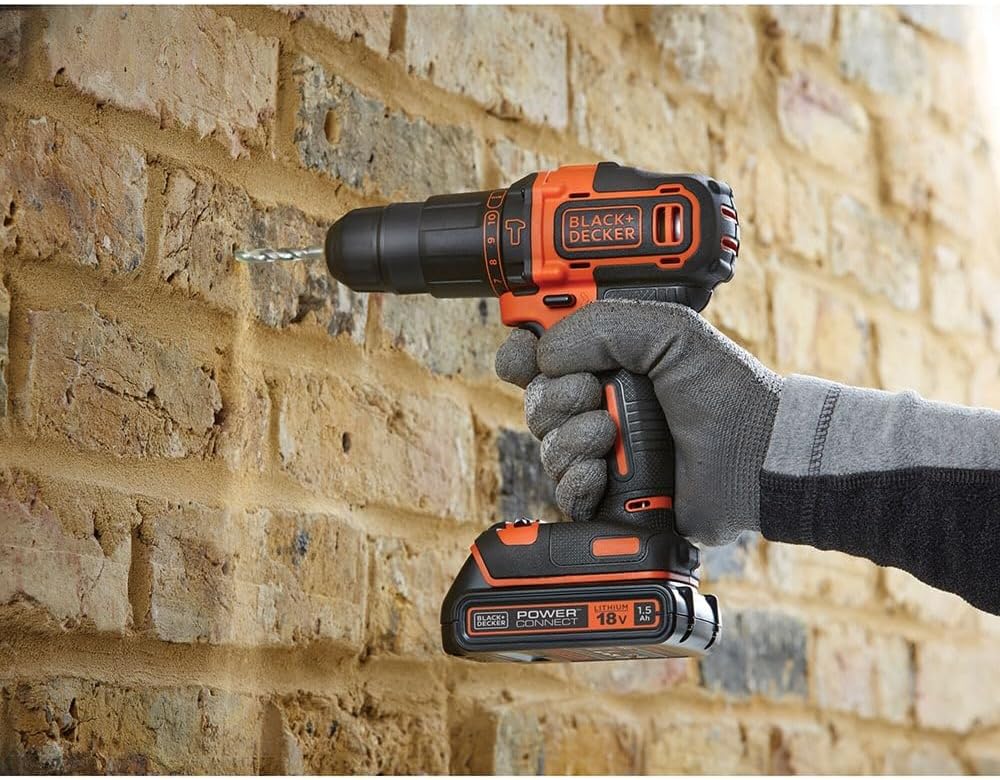
Image: A person using the BLACK+DECKER 18V hammer drill to drill into a brick wall, demonstrating the tool's capability for masonry work.

Image: A person using the BLACK+DECKER 18V drill to bore a hole into a wooden surface, illustrating its use for standard drilling tasks.
7. Maintenance
7.1 Cleaning
- Regularly clean the ventilation slots of the drill to prevent overheating.
- Wipe the tool with a damp cloth. Do not use harsh chemicals or abrasive cleaners.
- Keep the chuck jaws clean and free of debris for optimal bit gripping.
7.2 Battery Care
- Store batteries in a cool, dry place away from direct sunlight and extreme temperatures.
- Do not store fully discharged batteries for extended periods. Recharge them periodically.
- Do not attempt to open or modify the battery pack.
7.3 Storage
When not in use, store the drill and accessories in the provided storage case in a secure, dry place, out of reach of children.
8. Troubleshooting
If your BLACK+DECKER BCKSB05-QW kit is not functioning as expected, refer to the following common issues and solutions:
- Drill does not start:
- Ensure the battery is fully charged and properly inserted.
- Check if the forward/reverse switch is in the neutral (locked) position.
- Battery not charging:
- Verify the charger is properly plugged into a working outlet.
- Ensure the battery is correctly seated in the charger.
- Check for any damage to the charger or battery.
- Drill bit slips in chuck:
- Ensure the chuck is tightened securely.
- Clean any dust or debris from the chuck jaws and the bit shank.
- Reduced power or runtime:
- The battery may need recharging.
- The battery may be nearing the end of its lifespan and require replacement.
9. Specifications
| Model Number | BCKSB05-QW |
| Voltage | 18V |
| Chuck Size | 10 mm |
| Torque Positions | 10 + 1 (Drill Mode) |
| No-Load Speed (Low) | 0-360 RPM |
| No-Load Speed (High) | 0-1400 RPM |
| Max Torque | 40 Nm (354 Inch Pounds) |
| Impacts Per Minute (IPM) | 21000 ipm |
| Battery Type | Lithium-ion |
| Battery Capacity | 1.5 Ah |
| Kit Weight | 5.16 kg |
10. Warranty and Support
For warranty information or technical support, please refer to the warranty card included with your product or visit the official BLACK+DECKER website. You can also contact BLACK+DECKER customer service for assistance with any product-related inquiries.
Official Website: www.blackanddecker.com


