
Introduction
Thank you for choosing the ESR HaloLock 5,000mAh Mini Kickstand Wireless Power Bank. This manual provides essential information for the safe and efficient use of your new device. Please read it thoroughly before use and keep it for future reference.
Package Contents
Upon opening the package, you should find the following items:
- ESR HaloLock 5,000mAh Mini Kickstand Wireless Power Bank
- USB-C to USB-C Charging Cable
- Instruction Manual (this document)

Video: Unboxing the ESR HaloLock Mini Kickstand Wireless Power Bank
This video demonstrates the unboxing process, showing the power bank, USB-C cable, and included documentation.
Setup
Charging the Power Bank
- Connect the provided USB-C to USB-C cable to the USB-C port on the power bank.
- Connect the other end of the cable to a compatible USB-C power adapter (not included).
- The LED indicators on the side of the power bank will illuminate to show the charging status. All four LEDs will be solid when fully charged.

Attaching to Your Device (MagSafe Compatible)
- Ensure your iPhone is MagSafe compatible (iPhone 12 series or newer) or has a MagSafe-compatible case.
- Align the power bank with the back of your iPhone. The magnetic array will snap it securely into place.
- Wireless charging will begin automatically.

Operating Instructions
Wireless Charging
- Once magnetically attached to a compatible iPhone, the power bank will automatically begin wireless charging at up to 7.5W.
- The blue LED indicator on the power bank will light up when wireless charging is active.
Wired Charging (Output)
- The USB-C port can also be used for wired output charging at up to 12W.
- Connect a USB-C to USB-C cable (or appropriate cable for your device) from the power bank's USB-C port to your device.
- This allows for faster charging than wireless and can charge non-MagSafe devices.

Using the Kickstand
- The integrated kickstand can be pulled out from the back of the power bank.
- Adjust the kickstand to your desired viewing angle for both portrait and landscape orientations.
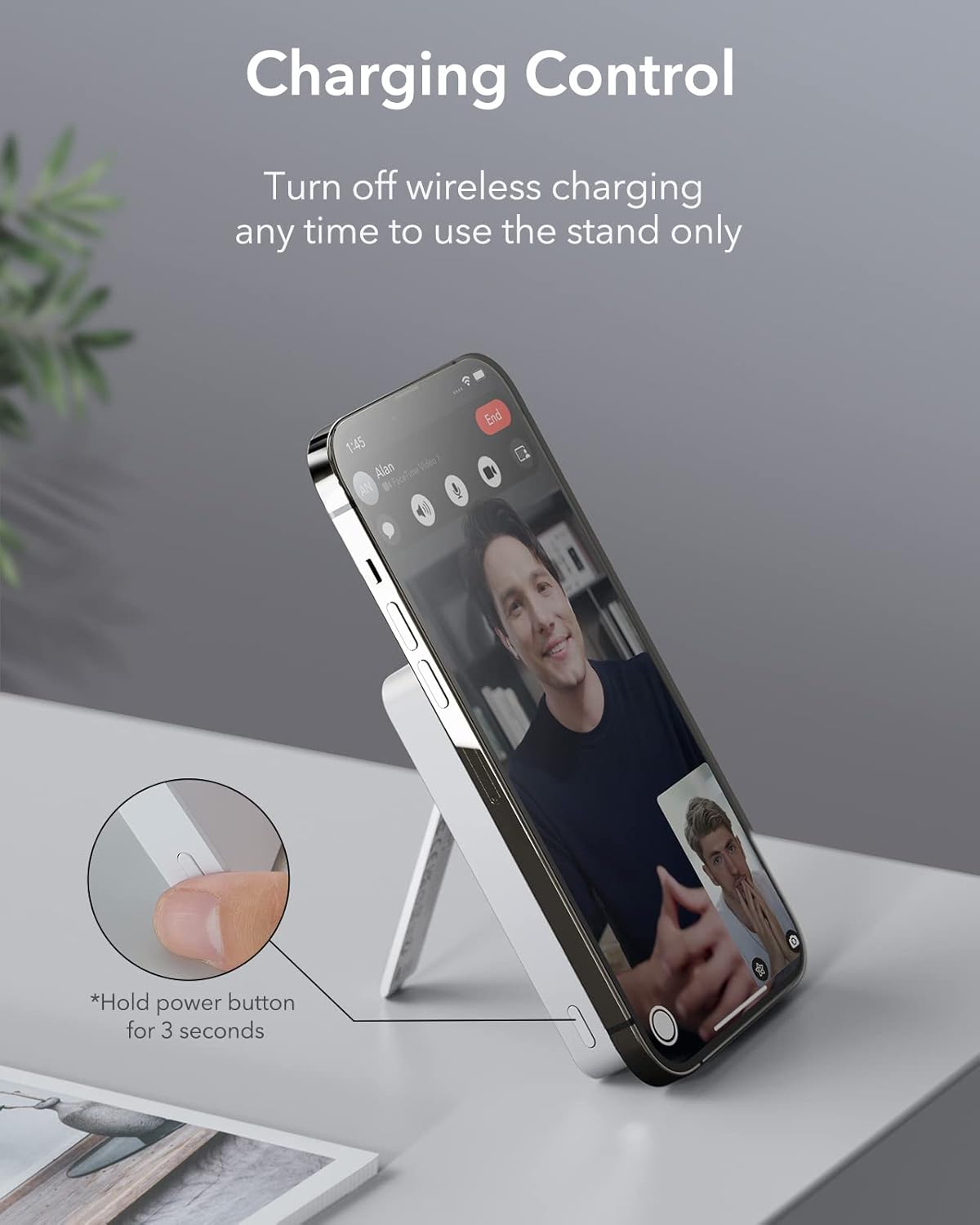
- To use the kickstand without wireless charging, press and hold the power button for 3 seconds to turn off wireless charging.

Video: ESR Battery Pack with MagSafe and Stand Features
This video demonstrates the functionality of the integrated kickstand and the magnetic attachment of the power bank to a smartphone.
Power Button Functions
- Single Press: Check the remaining battery level (LED indicators will light up).
- Press and Hold (3 seconds): Turn wireless charging on or off. This is useful if you only want to use the kickstand without charging.
Compatibility
The ESR HaloLock 5,000mAh Mini Kickstand Wireless Power Bank is designed for optimal compatibility with:
- iPhone 12 series and newer (including iPhone 15, 14, 13, 12 models).
- Official MagSafe cases.
- ESR HaloLock cases.
- Devices using an ESR HaloLock Universal Ring.
Note: This power bank may not provide a secure magnetic attachment or optimal charging performance with non-magnetic cases.
Specifications
| Feature | Detail |
|---|---|
| Model Number | 2G504 |
| Battery Capacity | 5000 Milliamp Hours (mAh) |
| Wireless Charging Output | Up to 7.5W |
| Wired Output (USB Type C) | Up to 12W |
| Wired Input (USB Type C) | Up to 18W (for fast charging the power bank) |
| Product Dimensions | 3.9 x 2.52 x 0.67 inches |
| Item Weight | 5.5 ounces |
| Special Features | Adjustable Kickstand, Magnetic, Portable Charger, Wireless Charging |
Maintenance
- Keep the power bank away from water, fire, and high temperatures.
- Avoid dropping or subjecting the device to strong impacts.
- Clean the surface with a soft, dry cloth. Do not use harsh chemicals or abrasive materials.
- Store in a cool, dry place when not in use.
Troubleshooting
Device Not Charging Wirelessly
- Ensure your iPhone is MagSafe compatible (iPhone 12 series or newer) or has a MagSafe-compatible case.
- Check if the power bank is sufficiently charged. Press the power button once to see the LED indicators.
- Ensure the power bank's wireless charging is active (blue LED should be on). If not, press and hold the power button for 3 seconds to activate it.
- Remove any foreign objects between the power bank and your iPhone.
Slow Charging
- Wireless charging is generally slower than wired charging. For faster charging, use the USB-C port with a cable.
- Ensure you are using a compatible power adapter for charging the power bank itself (e.g., an 18W or higher USB-C PD adapter for optimal input speed).
Warranty and Support
ESR offers an upgraded 24-month warranty for this product. To register your product and gain exclusive access to newly launched products, please refer to the QR code or instructions provided in the packaging.
For further assistance or technical support, please visit the official ESR website or contact their customer service.
