
Monster MH72101
Monster Gaming Headset User Manual
Model: MH72101
1. Introduction
This manual provides comprehensive instructions for the Monster Gaming Headset, designed for an immersive audio experience across various gaming platforms. Please read this manual carefully to ensure proper setup, operation, and maintenance of your headset.

Figure 1.1: The Monster Gaming Headset, showcasing its design and connectivity options.
2. Key Features
- 50mm Neodymium Drivers: High-quality drivers for enhanced acoustic sensitivity and rich audio detail.
- Noise-Cancelling Microphone: Integrated microphone with a 160-degree flexible gooseneck for clear communication.
- Adaptive Suspension Headband: Automatically adjusts to head size for comfortable, long-duration wear.
- Soft Memory Foam Ear Cushions: Designed to reduce external noise and provide comfort.
- RGB LED Lighting: USB-powered lighting on earcups for an immersive gaming atmosphere.
- Multi-Platform Compatibility: Compatible with PC, PS4, PS5, Xbox One X, and other devices with a 3.5mm audio jack.
- Convenient Controls: Easily accessible rotary volume control on the cable.

Figure 2.1: Detailed view of ear cushion, memory foam, and volume control.

Figure 2.2: Illustration of the 50mm magnetic neodymium driver components.
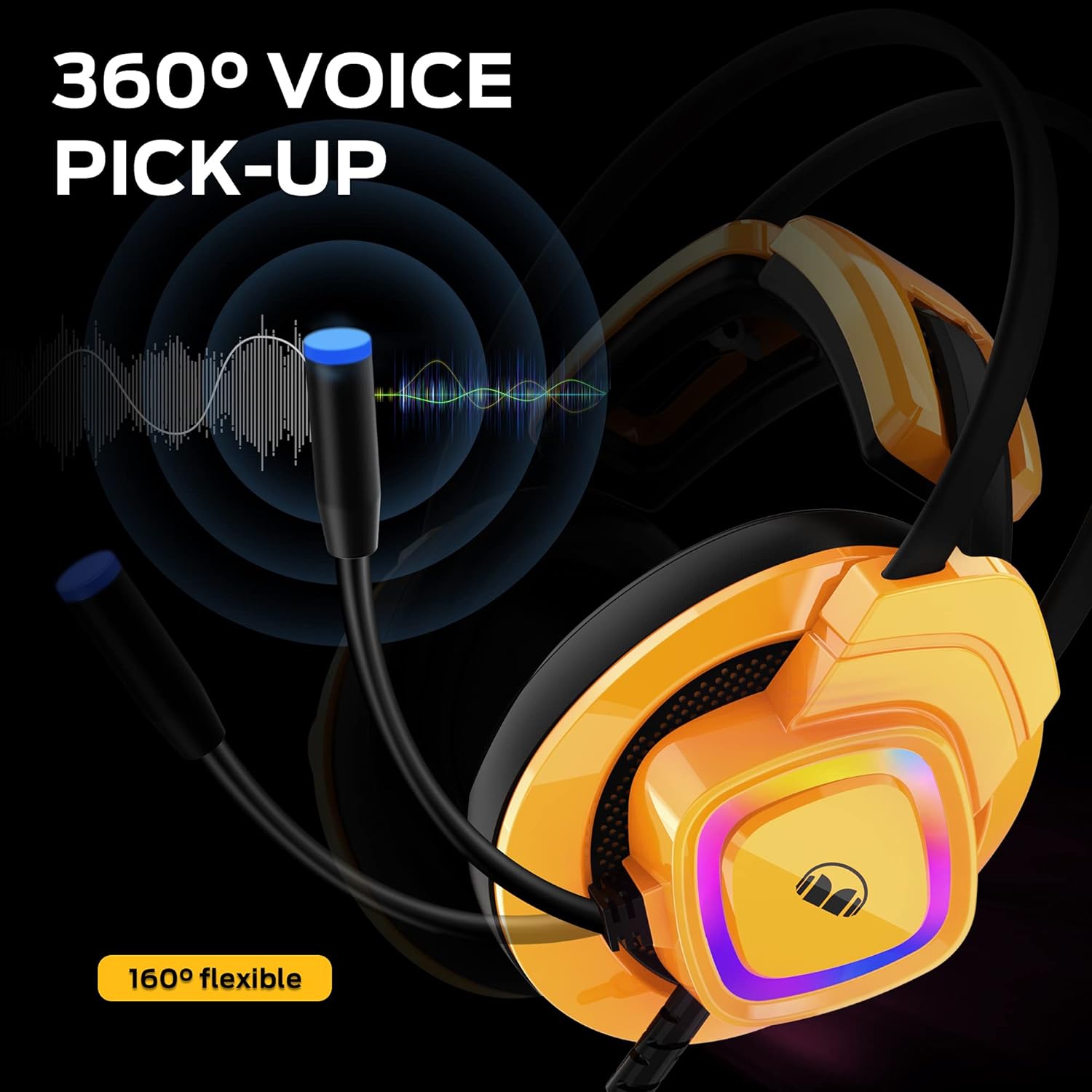
Figure 2.3: The headset showcasing its vibrant RGB LED lighting.
3. Setup Instructions
3.1 Connecting the Headset
The Monster Gaming Headset connects via a 3.5mm audio jack for audio and microphone functions, and a USB connector for the RGB LED lighting. Ensure your device has the necessary ports.
- For PC/Laptop (Windows/macOS): Plug the 3.5mm jack into your computer's audio output/input port. Plug the USB connector into an available USB port for LED lighting.
- For PS4/PS5/Xbox One/Nintendo Switch: Plug the 3.5mm jack directly into the controller or console's audio port. For Xbox One, an adapter (not included) may be required for older controllers. The USB connection for LED lighting is optional and depends on console USB port availability.
- For Smart Phones/Tablets: Plug the 3.5mm jack into your device's headphone jack. USB for LED lighting is generally not supported on mobile devices.

Figure 3.1: Headset compatibility with different gaming platforms and devices.
3.2 Initial Audio Configuration
After connecting, you may need to adjust audio settings on your device:
- Windows: Go to Sound Settings > Playback and Recording tabs to select the headset as the default device.
- PlayStation/Xbox: Navigate to Audio Devices in the system settings to ensure the headset is recognized and selected for audio output and microphone input.
4. Operating the Headset
4.1 Volume Control
The headset features an inline rotary volume control. Rotate the wheel up to increase volume and down to decrease volume.
4.2 Microphone Usage
The flexible gooseneck microphone can be adjusted to your preferred position for optimal voice pickup. Ensure the microphone is positioned close to your mouth for clear communication.

Figure 4.1: The flexible microphone and its 360-degree voice pickup range.
4.3 RGB LED Lighting
The RGB LED lights on the earcups are powered via the USB connection. They will illuminate automatically when the USB is plugged into a powered port. There are no user-adjustable settings for the lighting patterns on the headset itself.
5. Maintenance
Proper care will extend the life of your Monster Gaming Headset:
- Cleaning: Use a soft, dry cloth to clean the earcups and headband. Do not use harsh chemicals or abrasive cleaners.
- Storage: Store the headset in a cool, dry place away from direct sunlight and extreme temperatures.
- Cable Care: Avoid sharp bends or kinks in the cable. Do not pull the cable to disconnect the headset; always grasp the plug.
- Microphone: Handle the flexible microphone gently. Avoid excessive bending or twisting.
6. Troubleshooting
| Problem | Possible Cause | Solution |
|---|---|---|
| No audio from headset | Headset not properly connected; Incorrect audio output selected; Volume too low. | Ensure 3.5mm jack is fully inserted. Check device's sound settings to select headset as output. Increase volume using inline control and device settings. |
| Microphone not working | Microphone muted; Incorrect input device selected; Microphone not positioned correctly. | Check if the microphone mute switch (if present on cable) is off. In device's sound settings, select headset microphone as input. Adjust microphone position closer to mouth. |
| RGB LED lights not on | USB not connected; USB port not providing power. | Ensure USB connector is firmly plugged into a powered USB port. Try a different USB port. |
| Sound distortion or static | Loose connection; Interference; Volume too high. | Reconnect the 3.5mm jack. Move away from other electronic devices causing interference. Reduce volume. |
7. Specifications
- Model Name: MH72101
- Connectivity Technology: Wired (3.5mm audio jack + USB for LED)
- Headphones Jack: 3.5 mm Jack
- Driver Size: 50mm Neodymium
- Microphone: Noise-Cancelling, 160-degree flexible
- Special Features: Noise Cancellation, Surround Sound, Volume Control, RGB LED Light
- Compatible Devices: PS4, PS5, Xbox One, PCs
- Material: Metal (frame components), Memory Foam (ear cushions)
- Item Weight: 1.32 pounds
- Package Dimensions: 9.65 x 9.25 x 4.13 inches
- Included Components: Headset with integrated cable
8. Warranty and Support
For warranty information and technical support, please refer to the official Monster product website or contact Monster customer service directly. Keep your purchase receipt as proof of purchase for any warranty claims.
For further assistance, visit the Monster Store on Amazon.
Related documentsMH72101


Ask a question about this manual
Ask about setup, troubleshooting, compatibility, parts, safety, or missing instructions. Manuals+ will review the question and use this page’s manual context to help answer it.