
Smartby SMTB-RCA-LE45RQ
Smartby Replacement Remote Control for RCA LED LCD HDTV
Model: SMTB-RCA-LE45RQ
Introduction
This manual provides instructions for the Smartby Replacement Remote Control, designed for use with various RCA LED LCD HDTV models. This remote control requires no programming or pairing; simply install the batteries, and it is ready for immediate use.
Compatible RCA TV models include: LED42C45RQ, LED46C45RQ, LED50B45RQ, LED24G45RQ, LED28G45RQ, LED32G30RQ, LED40G45RQ, LED55C55R120Q, LED55G55R120Q.
Setup Instructions
Battery Installation
The remote control operates on two (2) AAA alkaline batteries (not included).
- Locate the battery compartment cover on the back of the remote control.
- Press down on the tab and slide the cover downwards to open the compartment.
- Insert two new 1.5V AAA alkaline batteries, ensuring the positive (+) and negative (-) terminals align correctly with the markings inside the compartment.
- Slide the battery compartment cover back into place until it clicks securely.
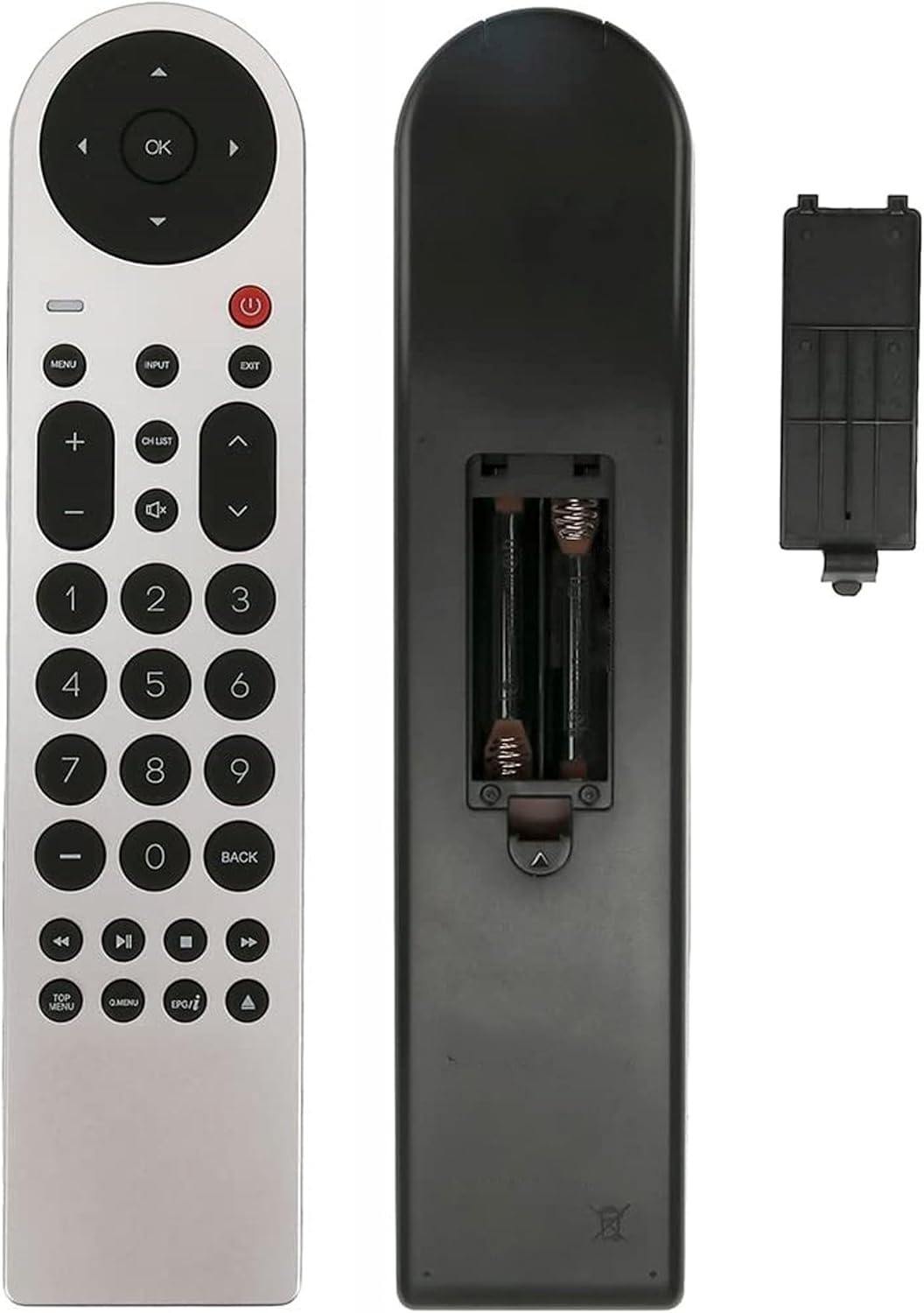
Image: Rear view of the Smartby remote control with the battery cover removed, revealing the two AAA battery slots. This illustrates the correct orientation for battery insertion.
Once batteries are installed, the remote control is ready for use with your compatible RCA TV without any additional programming.
Operating Instructions
This section details the primary functions of the buttons on your Smartby remote control.

Image: Full front view of the Smartby replacement remote control, displaying the layout of all buttons from the navigation cluster to the number pad and media controls.
Button Functions Overview
- Power Button (⏻): Turns the TV on or off.
- OK / Navigation Buttons: The central circular pad for menu navigation. OK confirms selections. Up, Down, Left, Right arrows navigate.
- MENU: Accesses the TV's main menu.
- INPUT: Selects the input source (e.g., HDMI 1, AV).
- EXIT: Exits the current menu or on-screen display.
- Volume (+/-): Increases or decreases the volume.
- Mute (🔇): Mutes or unmutes the TV audio.
- Channel (CH LIST / ▲ / ▼): CH LIST displays the channel list. Up/Down arrows change channels.
- Number Pad (0-9): Directly enters channel numbers.
- BACK: Returns to the previous screen or menu.
- Media Playback Controls (◀◀, ▶▶, ■, ▶): Control playback functions like rewind, fast forward, stop, and play/pause.
- TOP MENU: Accesses the top menu of a DVD/Blu-ray player (if connected).
- Q.MENU: Quick menu access.
- EPG / ▲: Electronic Program Guide (EPG) or additional function.
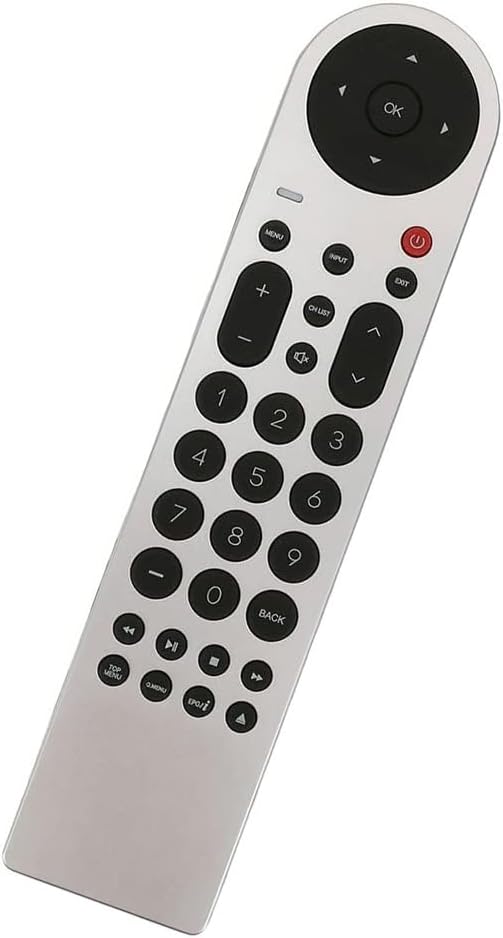

Image: Left: A detailed view of the upper control cluster, including power, menu, input, exit, volume, and channel buttons. Right: A detailed view of the lower control cluster, featuring media playback controls and special function buttons like TOP MENU, Q.MENU, and EPG.
Maintenance
- Cleaning: Use a soft, dry cloth to clean the remote control. Do not use liquid cleaners or abrasive materials.
- Battery Replacement: Replace batteries when the remote control becomes unresponsive or its range decreases. Always replace both batteries at the same time with new 1.5V AAA alkaline batteries.
- Storage: If the remote control will not be used for an extended period, remove the batteries to prevent leakage and potential damage.
Troubleshooting
| Issue | Possible Cause / Solution |
|---|---|
| Remote control is not working. |
|
| Buttons are unresponsive or delayed. |
|
| Remote control only works at close range. |
|
Specifications
| Feature | Detail |
|---|---|
| Model Number | SMTB-RCA-LE45RQ |
| Brand | Smartby |
| Compatible Devices | RCA LED LCD HDTVs (Specific models listed in Introduction) |
| Connectivity Technology | Infrared (IR) |
| Power Supply | 2 x 1.5V AAA Alkaline Batteries |
| Product Dimensions | 8.5 x 1.8 x 0.7 inches (approximately) |
| Item Weight | 2.89 ounces (approximately, without batteries) |
Warranty and Support Information
This product is a replacement remote control. For specific warranty details or technical support, please refer to the original purchase documentation or contact the retailer where the product was acquired. As a general guideline, ensure proper battery installation and usage as described in this manual for optimal performance.
For further assistance, please contact Smartby customer support through their official channels, if available.
Ask a question about this manual
Ask about setup, troubleshooting, compatibility, parts, safety, or missing instructions. Manuals+ will review the question and use this page’s manual context to help answer it.