
1. Introduction and Overview
The Geek AiroCook Iris Plus is a versatile 5-in-1 electric appliance designed to replace your countertop oven, toaster, air fryer, OTG (Oven Toaster Griller), and griller. It offers 8 preset functions including Toast, Bake, Grill, Air Fry, Rotisserie, and Warming, allowing for a wide range of cooking options with up to 85% less fat.
Equipped with 360° hot air circulation technology, this 23-litre oven ensures even cooking and crispy results. Its durable stainless steel construction provides long-lasting performance.
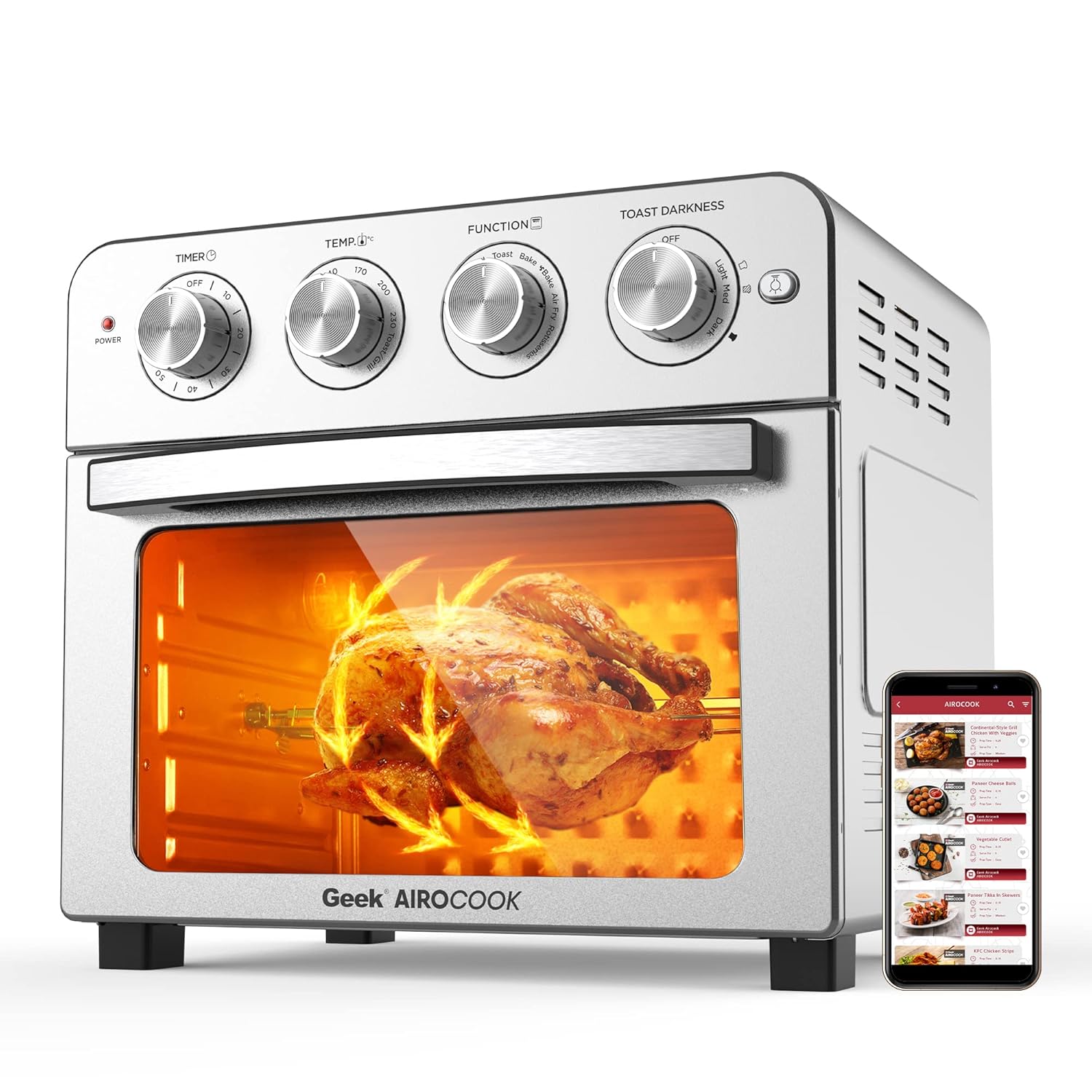
Image: The Geek AiroCook Iris Plus Air Fryer Oven, showcasing its rotisserie function with a whole chicken.
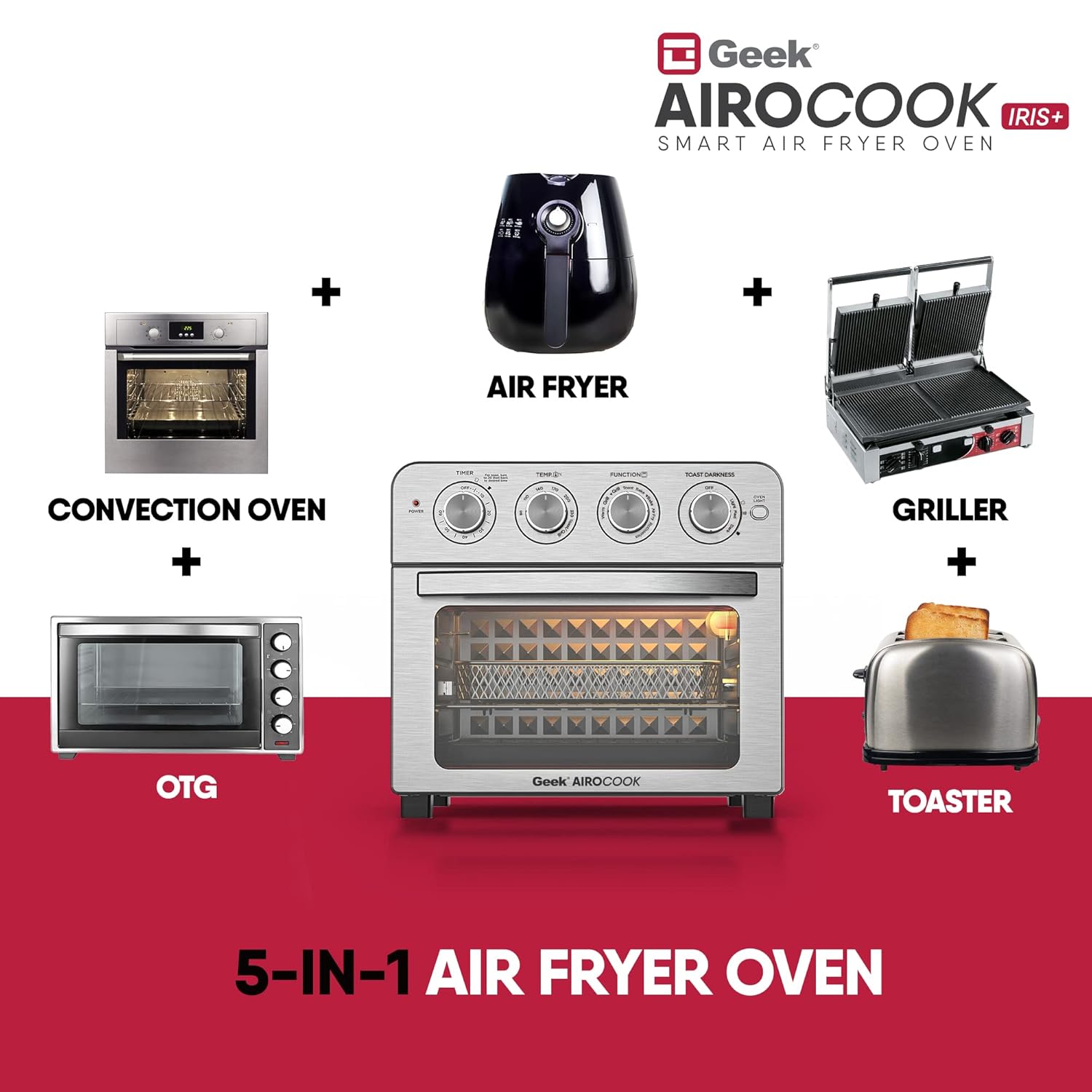
Image: Visual representation of the Geek AiroCook Iris Plus as a 5-in-1 appliance, replacing a convection oven, OTG, air fryer, griller, and toaster.
2. Important Safety Instructions
Please read all instructions carefully before using the appliance. Failure to follow these instructions may result in electric shock, fire, or serious injury.
- Electrical Safety: Ensure the appliance is connected to a grounded outlet with the correct voltage (1700W). Do not immerse the cord, plug, or appliance in water or other liquid.
- Hot Surfaces: Surfaces of the appliance become hot during and after operation. Always use oven mitts or the provided fetch rack when handling hot accessories or food. The transparent toughened glass door and cool-touch handle are designed for safety, but caution is still advised.
- Children and Pets: Keep the appliance out of reach of children and pets. Close supervision is necessary when the appliance is used near children.
- Ventilation: Ensure adequate space (at least 4 inches) around the appliance for proper air circulation during operation. Do not block any ventilation openings.
- Unplug When Not in Use: Always unplug the appliance from the outlet when not in use and before cleaning. Allow it to cool completely before handling or cleaning.
- Proper Use: Do not use the appliance for anything other than its intended purpose. Do not place food directly on the heating elements.
- Damaged Cord/Plug: Do not operate the appliance with a damaged cord or plug. If the appliance malfunctions or is damaged in any way, contact customer service.
3. Product Components and Accessories
Your Geek AiroCook Iris Plus comes with the following accessories to enhance your cooking experience:
- Crumb Tray: Collects crumbs and drips for easy cleaning.
- Air Fryer Mesh Basket: Ideal for air frying foods like fries, wings, and vegetables.
- Oven Rack: For baking, roasting, and general oven use.
- Baking Pan: Suitable for baking cakes, cookies, and other dishes.
- Oven Mitt: For safe handling of hot accessories.
- Fetch Rack: Tool for safely removing hot racks and baskets.
- Rotisserie Spit and Forks: For roasting whole chickens or other meats.
- Recipe Book: Contains exclusive recipes and cooking guides.

Image: A display of all included accessories: Oven rack, Baking Pan, Crumb tray, Airfryer Basket, Fetch Rack, Oven Mitt, and Rotisserie.
4. Setup
- Unpacking: Carefully remove the appliance and all accessories from the packaging. Remove any protective film or stickers.
- Placement: Place the oven on a stable, level, heat-resistant surface. Ensure there is at least 4 inches of clear space on all sides and above the oven for proper ventilation. Do not place it near flammable materials or heat sources.
- Initial Cleaning: Before first use, wipe the exterior with a damp cloth. Wash all accessories (crumb tray, mesh basket, oven rack, baking pan, rotisserie parts) with warm, soapy water, rinse thoroughly, and dry completely.
- First Use (Burn-Off): It is normal for a slight odor or smoke to be emitted during the first use as manufacturing oils burn off. To minimize this, operate the oven empty at 200°C (400°F) for approximately 15-20 minutes. Ensure the area is well-ventilated during this process.
5. Operating Instructions
The Geek AiroCook Iris Plus features intuitive dial knob controls for easy operation.

Image: The central dial knob illustrating the 8-in-1 multi-functions: Warm, Grill, Bake, Air Fry, Rotisserie, and Toast.
General Controls:
- Timer Knob: Sets cooking time (up to 60 minutes).
- Temperature Knob: Adjusts cooking temperature (up to 230°C).
- Function Knob: Selects the desired cooking mode (Air Fry, Bake, Grill, Rotisserie, Toast, Warm).
- Toast Darkness Knob: For toast function, selects desired browning level.
Cooking Functions:
For specific recipes and detailed cooking times, refer to the included recipe book or download the Geek Recipe App.
- Air Fry: Ideal for crispy foods like French fries, chicken wings, and vegetables. Place food in the air fryer mesh basket. Set Function to 'Air Fry', adjust Temperature and Timer. The 360° hot air circulation ensures even crisping.
- Bake: Perfect for cakes, cookies, pizzas, and casseroles. Use the baking pan or an oven-safe dish on the oven rack. Set Function to 'Bake', adjust Temperature and Timer.
- Grill: For grilling meats, vegetables, and sandwiches. Place food on the oven rack or baking pan. Set Function to 'Grill', adjust Temperature and Timer.
- Rotisserie: Designed for roasting whole chickens or other large cuts of meat. Secure the meat onto the rotisserie spit, insert into the oven, and set Function to 'Rotisserie'. Adjust Temperature and Timer.
- Toast: For toasting bread, bagels, and waffles. Place items directly on the oven rack. Set Function to 'Toast' and use the Toast Darkness knob to select your preferred browning level.
- Warming: To keep food warm after cooking. Set Function to 'Warm' and adjust Timer as needed.
Auto Shut-off: The oven features an auto shut-off function that turns off the heating elements once the set timer expires, providing convenience and safety.

Image: Illustration of the Swirl Hot Air Technology (SHA) within the oven, showing hot air circulating for efficient cooking.
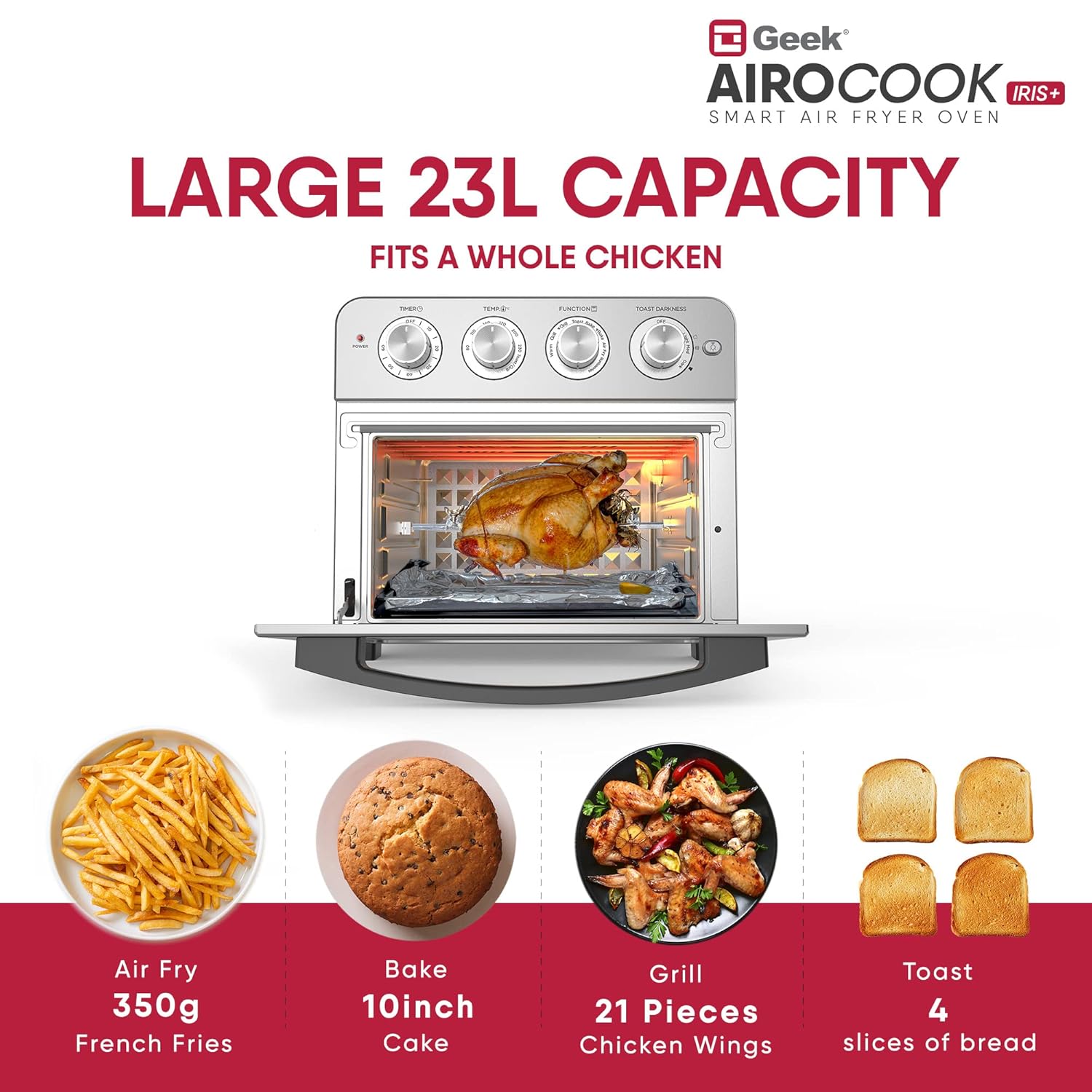
Image: The 23L capacity of the oven demonstrated with examples like 350g French fries, a 10-inch cake, 21 pieces of chicken wings, and 4 slices of bread.
6. Maintenance and Cleaning
Regular cleaning ensures optimal performance and extends the life of your appliance. Always unplug the oven and allow it to cool completely before cleaning.
- Exterior: Wipe the exterior with a damp cloth and mild detergent. Do not use abrasive cleaners or scouring pads.
- Interior: Wipe the interior walls with a damp cloth and mild detergent. For stubborn stains, a non-abrasive cleaner designed for ovens can be used. Ensure all cleaner residue is removed.
- Crumb Tray: The detachable crumb tray should be emptied and cleaned regularly. Slide it out from the bottom of the oven, discard crumbs, and wash with warm, soapy water. Rinse and dry thoroughly before reinserting.
- Accessories: Wash the air fryer mesh basket, oven rack, baking pan, and rotisserie parts with warm, soapy water. Rinse well and dry completely. These accessories are not dishwasher safe.
- Heating Elements: Do not attempt to clean the heating elements directly. Any food residue on them will burn off during operation.

Image: Demonstrates the ease of cleaning the oven, highlighting the detachable crumb tray.

Image: Illustrates the benefit of oil-free healthy cooking with the air fryer oven, showing 85% less fat compared to traditional frying.
7. Troubleshooting
If you encounter issues with your Geek AiroCook Iris Plus, refer to the following common problems and solutions:
| Problem | Possible Cause | Solution |
|---|---|---|
| Appliance does not turn on. | Not plugged in; power outlet issue; timer not set. | Ensure the power cord is securely plugged into a working outlet. Check your circuit breaker. Turn the Timer knob past 'OFF' to set a cooking time. |
| Food not cooking evenly. | Overcrowding the basket/rack; incorrect temperature/time; food not flipped/shaken. | Do not overcrowd the cooking area; cook in smaller batches if necessary. Adjust temperature and time according to recipe. For air frying, shake or flip food halfway through cooking. |
| Smoke coming from the oven. | Food residue/grease on heating elements; fatty food cooking; first use burn-off. | For first use, this is normal (see Setup). For subsequent uses, ensure crumb tray and interior are clean. For fatty foods, place a baking pan below to catch drips. |
| Rotisserie not turning. | Rotisserie spit not properly installed; food too heavy/unbalanced. | Ensure the rotisserie spit is correctly seated in the drive socket. Distribute food evenly on the spit. Do not exceed the maximum weight capacity for rotisserie. |
If the problem persists after attempting these solutions, please contact customer support for assistance.
8. Specifications
| Feature | Detail |
|---|---|
| Model Name | 23 Litre - Iris Plus |
| Capacity | 23 Litres |
| Material | Stainless Steel (Inner & Outer) |
| Product Dimensions (D x W x H) | 41D x 38.5W x 35H Centimeters |
| Output Wattage | 1700 Watts |
| Max Temperature Setting | 230 Degrees Celsius |
| Control Method | Dial Knob |
| Special Features | Temperature Control, Auto Shut-off, Cool-touch Handle |
9. Warranty and Support
Your Geek AiroCook Iris Plus comes with a 1-year warranty from the date of purchase.
Geek provides convenient door-step service across India, covering over 28 states, 440 cities, and 19000+ pin-codes.
Contact Information:
- Toll-Free Number: 1800 121 922 922
- Email: care@harkin.in
For any product doubts or to request a virtual demo, please reach out to our Customer Service Team.

Image: Map illustrating Geek's extensive door-step service network across India, along with the toll-free number and email for support.