
Product Overview
The Globe Electric Ross Desk Lamp features a simple, modern design with a matte brass finish. This lamp includes an integrated LED light source and a head that pivots, allowing for adjustable light direction. A rotary switch located at the base provides dimming functionality, and a 2.1A USB port offers convenient device charging. This lamp is designed for versatile placement in various indoor settings such as offices, living rooms, bedrooms, or entryways.

Image: The Ross 16-inch Integrated LED Desk Lamp, showcasing its sleek matte brass finish and integrated LED light bar.
Setup Instructions
- Unpack the Lamp: Carefully remove all components from the packaging. Ensure all parts, including the lamp base, stem, light head, and power cord, are present and undamaged.
- Position the Lamp: Place the lamp on a stable, flat surface such as a desk, table, or nightstand. Ensure the surface can support the lamp's weight and that the power cord can reach an electrical outlet without strain.
- Connect to Power: Plug the lamp's power cord into a standard 120V AC electrical outlet.
- Initial Check: Turn the rotary switch on the base clockwise to power on the lamp and verify it functions correctly.

Image: The Ross Desk Lamp positioned on a desk, illustrating typical placement for use.
Operating Instructions
- Power On/Off: Rotate the switch located on the lamp base clockwise to turn the lamp on. Continue rotating clockwise to increase brightness. Rotate counter-clockwise to dim the light and turn it off.
- Dimming Function: The rotary switch allows for continuous dimming. Turn clockwise for brighter light, and counter-clockwise for dimmer light.
- Adjusting the Lamp Head: The integrated LED lamp head can pivot up and down. Gently adjust the head to direct the light to your desired area.
- USB Charging Port: A 2.1A USB charging port is located on the base of the lamp. Connect your compatible electronic devices (e.g., smartphones, tablets) to this port for charging. The USB port functions independently of the lamp's light being on or off, as long as the lamp is plugged into a power source.
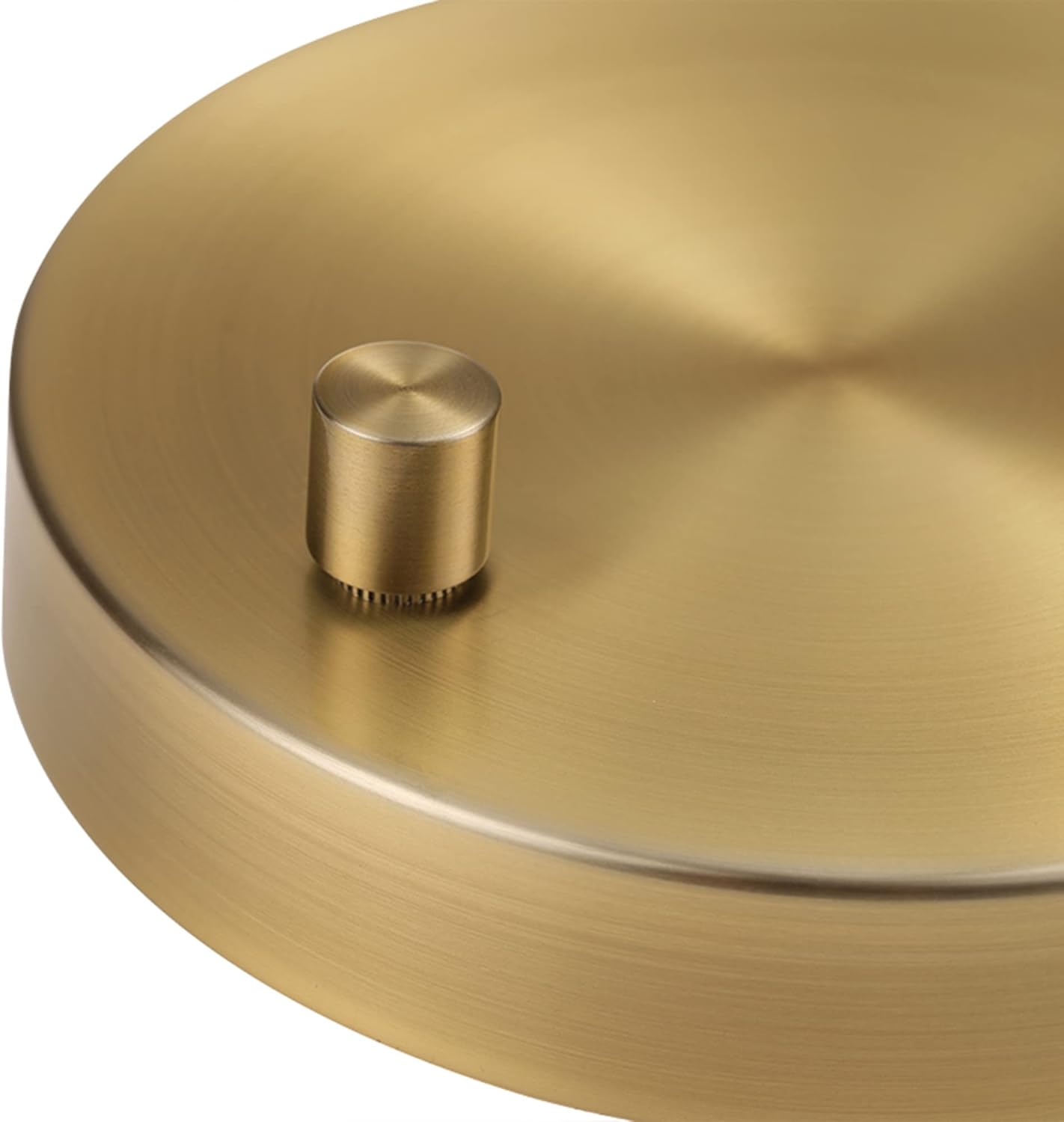
Image: Detail of the rotary switch on the lamp base, used for power and dimming control.

Image: The 2.1A USB port on the lamp base, demonstrating its use for charging a mobile device.
Maintenance
- Cleaning: Ensure the lamp is unplugged before cleaning. Use a soft, dry cloth to wipe down the lamp's surfaces. Avoid abrasive cleaners, solvents, or polishes as they may damage the finish.
- Integrated LED: The lamp features an integrated LED light source, which is designed for long-term use and does not require bulb replacement. Do not attempt to disassemble the light head.
- Cord Care: Regularly inspect the power cord for any signs of damage. If the cord is damaged, discontinue use and contact customer support.
Troubleshooting
- Lamp Does Not Turn On:
- Ensure the power cord is securely plugged into a working electrical outlet.
- Verify the rotary switch is turned clockwise sufficiently to activate the light.
- Check if the outlet is functional by plugging in another device.
- Light is Dim or Flickering:
- Adjust the rotary dimmer switch to increase brightness.
- Ensure the lamp is receiving stable power from the outlet.
- USB Port Not Charging:
- Confirm the lamp is plugged into a live electrical outlet.
- Ensure your device's charging cable is properly connected to both the lamp's USB port and your device.
- Test the USB port with a different device or cable to rule out cable/device issues.
Specifications
| Model Number | 52267 |
| Brand | Globe Electric |
| Product Dimensions | 6"D x 14"W x 16"H (15.2 cm D x 35.5 cm W x 40.7 cm H) |
| Item Weight | 1.76 Pounds (0.8 kg) |
| Finish Type | Matte Brass |
| Base Material | Metal |
| Light Source Type | Integrated LED |
| Wattage | 5 watts |
| Brightness | 250 Lumens |
| Light Color | Warm White (3000 Kelvin) |
| Special Features | 2.1A USB Port, Dimmable Rotary Switch, Pivoting Lamp Head |
| Power Source | Corded Electric |
| Voltage | 120 Volts |
| Indoor/Outdoor Usage | Indoor |
| Assembly Required | Yes |
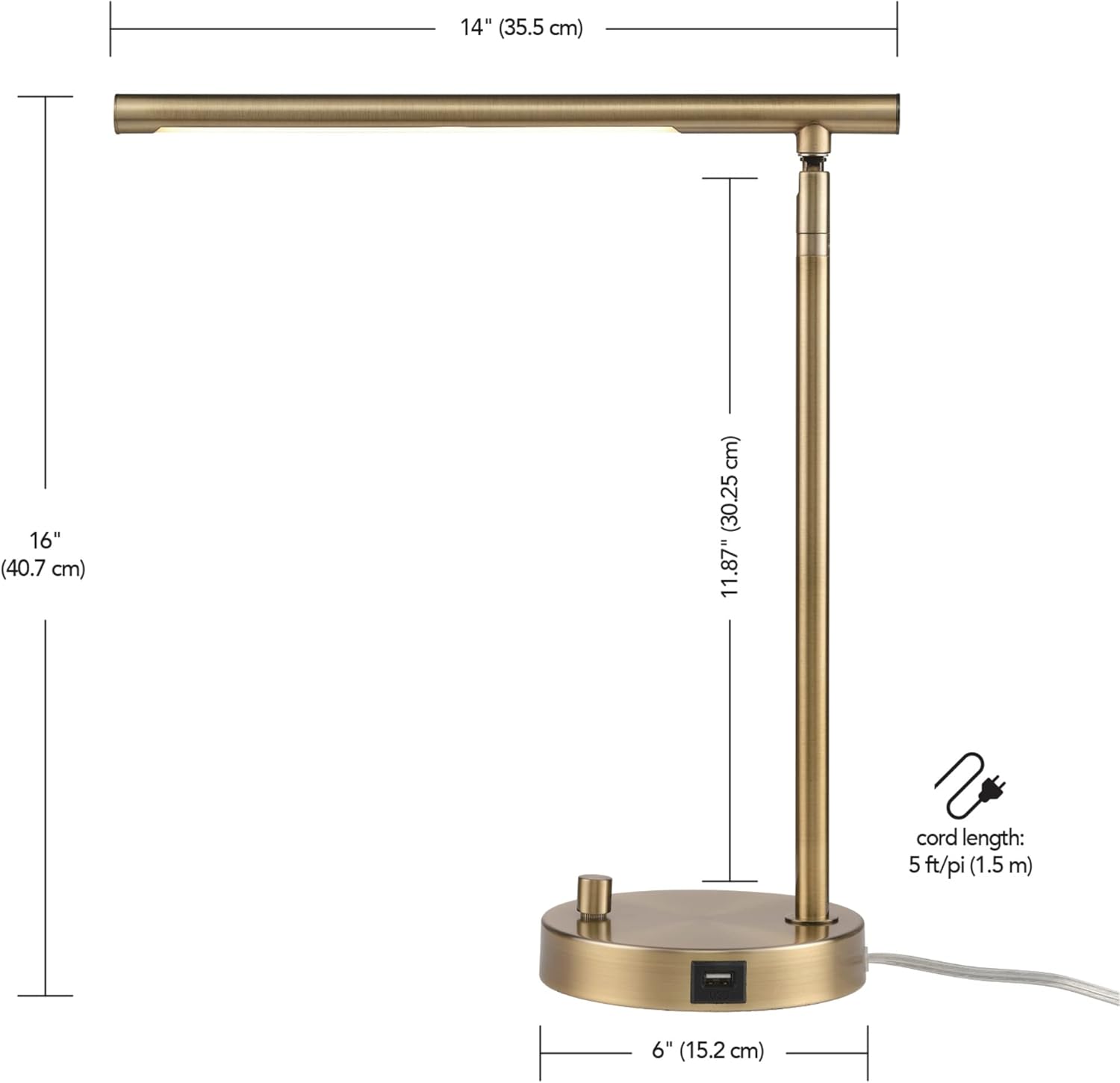
Image: Dimensional diagram of the Ross Desk Lamp, indicating its height, width, and depth.
Warranty Information
This product is sold without an explicit manufacturer's warranty. Please refer to your retailer's return policy for details regarding returns or exchanges.
Support
For further assistance or inquiries regarding your Globe Electric Ross Desk Lamp, please contact Globe Electric customer service through their official website or the retailer where the product was purchased.
Online Resources: Visit the Globe Electric Store on Amazon for additional product information and support.


