
1. Introduction and Overview
The Smartmi Air Purifier 2 is designed to provide clean and healthy air for your home. It features advanced filtration technology and smart controls to ensure optimal air quality.
Key Features:
- Wide Coverage & Improved Performance: Features Nanoguard Technology and 360° air intake, refreshing air 3 times per hour in rooms up to 484 ft² (45 m²). Effectively removes particles 0.08 micrometers in size with a CADR of 380 m³/h, including Volatile Organic Compounds (VOC) and large pollutants.
- Multiple Levels of Purification: Certified with TÜV Rheinland "Allergy Care". The H13 True HEPA Filter, Pre-Filter, and High-Efficiency Activated Carbon Filter capture 99.98% of airborne particles like dust, pollen, pet dander, smoke, and odor.
- Additional Layer of Protection: Built-in, short-wave UV-C light kills germs, bacteria, and viruses trapped in the filter. This feature can be turned off via the app.
- Quiet and Efficient: Consumes 40W of energy with noise levels from 30dB to 64dB. Offers Auto, Favorite, and Sleep modes for customized operation.
- Easy App Smart Control: Control the purifier from anywhere using the free Smartmi Link app. Compatible with Alexa, Google Assistant, and Homekit.
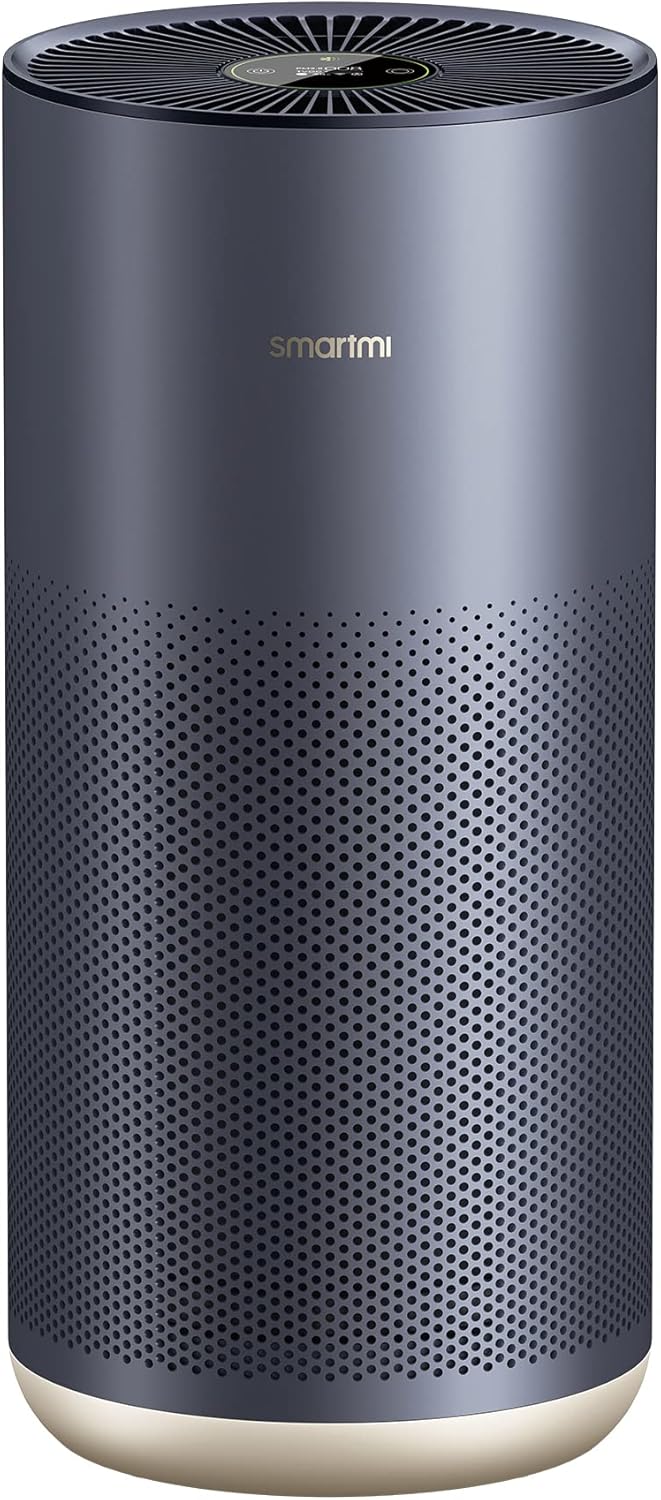
Figure 1: Smartmi Air Purifier 2, a sleek and modern device designed for efficient air purification.

Figure 2: The purifier effectively cleans a room of 517 sq.ft in just 20 minutes, reaching every corner.

Figure 3: The multi-level purification system includes a Pre-Filter, Activated Carbon Filter, and H13 True HEPA Filter to protect from allergens and pollutants.

Figure 4: The built-in short-wave UV-C light provides an additional layer of protection by killing airborne germs and viruses.
Purification Effectiveness Demonstration
Video 1: This experimental video demonstrates the Smartmi Air Purifier 2's ability to effectively remove various airborne pollutants, including TVOC, PM2.5, and PM10, from the environment.
2. Setup
Follow these steps to set up your Smartmi Air Purifier 2.
Comprehensive Setup and Operation Guide
Video 2: This tutorial video provides a complete guide to setting up, operating, and maintaining your Smartmi Air Purifier 2. Refer to the timestamps below for specific instructions.
2.1 Initial Placement
Place your air purifier in the room where you spend most of your time, such as the living room, bedroom, study room, or office. Ensure there is a suitable distance (at least 8 inches) between the air inlet and any obstructions like walls to allow for effective operation.
2.2 Filter Installation
Before first use, open the filter door on the back of the unit and remove the filter. Remove the plastic film protecting the filter. Place the filter back into the air purifier and close the door. (Refer to Video 2, timestamp 0:22 for visual instructions).
2.3 Power Connection
Connect the power cord to the designated port on the air purifier and then plug it into a power outlet. Press the power button on the top display to start the air purifier. (Refer to Video 2, timestamp 0:43 for visual instructions).
2.4 Smartmi Link App Connection
Download the Smartmi Link App from your device's app store. Open the app and select your Smartmi Air Purifier 2 from the list of found devices. Follow the on-screen prompts to connect the device to your Wi-Fi network. Ensure your phone is close to the product during this process. (Refer to Video 2, timestamp 1:25 for visual instructions).
2.5 Smart Home Integration
The Smartmi Air Purifier 2 is compatible with Homekit, Google Assistant, and Alexa, allowing for convenient voice and app control.
Homekit Integration
Video 3: Learn how to connect your Smartmi Air Purifier 2 to Apple Homekit for seamless control through the Home app. (Refer to Video 2, timestamp 2:53 for visual instructions).
Google Home Integration
Video 4: This video guides you through connecting your Smartmi Air Purifier 2 with Google Home for voice commands and smart routines. (Refer to Video 2, timestamp 2:09 for visual instructions).
Alexa Integration
Video 5: Instructions on how to link your Smartmi Air Purifier 2 to Alexa for convenient voice control. (Refer to Video 2, timestamp 2:46 for visual instructions).
3. Operating Instructions
Understand the various functions and controls of your Smartmi Air Purifier 2.
3.1 Display Overview
The top OLED display provides real-time information about your air quality and device status. It shows PM2.5 levels, TVOC status, temperature, Wi-Fi indicator, and current mode. (Refer to Video 2, timestamp 0:56 for visual instructions).
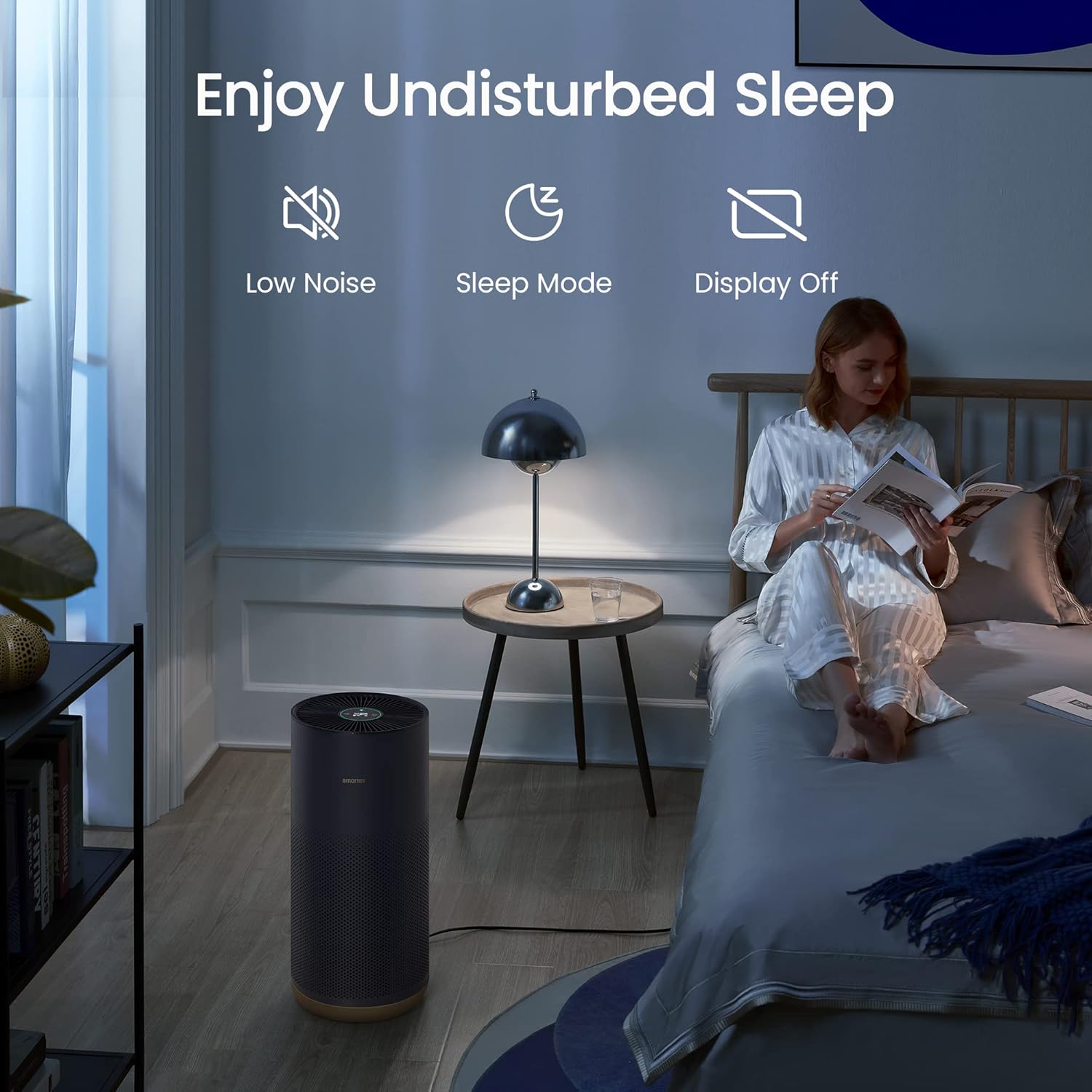
Figure 5: Enjoy undisturbed sleep with the purifier's low noise, sleep mode, and display-off features.

Figure 6: The purifier offers smart features like scheduling, filter life checks, and child lock, compatible with Apple Homekit, Google, and Alexa.
3.2 Mode Switching
Press the mode switch button on the top display to cycle through the available modes: Auto, Sleep, and Favorite (Manual). (Refer to Video 2, timestamp 1:06 for visual instructions).
- Auto Mode: Automatically switches modes based on indoor air quality.
- Sleep Mode: Provides ultra-low noise for a comfortable sleeping environment.
- Favorite Mode (Manual): Allows you to set and save a customized coverage area in the app to adjust purifying intensity.
3.3 Adjusting Display Brightness
Press the display on/off button on the back of the unit to cycle through its brightness levels: on, dim, and off. (Refer to Video 2, timestamp 1:18 for visual instructions).
3.4 Timer Function
You can set an on/off timer for the air purifier through the Smartmi Link app. This allows you to schedule operation according to your needs. (Refer to Video 2, timestamp 2:07 for visual instructions).
3.5 Child Lock
Activate the child lock feature via the Smartmi Link app to prevent accidental changes to settings by children. (Refer to Video 2, timestamp 2:19 for visual instructions).
3.6 UV Lamp Control
The UV lamp can be turned on or off through the Smartmi Link app, providing flexibility for disinfection. (Refer to Video 2, timestamp 2:15 for visual instructions).
3.7 Air Quality Monitoring
The purifier continuously monitors air quality, displaying PM2.5 and TVOC levels on the OLED screen and in the Smartmi Link app. The app also provides historical data for air quality. (Refer to Video 2, timestamp 2:26 for visual instructions).
4. Maintenance
Regular maintenance ensures optimal performance and longevity of your Smartmi Air Purifier 2.
4.1 Filter Replacement
The average filter lifespan is 6-12 months. You will be notified via the app when the filter needs to be replaced. To replace, open the filter door, remove the old filter, and insert a new one. Close the filter door securely. (Refer to Video 2, timestamp 3:34 for visual instructions).
4.2 Cleaning Fan Blades and Air Duct
To clean the fan blades and air duct, rotate the top grille clockwise to remove it. Use a vacuum cleaner to remove any dust from the air duct and fan blades. (Refer to Video 2, timestamp 3:57 for visual instructions).
4.3 Cleaning the Filter Housing
To maintain optimal ventilation and purification efficiency, remove any dust on the ventilation holes and housing walls using a vacuum cleaner or soft cloth. (Refer to Video 2, timestamp 4:10 for visual instructions).
4.4 Cleaning the Laser Particle Sensor
The particle sensor cover flap is on the rear cover just above the filter housing. Press the catch upwards and open the sensor flap. Use an air blow gun or hair dryer to clean the filter on the cover and the sensor. (Refer to Video 2, timestamp 4:22 for visual instructions).
5. Troubleshooting
If you encounter issues with your Smartmi Air Purifier 2, try the following common troubleshooting steps:
- Connectivity Issues: If the device loses Wi-Fi connection or fails to connect to the app, try resetting the Wi-Fi on the device (refer to Video 2, timestamp 1:35) and ensure your router is within range.
- Unusual Noise: If the purifier makes unusual noises, especially at lower settings, check for any obstructions in the fan or air duct, and ensure all covers are securely closed. Regular cleaning of fan blades and air ducts can help.
- Filter Replacement: Ensure you are using genuine Smartmi replacement filters. Issues with filter availability should be directed to the retailer or manufacturer support.
- Display Malfunctions: If the display is not working correctly or not dimming in sleep mode, try adjusting the display brightness settings via the app or the physical button on the back.
- App Functionality: If the app is not updating correctly or device changes are not reflecting, ensure the device firmware is up to date and try restarting the app or the purifier.
For persistent issues, please refer to the full user manual or contact customer support.
6. Specifications
| Feature | Detail |
|---|---|
| Product Dimensions | 12"D x 12"W x 25"H (20.87 x 10.24 x 10.24 inches) |
| Item Model Number | KQJHQ02ZM |
| Weight | 12.13 Pounds |
| Color | Dark Blue |
| Floor Area Coverage | 45 Square Meters (484 ft²) |
| CADR (Particle) | 380 m³/h |
| CADR (Dust) | 196 CFM |
| CADR (Pollen) | 208 CFM |
| CADR (Smoke) | 196 CFM |
| Wattage | 40 Watts |
| Certification | AHAM Certified, TÜV Rheinland "Allergy Care" |
7. Warranty and Support
For detailed warranty information and customer support, please refer to the official user manual PDF provided by the manufacturer.
You can download the full user manual here.
For any assistance, you may also contact Smartmi customer support via the Amazon platform.


