
1. Introduction
Thank you for choosing the Tuanse Polished Metal Desktop Lamp Base. This manual provides essential information for the safe and effective use of your new lamp base. Please read these instructions carefully before installation and retain them for future reference.
1.1 Safety Information
- Always ensure the power is disconnected before installing or replacing a bulb.
- Do not exceed the maximum wattage specified for the bulb socket.
- Keep the lamp base away from water or damp environments to prevent electrical shock.
- Ensure the lamp base is placed on a stable, flat surface.
- Do not attempt to modify the electrical components of the lamp base.
2. Product Overview
The Tuanse Polished Metal Desktop Lamp Base is designed to provide a stable and functional holder for E26 or E27 screw-in light bulbs. It features a durable metal construction, an inline on/off switch, and a 6-foot power cord for convenient placement.
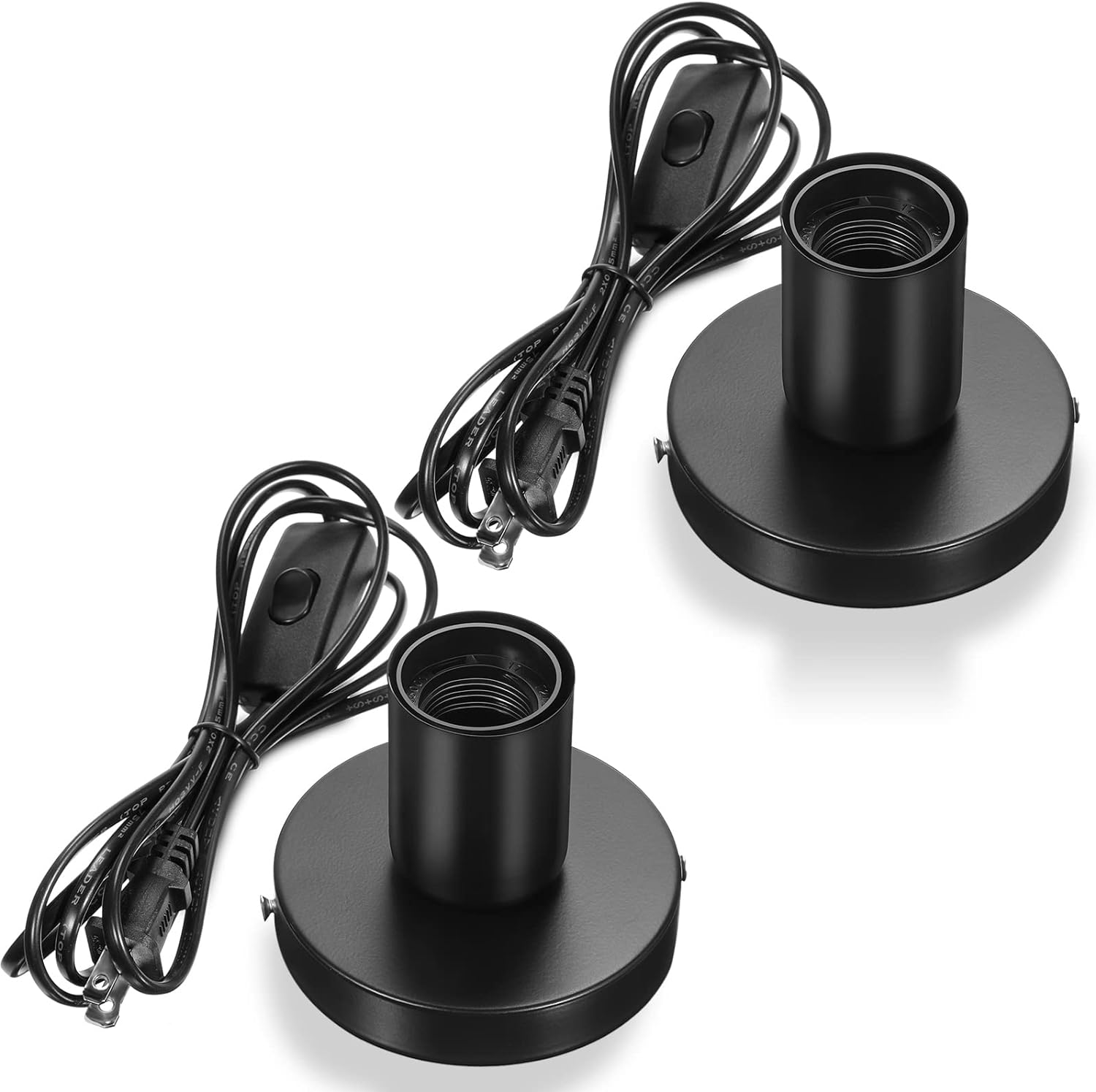
Image 2.1: Two Tuanse Polished Metal Desktop Lamp Bases, showcasing the product's design and components.
2.1 Key Features
- Sturdy Metal Base: Ensures stability and durability.
- E26/E27 Screw Socket: Compatible with standard incandescent, LED, and halogen bulbs.
- 6-Foot Power Cord: Provides ample length for flexible placement.
- Inline On/Off Switch: Convenient control for the light.
- Versatile Application: Suitable for various settings such as living rooms, bedrooms, and offices.
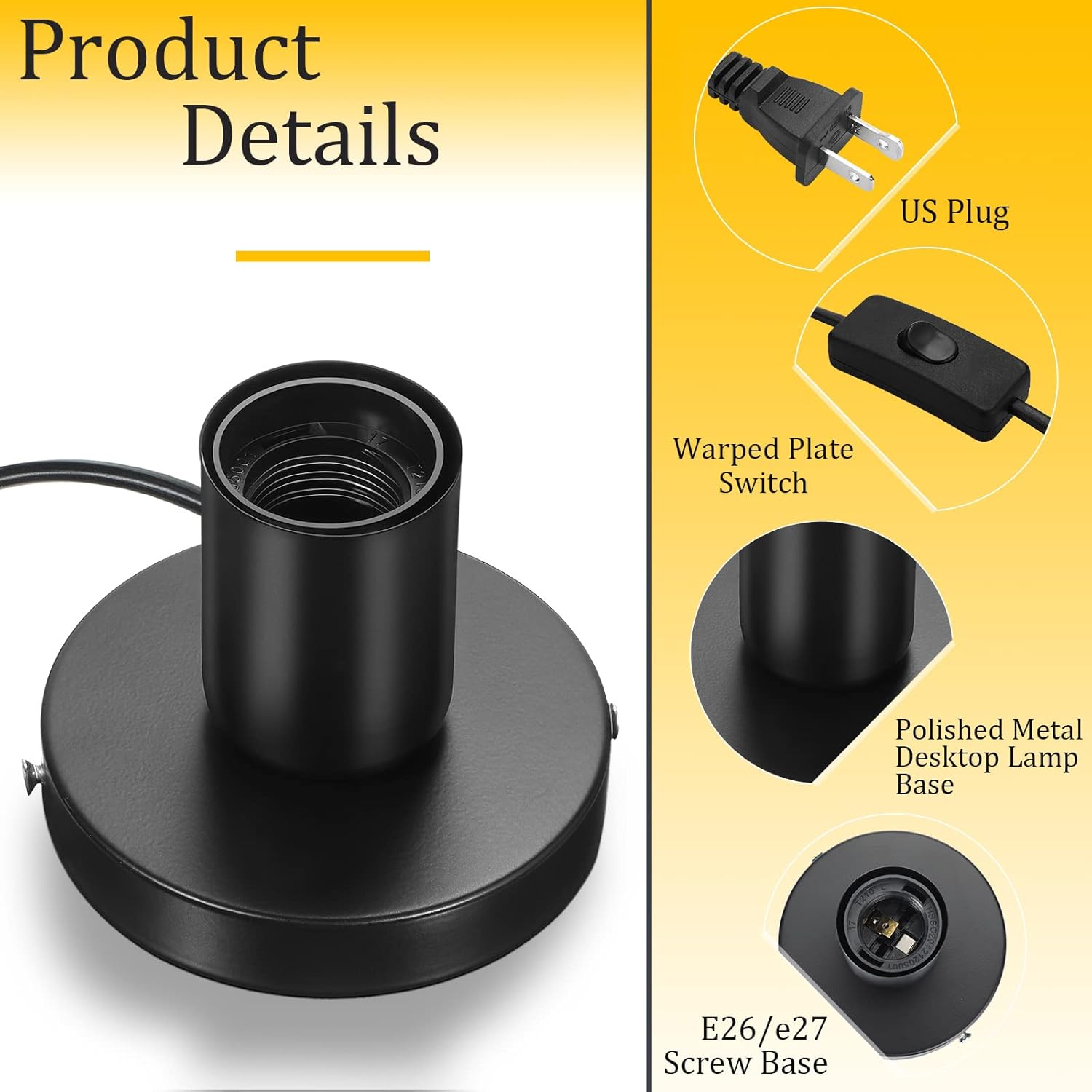
Image 2.2: Detailed view of the lamp base components, including the US plug, on/off switch, and E26/E27 socket.
3. Setup Instructions
Follow these steps to set up your Tuanse Desktop Lamp Base:
- Unpack: Carefully remove the lamp base from its packaging.
- Select Bulb: Choose an E26 or E27 screw-in light bulb (not included) that meets your lighting needs and does not exceed the maximum wattage for the socket.
- Install Bulb: Screw the chosen light bulb clockwise into the lamp base socket until it is firmly seated. Do not overtighten.
- Position: Place the lamp base on a stable, flat surface where you intend to use it.
- Connect Power: Plug the 2-prong power cord into a standard 110V electrical outlet.

Image 3.1: Product dimensions for proper placement and bulb selection.
3.1 Setup Demonstration Video
Video 3.1: This video demonstrates the unboxing, assembly, and basic functionality of the Tuanse Polished Metal Desktop Lamp Base, including how to insert a bulb and use the inline switch.
4. Operating Instructions
Once the lamp base is set up and plugged in, operating it is straightforward:
- Turn On/Off: Locate the inline on/off switch on the power cord. Press the switch to turn the light on or off.
- Bulb Replacement: To replace the bulb, first unplug the lamp base from the electrical outlet. Allow the old bulb to cool completely before unscrewing it counter-clockwise. Screw in the new E26/E27 bulb clockwise until secure.

Image 4.1: The lamp base in use on a bedside table, illustrating its functional and aesthetic appeal.
5. Maintenance
To ensure the longevity and proper functioning of your lamp base, follow these maintenance guidelines:
- Cleaning: Disconnect the power before cleaning. Wipe the metal base with a soft, dry cloth. Do not use abrasive cleaners or liquids that could damage the finish or electrical components.
- Inspection: Periodically check the power cord and plug for any signs of damage. If damage is found, discontinue use and contact customer support.
- Storage: If storing the lamp base, ensure it is clean and dry. Store in a cool, dry place away from direct sunlight.
6. Troubleshooting
If you encounter any issues with your Tuanse Desktop Lamp Base, refer to the following troubleshooting tips:
| Problem | Possible Cause | Solution |
|---|---|---|
| Lamp does not turn on | No power to outlet Bulb is loose or faulty Switch is off | Check outlet with another device Tighten or replace bulb Ensure switch is in the 'on' position |
| Light flickers | Loose bulb Faulty bulb Unstable power supply | Tighten bulb Replace bulb Try a different outlet |
| Base feels unstable | Uneven surface | Place on a flat, stable surface |
If the problem persists after trying these solutions, please contact Tuanse customer support.
7. Specifications
| Feature | Specification |
|---|---|
| Brand | Tuanse |
| Model Number | Tuanse-63 |
| Material | Metal |
| Color | Black |
| Product Dimensions | 1.54"W x 3.15"H |
| Mounting Type | Table Top |
| Power Source | Corded Electric |
| Installation Method | Screw In |
| Type of Bulb (Compatible) | Halogen, Incandescent, LED (E26/E27) |
| Cord Length | 6 feet |
| Input Voltage | 110V |
| Item Weight | 12.6 ounces |
8. Warranty and Support
Tuanse products are manufactured to high-quality standards. For specific warranty details or technical support, please refer to the product packaging or visit the official Tuanse store. Keep your purchase receipt as proof of purchase.
For further assistance, you may visit the Tuanse Store on Amazon.