
Aubric FAN53T
Aubric FAN53T Ceiling Fan Remote Control
Instruction Manual
1. Introduction
Thank you for choosing the Aubric FAN53T Ceiling Fan Remote Control. This remote is designed as a replacement transmitter for various ceiling fan models, providing convenient control over fan speeds and lighting. This manual will guide you through the setup, operation, and maintenance of your new remote control.

Image 1.1: The Aubric FAN53T remote control, showcasing its 3 fan speeds, light ON/OFF/Dimming, and luminous button features.
2. Safety Information
- This remote control is intended for indoor use only.
- Do not expose the remote to water or excessive moisture.
- Ensure the correct battery type and polarity are used during installation.
- Keep batteries out of reach of children.
- Do not attempt to disassemble or modify the remote control.
- This remote is a transmitter only; a compatible receiver is required for operation and is not included.
3. Package Contents
The package includes the following items:
- 1 x Aubric FAN53T Remote Control Transmitter
- 1 x Wall Mount Holder
- Mounting Screws and Wall Anchors (2 each)
Note: A 9V battery is required for operation and is NOT included in the package.
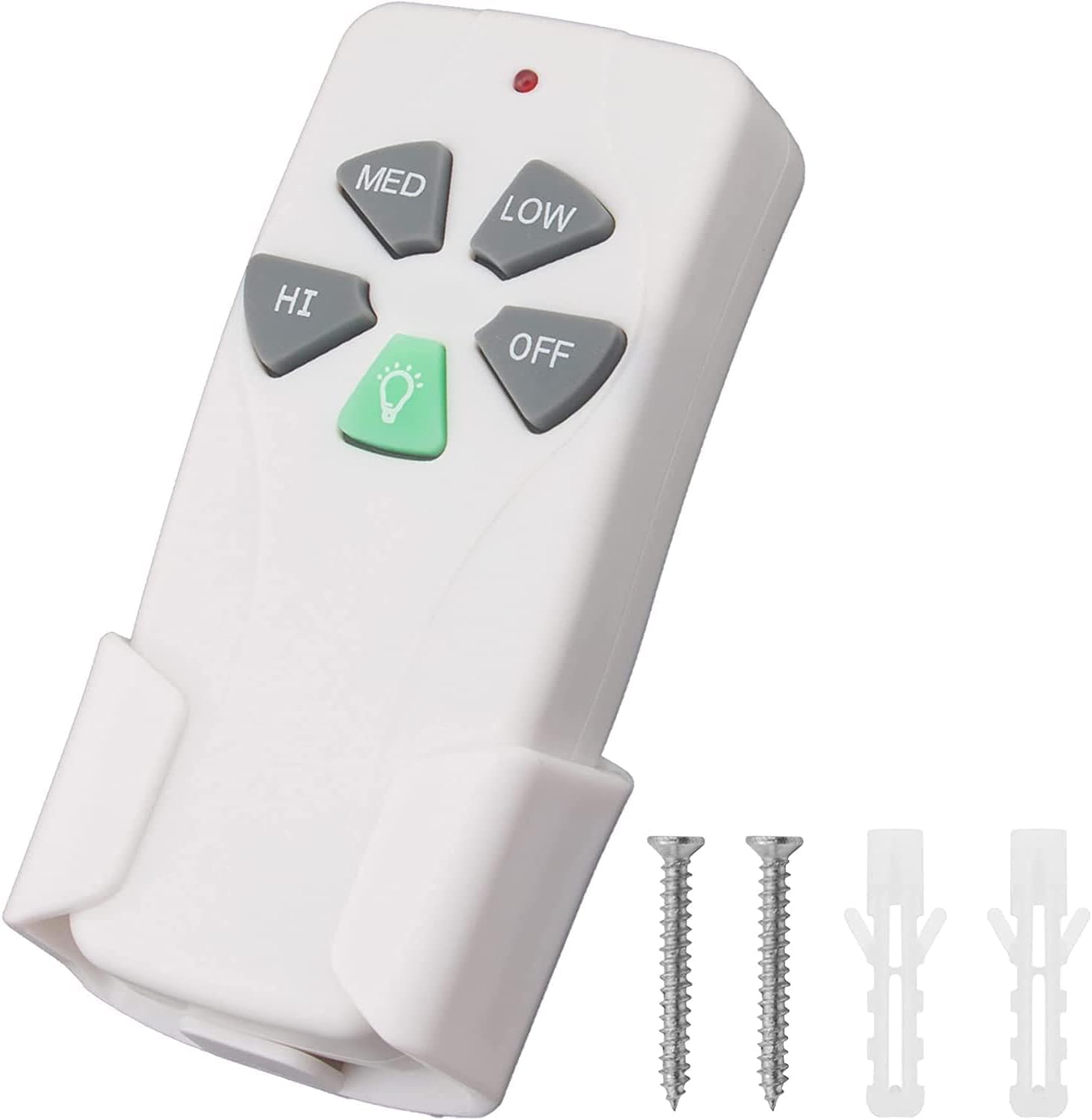
Image 3.1: The Aubric FAN53T remote control, its wall mount holder, and included mounting hardware.
4. Product Overview
The Aubric FAN53T remote control features intuitive buttons for easy operation of your ceiling fan and light.
- HI / MED / LOW: Controls the fan speed.
- OFF: Turns the fan off.
- LIGHT / DIMMER: Turns the light on/off and adjusts brightness. This button is luminous for easy visibility in the dark.
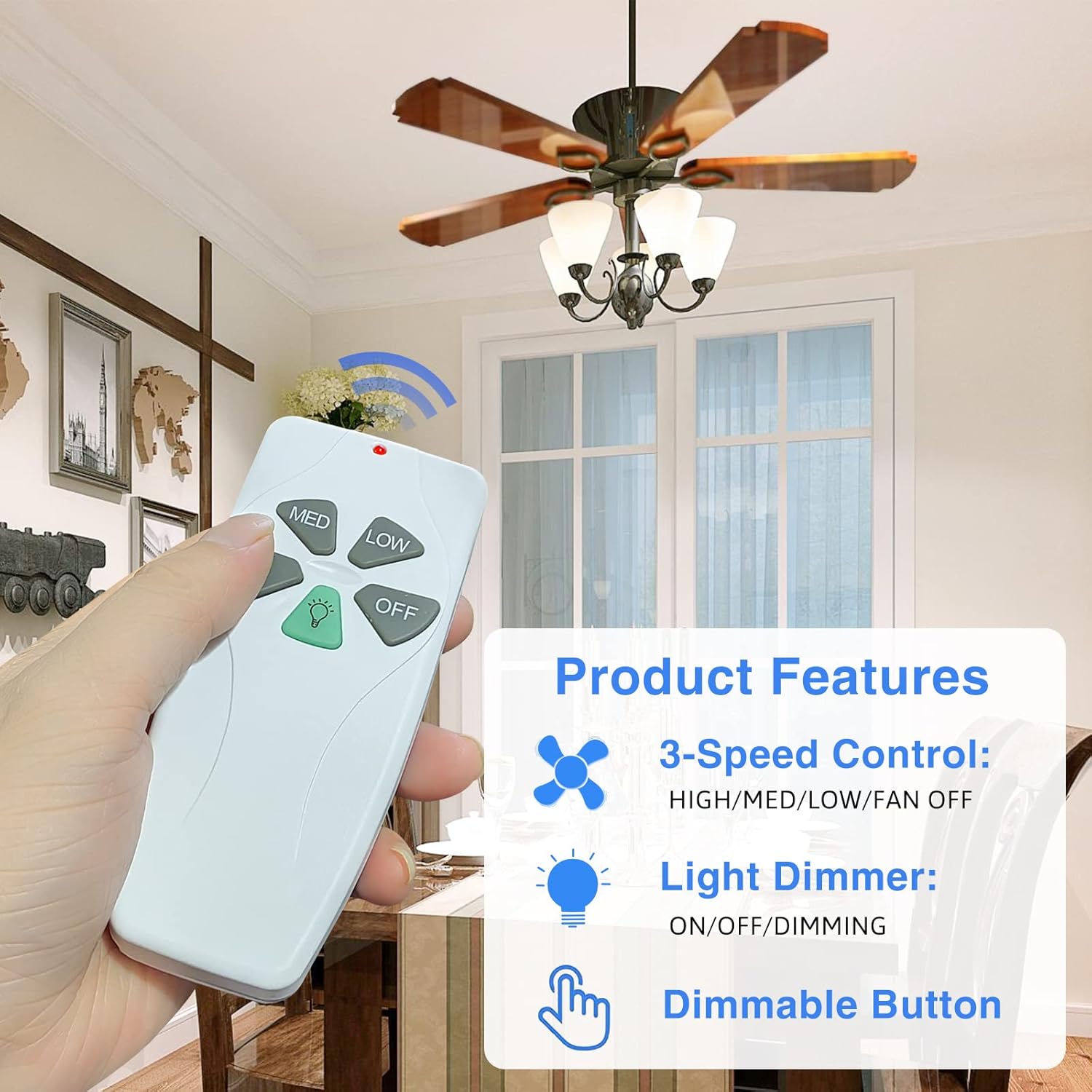
Image 4.1: A hand holding the remote, illustrating the function of the HI, MED, LOW, OFF, and LIGHT/DIMMER buttons.
5. Setup
5.1. Battery Installation
- Locate the battery compartment cover on the back of the remote control.
- Slide the cover off.
- Insert one 9V battery, ensuring correct polarity (+/-).
- Replace the battery compartment cover.
5.2. DIP Code Pairing
To ensure proper communication between the remote and your ceiling fan receiver, the DIP (Dual In-line Package) switches on both devices must match. The DIP switches are typically found inside the battery compartment of the remote and on the receiver unit within the fan canopy.
- Open the battery compartment of your new Aubric FAN53T remote control.
- Locate the set of small switches (usually 4 or more) inside the compartment. These are the DIP switches.
- Identify the DIP switch settings on your existing ceiling fan receiver or original remote control. Note the ON/OFF (or UP/DOWN) position of each switch.
- Carefully adjust the DIP switches on your new Aubric FAN53T remote to exactly match the pattern of your receiver/original remote.
- Once the DIP codes match, replace the battery compartment cover.
Important: If the DIP codes do not match, the remote will not control the fan.

Image 5.2.1: Visual guide for matching DIP switch settings between the remote control and the ceiling fan receiver.

Image 5.2.2: A close-up view of the DIP switches located within the battery compartment of the remote.
6. Operating Instructions
6.1. Fan Control
- Press the HI button for high fan speed.
- Press the MED button for medium fan speed.
- Press the LOW button for low fan speed.
- Press the OFF button to turn the fan off.
6.2. Light Control
- Press the LIGHT / DIMMER button once to turn the light on or off.
- To dim the light, press and hold the LIGHT / DIMMER button. Release when the desired brightness is reached.
- The dimmer function is compatible with incandescent, halogen, and dimmable LED/CFL lamps. Non-dimmable LED lights will only have ON/OFF functionality.
7. Compatibility
The Aubric FAN53T remote control is designed to be compatible with specific ceiling fan receivers and replace certain remote models. Please verify your existing remote or receiver's FCC ID/Model number before purchase.
- This 53T transmitter is primarily designed to work with 28R receivers.
- It replaces remotes with the following FCC ID/Model numbers:
- 2AAZPFAN53T / FAN-53T
- L3HFAN11T / FAN-11T
- KUJCE9103 / E08BT
- CHQ7030T / UC7030T (53T)
- L3HFAN35T1
- L3H2010FANHD / FAN-HD
- Ensure your original remote looks identical to this replacement, especially if it lacks a reverse button.
- This remote is compatible with most downrod style fans.
- Not compatible with: Wall-mounted fans or exhaust-type fans.

Image 7.1: The back of the remote control, indicating where to find the FCC ID/Model number and a list of compatible original remote models.

Image 7.2: An illustration detailing the wide compatibility of the remote with various fan types and light bulb technologies, including incandescent, halogen, and dimmable LED/CFL.
8. Maintenance
8.1. Battery Replacement
When the remote's performance degrades or it stops responding, it's likely time to replace the 9V battery. Follow the battery installation steps in Section 5.1.
8.2. Cleaning
To clean the remote control, wipe it gently with a soft, dry cloth. Do not use abrasive cleaners, solvents, or immerse the remote in water.
9. Troubleshooting
| Problem | Possible Cause | Solution |
|---|---|---|
| Remote not responding. | Dead or low battery. | Replace the 9V battery. |
| Remote not controlling fan/light. | DIP codes do not match. | Verify and match the DIP switch settings on the remote and receiver (refer to Section 5.2). |
| Light does not dim. | Non-dimmable light bulbs installed. | Ensure you are using dimmable incandescent, halogen, or LED/CFL bulbs. Non-dimmable bulbs will only turn on/off. |
| Remote does not work with fan. | Incompatible receiver or original remote model. | Confirm your fan's receiver or original remote's FCC ID/Model number is listed in the compatibility section (Section 7). |
10. Specifications
- Model: FAN53T
- Power Source: 1 x 9V Battery (not included)
- Dimensions: Approximately 5.03 x 2.16 x 1.02 inches (L x W x H)
- Weight: Approximately 3.2 ounces
- Control Type: RF (Radio Frequency)
- Functions: 3-speed fan control (HI/MED/LOW/OFF), Light ON/OFF/Dimmer
- Compatibility: Specific FCC ID/Model numbers (refer to Section 7)

Image 10.1: Diagram illustrating the physical dimensions of the Aubric FAN53T remote control.
11. Warranty and Support
Aubric products are manufactured with quality and performance in mind. For warranty information or technical support, please refer to the contact details provided with your purchase or visit the official Aubric website. Please have your product model number (FAN53T) and purchase details ready when contacting support.
For further assistance, you may also refer to the product page on Amazon: Aubric FAN53T on Amazon
Ask a question about this manual
Ask about setup, troubleshooting, compatibility, parts, safety, or missing instructions. Manuals+ will review the question and use this page’s manual context to help answer it.