
1. Introduction
This manual provides essential information for the safe and effective use of your Dekain ELP-LP96 projector lamp. This replacement lamp is designed for use with Epson H867A, H867B, and H867C projector models. It features an original Philips bulb within a durable, compatible housing, ensuring optimal performance and longevity.
2. Safety Information
Always follow these safety guidelines to prevent injury or damage to the projector and lamp:
- Ensure the projector is completely powered off and unplugged from the electrical outlet before attempting installation or removal.
- Allow the projector and the old lamp to cool down for at least 30 minutes before handling. Projector lamps operate at high temperatures.
- Avoid touching the glass surface of the new lamp directly with bare hands. Oils from your skin can reduce lamp life. Use gloves or a clean cloth if necessary.
- Do not drop or subject the lamp to impact. Projector lamps contain high-pressure mercury vapor and can shatter if damaged.
- Dispose of old lamps according to local regulations for hazardous waste, as they contain mercury.
3. Installation Instructions
Follow these steps to replace the projector lamp:
- Prepare the Projector: Shut down the projector completely and unplug it from the power source. Allow it to cool down for at least 30 minutes.
- Locate the Lamp Cover: Refer to your projector's user manual to locate the lamp cover. It is typically secured with one or more screws.
- Remove the Lamp Cover: Carefully unscrew and remove the lamp cover.
- Remove the Old Lamp: Loosen the screws holding the old lamp module in place. Gently pull the handle on the lamp module to slide it out of the projector.
- Insert the New Lamp: Carefully insert the new Dekain ELP-LP96 lamp module into the projector, ensuring it slides in smoothly and is seated correctly. Make sure the electrical connector is firmly attached.
- Secure the New Lamp: Tighten the screws to secure the new lamp module in place.
- Replace the Lamp Cover: Reattach the lamp cover and secure it with its screws.
- Reset Lamp Timer: Plug the projector back into the power source and turn it on. Navigate to the projector's menu settings and reset the lamp timer. Refer to your projector's manual for specific instructions on resetting the lamp timer. This step is crucial for accurate lamp life tracking.
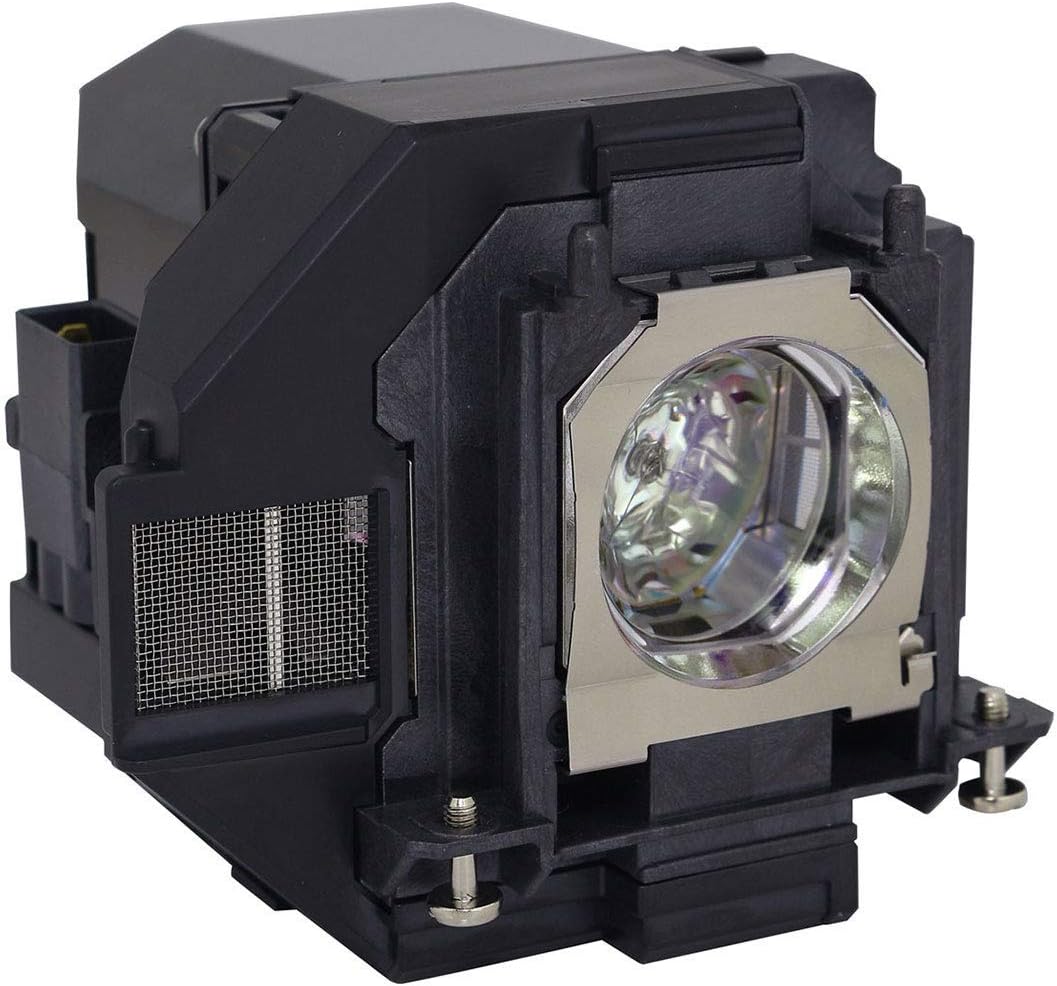
Image 1: Front-side view of the Dekain ELP-LP96 projector lamp module. This image shows the overall structure of the lamp, including the housing and the bulb's protective cage.
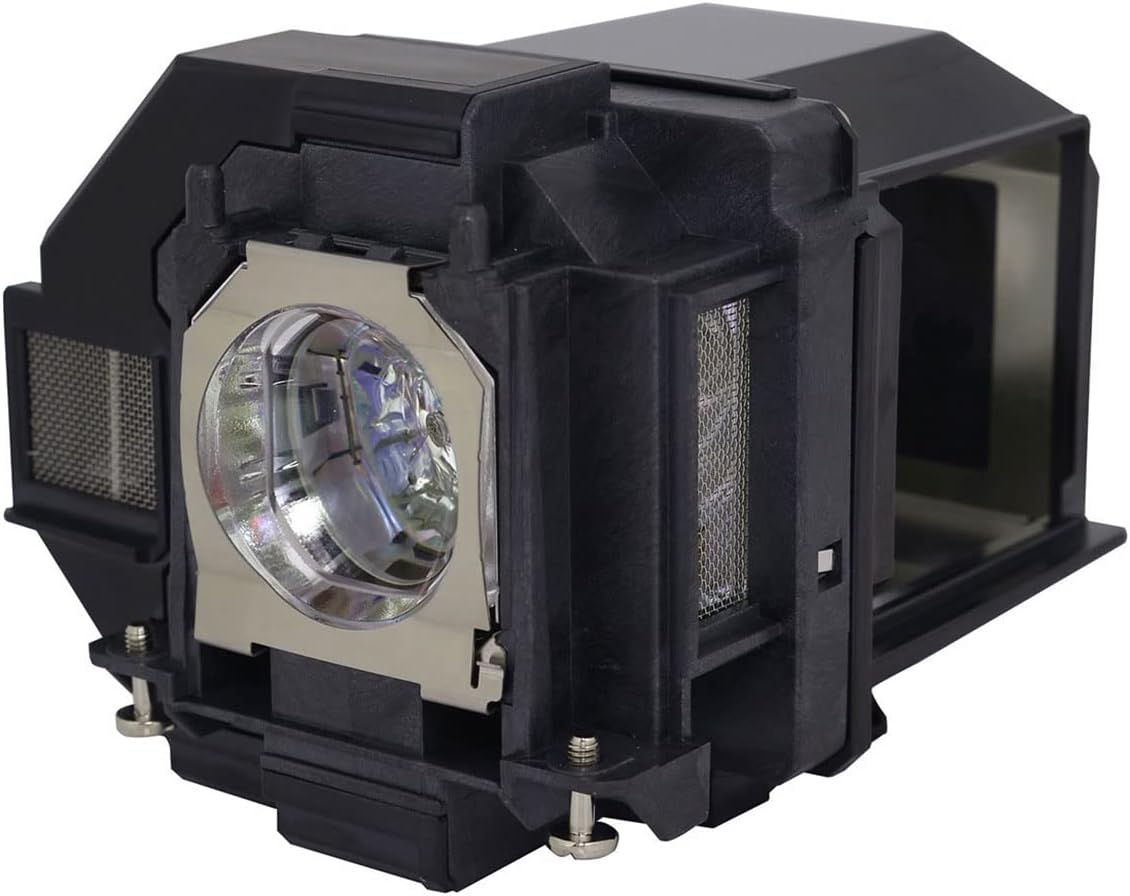
Image 2: Angled view of the Dekain ELP-LP96 projector lamp module. This perspective highlights the ventilation grilles and the connection points for installation into the projector.
4. Operating the Projector Lamp
The Dekain ELP-LP96 lamp is an ultra-high pressure mercury vapor ARC lamp, designed for optimal brightness and color reproduction in compatible Epson projectors. Once installed and the lamp timer is reset, the projector will recognize the new lamp and operate normally.
For best performance and to maximize lamp life:
- Avoid frequent power cycles (turning the projector on and off rapidly).
- Ensure adequate ventilation around the projector to prevent overheating.
- Utilize the projector's "Eco Mode" or "Power Saving Mode" if available, as this can extend lamp life significantly.
5. Maintenance and Lamp Life
Projector lamps have a finite lifespan. The Dekain ELP-LP96 lamp is designed for extended use, typically offering a lifespan significantly longer than economic alternatives. Lamp life is rated by "Half-Life," meaning the duration until the lamp's brightness reduces to half of its original output.
To maintain optimal performance and extend the life of your lamp:
- Clean Air Filters: Regularly clean or replace your projector's air filters to ensure proper airflow and prevent dust buildup, which can lead to overheating and reduced lamp life.
- Operating Environment: Use the projector in a clean, relatively dust-free environment. Excessive dust can clog filters and internal components.
- Cool Down Period: Always allow the projector to complete its cool-down cycle before unplugging or moving it. Interrupting this cycle can stress the lamp.
- Monitor Lamp Timer: Pay attention to the lamp hour counter in your projector's menu. Replace the lamp when it approaches its recommended lifespan or when brightness noticeably diminishes.
6. Troubleshooting
If you encounter issues after installing your new lamp, consider the following:
- Lamp Not Turning On:
- Ensure the lamp module is fully seated and its electrical connector is securely attached.
- Verify the lamp cover is correctly installed and secured, as some projectors have a safety switch that prevents operation if the cover is open.
- Check if the projector is receiving power and all cables are connected.
- Dim Image or Poor Color:
- Confirm the lamp timer was reset after installation. An un-reset timer might indicate an old lamp's life.
- Check projector settings for brightness, contrast, and color modes.
- Ensure the projector lens is clean.
- "Lamp Error" Message:
- Re-seat the lamp module to ensure proper connection.
- If the error persists, the lamp might be faulty. Contact support.
For further troubleshooting, consult your specific Epson projector's user manual.
7. Specifications
| Feature | Detail |
|---|---|
| Brand | Dekain |
| Model Number | ELP-LP96 |
| Compatible Projector Models | Epson H867A, H867B, H867C |
| Bulb Type | Original Philips Ultra-High Pressure Mercury Vapor ARC Lamp |
| Light Type | Metal Halide |
| Wattage | 210 watts |
| Bulb Shape Size | MR20 |
| Bulb Base | Prong |
| Item Weight | 14.4 ounces |
| Package Dimensions | 6 x 6 x 5 inches |
8. Warranty Information
Specific warranty details for the Dekain ELP-LP96 projector lamp are not provided in this manual. Please refer to the product packaging or contact the seller directly for information regarding warranty coverage and terms.
9. Customer Support
For technical assistance or inquiries regarding your Dekain ELP-LP96 projector lamp, please contact your point of purchase or the Dekain customer support channels as indicated on the product packaging or official website. When contacting support, please have your product model number (ELP-LP96) and projector model (Epson H867A/B/C) available.