
1. Introduction
Thank you for choosing the YESHOMY Electric Height Adjustable Standing Desk. This manual provides essential information for the safe and efficient assembly, operation, and maintenance of your new desk. Designed for both home and office environments, this desk offers adjustable height settings to enhance your comfort and productivity.
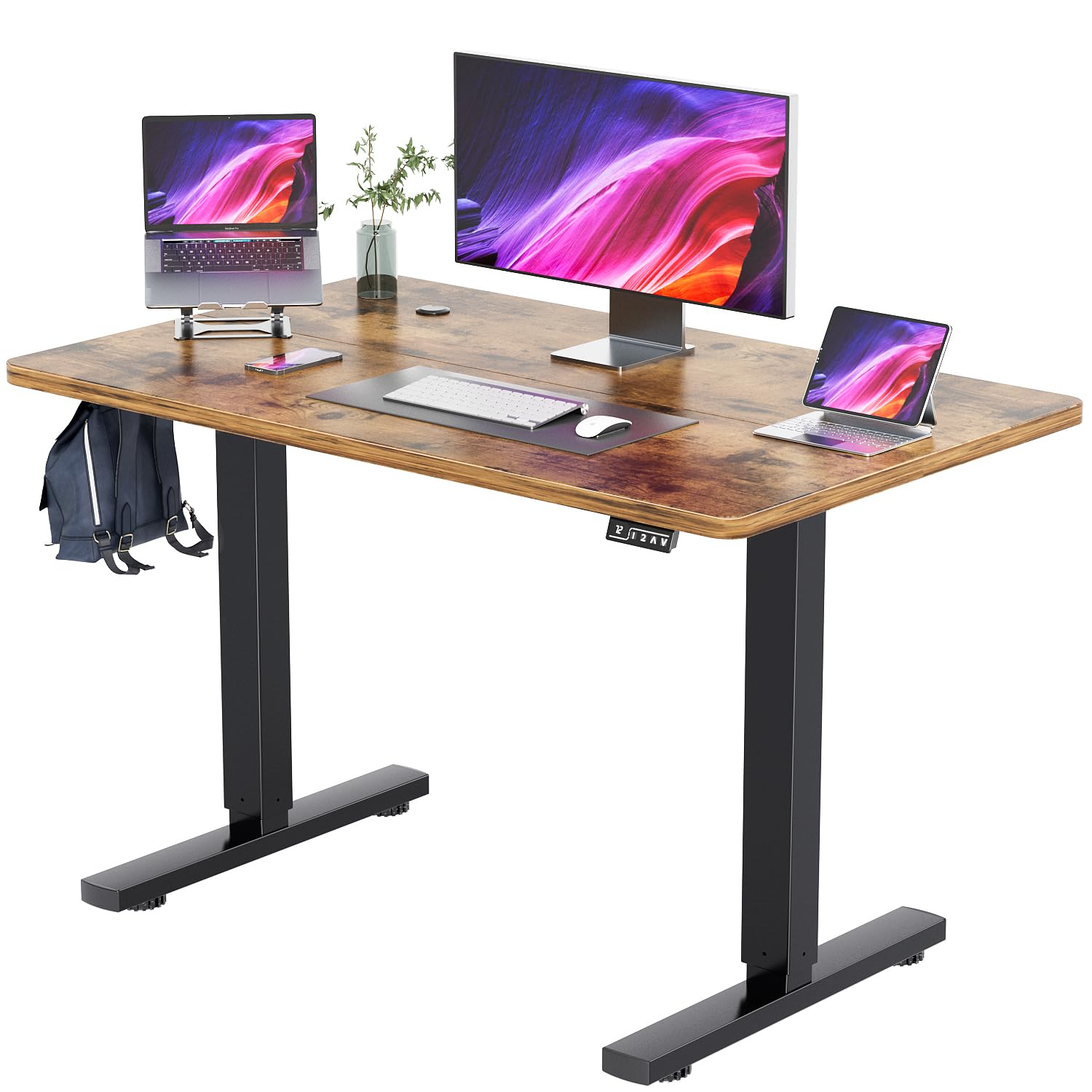
Figure 1: YESHOMY 40-inch Electric Height Adjustable Standing Desk.
2. Important Safety Information
WARNING: Failure to follow these safety instructions may result in injury or damage to the product.
- This desk has a maximum weight recommendation of 180 lbs (81.6 kg). Do not exceed this weight limit.
- It is recommended to anchor the desk to the wall for added stability, especially when using the desk at its highest height setting.
- The desk contains electrical components and should be assembled and used in accordance with the provided assembly instructions and electrical safety guidelines.
- Always unplug the desk when not in use or during maintenance.
- Keep children and pets away from the desk during operation to prevent accidents.
- Ensure no obstructions are present in the desk's path during height adjustments.
3. Package Contents
Before assembly, please verify that all components are present and undamaged. The package should include:
- Electric Height Adjustable Desk components (tabletop, legs, motor, control panel)
- A tool kit for assembly
- This installation and usage manual
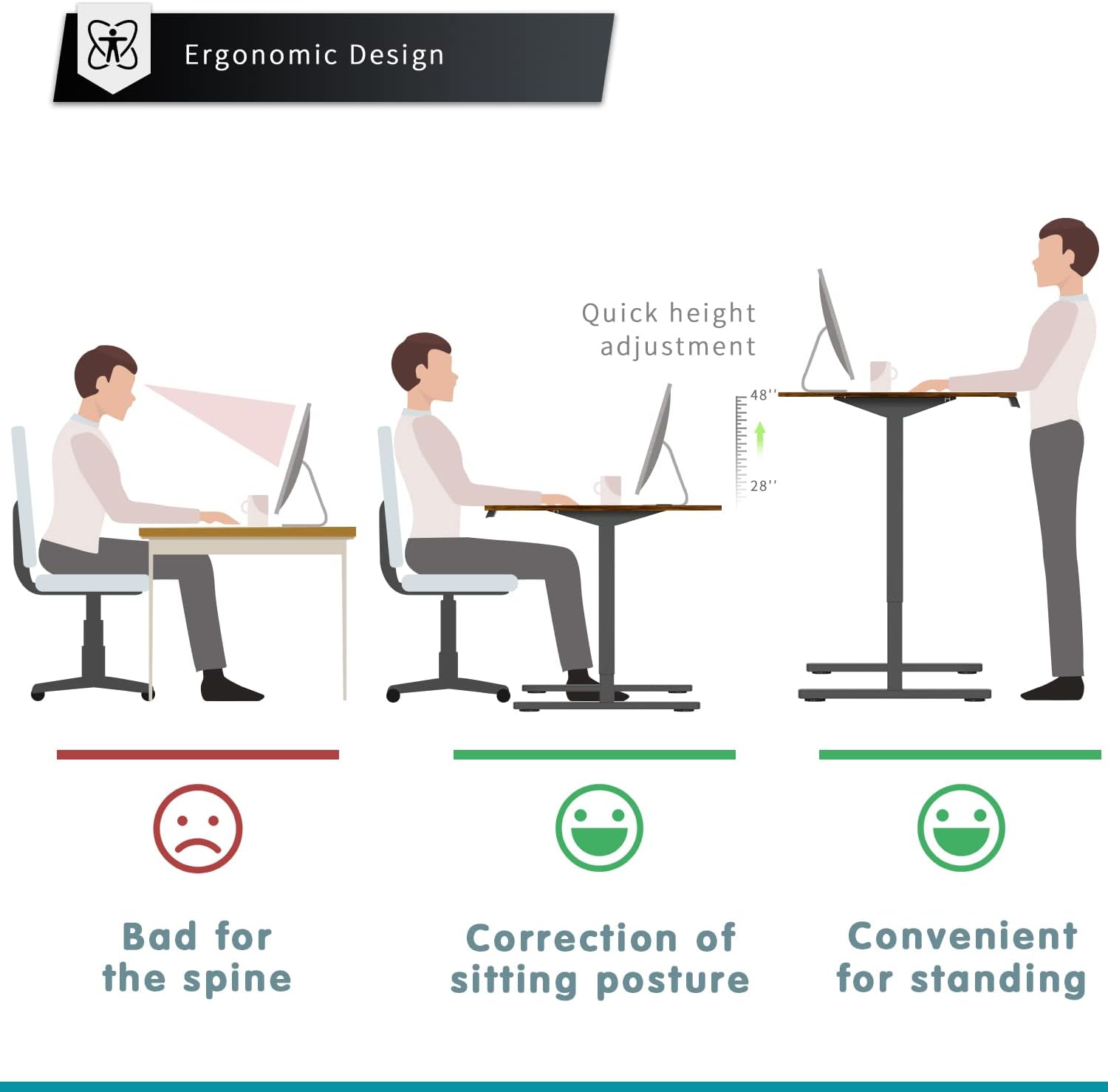
Figure 2: All components included in the package for assembly.
4. Setup and Assembly
The YESHOMY Electric Height Adjustable Standing Desk is designed for simple assembly. Follow these steps carefully:
- Unpack Components: Carefully remove all parts from the packaging and lay them out on a clean, soft surface to prevent scratches.
- Assemble Desk Frame: Attach the metal legs and crossbars according to the detailed diagrams in the included manual. Ensure all screws are tightened securely.
- Attach Tabletop: The tabletop is provided in two parts for transport safety. Align the two tabletop sections and secure them together using the provided precise screws and fittings. Then, attach the assembled tabletop to the desk frame.
- Install Control Panel: Mount the electronic control panel to the underside of the desk in the designated location. Connect the motor and power cables as instructed.
- Cable Management: Utilize the included cable management accessories to organize and secure all wires, preventing tangles and ensuring safe operation. A headphone hook is also included for convenience.
Video 1: "Upgrade Your Workspace with an Electric Standing Desk" - This video demonstrates the assembly process and features of the desk, including its height adjustment capabilities.
5. Operating Instructions
Your YESHOMY standing desk features an intuitive electric lift system for effortless height adjustment.
5.1 Height Adjustment
- The desk's height can be adjusted between 28.75 inches and 48 inches.
- Use the Up (^) and Down (v) arrow buttons on the control panel to manually raise or lower the desk to your desired height.
- The electronic display will show the current height in real-time.

Figure 3: Electronic Control Panel with Digital Display and Memory Functions.
5.2 Memory Presets
The control panel includes two memory preset buttons (1 and 2) to save your preferred sitting and standing heights.
- Set a Preset: Adjust the desk to your desired height using the Up/Down buttons. Press and hold one of the preset buttons (1 or 2) until the display flashes or beeps, indicating the height has been saved.
- Recall a Preset: Simply press the corresponding preset button (1 or 2) to automatically move the desk to the saved height.
Video 2: "Adjustable Electric Standing Desk" - This video demonstrates the smooth and quiet operation of the electric height adjustment and memory preset functions.
5.3 Ergonomic Use
Regularly switching between sitting and standing positions can promote better posture and reduce fatigue.

Figure 4: Benefits of ergonomic desk usage for posture.
6. Maintenance
- Cleaning: Wipe the desk surface with a soft, damp cloth. Avoid harsh chemicals or abrasive cleaners.
- Cable Inspection: Periodically check all power cords and connections for any signs of wear or damage. Replace damaged cords immediately.
- Motor Care: The electric motor is designed for durability. Avoid overloading the desk or forcing it to move if obstructed.
7. Troubleshooting
If you encounter any issues with your desk, please refer to the following common solutions:
- Desk Not Moving: Ensure the power cord is securely plugged into both the desk and a working wall outlet. Check for any obstructions preventing movement.
- Uneven Movement: Verify that the desk is placed on a level surface. If the issue persists, consult the detailed manual for recalibration instructions.
- Control Panel Not Responding: Unplug the desk from the power source for 10 seconds, then plug it back in to reset the system.
For further assistance, please contact YESHOMY customer support.
8. Specifications
| Feature | Detail |
|---|---|
| Brand | YESHOMY |
| Model Number | YH-HAD14100FW |
| Desk Design | Standing Desk |
| Product Dimensions | 24"D x 40"W x 48"H |
| Minimum Height | 28.75 Inches |
| Maximum Height | 48 Inches |
| Color | Black Leg/Rustic Brown Top |
| Top Material Type | Wood |
| Base Material | Metal |
| Lifting Mechanism | Electric |
| Maximum Weight Recommendation | 180 Pounds |
| Required Assembly | Yes |
| Included Components | Headphone Hook |

Figure 5: Product Dimensions and Weight Capacity.
9. Warranty and Support
This YESHOMY product comes with a Limited Warranty. For specific terms and conditions, please refer to the warranty card included in your package or visit the official YESHOMY website.
For customer support, technical assistance, or to inquire about replacement parts, please contact YESHOMY directly through their official channels.


