
Lanzar HTG559BT
Lanzar HTG559BT 5-Channel Mosfet Amplifier User Manual
Model: HTG559BT | Brand: Lanzar
Introduction
The Lanzar HTG559BT is a 5-channel Mosfet amplifier designed to deliver high-quality audio performance with integrated wireless Bluetooth streaming capabilities. This amplifier features a Class "AB" high-current dual discrete drive stage, a Mosfet PWM power supply, and a bass boost circuit for enhanced sound. It is bridgeable at 4 Ohms and 2 Ohm stereo stable, offering versatile configuration options for various audio setups.
Key features include:
- Wireless Bluetooth Audio Interface for seamless streaming.
- Mosfet PWM Power Supply for precise voltage and current control.
- Flexible full-range operation, suitable for speakers and subwoofers.
- Integrated protection features: thermal, overload, and speaker-short protection.
- Chrome RCA inputs and robust speaker screw-down terminals for secure connections.

Figure 1: Front view of the Lanzar HTG559BT 5-Channel Mosfet Amplifier.
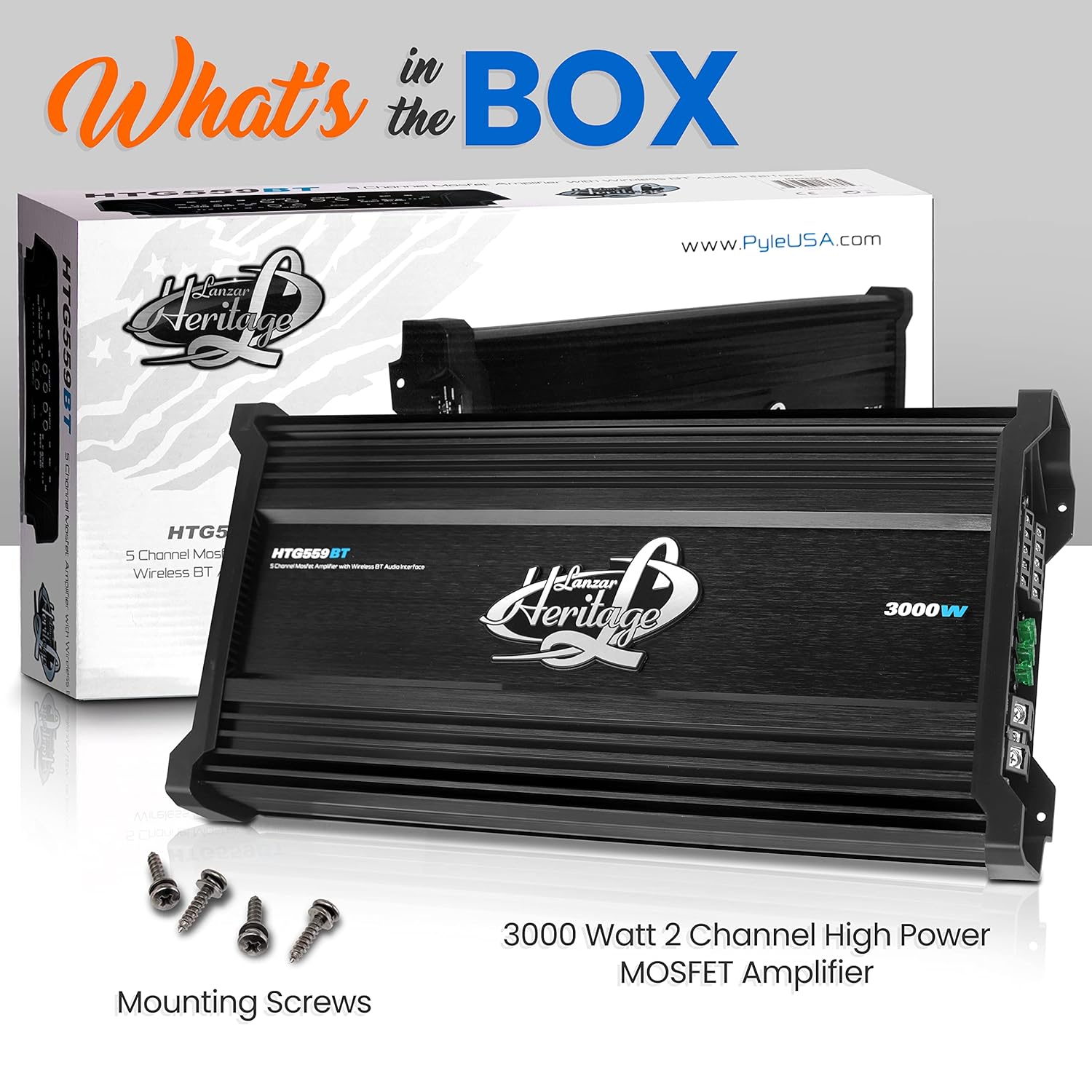
Figure 2: Contents included in the Lanzar HTG559BT amplifier packaging, including mounting screws.
Setup and Installation
Proper installation is crucial for optimal performance and safety. Ensure the vehicle's battery is disconnected before beginning installation.
Mounting the Amplifier
Select a mounting location that provides adequate ventilation and is protected from moisture and excessive heat. The amplifier features a slim design, with dimensions approximately 19.29 inches (L) x 8.81 inches (W) x 2.24 inches (H). Ensure sufficient space around the unit for air circulation.
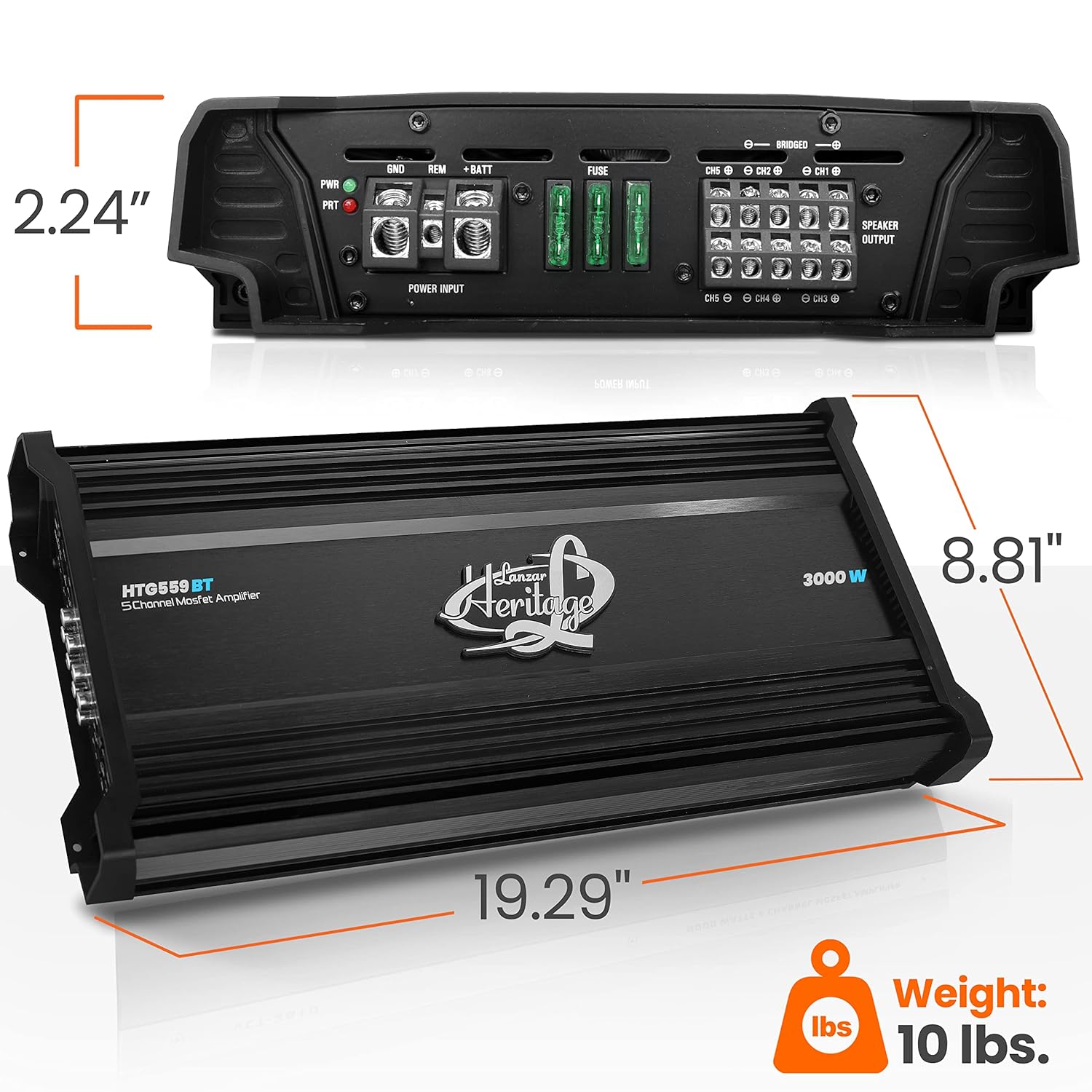
Figure 3: Dimensions of the Lanzar HTG559BT amplifier, showing length, width, and height measurements.

Figure 4: The slim profile of the Lanzar HTG559BT amplifier, designed for flexible installation.
Wiring Connections
Refer to the diagram below for detailed wiring connections. All connections should be secure and properly insulated to prevent short circuits.
- Power Input (BATT): Connect to the positive terminal of the vehicle's battery using a heavy-gauge power cable. An inline fuse (30A x 3) is required close to the battery.
- Ground (GND): Connect to a clean, unpainted metal surface on the vehicle chassis. Ensure a solid ground connection to prevent noise.
- Remote Turn-On (REM): Connect to the remote output of your head unit or a switched 12V source.
- RCA Inputs: Connect the audio signal from your head unit or source device to the amplifier's RCA inputs.
- Speaker Outputs: Connect your speakers to the designated speaker terminals. Ensure correct polarity for all speakers. The amplifier is bridgeable at 4 Ohms.
- Stereo Line Outputs: These outputs provide a full-range signal for connecting additional amplifiers.
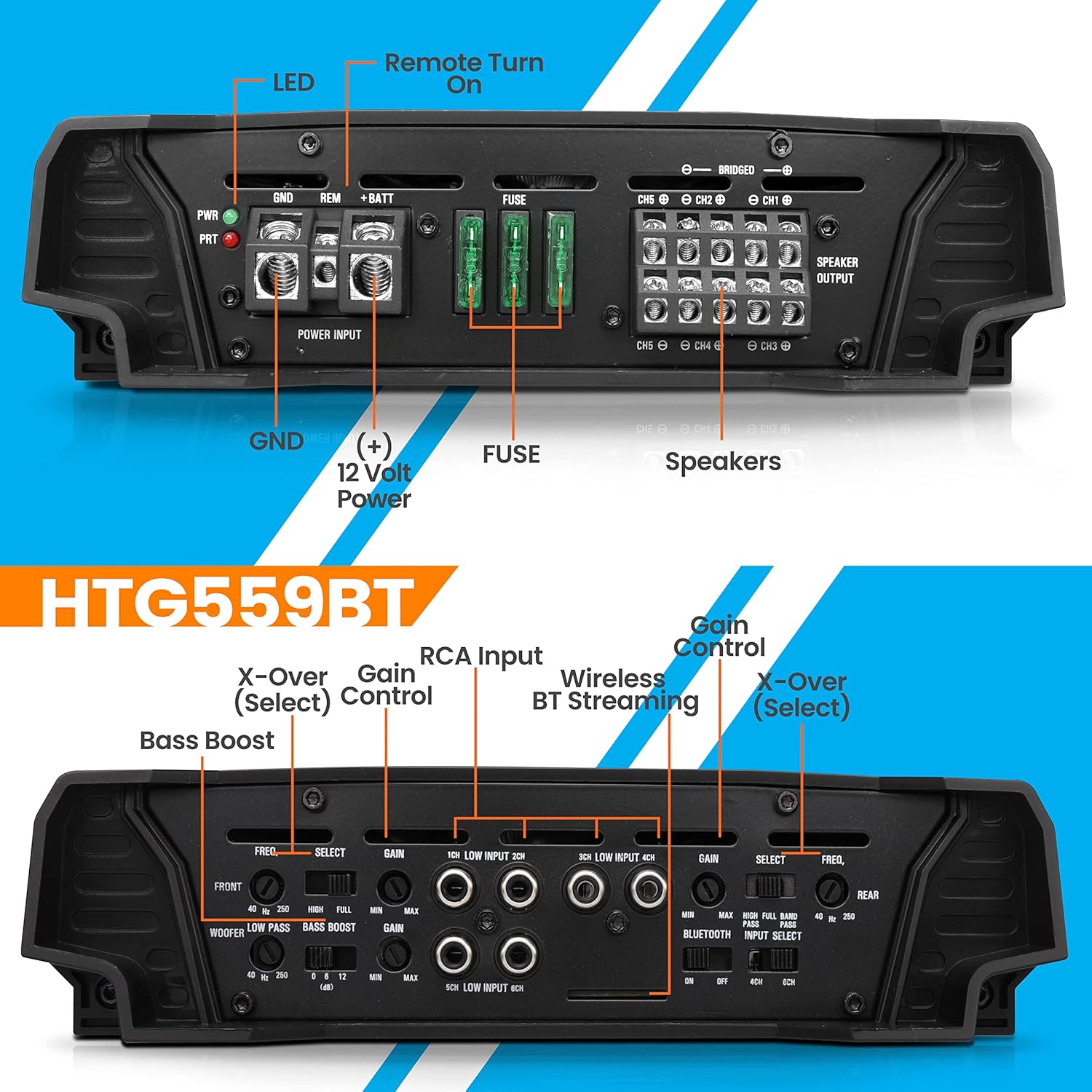
Figure 5: Detailed view of the amplifier's power input, speaker output, RCA input, and control panel.
Operating Instructions
Initial Power-Up
Once all connections are made, reconnect the vehicle's battery. The amplifier features a soft turn-on/turn-off circuit to prevent pops and clicks. The Power LED indicator will illuminate when the amplifier is receiving power and operating correctly.
Adjusting Controls
- Gain Control: This control adjusts the input sensitivity of the amplifier to match the output level of your head unit. Start with the gain at minimum and slowly increase it until the desired volume is achieved without distortion.
- Crossover (X-Over) Select: Use this switch to select between Full, Low Pass Filter (LPF), High Pass Filter (HPF), or Band Pass Filter (BPF) modes.
- LPF Freq. Response: Adjusts the low-pass filter frequency (40Hz-250Hz) for subwoofers, allowing only frequencies below the set point to pass.
- HPF Freq. Response: Adjusts the high-pass filter frequency (40Hz-250Hz) for full-range speakers, allowing only frequencies above the set point to pass.
- BPF Freq. Response: Adjusts the band-pass filter frequency (40Hz-3KHz) to allow a specific range of frequencies to pass.
- Bass Boost (50Hz): Provides adjustable bass enhancement at 50Hz (0, 6, 12dB). Use this feature to add more impact to your low frequencies.
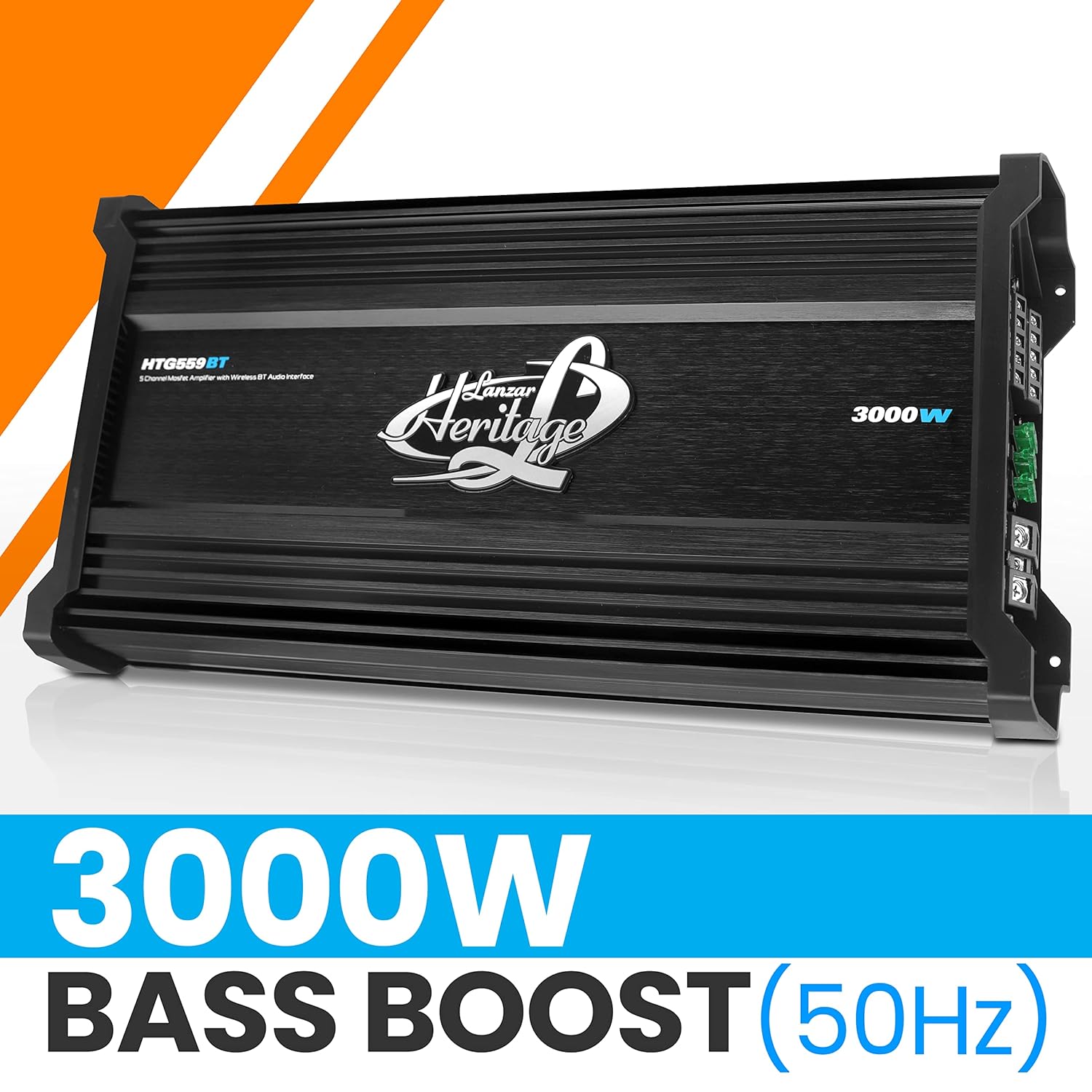
Figure 6: Illustration highlighting the Bass Boost feature of the amplifier.
Wireless Bluetooth Streaming
The amplifier features a built-in Bluetooth audio interface. To connect your device:
- Ensure the amplifier is powered on.
- Enable Bluetooth on your smartphone, tablet, or other audio device.
- Search for available Bluetooth devices and select "Lanzar HTG559BT" (or similar name) from the list.
- Once paired, you can stream audio wirelessly to the amplifier.

Figure 7: A user interacting with a smartphone to stream audio wirelessly to the amplifier.
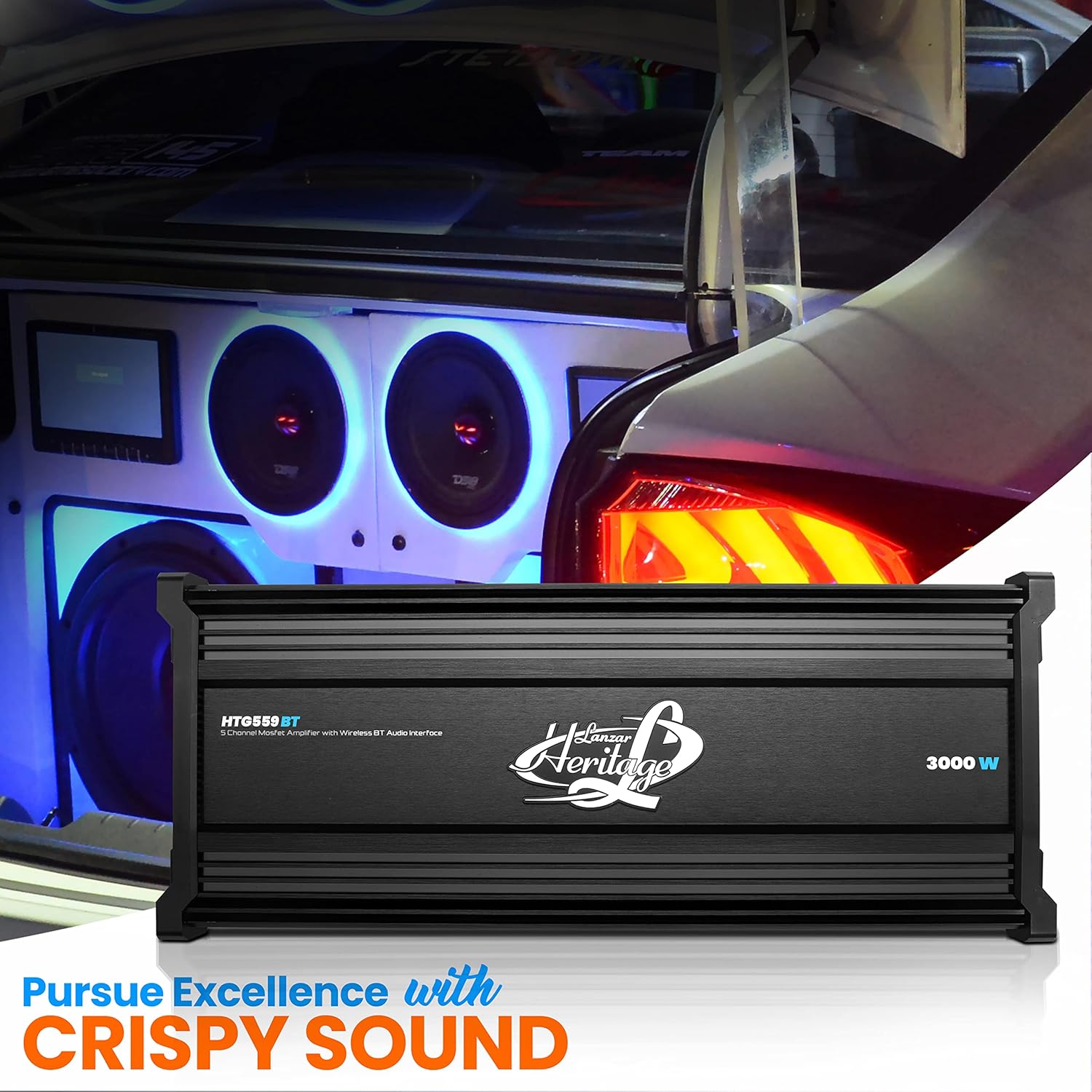
Figure 8: The Lanzar HTG559BT amplifier installed in a vehicle's audio system, demonstrating its integration for high-quality sound.
Maintenance
To ensure the longevity and optimal performance of your Lanzar HTG559BT amplifier, follow these maintenance guidelines:
- Cleaning: Regularly wipe the amplifier's exterior with a soft, dry cloth. Avoid using harsh chemicals or abrasive cleaners.
- Ventilation: Ensure that the amplifier's cooling fins are free from dust and debris. Do not block the ventilation openings.
- Environment: Keep the amplifier in a cool, dry environment, away from direct sunlight, extreme temperatures, and moisture.
- Connections: Periodically check all wiring connections to ensure they remain secure and free from corrosion.
Troubleshooting
If you experience issues with your Lanzar HTG559BT amplifier, consult the following common troubleshooting steps:
| Problem | Possible Cause | Solution |
|---|---|---|
| No Power / Protection LED On | Blown fuse, improper power/ground connection, thermal overload, short circuit in speaker wiring. | Check fuses (30A x 3). Verify power and ground connections. Allow amplifier to cool down if overheated. Inspect speaker wires for shorts. |
| No Audio Output | Incorrect RCA connections, gain set too low, head unit not sending signal, speaker wires disconnected. | Ensure RCA cables are securely connected. Adjust gain control. Verify head unit is on and sending audio. Check speaker wire connections. |
| Distorted Sound | Gain set too high, improper crossover settings, poor ground connection, damaged speakers. | Reduce gain. Adjust LPF/HPF/BPF settings. Check ground wire for secure connection. Inspect speakers for damage. |
| Bluetooth Connection Issues | Device not in pairing mode, amplifier out of range, interference. | Ensure amplifier is discoverable. Move device closer to amplifier. Reduce other wireless interference. Try re-pairing the device. |
| Amplifier Cuts Out at High Volume | Overload protection, inadequate power supply, impedance mismatch. | Check speaker impedance (2 Ohm stereo stable, 4 Ohm bridged). Ensure power wiring is sufficient gauge. Reduce volume or gain. |
Specifications
Detailed technical specifications for the Lanzar HTG559BT amplifier:
| Feature | Specification |
|---|---|
| Power Output (RMS @ 4 Ohms) | 4 x 250W + 1 x 650W |
| Power Output (RMS @ 2 Ohms) | 4 x 350W + 1 x 1,500W |
| Power Output (MAX @ 4 Ohms Bridged) | 2 x 1,000W |
| Power Output (MAX @ 4 Ohms) | 4 x 500W + 1 x 2,000W |
| THD | <0.1% |
| S/N Ratio | >90dB |
| Channel Separation | >65dB |
| Frequency Response | 10Hz-45KHz |
| LPF Freq. Response | 40Hz-250Hz |
| HPF Freq. Response | 40Hz-250Hz |
| BPF Freq. Response | 40Hz-3KHz |
| Bass Boost (50Hz) | 0, 6, 12dB |
| Input Sensitivity | 0.2V~6V |
| Fuse | 30A x 3 |
| Product Dimensions (L x W x H) | 19.29'' x 8.81'' x 2.24'' inches |
| Weight | 10.43 Pounds |
Warranty Information
Lanzar products are manufactured to the highest quality standards. For specific warranty terms and conditions, please refer to the warranty card included with your product or visit the official Lanzar website. Keep your purchase receipt as proof of purchase for any warranty claims.
Support
For technical assistance, product inquiries, or customer service, please contact Lanzar customer support. Contact information can typically be found on the product packaging, the official Lanzar website, or through your authorized dealer.
Related documentsHTG559BT


Ask a question about this manual
Ask about setup, troubleshooting, compatibility, parts, safety, or missing instructions. Manuals+ will review the question and use this page’s manual context to help answer it.