
Introduction
The Tentacle Sync E MKII is a compact timecode generator designed for precise synchronization of audio and video footage in professional production environments. This dual set includes two Sync E MKII devices, enabling robust timecode synchronization via Bluetooth 5.0. The device features enhanced battery management and maintains full compatibility with all existing Tentacle products, ensuring seamless integration into your workflow.
Package Contents
The Tentacle Sync E MKII Dual Set typically includes the following items:
- Two (2) Tentacle Sync E MKII Timecode Generators
- Two (2) USB-C Charging Cables
- Access to Tentacle Sync Studio Software for macOS
- Quick Start Guide and Safety Information
Setup
Follow these steps to set up your Tentacle Sync E MKII devices:
- Charging the Devices: Before initial use, fully charge both Tentacle Sync E MKII units using the provided USB-C cables. Connect the USB-C cable to the device and a suitable USB power source. A green LED indicator will illuminate during charging and turn off when fully charged. The devices are equipped with Lithium Polymer batteries.

Image Description: A Tentacle Sync E MKII unit being charged via its USB-C port. A green LED indicates the charging status.
- Initial Synchronization: The Tentacle Sync E MKII can be synchronized using the dedicated mobile application (available for compatible smartphones and tablets) or by connecting to a master timecode generator. For app-based synchronization, ensure Bluetooth 5.0 is enabled on your mobile device.
- Connecting to Equipment: Use appropriate cables (not always included in the standard set) to connect the Tentacle Sync E MKII to your cameras, audio recorders, or other timecode-enabled devices via the 3.5mm jack.
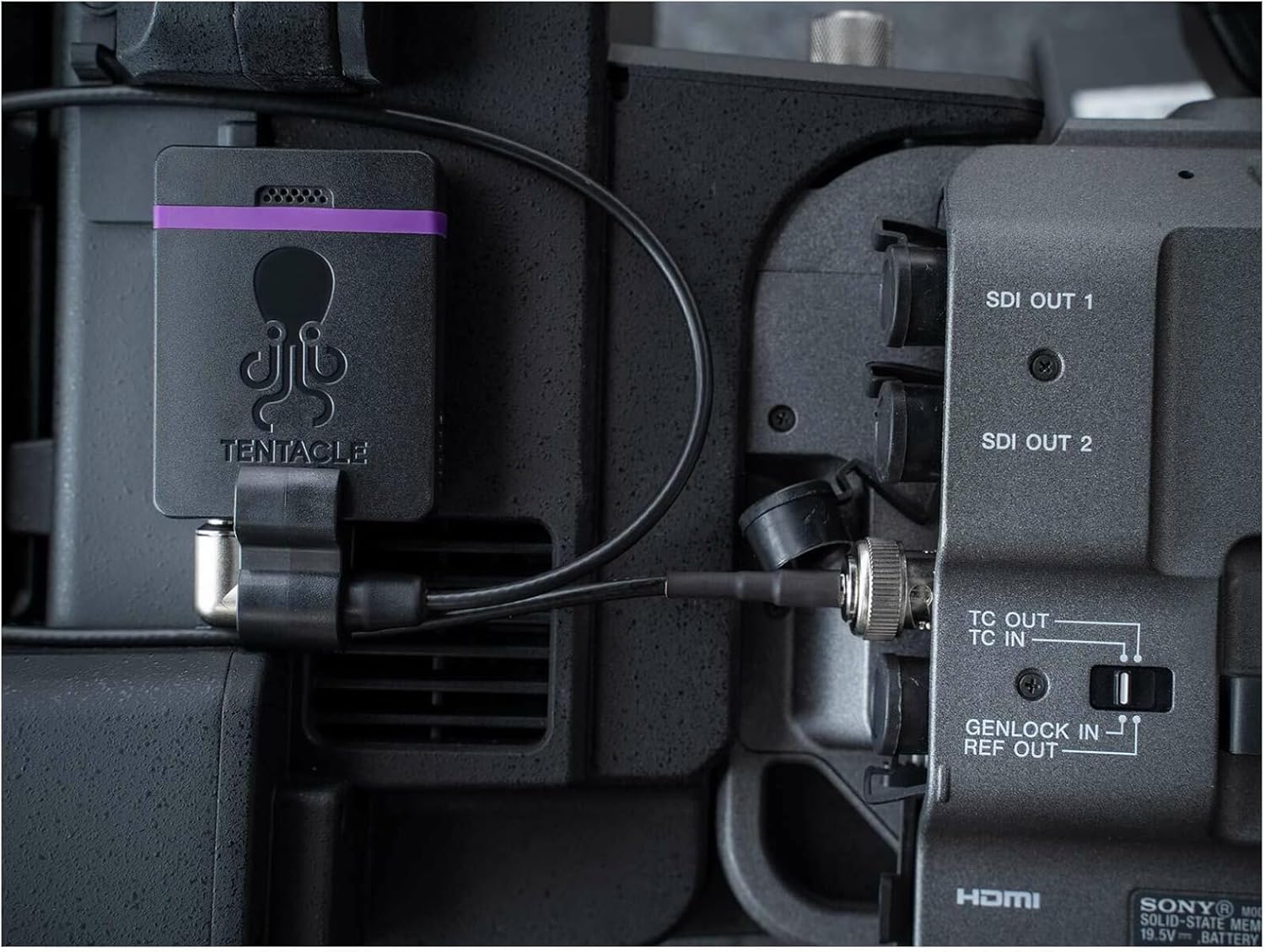
Image Description: A Tentacle Sync E MKII timecode generator mounted on a professional video camera, demonstrating its connection to the camera's timecode input/output port for synchronization.
Operating Instructions
Operating the Tentacle Sync E MKII involves initiating and maintaining timecode synchronization:
- Power On: Press and hold the power button (if applicable, or refer to the specific device's power-on method) to turn on the Tentacle Sync E MKII.
- Master/Slave Configuration: Designate one Tentacle Sync E MKII unit as the master and the others as slaves. The master unit generates the timecode, which is then transmitted to the slave units.
- Initiate Sync: Using the Tentacle Sync app on your smartphone or tablet, initiate the synchronization process. The app will detect available Tentacle devices via Bluetooth and allow you to set the timecode. Alternatively, if using an external master, connect the master's timecode output to the Sync E's input.
- Verify Sync: Once synchronized, the status LEDs on the Sync E units will indicate successful timecode lock. Verify the timecode on your connected cameras and audio recorders to ensure they are receiving the correct timecode signal.
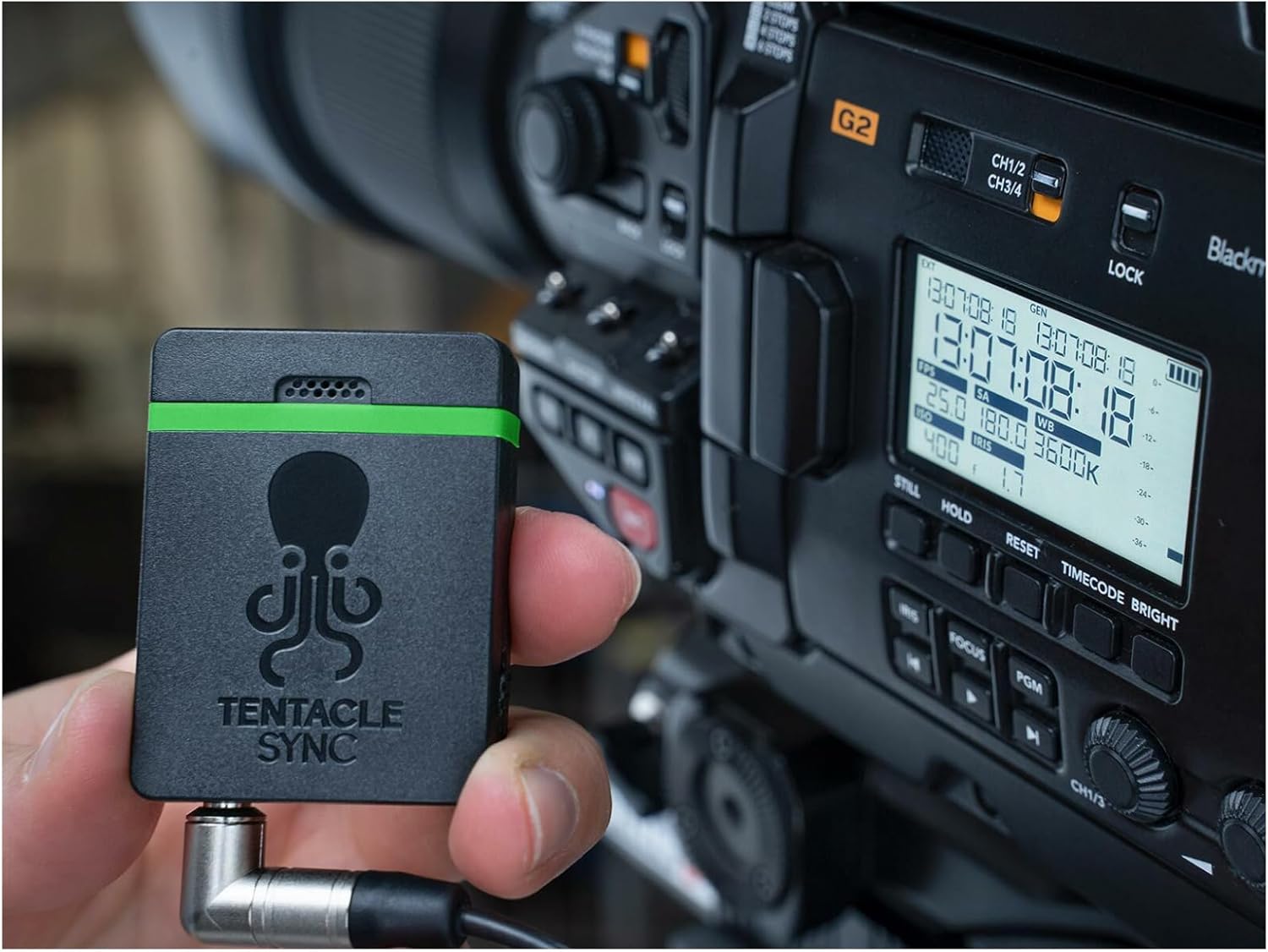
Image Description: This image shows a Tentacle Sync E MKII unit held in a hand, positioned next to a camera monitor that displays timecode information, illustrating its role in a production setup.
- Battery Life: The Tentacle Sync E MKII offers approximately 35 hours of battery life on a full charge, allowing for extended use during production.
Maintenance
Proper maintenance ensures the longevity and reliable performance of your Tentacle Sync E MKII devices:
- Cleaning: Use a soft, dry cloth to clean the exterior of the devices. Avoid using harsh chemicals or abrasive materials.
- Storage: Store the devices in a cool, dry place away from direct sunlight and extreme temperatures.
- Battery Care: For optimal battery health, avoid fully discharging the batteries frequently. Recharge them regularly, especially if storing the devices for extended periods.
- Firmware Updates: Periodically check the manufacturer's website for firmware updates to ensure your devices have the latest features and performance enhancements.
Troubleshooting
If you encounter issues with your Tentacle Sync E MKII, consider the following:
- No Timecode Lock: Ensure all devices are powered on and within Bluetooth range. Verify that the master unit is correctly configured and transmitting timecode. Check cable connections to cameras/recorders.
- App Connectivity Issues: Confirm Bluetooth is enabled on your mobile device. Restart the Tentacle Sync app and the Sync E units. Ensure the app is updated to the latest version.
- Short Battery Life: Ensure devices are fully charged before use. Battery performance can degrade over time; if significantly reduced, contact support.
- Inaccurate Timecode: Re-sync all devices from the master. Ensure no external interference is affecting the signal.
Specifications
| Model Number | Sync E mk2 |
| Brand | Tentacle |
| Product Dimensions | 6.7 x 4.5 x 2.5 inches |
| Item Weight | 4.8 ounces |
| Batteries | 2 Lithium Polymer batteries (included) |
| Battery Life | Approximately 35 Hours |
| Hardware Interface | Bluetooth |
| Compatible Devices | Personal Computers, Laptops, Tablets, Smartphones |
| Headphones Jack | 3.5 millimeters |
| Memory Storage Capacity | 32 GB (Note: This specification may refer to related Tentacle products or internal logging capabilities.) |
Additional Product Views:

Image Description: This image displays two Tentacle Sync E MKII timecode generators, highlighting their compact design and distinctive black casing with orange accents and the Tentacle logo.

Image Description: A close-up view of one Tentacle Sync E MKII unit, illustrating the 3.5mm audio jack for timecode input/output and the status indicator LEDs.

Image Description: The back of a Tentacle Sync E MKII timecode generator, featuring a textured surface for grip and various regulatory compliance markings.
Warranty and Support
Warranty information for the Tentacle Sync E MKII is typically provided with the product packaging or can be found on the official Tentacle website. For technical support, troubleshooting assistance, or warranty claims, please refer to the contact information provided by the manufacturer or your authorized reseller.
