
Blindsmart BSDJ-ZM25EL-08/25-ZB
Blindsmart Rechargeable Tuya Zigbee Roller Blinds Motor User Manual
Model: BSDJ-ZM25EL-08/25-ZB
1. Introduction
Thank you for choosing the Blindsmart Rechargeable Tuya Zigbee Roller Blinds Motor. This motor is designed to automate your existing roller blinds, offering convenient control via remote, smartphone application, and voice commands. It is compatible with 36mm, 37mm, and 38mm inner diameter shade tubes and requires a Tuya Zigbee 3.0 Hub Gateway for smart functionality.
This manual provides detailed instructions for installation, operation, and maintenance to ensure optimal performance and longevity of your device.

Image: The Blindsmart Smart Zigbee Blind Motor integrated into a roller blind, showcasing its seamless operation in a modern living space. The image highlights APP Control, Remote Control, and Voice Control capabilities, with logos for Amazon Alexa, Google Assistant, and Apple HomeKit compatibility.
2. Safety Information
- Read all instructions carefully before installation and operation.
- Ensure the power supply is disconnected before performing any installation or maintenance.
- Keep children and pets away from the operating blinds.
- Do not attempt to modify or repair the motor yourself. Contact qualified personnel for service.
- Ensure the roller blind tube is securely mounted and free from obstructions before motor operation.
- This motor is designed for indoor use only.
3. Package Contents
Please check the package contents to ensure all items are present:
- 1 x Tubular Blinds Motor for 38 mm tube
- 1 x RF Remote (1-Channel)
- 1 set x Connectors/Mounting Brackets
- 1 x Solar Panel (optional, included with specific versions)
- 1 x USB Charging Cable
- 1 x Installation Instruction Manual (this document)

Image: The main components of the Blindsmart product package, including the tubular motor, the solar panel for charging, and the 1-channel remote control. A USB charging cable is also visible.
4. Specifications
| Feature | Specification |
|---|---|
| Product Model | ZM25EL |
| Input Voltage | DC 7.4V |
| Rated Power | 8W |
| Max Current | 1A |
| Battery Capacity | 3000mAh Li-battery |
| Torque | 0.8Nm |
| Rated RPM | 25RPM |
| Running Noise | 35-40dB |
| Compatible Tube Diameter | 36mm, 37mm, 38mm (inner diameter) |
| Max Fabric Weight | Up to 3 kg |
| Control Methods | RF Remote, Tuya/Smart Life APP, Voice Control (Alexa, Google Home, Siri) |
| Hub Requirement | Tuya Zigbee 3.0 Hub Gateway (not included) |

Image: A detailed diagram showing the dimensions of the tubular motor and solar panel, along with a table summarizing key product parameters such as model, voltage, power, battery capacity, torque, RPM, and noise level. Also shown are the 1-channel and 9-channel remote controls.
5. Setup
5.1 Tube Compatibility Measurement
Before installation, ensure your roller shade tube has an inner diameter compatible with the motor (36mm, 37mm, or 38mm). Measure the outside diameter (OD) and inner diameter (ID) of your tube carefully.

Image: A visual guide demonstrating how to measure the inner and outer diameter of a roller shade tube to ensure compatibility with the motor. Various tube cross-sections are shown.

Image: A close-up view of a ruler measuring the inner diameter of a roller blind tube, emphasizing the importance of accurate measurement for motor fit.
5.2 Motor Installation into Tube
- Insert the motor into one end of the roller shade tube. Ensure it fits snugly.
- Attach the appropriate end cap/connector to the other end of the tube.

Image: A hand demonstrating the process of inserting the tubular motor into the roller blind tube, showing how the motor integrates with the blind's core.

Image: A close-up of the motor end cap securely attached to the roller blind tube, illustrating the final assembly step before mounting.
5.3 Mounting the Blinds
Mount the assembled roller blind with the motor into your window frame using the provided mounting brackets. Ensure the brackets are securely fastened and the blind is level.

Image: A hand attaching the mounting bracket to the motor end of the roller blind, showing how the motor assembly connects to the installation hardware.
5.4 Charging the Motor
The motor has a built-in 3000mAh Li-battery. Charge the motor using the provided USB cable. If you have the version with a solar panel, position the solar panel to receive adequate sunlight for continuous charging.

Image: A composite image showing various aspects of the motor, including the motor direction setting in the app, click control interface, the battery power switch, and the USB charging port on the motor itself. Also shown are the motor dimensions.
6. Operating
6.1 Remote Control Pairing
To pair the remote control with the motor:
- Press the motor setting button once.
- On the remote, press the "Up" key.
- The motor will respond, indicating successful pairing.

Image: A step-by-step diagram illustrating how to pair the remote control with the motor. It shows pressing the motor's setting button, then pressing the 'up' key on the remote, and finally the confirmation of successful pairing.

Image: A hand holding the RF remote control, demonstrating its use to operate the roller blinds. Blue arrows indicate the movement of the blinds.
6.2 App Control Setup (Tuya/Smart Life)
A Tuya Zigbee 3.0 Hub Gateway is required for app control. (Hub is not included in the package).
- Press the motor setting button three times. The motor will shade once, indicating it's ready for network configuration.
- Open the Tuya Smart or Smart Life APP on your smartphone.
- Enter your Tuya Zigbee hub interface within the app and follow the instructions to add the device.

Image: A step-by-step diagram illustrating how to connect the motor to the Tuya/Smart Life APP. It shows pressing the motor's setting button three times, opening the app with a hub, and the motor entering network configuration state.

Image: A smartphone displaying the Tuya/Smart Life app interface, showing control options for roller blinds. The image depicts a hand interacting with the app to control a window blind.
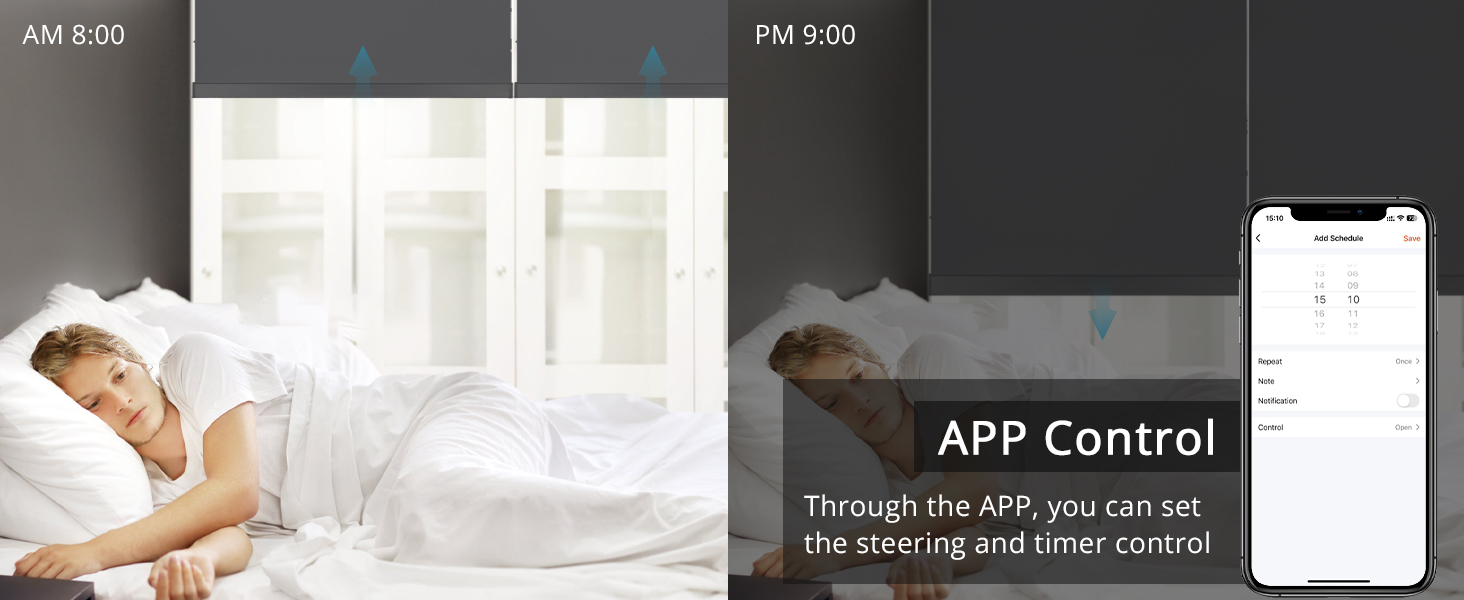
Image: A split image showing a person sleeping in a bedroom with blinds closed at 8:00 AM, and a smartphone screen displaying the app's scheduling interface for setting automatic open/close times for the blinds at 9:00 PM. This illustrates the scheduling feature of the app control.
6.3 Voice Control (Alexa, Google Home, Siri)
Once connected to the Tuya Zigbee hub and integrated with your smart home platform (Alexa, Google Home, or Siri), you can control your blinds using voice commands. Ensure your smart speaker or voice assistant is properly linked to your Tuya account.
- Example commands:
- "Alexa, close the curtains."
- "Hey Google, open the blinds."
- "Siri, set the blinds to 50%."

Image: A diagram illustrating the voice control setup, showing the motor connected to a hub/router, which then communicates with smart speakers like Amazon Echo and Google Home. A speech bubble indicates a voice command: "Alexa, Close the curtains."
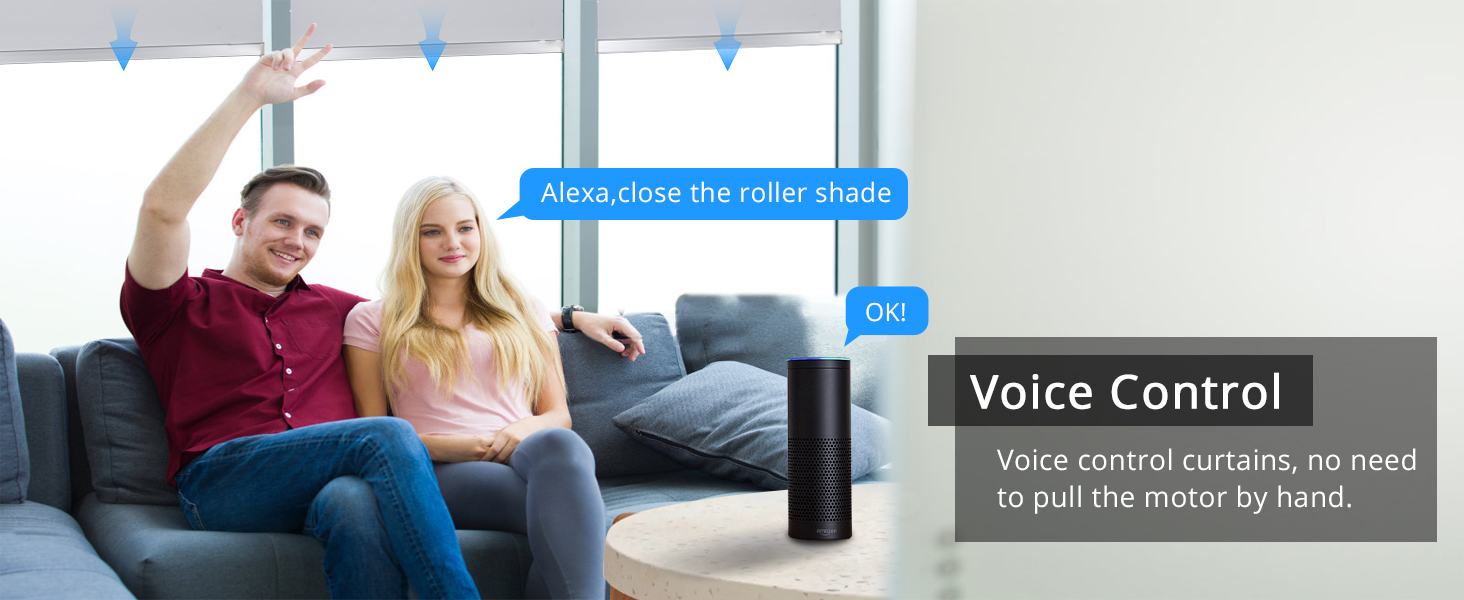
Image: A couple in a living room interacting with a smart speaker to control their roller blinds using voice commands. A speech bubble shows the command "Alexa, close the roller shade."
6.4 Setting Upper and Lower Limits
The motor allows you to set precise upper and lower limits for your blinds' travel. Refer to the Tuya Smart or Smart Life app for detailed instructions on setting these limits within the motor's control interface.
6.5 Checking Battery Status
You can monitor the battery percentage of your motor directly within the Tuya Smart or Smart Life app. This allows you to know when charging is required.

Image: A smartphone screen displaying the battery percentage of the motor within the app interface, showing a 60% charge. Next to it, a visual representation of the motor with its internal battery glowing green, indicating charge.
7. Maintenance
- Cleaning: The motor itself requires minimal cleaning. If necessary, wipe the exterior with a dry, soft cloth. Do not use liquid cleaners or immerse the motor in water.
- Charging: Regularly charge the motor using the USB cable or ensure the solar panel receives sufficient light to maintain battery levels. An empty battery may require a full charge and a motor restart (turn off, then on) to respond to Zigbee commands.
- Tube Inspection: Periodically check the roller blind tube for any damage or obstructions that might hinder the motor's operation.
8. Troubleshooting
| Problem | Possible Cause | Solution |
|---|---|---|
| Motor not responding to remote. | Remote not paired or battery low. | Re-pair the remote (Section 6.1). Check/replace remote battery. |
| Motor not responding to app/voice control. | No Zigbee hub, hub offline, motor not paired to hub, or motor battery low. | Ensure Tuya Zigbee hub is powered on and online. Pair motor to app (Section 6.2). Charge motor battery. |
| Blinds stop mid-way or do not reach limits. | Limits not set correctly or motor battery low. | Re-set upper and lower limits in the app. Charge motor battery. |
| Motor makes unusual noise. | Obstruction in tube or motor not properly seated. | Check for obstructions. Re-seat motor in tube. If problem persists, contact support. |
| Solar panel not charging effectively. | Insufficient sunlight or panel obstruction. | Ensure panel is in direct sunlight and free from dust/obstructions. Consider manual USB charging if prolonged cloudy weather. |
9. Warranty and Support
Blindsmart products come with a standard manufacturer's warranty. For specific warranty terms and conditions, please refer to the product packaging or contact Blindsmart customer support directly.
For technical support, troubleshooting assistance, or any inquiries regarding your Blindsmart product, please visit the official Blindsmart store on Amazon or contact their customer service team.
Blindsmart Store: https://www.amazon.com/stores/Blindsmart/page/1358D459-9FD5-4820-B0DA-53D7F14223AA
Related Documents - BSDJ-ZM25EL-08/25-ZB
 |
Zemismart Smart Tubular Motor Installation & Operation Guide Comprehensive guide for installing and operating Zemismart Smart Tubular Motors (ZM25TQ series). Covers specifications, Tuya App setup, remote pairing, limit settings, motor direction, and resetting procedures for automated blinds and curtains. |
 |
FULL LINK 1-to-16 Multi-Channel Remote User Manual Comprehensive user manual for the FULL LINK 1-to-16 Multi-Channel Remote, providing setup instructions for various curtain types, including travel limits, re-pairing, and remote management. Covers specifications and battery replacement. |
 |
ZM001-25-1.1 & ZM002-28-2.0 Li-ion Bi-Directional Motor User Manual Comprehensive user manual for ZM001-25-1.1 (25mm, 1.1Nm) and ZM002-28-2.0 (28mm, 2.0Nm) Li-ion bi-directional motors, covering installation, setup, operation, and troubleshooting for automated shades. |
 |
Jiecang Zigbee Tubular Motor with Adapter User Manual Comprehensive user manual for the Jiecang Zigbee Tubular Motor with Adapter. Provides detailed instructions on installation, pairing, limit setting, operation modes, troubleshooting, and Zigbee connectivity via the Smart Life app. |
 |
Automate Battery Wand Battery Pack: Powering Your Shades Discover the Automate Battery Wand Battery Pack (MTBWAND18-25) by Rollease Acmeda. This re-loadable battery tube powers Automate Shades and blinds, featuring versatile mounting, 8 AA battery capacity, and ARCTM technology. Learn about its specifications, compatibility, and included components for motorized shading systems. |
 |
MOTION CM-08 Li-ion Battery Powered End Motor Manual | Installation & Operation Guide Comprehensive manual for the MOTION CM-08 Li-ion battery powered end motor. Learn about its features, installation, operation, remote pairing, app control, and troubleshooting. |
Ask a question about this manual
Ask about setup, troubleshooting, compatibility, parts, safety, or missing instructions. Manuals+ will review the question and use this page’s manual context to help answer it.