
Blindsmart BSDJ-ZM25EL-08/25-ZB
Blindsmart Rechargeable Tuya Zigbee Roller Blinds Motor User Manual
Model: BSDJ-ZM25EL-08/25-ZB
Introduction
This manual provides comprehensive instructions for the installation, operation, and maintenance of your Blindsmart Rechargeable Tuya Zigbee Roller Blinds Motor. This motor is designed to convert your standard roller blinds into smart, automated window coverings, controllable via remote, smartphone app, and voice commands. A Tuya Zigbee 3.0 Hub Gateway is required for smart functionality.
What's Included
Your package should contain the following items:
- 1 x Tubular Blinds Motor for 38mm tube
- 1 x RF Remote (9-Channel)
- 1 set of Connectors
- 1 x USB Charging Cable
- Instruction Manual

Image: All parts included with the Blindsmart Roller Blinds Motor.
Setup
1. Initial Charging
Before installation, ensure the motor's built-in 3000mAH Li-battery is fully charged using the provided USB cable. The charging port is located on the end of the motor.

Image: Motor end with USB charging port and set key.
2. Motor Insertion into Roller Shade Tube
The motor is designed to fit into 36mm, 37mm, or 38mm (inner diameter) shade tubes. Ensure the motor is inserted in the correct orientation for proper grip within the tube.

Image: Inserting the motor into the roller blind tube.
3. Installing Mounting Brackets
Affix the roller blind brackets to your desired mounting surface (ceiling or wall). Ensure the bracket with the plastic holder mechanism faces outward for easy installation. The distance between the two brackets should match the width of your roller shade tube.

Image: Attaching a mounting bracket.
4. Mounting the Blind
Once the motor is in the tube and brackets are installed, mount the roller blind assembly. Ensure the end with the motor's reset button and micro-USB port is accessible for future use. The other end of the tube sits in the plastic holder, which is secured by pulling the catch over and down, snapping it into place.
5. Video Guide: Roller Shade Motor Installation
Video: A detailed guide on installing the Blindsmart Roller Shade Motor, covering all physical installation steps.
Operating
1. Remote Control Pairing
To pair the remote to the roller blind motor: Press the pairing button on the motor once, then press the 'Up' button on the remote once. You will hear a confirmation sound.

Image: Steps for remote control pairing.
2. Setting Upper and Lower Limits
Use the remote control to set the desired upper and lower limits for your blinds. This ensures they open and close to the correct positions. Press 'up' on the remote to begin setting the upper limit, then press 'stop' when reached. Press the 'set' button above the battery compartment once, then the 'up' button. You will hear a 'beep' confirmation sound. Repeat for the lower limit using the 'down' button.

Image: RF Remote Control in use.
3. App Control (Tuya Smart or Smart Life APP)
The blinds motor works with Tuya Smart or Smart Life APP via its built-in Tuya Zigbee receiver. A Tuya Zigbee Gateway is required (not included in the package). Open the Tuya/Smart Life APP, enter your Tuya hub to add the device. Press the motor setting button three times and the motor shades once to enter network configuration state.

Image: App control interface.
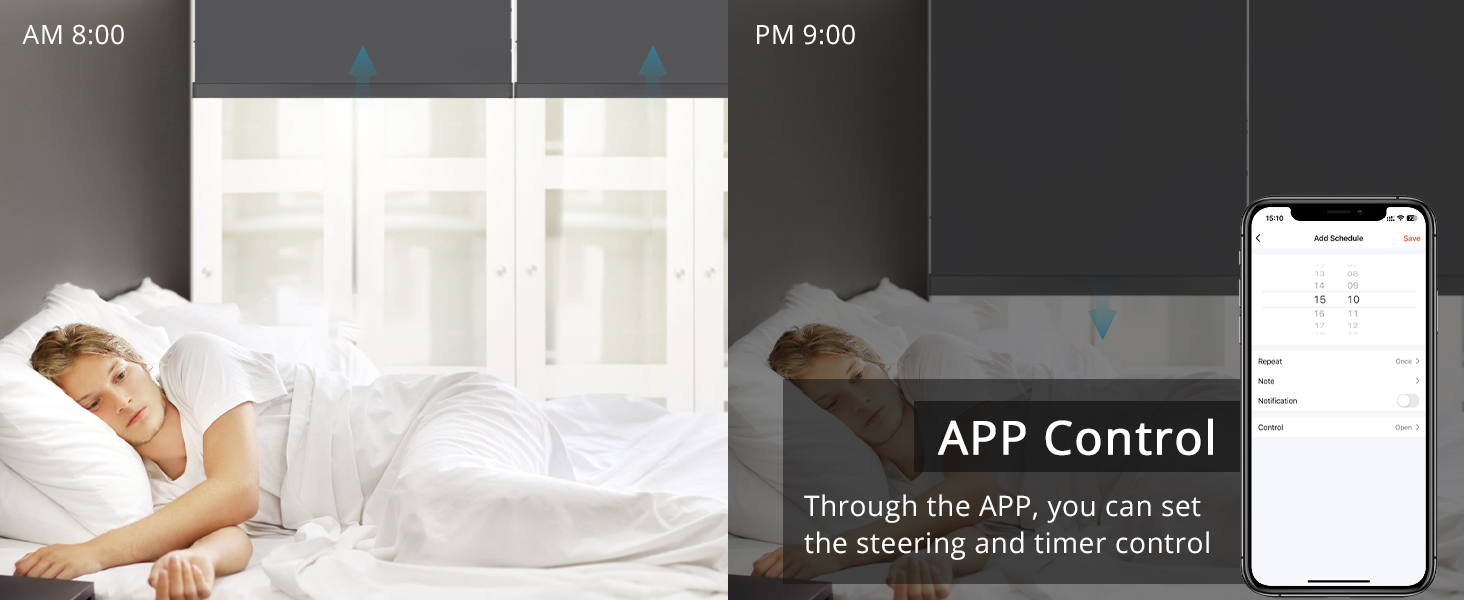
Image: Steps for app connection.
4. Voice Control (Alexa, Google Home, Siri)
Control your smart blinds directly with Alexa, Google Home, and Siri voice commands once integrated with your Tuya Zigbee hub. This feature allows for hands-free operation of your blinds.

Image: Voice control integration with smart speakers.
5. Video Guide: Smart Blind Motor Setup and Pair to APP/Remote
Video: Instructions on setting up and pairing the smart blind motor with the app and remote control.
Maintenance
Charging the Battery
The motor features a built-in 3000mAH Li-battery. Recharge the motor using the provided USB cable when the battery level is low. You can monitor the battery level through the Tuya Smart or Smart Life APP.

Image: Battery level display in the app.
Cleaning
For cleaning, spot clean the motor and associated components as needed. Avoid submerging the motor in water or using harsh chemical cleaners.
Troubleshooting
Motor Not Responding to Remote/App
- Check Battery: Ensure the motor's battery is charged.
- Zigbee Hub Connection: Verify your Tuya Zigbee Hub is powered on and connected to the internet. The hub should be within reasonable range of the motor.
- Re-pair: Try re-pairing the remote or the motor to the app/hub following the setup instructions.
- Reset Limits: If the blinds are not moving to the correct limits, you may need to reset them. To reset limits, press the 'set' button three (3) times, then press the button corresponding to the limit you want to reset (up or down).
Blinds Moving in Wrong Direction
If the blinds move in the opposite direction to the remote commands, you can change the direction. Press the 'set' button four (4) times, then press 'up' on the remote.
Specifications
| Feature | Specification |
|---|---|
| Model | BSDJ-ZM25EL-08/25-ZB |
| Material | Plastic |
| Product Dimensions | 16.34"L x 1.57"W |
| Color | Black |
| Recommended Tube Diameter | 36mm, 37mm, 38mm (inner diameter) |
| Battery Capacity | 3000mAH Li-battery |
| Control Type | RF Remote, Tuya APP (Zigbee Hub Required), Voice Control (Alexa, Google Home, Siri) |
| Max Fabric Weight | Up to 3 kg |
Warranty and Support
For warranty information and technical support, please refer to the documentation provided with your purchase or visit the official Blindsmart website. Keep your proof of purchase for any warranty claims.
Ask a question about this manual
Ask about setup, troubleshooting, compatibility, parts, safety, or missing instructions. Manuals+ will review the question and use this page’s manual context to help answer it.