
Introduction
The VTech RM7764HD Smart Wi-Fi Video Baby Monitor allows you to monitor your child from home or remotely using your smart device. View your child in real-time on the 7-inch parent unit in High Definition, or through the MyVTech Baby app. The camera offers 360-degree pan, 80-degree tilt, and up to 10x zoom. It includes soothing sounds, lullabies, automatic infrared night vision, and a built-in temperature sensor with alerts.
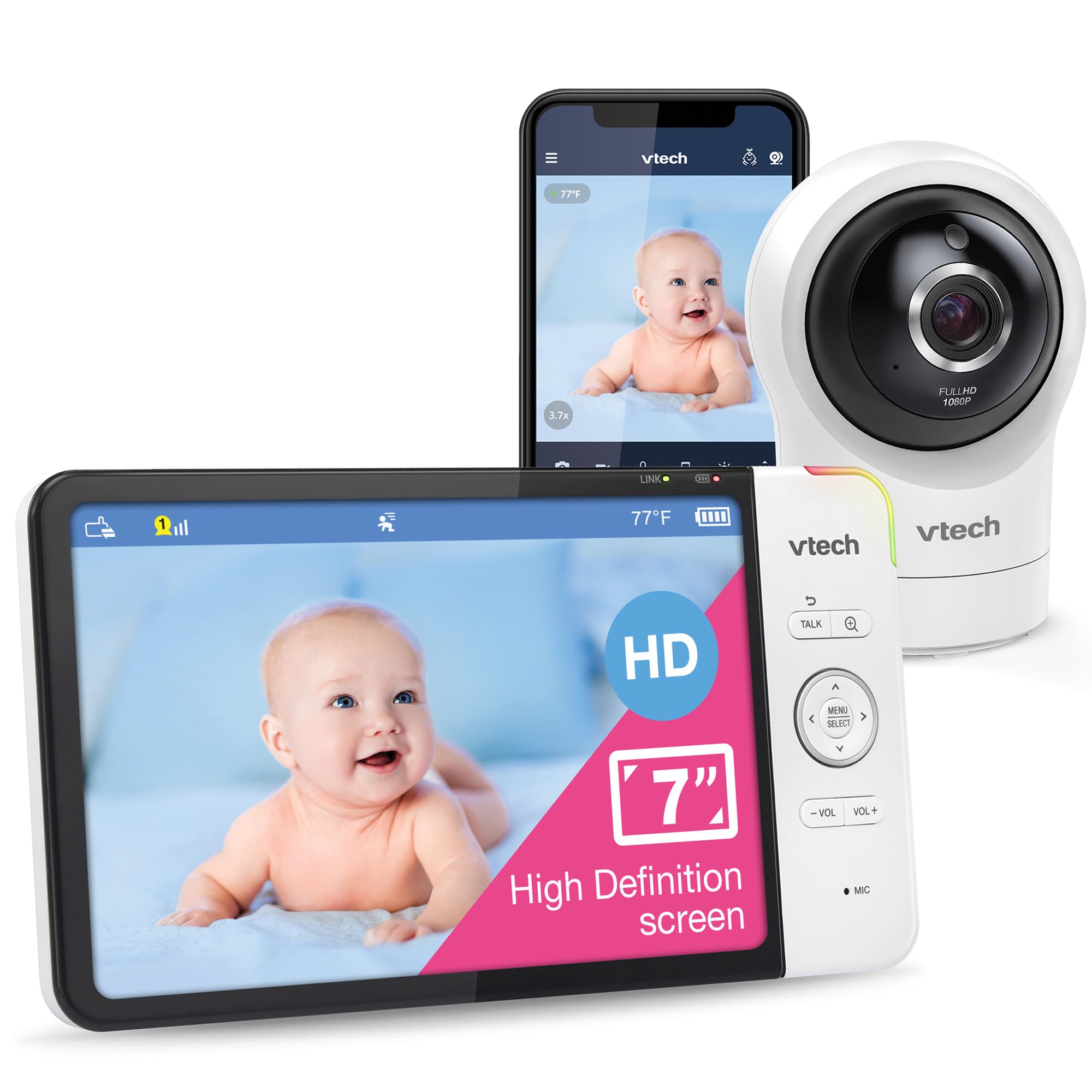
Image: The VTech RM7764HD parent unit and camera unit.
What's in the Box
The VTech RM7764HD package typically includes:
- One 7-inch color (720p) LCD parent unit
- One 1080p HD camera unit
- Power adapters for both units
- Wall-mount bracket for the camera

Image: All components included in the VTech RM7764HD package.
Features
- 1080p FHD Remote & 720p HD Local Viewing: The camera transmits 1080p high-definition video for remote viewing via the MyVTech Baby Pro app and 720p HD video on the 7-inch parent unit.
- Plug & Play Direct Mode & Remote Monitoring: The system is ready for local monitoring out of the box. Remote viewing is available via the MyVTech Baby Pro app on iOS or Android devices without subscription fees.
- 360-Degree Pan & Tilt with 10X Zoom & 110-Degree Wide-Angle Lens: The camera offers 360-degree horizontal pan and 80-degree vertical tilt. Zoom up to 10 times via the mobile app or 4 times from the parent unit. The 110-degree wide-angle lens provides broad coverage.
- HD Night Vision Camera: Automatic infrared night vision ensures clear visibility of your baby even in low light conditions.
- Motion Detection & Triggered Recording: The camera unit features video-based motion detection, providing alerts when movement is detected. It can record and save up to 30 video clips, accessible and shareable through the MyVTech Baby Pro app.

Image: Camera's 360-degree pan and tilt capabilities.
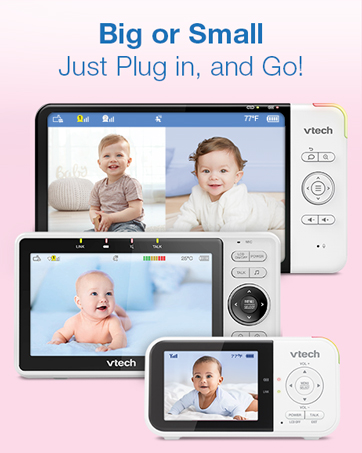
Image: Enhanced night vision and motion detection.
Setup
- Power Connection: Connect the camera unit and parent unit to power outlets using the provided adapters.
- Camera Placement: Position the camera in the nursery to ensure a clear view of your baby. The camera can be placed on a flat surface or mounted to a wall using the included bracket.
- Parent Unit Activation: Turn on the parent unit. It should automatically connect to the camera.
- Mobile App Setup (Optional): Download the MyVTech Baby Pro app from your device's app store. Follow the in-app instructions to connect your camera for remote viewing and advanced features.
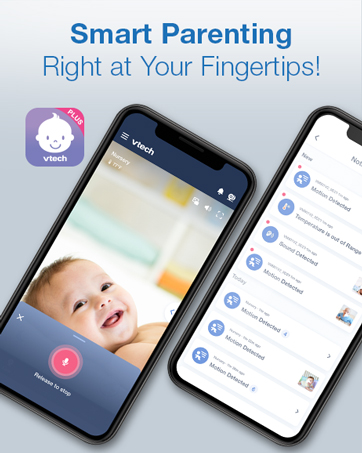
Image: The MyVTech Baby Pro app interface on a smartphone.
Operating Instructions
- Viewing Modes: Use the parent unit controls to select a specific camera if you have multiple units. If using multiple cameras, the parent unit may offer split-screen viewing or a patrol mode that cycles through camera feeds.
- Pan, Tilt, and Zoom: Use the directional controls on the parent unit or the mobile app to adjust the camera's viewing angle and zoom level.
- Two-Way Talk: Press and hold the "Talk" button on the parent unit to speak to your baby through the camera's speaker.
- Soothing Sounds & Lullabies: Access the menu on the parent unit or app to select and play built-in lullabies or soothing sounds.
- Temperature Monitoring: The parent unit displays the room temperature. Configure alerts for temperature outside a set range.
- Motion Detection Alerts: Enable motion detection alerts via the parent unit or app to be notified of movement in the nursery. Review recorded clips through the mobile app.

Image: Two-way talk feature on the parent unit.

Image: Soothing sounds and lullabies feature.
Maintenance
- Cleaning: Gently wipe the camera lens and parent unit screen with a soft, dry cloth. Avoid abrasive cleaners or solvents.
- Battery Care: For optimal battery life, fully charge the parent unit before initial use. Avoid extreme temperatures.
- Software Updates: Check for and install software updates via the mobile app or parent unit settings to ensure optimal performance and security.
Troubleshooting
- No Link/Connection Issues: Ensure both the camera and parent unit are powered on and within range. Check Wi-Fi connection if using the mobile app. Try resetting both units by unplugging and replugging them.
- Poor Video/Audio Quality: Ensure there are no obstructions between the camera and parent unit. Reduce interference from other electronic devices. Check your internet speed if using the mobile app.
- Battery Draining Quickly: Reduce screen brightness on the parent unit. Ensure the unit is fully charged. Battery performance may degrade over time.
- Alerts Not Working: Verify alert settings (motion, temperature, sound) are correctly configured in the menu. Check volume levels on the parent unit.
Specifications
| Feature | Detail |
|---|---|
| Indoor/Outdoor Usage | Indoor |
| Compatible Devices | Smartphone, Tablet |
| Power Source | AC/DC |
| Connectivity Protocol | Wi-Fi |
| Mounting Type | Table/Wall Mount |
| Video Capture Resolution | 1080p |
| Included Components | 7-inch color (720p) LCD screen |
| Number of Channels | 2 |
| Viewing Angle | 110 Degrees |
| Material | Plastic |
| Item dimensions L x W x H | 7.87 x 0.76 x 4.28 inches |
| Batteries Required? | Yes (1 Lithium Polymer included) |
| Low light technology | Night Color (Infrared) |
| Alert Type | Motion Only |
| Screen Size | 7 Inches |
| Item model number | RM7764HD |
Warranty
This product comes with a standard manufacturer's warranty. Please refer to the warranty card included in your product packaging or visit the VTech website for detailed warranty information and terms.
Support
For product support, technical assistance, or warranty inquiries, please visit the official VTech Baby Care website at www.vtechbabycare.com or contact customer support via email at support@vtechbabycare.com.
Video: An official product overview demonstrating the key features and functionality of the VTech RM7764HD Smart Wi-Fi Baby Monitor.


