
1. Introduction
Thank you for purchasing the SONA 16-inch Stand Fan, Model SFS 1602T. This instruction manual provides important information regarding the safe operation, assembly, maintenance, and troubleshooting of your new fan. Please read this manual thoroughly before using the appliance and retain it for future reference.
2. Safety Instructions
To reduce the risk of fire, electric shock, or injury, always follow these basic safety precautions:
- Ensure the voltage indicated on the rating label matches your mains supply voltage.
- Do not immerse the fan, plug, or cord in water or other liquids.
- Unplug the fan from the outlet when not in use, when moving it, and before cleaning.
- Keep the fan out of reach of children and pets.
- Do not operate the fan with a damaged cord or plug, or after the fan malfunctions or has been dropped or damaged in any manner.
- Avoid placing the fan near curtains, drapes, or other objects that may be drawn into the fan.
- Do not insert fingers or any objects into the grille when the fan is operating.
- Place the fan on a stable, level surface to prevent it from tipping over.
- This appliance is for household use only.
3. Product Overview
The SONA 16-inch Stand Fan SFS 1602T is designed to provide efficient air circulation with user-friendly features. It includes a robust full copper coil motor for reliable performance and durable ABS plastic blades.

Figure 1: Fully assembled SONA 16-inch Stand Fan SFS 1602T.

Figure 2: Overview of the SONA SFS 1602T fan, highlighting its 50W power consumption and 16-inch blade diameter.

Figure 3: Illustration of the fan's full copper coil motor, designed for durability and efficient performance.
Key Components:
- Front and Rear Grilles: Protective covers for the fan blades.
- Fan Blades: Five durable ABS plastic blades.
- Motor Housing: Contains the full copper coil motor.
- Control Panel: Buttons for speed selection and a timer knob.
- Adjustable Stand: Allows for height and vertical angle adjustment.
- Base: Provides stability for the fan.
4. Assembly Instructions
Follow these steps to assemble your stand fan:
- Attach the Base: Secure the stand pole to the fan base using the provided fasteners.
- Mount the Motor Unit: Attach the motor housing to the top of the stand pole, ensuring it is firmly seated.
- Install Rear Grille: Place the rear grille onto the motor housing, aligning the mounting holes. Secure it with the provided locking nut.
- Attach Fan Blades: Slide the fan blades onto the motor shaft, ensuring they are correctly oriented and secured with the blade cap.
- Install Front Grille: Position the front grille over the fan blades and secure it to the rear grille using the clips or screws provided, ensuring a tight fit.
5. Operating Instructions
Familiarize yourself with the control panel to operate your fan effectively.

Figure 4: Control panel with timer and speed selections.

Figure 5: Fan demonstrating vertical neck adjustment and horizontal oscillation.
Power On/Off and Speed Selection:
- Plug the fan into a suitable electrical outlet.
- Press the desired speed button (1, 2, or 3) on the control panel to turn on the fan and select the airflow intensity. '1' is the lowest speed, '3' is the highest.
- Press the '0' button to turn off the fan.
Timer Function:
- Rotate the timer knob clockwise to set the desired operating time, up to 120 minutes.
- The fan will automatically turn off once the set time has elapsed.
- To operate continuously, set the timer to the 'ON' position (usually indicated by an infinity symbol or a specific mark beyond 120 minutes).
Oscillation:
- To activate horizontal oscillation, press down the oscillation knob located on top of the motor housing.
- To stop oscillation and fix the fan in one direction, pull up the oscillation knob.
Vertical Angle Adjustment:
- Loosen the tilt adjustment knob (usually located on the side of the motor housing).
- Adjust the fan head to the desired upward or downward angle.
- Tighten the tilt adjustment knob to secure the fan head in position.
Height Adjustment:
- Loosen the height adjustment collar on the stand pole.
- Adjust the inner pole to the desired height.
- Tighten the height adjustment collar firmly to secure the fan at the new height.
6. Maintenance and Cleaning
Regular cleaning and maintenance will ensure optimal performance and extend the lifespan of your fan.
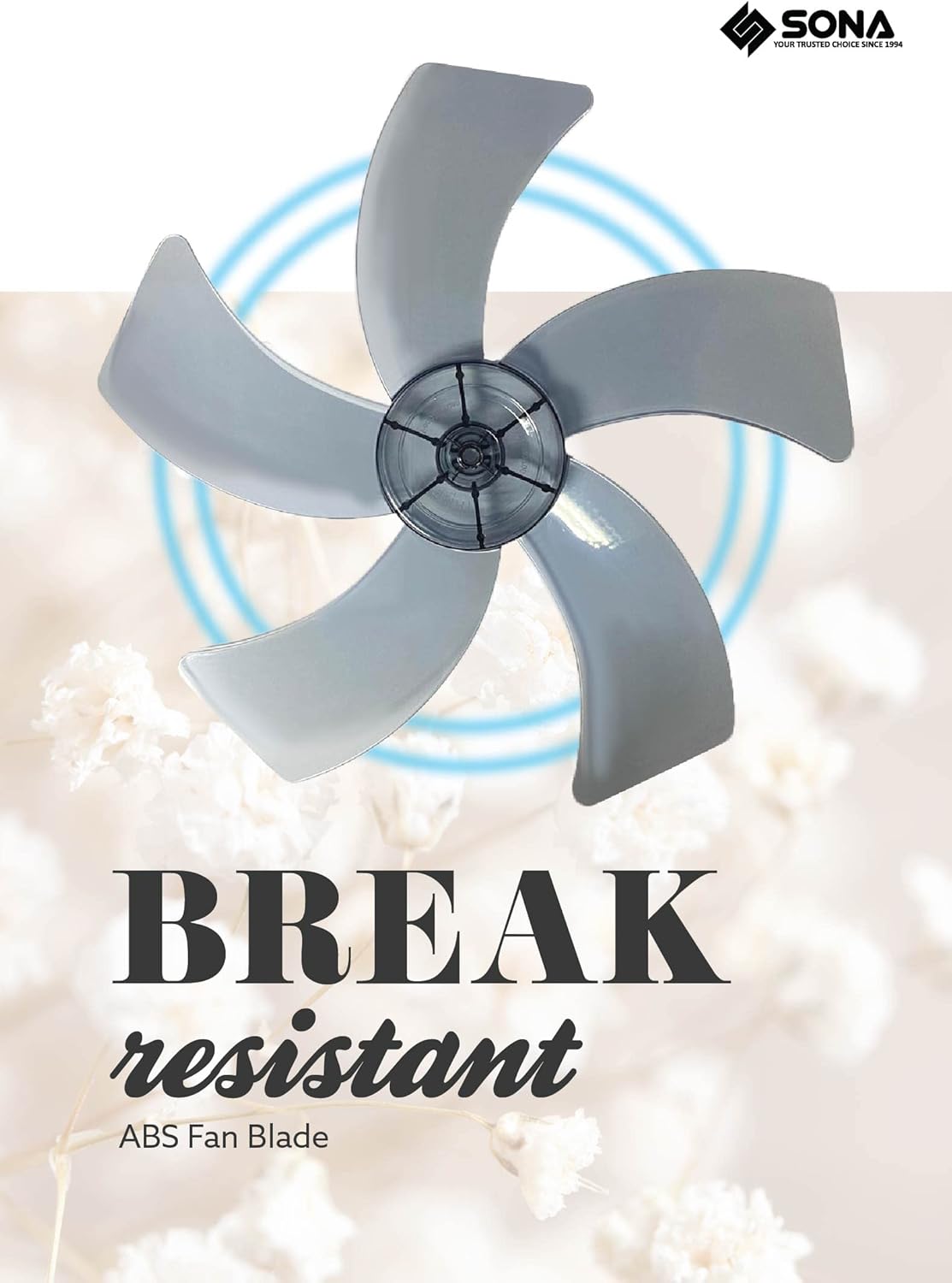
Figure 6: Durable ABS plastic fan blades.
- Always unplug the fan from the power outlet before cleaning.
- Exterior Cleaning: Wipe the exterior surfaces of the fan with a soft, damp cloth. Do not use abrasive cleaners or solvents.
- Grille and Blades Cleaning: To clean the fan blades and inside the grilles, you may need to remove the front grille. Refer to the assembly instructions for reverse steps. Carefully wipe the blades and grilles with a damp cloth or use a soft brush to remove dust. Ensure all parts are completely dry before reassembling and operating the fan.
- Storage: When not in use for extended periods, store the fan in a cool, dry place, preferably in its original packaging, to protect it from dust.
7. Troubleshooting
If you encounter issues with your fan, refer to the following common problems and solutions:
| Problem | Possible Cause | Solution |
|---|---|---|
| Fan does not turn on. | No power supply. Timer is set to 'OFF' or has expired. | Check if the fan is properly plugged into a working outlet. Ensure the timer is set to 'ON' or a desired duration. |
| Weak airflow. | Fan blades or grilles are dirty. Fan is set to a low speed. | Clean the fan blades and grilles as per maintenance instructions. Increase the fan speed setting. |
| Unusual noise during operation. | Loose parts. Obstruction in the fan blades. | Ensure all assembly parts are securely tightened. Unplug the fan and check for any foreign objects obstructing the blades. |
| Oscillation not working. | Oscillation knob is not pressed down. | Press the oscillation knob down firmly to engage the oscillation function. |
If the problem persists after attempting these solutions, please contact customer support.
8. Specifications
| Brand | Sona |
| Model | SFS 1602T |
| Electric Fan Design | Floor Fan |
| Power Source | Corded Electric |
| Number of Speeds | 3 |
| Number of Blades | 5 |
| Material | Plastic (ABS Fan Blade) |
| Mounting Type | Floor Mount |
| Timer | Up to 120 minutes |
| Oscillation | Horizontal Oscillation |
| Adjustments | Vertical Neck Adjustment, Height Adjustment |
9. Warranty and Support
For warranty information or technical support, please refer to the warranty card included with your product or contact SONA customer service directly. Keep your purchase receipt as proof of purchase for any warranty claims.