
Important Safety Instructions
Please read this instruction manual carefully before operating the Mistral MHV712R High Velocity Fan. Keep this manual for future reference. Failure to follow these instructions may result in electric shock, fire, or personal injury.
- Always unplug the fan from the power outlet before cleaning, servicing, or moving it.
- Do not insert fingers or any objects through the grille when the fan is operating.
- Ensure the fan is placed on a stable, level surface to prevent it from tipping over.
- Do not operate the fan with a damaged cord or plug. If the cord is damaged, it must be replaced by the manufacturer, its service agent, or similarly qualified persons to avoid a hazard.
- This fan is intended for indoor use only. Do not use outdoors or in wet conditions.
- Keep the fan away from curtains, drapes, or any objects that may be drawn into the fan.
- Do not use the fan near open flames, cooking appliances, or heating devices.
- Supervise children when the fan is in use.
Product Overview
The Mistral MHV712R is a 12-inch high velocity floor fan designed for efficient air circulation. Familiarize yourself with its components:
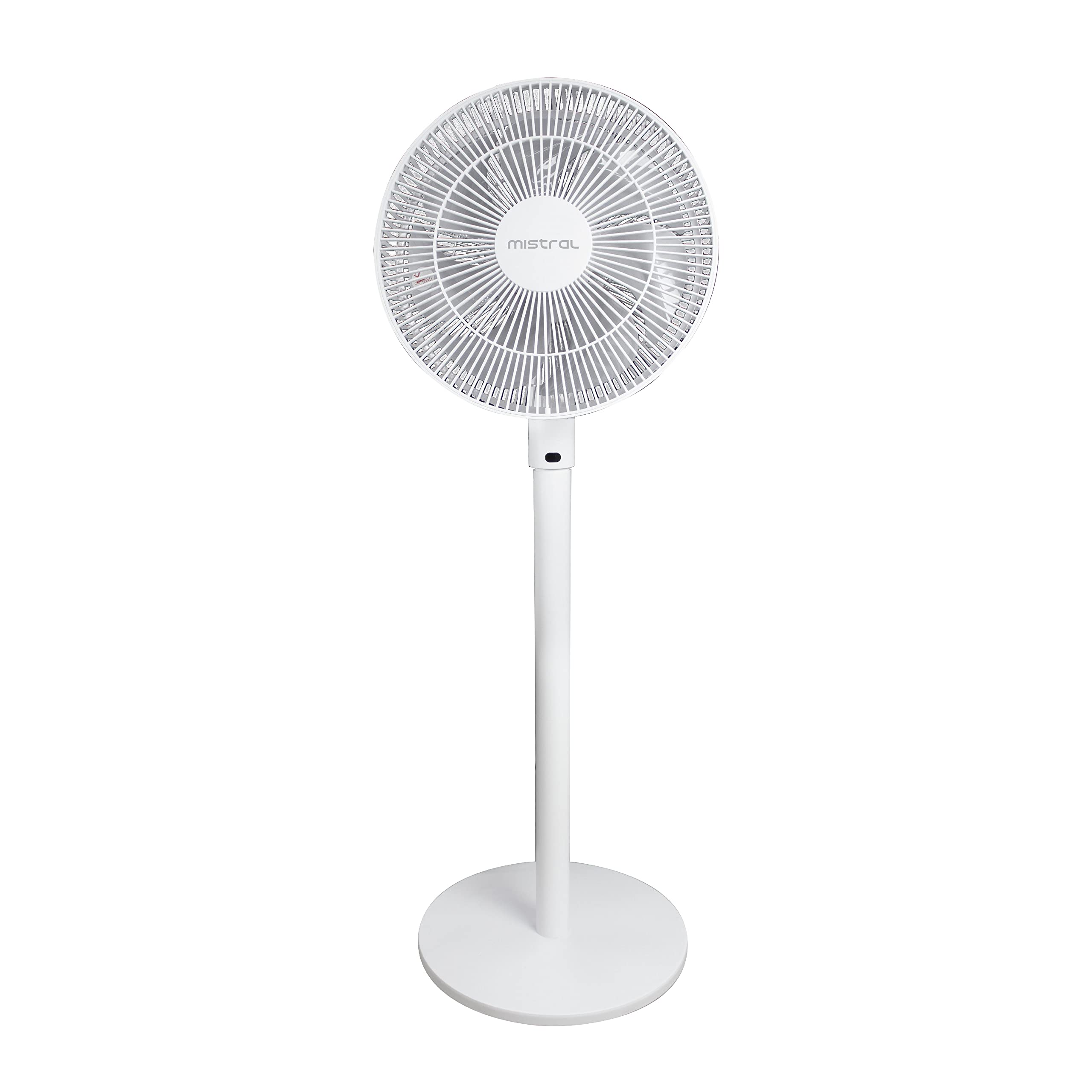
Figure 1: Front view of the Mistral MHV712R High Velocity Fan, showing the fan head, stand, and round base.
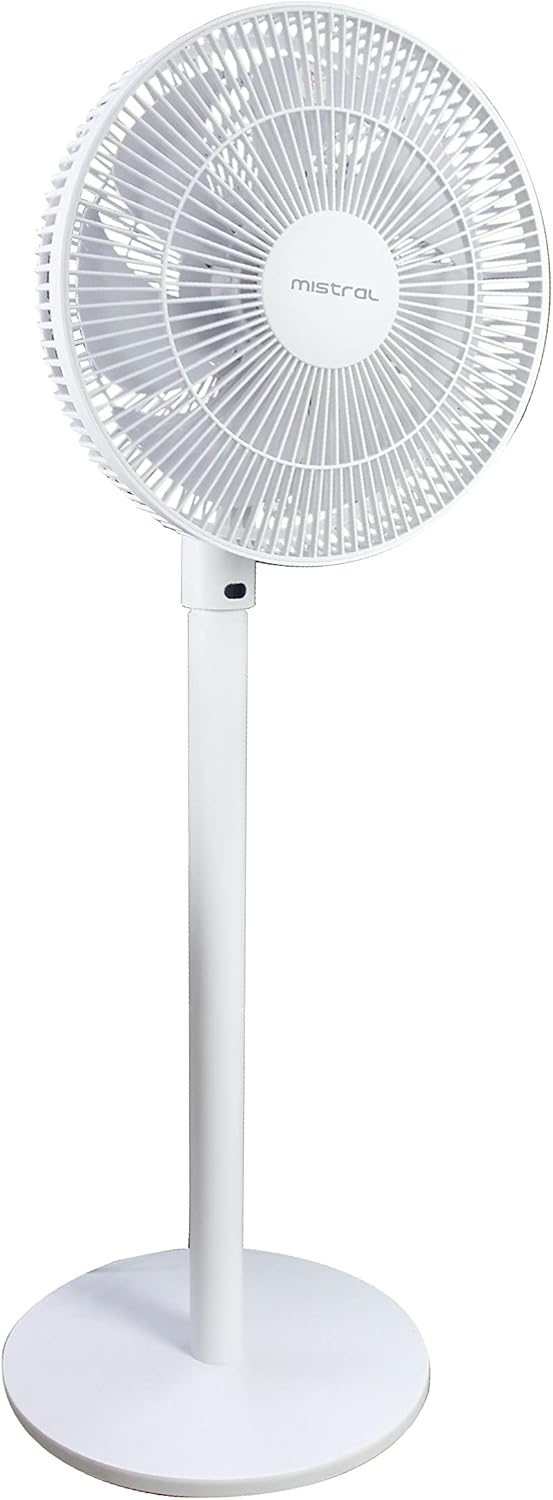
Figure 2: Side view of the Mistral MHV712R High Velocity Fan, illustrating its profile and the adjustable angle of the fan head.
- Fan Head: Contains the blades and protective grilles.
- Control Panel: Located on the fan body for manual operation.
- Stand/Pole: Connects the fan head to the base.
- Base: Provides stability for the fan.
- Power Cord: For connecting to an electrical outlet.
- Remote Control: For convenient operation from a distance.
Setup Instructions
The Mistral MHV712R fan requires minimal assembly. Please follow these steps:
- Unpack: Carefully remove all components from the packaging. Retain packaging for storage or future transport.
- Assemble Base and Stand: If the stand is separate from the base, securely attach the stand to the base according to the included assembly instructions. Ensure all screws are tightened.
- Attach Fan Head: Securely attach the fan head to the top of the stand. Ensure it clicks into place or is fastened as per the assembly guide.
- Positioning: Place the fan on a firm, level surface. Ensure there is adequate space around the fan for proper air circulation and to prevent obstruction of the grilles.
- Power Connection: Plug the power cord into a standard AC power outlet (Type G connector). Ensure the voltage matches the fan's requirements.
Operating Instructions
Your Mistral MHV712R fan can be operated using the control panel on the unit or the provided remote control.
Using the Control Panel:
- Power On/Off: Press the power button to turn the fan on or off.
- Speed Adjustment: Use the speed control buttons to cycle through the 12 available power levels.
- Mode Selection: If available, press the mode button to select different fan modes (e.g., normal, natural, sleep).
- Oscillation: Press the oscillation button to start or stop the fan head from rotating side-to-side.
Using the Remote Control:
The remote control offers convenient access to all fan functions. Ensure batteries are correctly inserted.
- Power Button: Turns the fan on or off.
- Speed Buttons: Adjusts the fan speed (1-12 levels).
- Mode Button: Cycles through fan modes.
- Oscillation Button: Activates or deactivates the oscillation feature.
- Timer Button: Sets the operating timer (if applicable).
Adjusting Fan Angle: The fan head can be manually tilted up or down to direct airflow as desired. Ensure the fan is off before adjusting the angle.
Maintenance
Regular cleaning and maintenance will ensure optimal performance and extend the lifespan of your fan.
- Before Cleaning: Always unplug the fan from the power outlet before attempting any cleaning or maintenance.
- Exterior Cleaning: Wipe the exterior surfaces of the fan with a soft, damp cloth. Do not use abrasive cleaners, waxes, or solvents as these may damage the finish.
- Grille Cleaning: Use a vacuum cleaner with a brush attachment to remove dust and debris from the front and rear grilles. For stubborn dirt, the grilles may need to be removed (refer to assembly instructions for safe removal and reattachment).
- Blade Cleaning: If the blades accumulate significant dust, carefully remove the front grille (if designed for user removal) and wipe the blades with a soft, damp cloth. Ensure blades are completely dry before reattaching the grille and operating the fan.
- Storage: When not in use for extended periods, store the fan in its original packaging or cover it to protect it from dust. Store in a cool, dry place.
Troubleshooting
If you encounter issues with your Mistral MHV712R fan, please consult the following common problems and solutions:
| Problem | Possible Cause | Solution |
|---|---|---|
| Fan does not turn on. | No power supply. Power cord not securely plugged in. Remote control batteries depleted. | Check if the power outlet is working. Ensure the power cord is firmly plugged into the outlet and the fan. Replace remote control batteries. |
| Weak or no airflow. | Fan speed set too low. Grilles or blades are dusty. Obstruction near the fan. | Increase the fan speed setting. Clean the grilles and blades as per maintenance instructions. Remove any objects blocking the fan's airflow. |
| Unusual noise during operation. | Loose parts. Fan not on a level surface. Debris caught in blades. | Ensure all assembled parts are secure. Place the fan on a stable, level surface. Unplug the fan and carefully check for and remove any debris from the blades. |
If the problem persists after trying these solutions, please contact customer support.
Specifications
| Model Number | MHV712R |
| Brand | MISTRAL |
| Type | High Velocity Floor Fan |
| Color | White |
| Power Source | Corded Electric |
| Wattage | 75 watts |
| Number of Blades | 3 |
| Number of Power Levels | 12 |
| Control Type | Remote Control, Electronic (Remote/Display) |
| Mounting Type | Floor Mount |
| Indoor/Outdoor Usage | Indoor |
| Material | Plastic (Blades: Plastic) |
| Included Components | Remote Control, Assembly Instructions |
Warranty and Support
For detailed warranty information, please refer to the warranty card included with your purchase or visit the official MISTRAL website. Keep your proof of purchase for warranty claims.
If you require technical assistance or have questions not covered in this manual, please contact MISTRAL customer support through their official channels.
You can often find contact information on the manufacturer's website or on your product packaging.


