
1. Introduction
The GODOX LC500R is a versatile 23W RGB LED Light Stick designed for various photographic and videographic applications. It features adjustable brightness, color temperature, and a wide range of RGB colors and special effects. This manual provides essential information for the safe and effective operation, maintenance, and troubleshooting of your LC500R light stick.

Image 1.1: The GODOX LC500R RGB LED Light Stick with its detachable barn doors.
2. What's in the Box
Please check the contents of your package to ensure all items are present:
- LC500R LED Light Stick x1
- Two-way Barndoors x1
- Charger x1
- Portable Bag x1
- Summay Cleaning Cloth x1

Image 2.1: All items included in the GODOX LC500R package.
3. Product Features
3.1 RGB Mode (HSI)
The LC500R offers full control over hue (H: 0°-360°), saturation (S: 0-100), and intensity, providing 360 selectable colors. This allows for creative lighting effects and color matching.

Image 3.1: The LC500R in RGB mode, demonstrating multi-color capabilities.
3.2 CCT Mode (Color Temperature)
In CCT mode, the LC500R provides a wide color temperature range from 2500K (warm) to 8500K (cool). It boasts high color accuracy with a CRI of 96 and TLCI of 98, ensuring natural and precise color rendition.
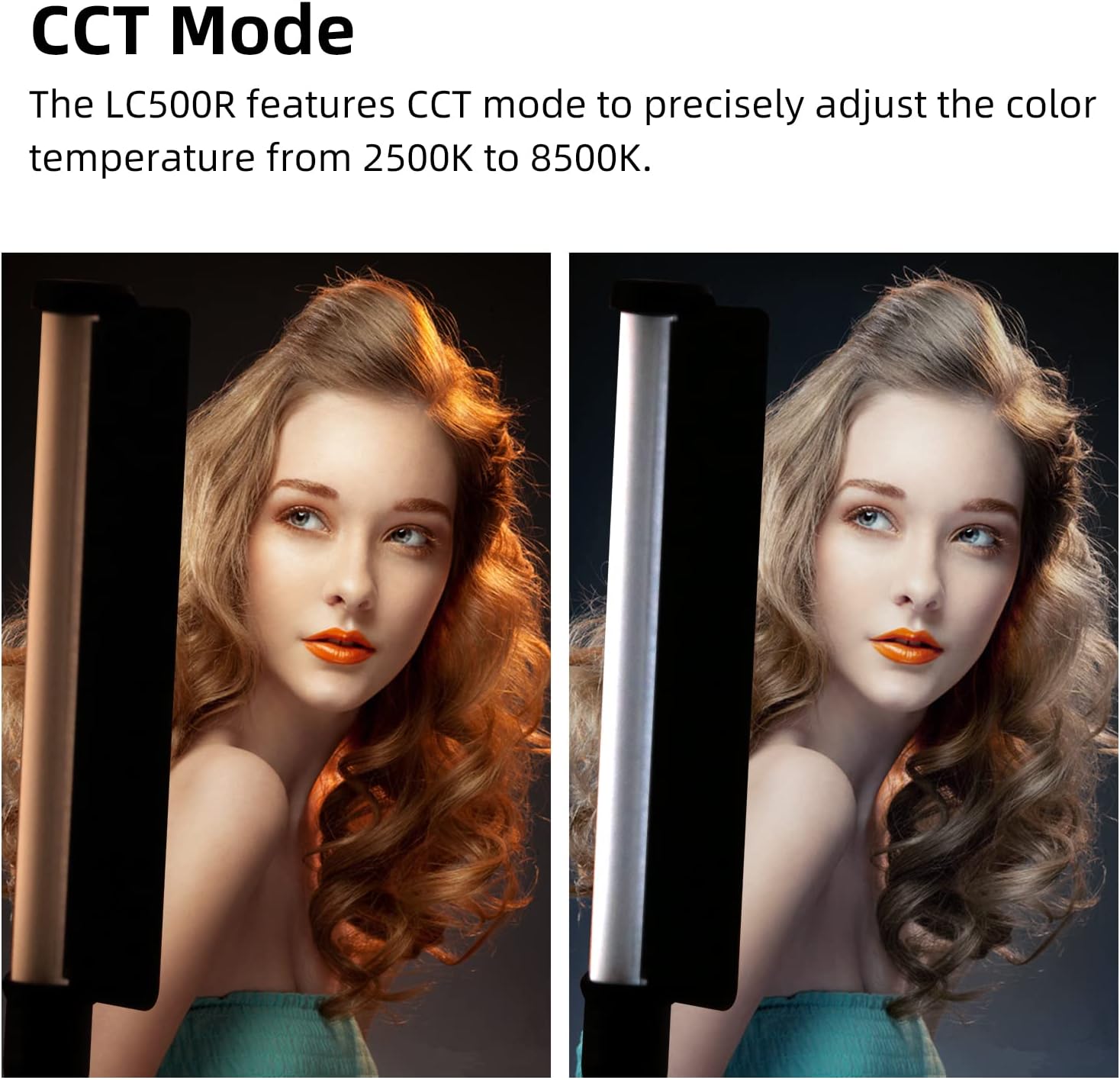
Image 3.2: The LC500R in CCT mode, showing the range of adjustable color temperatures.
3.3 FX Light Effects
The light stick includes 14 types of built-in FX light effects with 39 presets, allowing simulation of various scenes for creative shooting. Examples include RGB looping, broken bulbs, fireworks, police car, fire engine, and ambulance lights.

Image 3.3: Visual representation of the 14 FX light effects available on the LC500R.
3.4 Music Mode
Equipped with a built-in microphone, the LC500R features a "music mode" that allows the light's color and brightness to change in sync with music beats, creating dynamic visual effects.

Image 3.4: The LC500R's display indicating Music Mode is active.
3.5 Two-way Barndoors
The included two-way barndoors attach to the light stick, allowing users to shape and direct the light beam, providing more control over lighting effects.

Image 3.5: Detachable two-way barndoors for light shaping.
3.6 Flexible Positioning
The LC500R is lightweight and designed for handheld use. It also features a 1/4"-20 thread at its base, allowing it to be mounted on tilt stands, tripods, or light stands for flexible placement.

Image 3.6: The 1/4"-20 mounting thread at the base of the LC500R.
4. Setup
4.1 Charging the Battery
The LC500R has a built-in 14.4V/2600mAh rechargeable battery. Before first use, fully charge the device using the provided charger. A full charge provides approximately 1.5 hours of lighting at 100% brightness.
4.2 Attaching Barndoors
Align the two-way barndoors with the ends of the light stick and secure them into place. These can be adjusted to control the light beam.
4.3 Mounting the Light Stick
For hands-free operation, attach the LC500R to a compatible light stand, tripod, or tilt stand using the 1/4"-20 thread located at the bottom of the handle.
5. Operating Instructions
5.1 Power On/Off
Press and hold the power button on the control panel to turn the light stick on or off.
5.2 Control Panel Overview
The integrated control panel allows for direct adjustments. Use the dial and buttons to navigate through settings and modes.

Image 5.1: Detailed view of the LC500R's control panel and display.
5.3 Mode Selection
Press the 'MODE' button to switch between RGB (HSI), CCT, and FX modes. The current mode will be displayed on the screen.
5.4 Adjusting Settings
- Brightness: In any mode, rotate the 'DIM' dial to adjust brightness from 0% to 100%.
- CCT Mode: Use the 'FN' button to select color temperature (2500K-8500K) and adjust with the dial.
- RGB Mode: Use the 'FN' button to select Hue (H) or Saturation (S) and adjust with the dial.
- FX Mode: Use the 'FN' button to cycle through the 14 FX effects and select specific presets with the dial.
5.5 Wireless Remote Control (Optional)
The LC500R supports an optional wireless remote control (not included) for convenient adjustments from a distance. Refer to the remote control's manual for pairing and operation instructions.

Image 5.2: The LC500R can be controlled wirelessly with an optional remote.
6. Maintenance
- Keep the device dry. Do not handle with wet hands.
- Clean the light stick with a soft, dry cloth. Do not use harsh chemicals or abrasive materials.
- Avoid extreme temperatures and direct sunlight.
- Store in the portable bag when not in use to protect it from dust and damage.
7. Troubleshooting
- Light not turning on: Ensure the battery is charged. Connect to the charger and try again.
- Light flickering: Check for loose connections or low battery. If persistent, contact support.
- Remote control not working: Ensure the remote has fresh batteries and is within range. Check pairing instructions in the remote's manual.
8. Specifications

Image 8.1: Technical specifications for the GODOX LC500R.
| Feature | Specification |
|---|---|
| Brand | GODOX |
| Model Name | LC500R |
| Power | 23W |
| Color Temperature Range | 2500K-8500K |
| CRI Index | ~96 |
| TLCI Index | ~98 |
| 100% Light Brightness (Lux) | ~5800 (1m) |
| FX Light Effects | 14 types (39 presets) |
| Battery Life (100% brightness) | Approx. 1.5 Hours |
| Connectivity Technology | Bluetooth |
| Water Resistance Level | Not Water Resistant |
9. Official Product Video
Video 9.1: An official product video showcasing the GODOX LC500R RGB LED Light Stick's features and various lighting effects. This video demonstrates the light's versatility in different shooting scenarios, including RGB and CCT modes, FX effects, and flexible positioning options.
10. Warranty and Support
The GODOX LC500R comes with a 12-month warranty from the date of purchase. For warranty claims, technical support, or service inquiries, please contact your retailer or GODOX customer service directly. Keep your proof of purchase for warranty validation.


