
TOPTECH KL-6
Audio KL-6 Bluetooth Speaker
Model: KL-6 User Manual
Introduction
Elevate your audio experience with the TOPTECH Audio KL-6 Bluetooth Speaker—a compact yet powerful 4-inch wireless speaker designed for dynamic sound and ultimate portability. Whether you're hosting an event, enjoying music at the park, or leading a small gathering, the KL-6 delivers clear, booming sound backed by vibrant LED lighting for added ambiance. It includes a built-in microphone for karaoke, announcements, or hands-free communication, and a convenient carry handle to take the party anywhere. With Bluetooth connectivity and rechargeable functionality, this speaker blends convenience with performance—your go-to sound system for indoor and outdoor fun.
Important Safety Information
- Read all instructions carefully before using the speaker.
- Do not expose the speaker to extreme temperatures, humidity, or direct sunlight.
- Keep the speaker away from water or other liquids.
- Do not attempt to disassemble or modify the speaker. This will void the warranty.
- Use only the specified charging cable and power adapter (if applicable).
- Keep out of reach of children.
- Dispose of the product responsibly according to local regulations.
Package Contents
Please check the package contents carefully. If any items are missing or damaged, contact your retailer.
- TOPTECH Audio KL-6 Bluetooth Speaker
- Wired Microphone
- USB Charging Cable
- User Manual (this document)
Product Overview

Figure 1: TOPTECH Audio KL-6 Bluetooth Speaker and Wired Microphone.
The TOPTECH Audio KL-6 is a portable Bluetooth speaker featuring a 4-inch driver, integrated LED lights, and a built-in handle for easy transport. It comes with a wired microphone for vocal applications.
Controls and Ports

Figure 2: Top panel controls and rear ports of the KL-6 speaker.
- M (Mode) Button: Switches between Bluetooth, USB, TF Card, and AUX modes.
- Play/Pause Button: Plays or pauses audio playback.
- Previous Track/Volume Down Button: Short press for previous track, long press to decrease volume.
- Next Track/Volume Up Button: Short press for next track, long press to increase volume.
- USB Port: For playing audio from a USB flash drive.
- TF Card Slot: For playing audio from a TF (microSD) card.
- OFF/ON Switch: Powers the speaker on or off.
- DC 5V Port: For charging the speaker's internal battery.
- MIC Port: Connects the wired microphone.
- AUX Port: For connecting external audio devices via a 3.5mm audio cable.
Setup
Charging the Speaker
- Locate the DC 5V charging port on the top panel of the speaker.
- Connect the small end of the USB charging cable to the DC 5V port.
- Connect the standard USB end of the cable to a USB power adapter (not included) or a computer's USB port.
- The charging indicator light (if present) will illuminate during charging and turn off when fully charged.
- A full charge typically takes approximately 3-4 hours.
Note: It is recommended to fully charge the speaker before first use to maximize battery life.
Powering On/Off
- To power on the speaker, slide the OFF/ON switch to the ON position. You will hear an audible prompt.
- To power off the speaker, slide the OFF/ON switch to the OFF position.
Operating Instructions
Bluetooth Pairing
- Ensure the speaker is powered on and in Bluetooth mode. If not, press the M (Mode) button until you hear the "Bluetooth mode" prompt.
- Enable Bluetooth on your smartphone, tablet, or other Bluetooth-enabled device.
- Search for available Bluetooth devices. The speaker will appear as "KL-6" or "TOPTECH KL-6".
- Select "KL-6" from the list to pair. Once successfully paired, you will hear a confirmation sound.
- You can now play audio from your device through the KL-6 speaker.
Note: For optimal performance, keep your Bluetooth device within 10 meters (33 feet) of the speaker.
Using the Microphone
- Connect the wired microphone's plug into the MIC port on the speaker's top panel.
- Ensure the microphone's ON/OFF switch is in the ON position.
- Adjust the speaker's master volume using the volume buttons to control the microphone's output level.
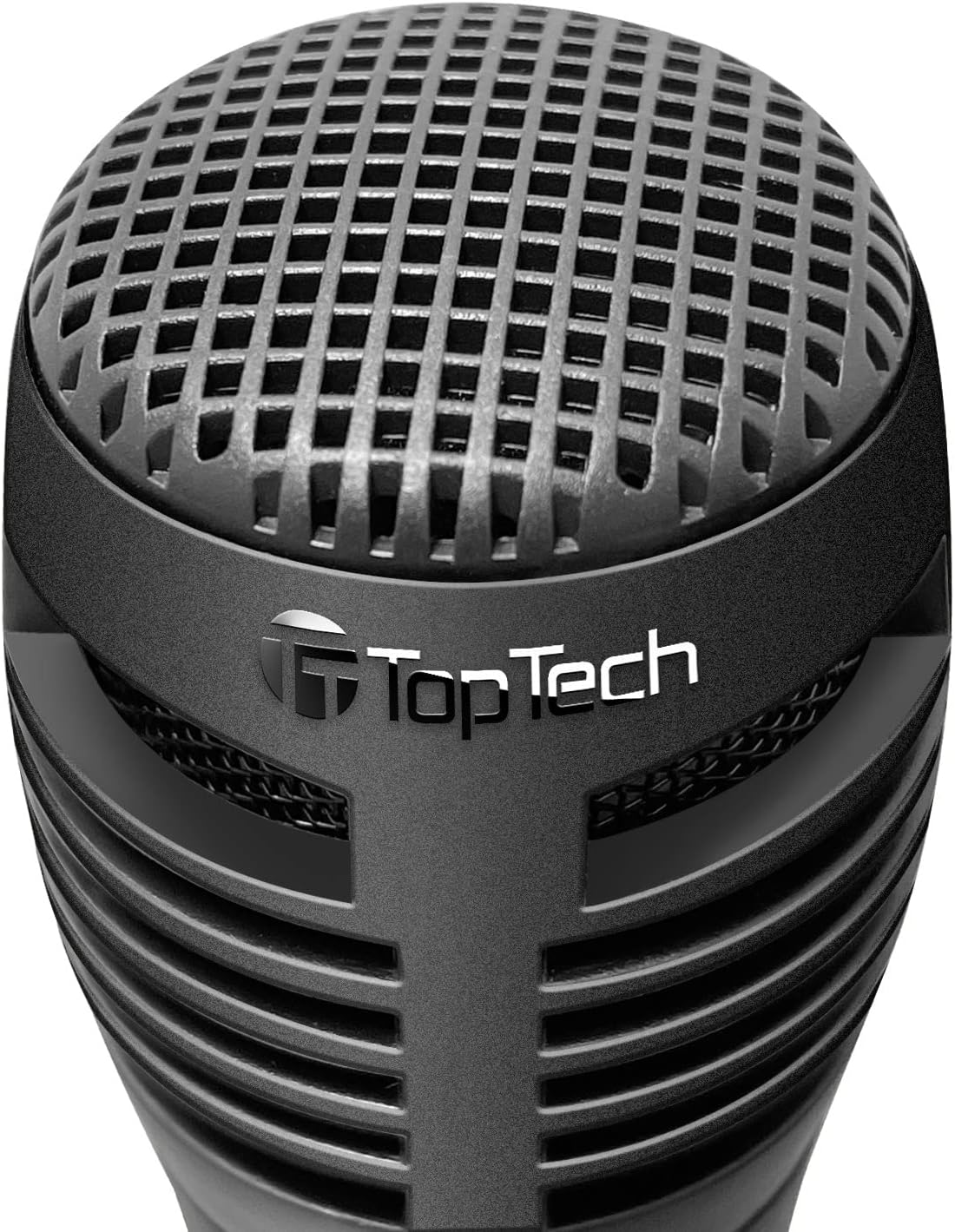
Figure 3: Wired Microphone for vocal input.
LED Light Modes
The KL-6 speaker features dynamic LED lighting that enhances your audio experience. The lights automatically react to the rhythm of the music.

Figure 4: KL-6 speaker with active LED light display.
- Multicolor Gradation: Lights transition smoothly through various colors.
- Reactive Color Show: Lights change and pulse in sync with the music's rhythm.
Note: There is no dedicated button to turn off the LED lights. They are designed to operate with the speaker's power.
USB / TF Card Playback
- Insert a USB flash drive or TF (microSD) card into the respective port on the speaker. Ensure the card is formatted correctly and contains compatible audio files (e.g., MP3).
- The speaker will automatically switch to USB or TF Card mode and begin playing audio. If not, press the M (Mode) button to select the correct mode.
- Use the Previous Track and Next Track buttons for navigation.
- Use the Play/Pause button to control playback.
Important Note: For USB and TF card playback, the speaker's volume is controlled solely by the speaker's volume buttons. There is no independent volume control for these sources from the connected media itself. Compatibility issues may arise with storage devices smaller than 32GB.
AUX Input
- Connect one end of a 3.5mm audio cable (not included) to the AUX port on the speaker.
- Connect the other end of the cable to the headphone jack or audio output of your external device (e.g., MP3 player, computer).
- The speaker will automatically switch to AUX mode. If not, press the M (Mode) button to select AUX mode.
- Control playback and volume from your external device.
Maintenance and Care
- Clean the speaker with a soft, dry cloth. Do not use abrasive cleaners or solvents.
- Avoid exposing the speaker to dust, dirt, or sand.
- Store the speaker in a cool, dry place when not in use for extended periods.
- Do not block the speaker grille or ventilation openings.
Troubleshooting
| Problem | Possible Cause | Solution |
|---|---|---|
| Speaker does not power on. | Battery is drained. | Charge the speaker fully using the provided USB cable. |
| No sound from speaker. | Volume is too low or muted. Incorrect mode selected. | Increase volume on both the speaker and your connected device. Press the M (Mode) button to select the correct input source. |
| Bluetooth device cannot pair. | Speaker not in pairing mode. Device too far. Interference. | Ensure speaker is in Bluetooth mode. Move device closer. Turn off other Bluetooth devices. Try unpairing and re-pairing. |
| Microphone not working. | Microphone switch is OFF. Not properly connected. | Ensure the microphone's ON/OFF switch is in the ON position. Check that the microphone is securely plugged into the MIC port. |
| No volume control for USB/TF card. | This is a design characteristic. | Volume for USB and TF card playback is controlled solely by the speaker's volume buttons. External device volume controls do not apply in these modes. |
| LED lights are always on. | This is a design characteristic. | The LED lights are integrated and designed to operate when the speaker is powered on. There is no separate control to turn them off. |
Technical Specifications

Figure 5: KL-6 speaker dimensions.
| Model: | KL-6 |
| Brand: | TOPTECH |
| Connectivity: | Bluetooth, USB, TF Card, AUX |
| Power Source: | Rechargeable Battery |
| Audio Input: | Microphone, AUX |
| Product Dimensions (L x W x H): | 5 x 5 x 7 inches |
| Item Weight: | 1.5 pounds |
| Battery: | 1 AA battery (included) - Note: This refers to the internal rechargeable battery. |
| UPC: | 752574406992 |
Warranty and Support
The TOPTECH Audio KL-6 Bluetooth Speaker comes with a standard manufacturer's warranty. Please refer to the warranty card included in your package for specific terms and conditions.
For technical support, troubleshooting assistance, or warranty claims, please contact TOPTECH customer service through the retailer where you purchased the product or visit the official TOPTECH website for contact information.
Online Support: Visit the TOPTECH Store on Amazon
Related documentsKL-6

Ask a question about this manual
Ask about setup, troubleshooting, compatibility, parts, safety, or missing instructions. Manuals+ will review the question and use this page’s manual context to help answer it.