
GOLOZA LA-C337-Red
GOLOZA Projection Alarm Clock User Manual
Model: LA-C337-Red
Brand: GOLOZA
Introduction
Thank you for purchasing the GOLOZA Projection Alarm Clock. This digital clock features a modern curved design, a 180° rotatable projector, 3-level brightness dimmer for both the display and projection, clear red LED digits, progressive alarm volume, and a 9-minute snooze function. It also includes a USB charging port for your mobile devices. This manual provides detailed instructions for setup, operation, and maintenance to ensure optimal performance.
Key Features
- Integrated Projector: 180-degree rotatable arm for optimal positioning, projecting clear time figures on walls or ceilings (0.5-3m distance).
- Large LED Display: Curved screen with 3.4*1.7-inch digits for easy readability.
- Adjustable Brightness: 3 levels of brightness for both the main display and the projected time.
- USB Charging Port: Built-in 5V/1A USB output to charge mobile devices.
- Progressive Alarm Volume: Alarm sound gradually increases (up to 75dB) for a gentle wake-up.
- Snooze Function: Large snooze button provides an extra 9 minutes of sleep.
- User-Friendly Design: Large, clearly marked control buttons for easy operation.
- Built-in Backup Battery: CR2032 button cell battery saves time and alarm settings during power outages.
- Stylish Curved Design: Mimics eye curvature for comfortable viewing and reduced eyestrain.
Setup Guide
1. Power Connection
Connect the provided AC adapter (AC100-240V, 50/60Hz) to the clock's power input and plug it into a wall outlet. The clock will power on and the display will light up.

Figure 1: GOLOZA Projection Alarm Clock connected to power.
2. Battery Backup
The clock comes with a built-in CR2032 button cell battery. This battery automatically saves your time and alarm settings in case of a power outage. The display will go blank and the alarm will not sound during an outage, but settings will be retained when power returns. No need to reset.

Figure 2: Location of the built-in CR2032 battery for backup.
3. Setting Time and Alarm
Refer to the 'Operating Instructions' section for detailed steps on setting the current time, 12/24H format, and alarm settings using the control buttons on top of the clock.
Operating Instructions
1. Time Display and Brightness
The clock features a large LED display. Use the dedicated brightness button (often marked with a sun icon) on the top of the clock to cycle through 3 brightness levels (e.g., High, Medium, Low) or turn the display off completely. This allows you to adjust visibility for day or night.

Figure 3: Adjusting the display brightness for optimal viewing.
2. 12/24 Hour Format
The clock supports both 12-hour and 24-hour time formats. A dedicated button (often marked with '12/24H' or similar) allows you to switch between these modes. In 12-hour mode, a 'PM' indicator will appear for afternoon times.

Figure 4: Switching between 12-hour and 24-hour time formats.
3. Projection Feature
The integrated projector allows you to display the time on your wall or ceiling. The projector arm can swivel 180 degrees for optimal positioning.
- Activate Projection: Short press the projection button (often marked with a projector icon) to turn the projection on.
- Adjust Angle: Rotate the projector arm 180 degrees to direct the time display to your desired surface (wall or ceiling).
- Adjust Brightness: Short press the projection button repeatedly to cycle through 3 brightness levels (Low, Medium, High) or turn the projection off.
- Flip Projection: If the projected numbers appear upside down, long press the projection button to flip them 180 degrees for correct orientation.

Figure 5: Time projected clearly on a surface.

Figure 6: Detailed steps for using the projection feature.
Video Demonstration: Projection Feature
Video 1: A demonstration of the GOLOZA Projection Alarm Clock's projection feature, showing how the time is displayed on a surface.
4. Alarm and Snooze
The alarm features a progressive buzzer volume, starting softly and gradually increasing in loudness and speed.
- Set Alarm: Use the alarm setting buttons (often marked with a bell icon) to set your desired wake-up time.
- Activate Snooze: When the alarm sounds, press the large SNOOZE button on the top of the clock to get an additional 9 minutes of sleep. The alarm will sound again after 9 minutes.
- Turn Off Alarm: To completely turn off the alarm for the day, press any other button besides the SNOOZE button.

Figure 7: Using the 9-minute snooze function.
5. USB Charging Port
The clock includes a 5V/1A USB output port on the side, allowing you to charge your smartphone or other mobile devices. Use your device's original USB charging cable for best results.

Figure 8: Charging a mobile device using the integrated USB port.
Maintenance
To ensure the longevity and optimal performance of your GOLOZA Projection Alarm Clock, follow these simple maintenance guidelines:
- Cleaning: Wipe the clock's surface with a soft, dry cloth. Avoid using abrasive cleaners or solvents, as they may damage the finish.
- Placement: Place the clock on a stable, flat surface away from direct sunlight, excessive heat, or moisture.
- Power: Always use the original AC adapter provided with the clock.
Troubleshooting
| Problem | Possible Cause | Solution |
|---|---|---|
| Clock does not power on. | Power adapter not connected or faulty. | Ensure the AC adapter is securely plugged into the clock and a working power outlet. Try a different outlet or adapter if available. |
| Projected time is blurry or unclear. | Projection distance is too far or too close. | Adjust the clock's distance from the projection surface. Optimal distance is 1.64-11.4ft (0.5-3m). The projector does not have a manual focus adjustment. |
| Projected numbers are upside down. | Incorrect projection orientation. | Long press the projection button to flip the numbers 180 degrees. |
| USB charging is slow or not working. | Device cable issue or high power demand. | Ensure you are using the original USB cable for your device. Charging may take longer than a dedicated wall charger. |
Product Specifications
| Brand | GOLOZA |
| Model Number | LA-C337-Red |
| Color | Red Digit+red Projection |
| Display Type | Digital |
| Product Dimensions | 6.9"W x 3.15"H (7*3*1.5in) |
| Item Weight | 9.9 ounces |
| Power Source | Corded Electric (AC100-240V, 50/60Hz) |
| Backup Battery | 1 x CR2032 (included) |
| Material | Polycarbonate (PC), Acrylonitrile Butadiene Styrene (ABS) |
| Mounting Type | Tabletop |
Warranty & Support
Your GOLOZA Projection Alarm Clock is covered by a 24-month warranty from the date of purchase.
For any questions, technical support, or warranty claims, please contact GOLOZA customer service through your purchase platform:
- Go to your Account.
- Navigate to Orders.
- Select Order Detail for your GOLOZA Projection Alarm Clock.
- Find "Sold by: GOLOZA" and click "Ask a question".
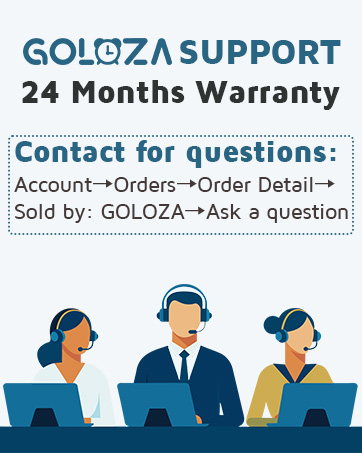
Figure 9: GOLOZA customer support contact method.
Related documentsLA-C337-Red

Ask a question about this manual
Ask about setup, troubleshooting, compatibility, parts, safety, or missing instructions. Manuals+ will review the question and use this page’s manual context to help answer it.