1. Product Overview
The Hikvision DS-KIS202T is a 7-inch analog video door phone kit designed for residential use. This kit includes an outdoor unit (DS-KB2411T-IM) and an indoor monitor (DS-KH2220), providing secure and convenient communication with visitors. It supports hands-free video intercom, remote unlocking, and monitoring of the external camera.
Key features include:
- 7-inch TFT LCD color display for clear video.
- Hands-free video intercom communication.
- Support for up to three indoor stations simultaneously.
- Monitoring of the outdoor unit and external analog cameras.
- Remote unlock function.
- Outdoor unit with self-adaptive IR supplement for night vision.
- Easy installation with a 4-wire connection.

Figure 1: Hikvision DS-KIS202T Video Door Phone Kit, featuring the indoor monitor displaying a family and the sleek outdoor unit.
2. Package Contents
Before installation, please verify that all components are present:
- 1 x DS-KH2220 Indoor Monitor (7-inch)
- 1 x DS-KB2411T-IM Outdoor Unit
- 1 x 5-meter 4-wire cable
- Mounting accessories (screws, wall plugs)
- User Manual (this document)
3. Setup and Installation
This section provides general guidelines for installing your Hikvision DS-KIS202T video door phone. Professional installation is recommended.
3.1 Safety Precautions
- Ensure power is disconnected before installation.
- Avoid installing the outdoor unit in direct sunlight or heavy rain.
- Do not expose the indoor monitor to high humidity or extreme temperatures.
- Use only the specified power adapter (12 VDC).
3.2 Component Identification

Figure 2: The Hikvision DS-KIS202T indoor monitor and outdoor unit, illustrating their relative sizes and placement near a door.
- Outdoor Unit (DS-KB2411T-IM): Equipped with a camera, microphone, speaker, call button, and IR illuminator.
- Indoor Monitor (DS-KH2220): Features a 7-inch display, physical buttons for operation, microphone, and speaker.
3.3 Wiring Diagram (4-Wire Connection)
The system uses a 4-wire interface for connection between the outdoor unit and the indoor monitor. These wires typically include:
- Video Input Channel
- Audio Input/Output Channel
- Power Supply Channel (12 VDC)
- Ground Channel
Connect the corresponding terminals on both units using the provided 4-wire cable. Ensure correct polarity for power connections.
Warning: Incorrect wiring can damage the device. Refer to the detailed wiring diagram in the full technical manual if available.
3.4 Mounting the Units
- Outdoor Unit: Mount the outdoor unit at a height that allows the camera to capture visitors' faces clearly (typically 1.4 to 1.6 meters from the ground). Use the provided screws and wall plugs.
- Indoor Monitor: Mount the indoor monitor in a convenient location inside your home, away from direct heat sources or moisture.
4. Operating Instructions
4.1 Receiving a Call
When a visitor presses the call button on the outdoor unit, the indoor monitor will ring and display the visitor's video feed. You can then:
- Answer: Press the "Answer" button (usually represented by a phone icon) on the indoor monitor to initiate hands-free two-way communication.
- Ignore: The call will automatically end after a set period if not answered.
4.2 Two-Way Communication
Once a call is answered, you can speak with the visitor through the integrated microphone and speaker on both units. The system supports noise suppression and acoustic echo cancellation for clear audio.
4.3 Remote Unlocking
During a call or while monitoring, press the "Unlock" button (often represented by a key icon) on the indoor monitor to remotely open an electronically controlled door lock (if connected to the outdoor unit's unlock control terminals).
4.4 Monitoring the Outdoor Unit
You can manually view the live video feed from the outdoor unit at any time without a visitor pressing the call button. Press the "Monitor" button (usually an eye icon) on the indoor monitor to activate this function.
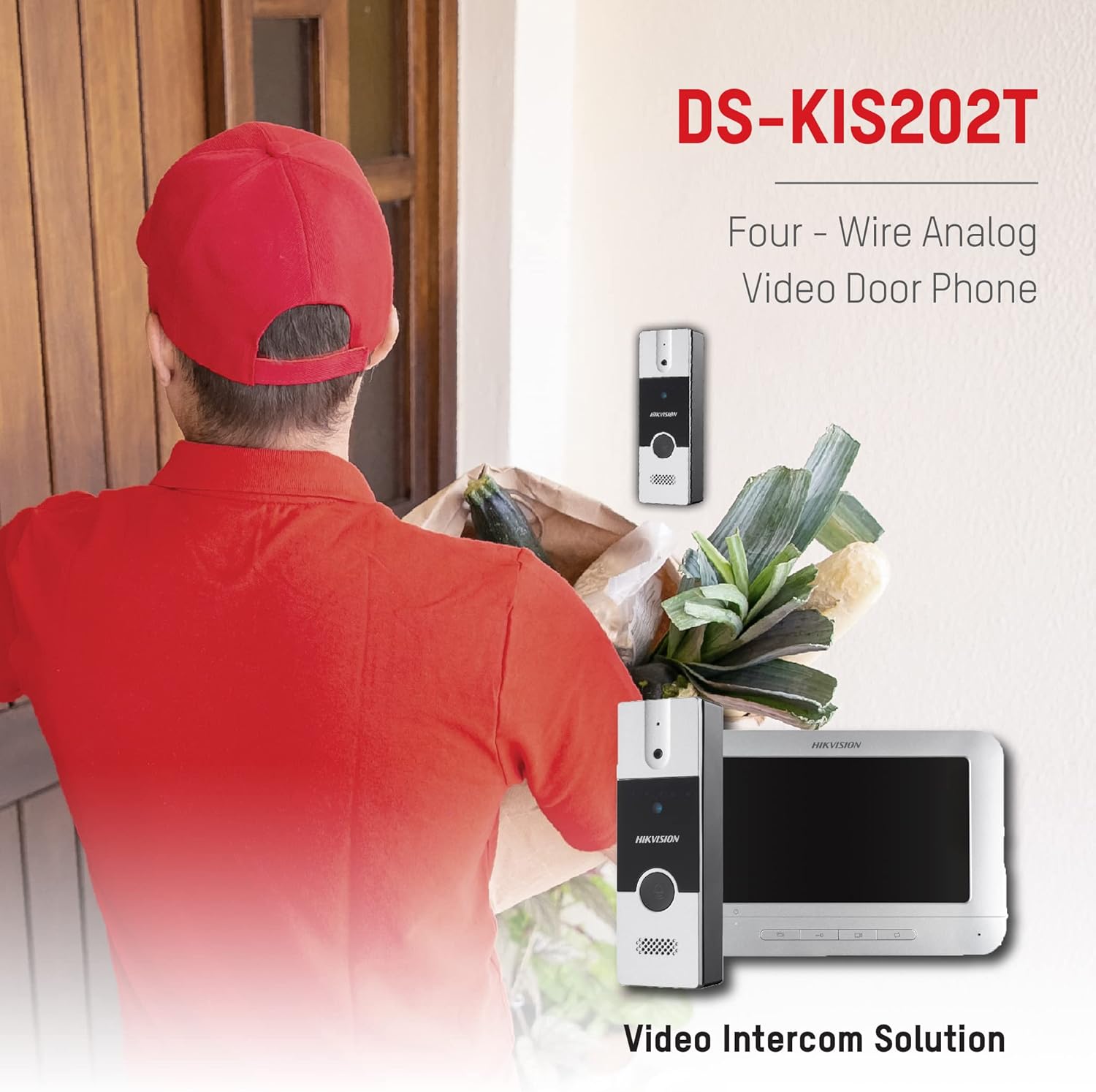
Figure 3: The Hikvision DS-KIS202T in operation, showing a delivery person at the door and the corresponding view on the indoor monitor.
4.5 Intercom Between Indoor Stations
If multiple indoor monitors are installed, they can communicate with each other. Refer to the specific instructions for initiating an intercom call between indoor stations.
5. Maintenance
- Cleaning: Use a soft, dry cloth to clean the indoor monitor and outdoor unit. Do not use abrasive cleaners or solvents.
- Environmental Conditions: Ensure the units operate within the specified temperature and humidity ranges (-10°C to +55°C, 10% to 90% humidity).
- Cable Inspection: Periodically check all wiring for signs of wear or damage.
- Firmware Updates: Check the Hikvision official website for any available firmware updates for improved performance and security.
6. Troubleshooting
| Problem | Possible Cause | Solution |
|---|---|---|
| No image on indoor monitor. |
|
|
| No sound during intercom. |
|
|
| Remote unlock not working. |
|
|
| Outdoor unit not ringing indoor monitor. |
|
|
7. Specifications
7.1 Indoor Monitor (DS-KH2220)
- Display Screen: 7-inch TFT Color LCD
- Display Resolution: 800 x 480
- Operation Method: Physical Button
- Audio Input: Built-in Omnidirectional Microphone
- Audio Output: Built-in Loudspeaker
- Audio Quality: Noise Suppression and Acoustic Echo Cancellation
- 4-Wire Interface: 4 interfaces (1-ch video input, 1-ch audio input/output, 1-ch power supply, 1-ch ground)
- Power Supply: 12 VDC
- Power Consumption: Max. 5W
- Operating Temperature: -10°C to +55°C (14°F to 131°F)
- Operating Humidity: 10% to 90%
- Dimensions (H x W x D): 133 mm x 197 mm x 14 mm
7.2 Outdoor Unit (DS-KB2411T-IM)
- Camera: 1/4" CMOS
- Resolution: 720 x 576
- Video Frame Rate: PAL: 25 fps
- Audio Input: Built-in Omnidirectional Microphone
- Audio Output: Built-in Loudspeaker
- Audio Quality: Noise Suppression and Acoustic Echo Cancellation
- Illumination Mode: Self-adaptive IR Supplement
- Call Button: One-touch call
- Unlock Control: Supported
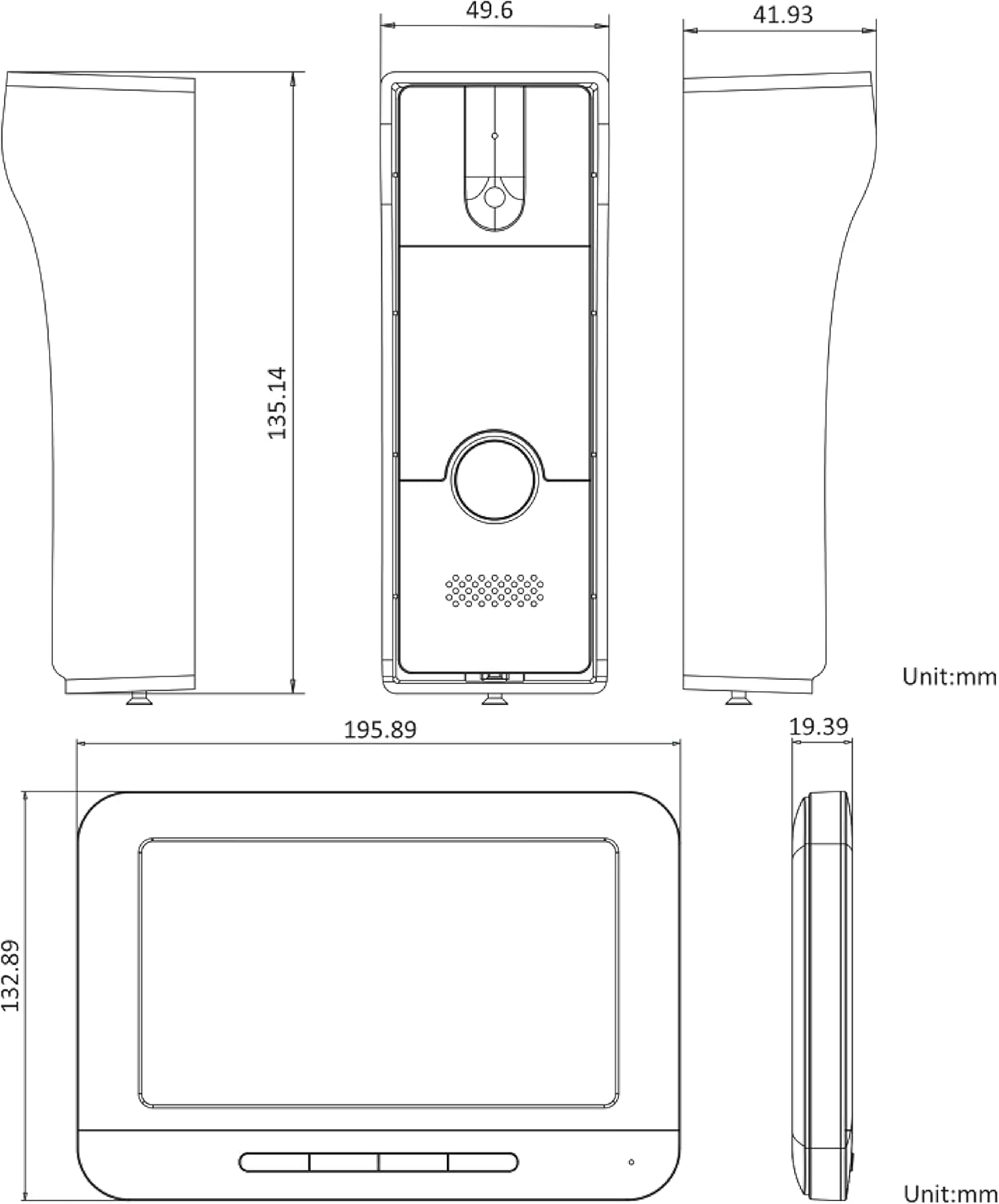
Figure 4: Detailed technical drawing showing the dimensions of both the indoor monitor and the outdoor unit of the Hikvision DS-KIS202T system.
8. Warranty and Support
Hikvision products typically come with a limited manufacturer's warranty. Please refer to the warranty card included with your product or visit the official Hikvision website for detailed warranty terms and conditions specific to your region.
For technical support, troubleshooting assistance, or service inquiries, please contact your local Hikvision dealer or authorized service center. You may also find additional resources, FAQs, and support documentation on the official Hikvision support website.
When contacting support, please have your product model number (DS-KIS202T) and serial number ready.


