
1. Introduction
Thank you for choosing the Ctronics 4K 8MP Security Camera. This manual provides detailed instructions for the installation, operation, and maintenance of your new surveillance camera. Designed for outdoor use, this camera offers advanced features to enhance your property's security.

Image: Ctronics 4K 8MP Security Camera Outdoor, showcasing its design and dual antennas.
2. Product Features
- 4K 8MP Ultra HD & 355° Pan and 90° Tilt: Experience crystal-clear 3840x2160P resolution, 1.6 times clearer than 5MP. Control the camera's pan (355°) and tilt (90°) remotely via the Ctronics Pro APP to cover wide areas.
- Intelligent Human/Vehicle Detection & Auto-Tracking: The camera can specifically identify people and vehicles, reducing false alarms from animals or shadows. Upon detection, it automatically tracks the target and sends real-time alerts to your phone.
- 65ft Color Night Vision & Two-Way Audio: Equipped with 12 spotlights and 12 infrared lights, providing 65ft color night vision or 82ft infrared night vision. The built-in microphone and speaker enable real-time two-way communication.
- Multi-User Sharing & Remote Access: Share surveillance footage with up to 4 users simultaneously. Compatible with iOS, Android, Mac, and Windows systems via "HIP2P" or "Ctronics" apps.
- Multiple Recording Options & IP66 Waterproofing: Supports 24/7 continuous recording or scheduled recording. Videos are stored on an SD card (up to 256GB, not included). IP66 rating ensures perfect operation in extreme weather (-10℃ to 55℃).
- 2.4/5Ghz Dual-Band WiFi: Provides excellent WiFi performance and a stronger network connection, adapting to different distances and transmission speeds.

Image: A young child in a field, demonstrating the camera's 4K 8MP Ultra HD image clarity.

Image: An outdoor patio scene with the camera mounted, illustrating its 355° pan and 90° tilt capabilities.

Image: A car and a person in a driveway, highlighting the camera's human and vehicle detection with auto-tracking features.
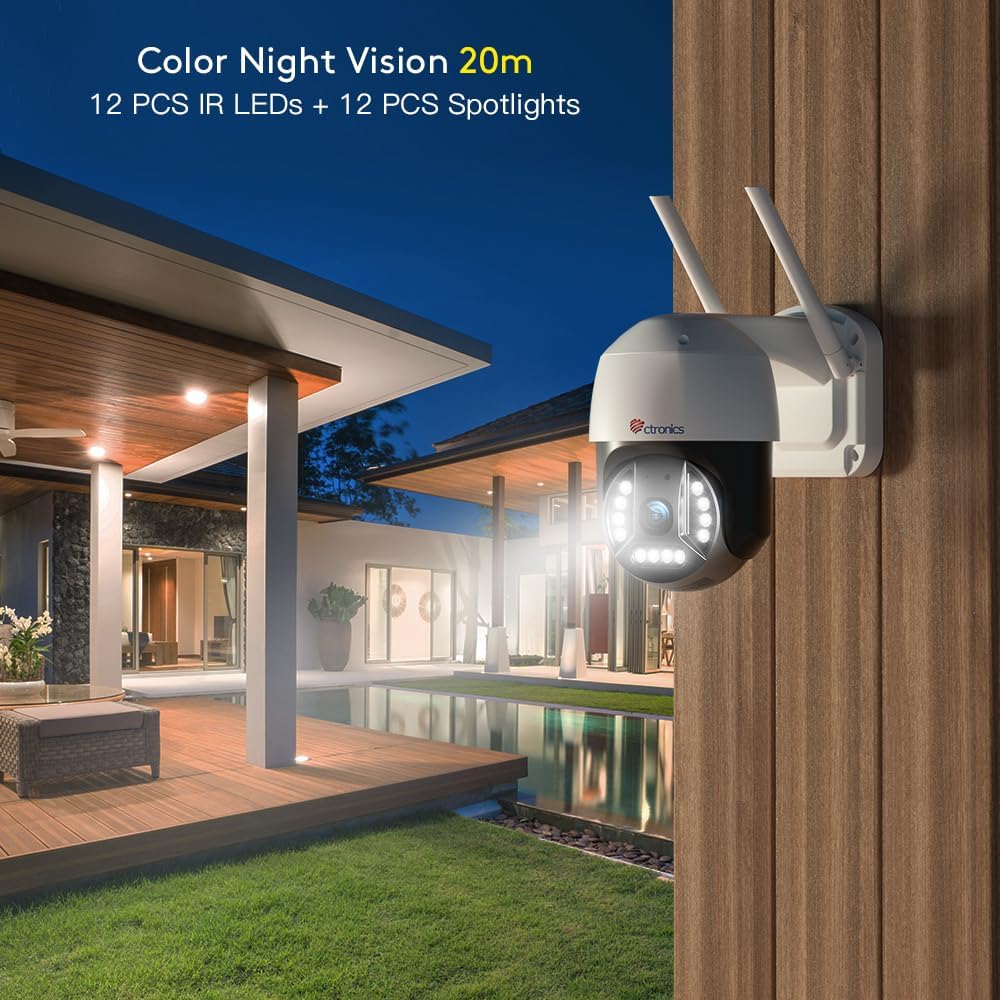
Image: An outdoor night scene with the camera's spotlights illuminating the area, demonstrating 20m color night vision.

Image: A split image showing a child speaking into a camera and a person on a laptop, illustrating two-way audio and multi-user sharing.

Image: Various devices (smartphone, tablet, laptop, desktop) displaying the camera's interface, highlighting broad compatibility.

Image: The camera mounted outdoors in the rain, with a temperature scale indicating its operating range from -10°C to 55°C, demonstrating IP66 waterproofing.

Image: A house with WiFi signals indicating 2.4Ghz and 5Ghz bands, showing the camera's dual-band WiFi capability.
3. Package Contents
- Ctronics 4K 8MP Security Camera
- Power Adapter
- Mounting Screws and Anchors
- Waterproof Kit for Network Cable
- Quick Start Guide
4. Setup
4.1 Physical Installation
- Choose a suitable outdoor location for mounting, ensuring a clear view and access to a power outlet.
- Use the provided mounting template (if included) to mark drill holes.
- Drill holes and insert wall anchors. Secure the camera's mounting bracket with screws.
- Connect the power adapter to the camera and plug it into a power source.
- For wired connection, connect an Ethernet cable to the LAN port and use the waterproof kit to protect the connection.
4.2 Network Connection & App Setup
- Download the Ctronics Pro APP (recommended) or HIP2P from your device's app store (iOS, Android) or the Ctronics website (Mac, Windows).
- Register an account and log in.
- Tap 'Add Camera' and follow the on-screen instructions to add your device. You may need to scan a QR code on the camera or manually enter its UID.
- For WiFi connection, select your 2.4Ghz or 5Ghz network and enter the password. Ensure your router is within range.
5. Operating
5.1 Live View & Playback
- Open the Ctronics Pro APP and select your camera to view the live stream.
- To adjust video resolution to 4K, tap the HD/SD icon in the lower right corner of the monitoring page and select 'HD'.
- Access recorded videos via the playback function in the app.

Image: Screenshots of the Ctronics app interface, showing how to select the camera and adjust video resolution to HD (4K).
5.2 Pan & Tilt Control
On the live view screen, use the directional controls to remotely pan the camera 355° horizontally and tilt it 90° vertically to cover desired areas.
5.3 Two-Way Audio
Tap the microphone icon in the app to speak through the camera's speaker. Tap the speaker icon to hear audio from the camera's microphone.
5.4 Night Vision Modes
The camera supports both color night vision (with spotlights) and infrared night vision. You can switch between these modes in the app settings based on your preference.
5.5 Smart Detection & Auto-Tracking
Enable human/vehicle detection in the app settings to receive specific alerts. Activate auto-tracking to have the camera follow detected subjects.
5.6 Recording Options
Configure continuous recording or set specific schedules for recording in the app. Ensure an SD card (not included) is inserted for local storage.

Image: Close-up of the camera's base showing the SD card slot for local video storage.
5.7 Multi-User Sharing
In the app, navigate to the sharing settings to invite other users to view your camera's feed. Up to 4 users can view simultaneously.

Image: A world map with connected user icons, illustrating the multi-user sharing capability of the camera.
6. Maintenance
- Cleaning: Gently wipe the camera lens and body with a soft, damp cloth. Avoid abrasive cleaners.
- IP66 Waterproofing: The camera is designed to withstand harsh weather conditions. Ensure all cable connections are properly sealed using the provided waterproof kit during installation.
- Operating Conditions: The camera operates effectively in temperatures ranging from -10℃ to 55℃ (14℉ to 131℉).
- SD Card Management: Regularly check the SD card status in the app. Format the SD card periodically to maintain optimal recording performance.
7. Troubleshooting
- Cannot see 4K resolution on Ctronics app: You can change your video resolution preference to HD in the lower right corner of the monitoring page. Resolution may be affected by network conditions.
- Connectivity Issues (2.4Ghz vs. 5Ghz WiFi): This camera supports both 2.4Ghz and 5Ghz WiFi networks. If the router and camera distance is far, 2.4Ghz WiFi is recommended for its longer connection distance. If they are closer, 5Ghz WiFi offers faster transmission speed.
- No Power: Ensure the power adapter is securely connected to both the camera and a working power outlet.
- No Recording: Check if an SD card is inserted and properly formatted. Verify recording settings in the app (24/7 or scheduled).
- False Alarms: Adjust detection sensitivity and set specific detection zones in the app to minimize false alarms caused by environmental factors.
8. Specifications
| Feature | Detail |
|---|---|
| Brand | Ctronics |
| Model Number | CTIPC-590C-EU |
| Video Capture Resolution | 4K (3840x2160P) |
| Effective Still Resolution | 8 MP |
| Pan/Tilt Range | 355° Pan, 90° Tilt |
| Night Vision Range | 65ft (Color), 82ft (Infrared) |
| Connectivity Technology | Wireless (2.4/5Ghz Wi-Fi), Wired (Ethernet) |
| Special Features | Night Vision, Motion Sensor, Human/Vehicle Detection, Auto-Tracking, Two-Way Audio |
| Indoor/Outdoor Usage | Outdoor |
| Water Resistance Level | IP66 Waterproof |
| Operating Temperature | -10℃ to 55℃ (14℉ to 131℉) |
| Storage | SD Card (up to 256GB, not included) |
| Power Source | Plug-in (12 Volts, 10 watts) |
| Item Dimensions L x W x H | 4.72 x 6.69 x 6.69 inches |
| Item Weight | 2.11 pounds |
9. Official Product Videos
9.1 Ctronics 4K 8MP Security Camera Outdoor Overview
Video: An official overview of the Ctronics 4K 8MP Security Camera, highlighting its key features and capabilities.
9.2 Convert High-definition video
Video: A short preview demonstrating the camera's ability to convert to high-definition video, showcasing clarity.
10. Warranty & Support
Ctronics products come with a standard manufacturer's warranty. For detailed warranty information, technical support, or any inquiries, please visit the official Ctronics store or contact their customer service directly.


