
GRECELL T-1000
GRECELL T-1000 Portable Power Station 1000W User Manual
Model: T-1000 | Brand: GRECELL
Introduction
The GRECELL T-1000 Portable Power Station is a high-capacity, versatile power solution designed to meet your energy needs on the go or during power outages. With a 999Wh capacity and 1000W pure sine wave AC output, it can reliably power a wide range of electronic devices and small appliances. This manual provides essential information on setting up, operating, maintaining, and troubleshooting your power station to ensure optimal performance and longevity.

Figure 1: GRECELL T-1000 Portable Power Station
Setup and Initial Charging
Before first use, fully charge your GRECELL T-1000 Portable Power Station. The unit can be charged via an AC wall outlet, a solar panel, or a car outlet. It is recommended to fully charge the unit before its first use to ensure optimal battery health.
Charging Methods:
- AC Wall Outlet: Use the provided AC charging cable and adapter. Full charge typically takes 7-8 hours.
- Solar Panel: Connect a compatible solar panel (not included) using the provided 7909 Solar Charging Cable. The built-in MPPT (Maximum Power Point Tracking) controller optimizes solar input. Charging time varies based on sunlight intensity (e.g., 150W solar panel takes 6-9 hours).
- Car Outlet: Use the provided car charging cable. Full charge typically takes 7-9 hours when the car is running.

Figure 2: Multiple Charging Options for Your Power Station
The unit features an LCD screen display that shows the battery level, power input/output in watts, and status indicators. Ensure the unit is fully charged (100%) before extended use.
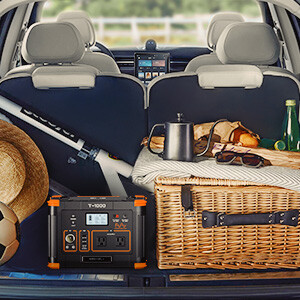
Figure 3: Included Accessories for the GRECELL T-1000
Operating the Power Station
The GRECELL T-1000 is designed for ease of use, allowing you to power up to 10 devices simultaneously, provided their combined wattage does not exceed 1000W.
Output Ports:
- AC Outlets (x2): 110V pure sine wave output, suitable for most household electronics.
- USB-C PD 60W Output (x1): For fast charging compatible smartphones, tablets, and laptops.
- USB-A QC 3.0 18W Outputs (x3): For quick charging various USB-powered devices.
- Wireless Charger (x1): 10W wireless charging pad on top for compatible devices. To activate, press the "POWER ON/OFF" button first, then press the "USB" button.
- Car Port (x1): 12V output for car appliances.
- DC Outputs (x2): 12V outputs for DC-powered devices.
Each output module (AC, USB, DC) has its own switch to control power delivery, preventing unnecessary battery drain. The LCD screen provides real-time information on battery percentage, power input (W), and power output (W) for each section (USB, DC, AC).

Figure 4: Powering Multiple Devices Simultaneously
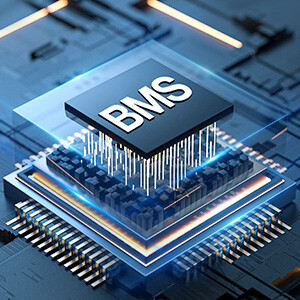
Figure 5: LCD Display Features
Built-in LED Light:
The power station includes a built-in LED light for illumination in low-light conditions. This feature is particularly useful during camping or power outages. Simply press the 'LIGHT' button to activate it.
Figure 6: Built-in LED Light for Convenience
Official Product Video:
Video 1: Official product overview of the GRECELL 999Wh Portable Power Station with AC 1000W Outlets, demonstrating its features and uses.
Maintenance and Care
The GRECELL T-1000 features an upgraded Battery Management System (BMS) and dual built-in cooling fans to ensure safe and efficient operation.
- Battery Management System: The BMS prevents overcharging, short-circuiting, and power surges, protecting both the power station and your connected devices. It also manages charging from solar panels to prevent circuit damage.
- Cooling Fans: Silent dual cooling fans are integrated to prevent overheating, automatically activating when necessary.
- Storage: Store the unit in a cool, dry place away from direct sunlight and extreme temperatures.
- Cleaning: Use a dry, soft, lint-free cloth to clean the unit. Do not use abrasive cleaners or solvents.

Figure 7: Upgraded Battery Management System and Cooling Fans
Troubleshooting
- Wireless Charger Not Working: Ensure the main "POWER ON/OFF" button is pressed, then activate the "USB" button. The wireless charging pad will not deliver power unless the USB section is explicitly turned on.
- Power Station Not Recharging/Turning On: If the unit does not recharge or turn on, first confirm that the AC socket on the wall and the AC charging cable are fully inserted. Check the battery pack wiring for good condition and ensure the switch is turned on. If the device cannot be charged immediately after being discharged, put it aside for an hour and try again, as it may have entered over-temperature protection.
- Inaccurate Battery Display: Some users have reported that the battery percentage display may not always be totally accurate when the battery is close to empty or full, sometimes jumping between percentages. This does not affect the station's functionality, but keep it in mind if precise numbers are critical.
Specifications
| Feature | Specification |
|---|---|
| Brand | GRECELL |
| Model Number | T-1000 |
| Product Dimensions | 11.6 x 7.9 x 7.9 inches |
| Item Weight | 17 pounds |
| Rated Output Power | 1000W (2000W surge) |
| Battery Capacity | 999Wh |
| AC Output Voltage | 110 Volts |
| Output Waveform | Pure Sine Wave |
| USB-C Output | PD 60W |
| USB-A Output | QC 3.0 18W (x3) |
| Wireless Charger | 10W |
| Recommended Uses | Commercial, Residential, Camping |
Warranty and Support
GRECELL products typically come with a manufacturer's warranty. For specific warranty details and duration, please refer to the warranty information provided with your purchase or contact GRECELL customer support directly. An extended protection plan may also be available for purchase.
For technical support, troubleshooting assistance, or warranty claims, please visit the official GRECELL website or contact their customer service team. Keep your purchase receipt handy for faster service.
Related documentsT-1000


Ask a question about this manual
Ask about setup, troubleshooting, compatibility, parts, safety, or missing instructions. Manuals+ will review the question and use this page’s manual context to help answer it.