1. Introduction
This manual provides detailed instructions for the setup, operation, and maintenance of your GardePro E8 WiFi Trail Camera. The GardePro E8 is designed for capturing wildlife images and videos, offering features such as Wi-Fi connectivity, high-resolution imaging, and robust night vision capabilities. Please read this manual thoroughly before using the camera to ensure proper functionality and longevity.
2. Product Overview
2.1 Key Features
- Wi-Fi and Bluetooth Connectivity: Connects to the GardePro Mobile app for camera operation within Wi-Fi signal range.
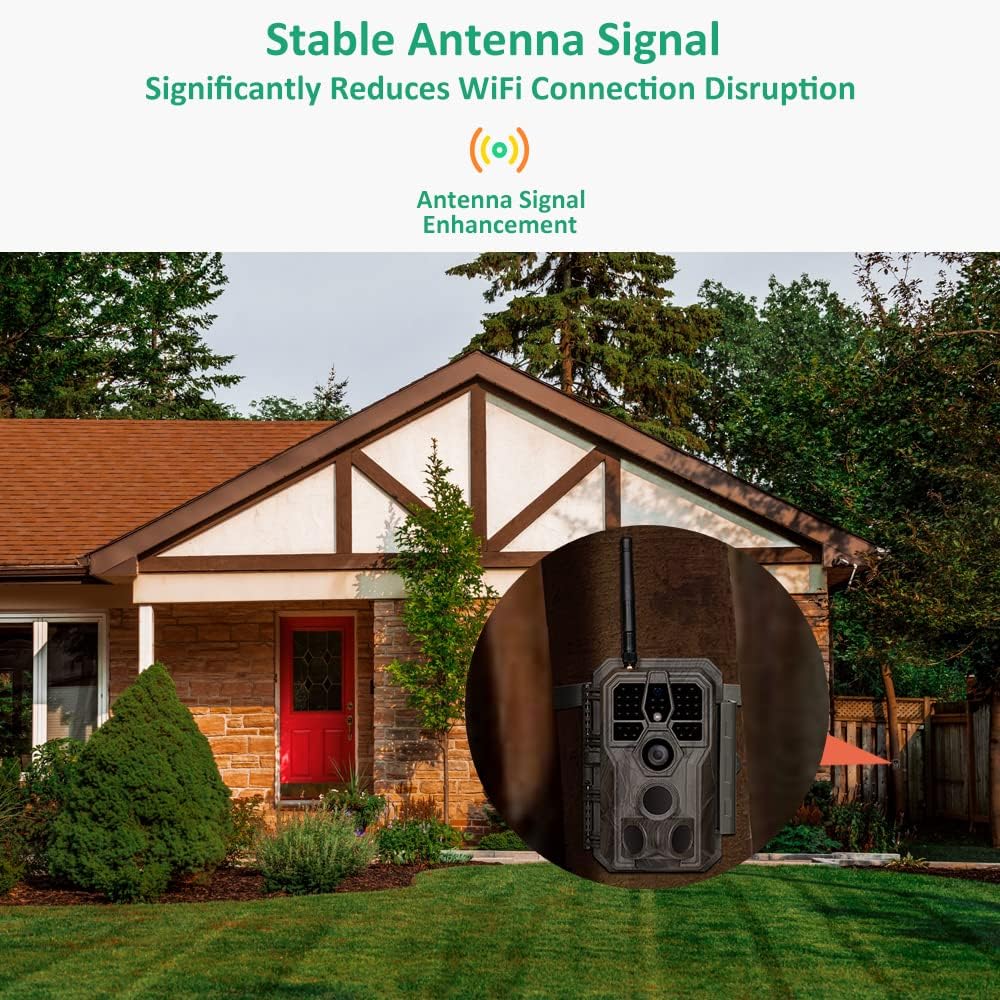
- Enhanced Wi-Fi Signal: Equipped with an antenna for stable Wi-Fi connection and data transmission.
- Advanced Video Recording: Records H.264 1296p or 1080p videos with sound, requiring less storage space. Allows seamless preview without prior download.
- Night Vision: Features 940nm infrared technology with adaptive illumination, providing night vision up to 100ft.
- High-Resolution Imaging: Captures up to 64MP pictures.
- Durable Design: IP66 waterproof rating.
- Motion Detection: 0.1s motion detection with 3 detection zones.
2.2 Camera Components
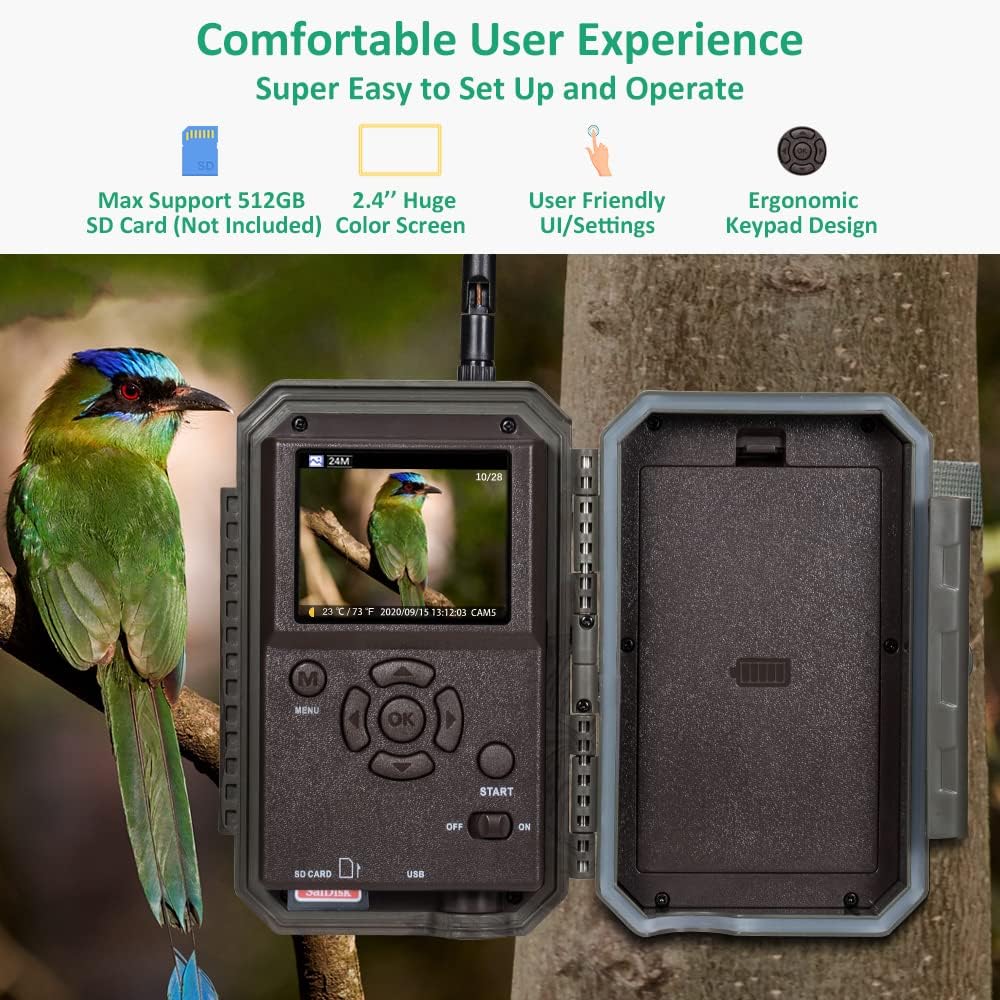
The GardePro E8 trail camera features a robust exterior and an intuitive internal interface.

When opened, the camera reveals its control panel and screen.

3. Setup
3.1 Battery Installation
- Open the camera housing.
- Insert 8 AA batteries into the battery compartment, ensuring correct polarity.
- Close the camera housing securely.
3.2 SD Card Installation
- Locate the SD card slot inside the camera.
- Insert a compatible SD card (up to 512GB, not included) into the slot until it clicks into place.
- It is recommended to format the SD card using the camera's menu before first use.
3.3 Mounting the Camera
The camera can be mounted using the included strap or a wall mount.

- Tree Mount: Thread the provided strap through the slots on the back of the camera and secure it around a tree or pole. Adjust the camera angle as needed.
- Wall Mount: Use a compatible wall mount (sold separately) to attach the camera to a flat surface.
3.4 App Installation
- Download the 'GardePro Mobile' app from your device's app store (available for Android and iOS).
- Install the app on your smartphone or tablet.
4. Operating Instructions
4.1 Powering On/Off
Locate the power switch inside the camera housing. Slide it to 'ON' to power on the camera or 'OFF' to power it off.
4.2 Basic Settings
Use the internal screen and navigation buttons to access the camera's menu. Set parameters such as date, time, capture mode (photo, video, or hybrid), and resolution.
4.3 Wi-Fi Connection and App Control
The GardePro E8 connects to your mobile device via Wi-Fi for remote control and file management.
- Ensure the camera is powered on.
- Open the GardePro Mobile app on your device.
- Follow the app's instructions to connect to the camera's Wi-Fi network. The camera's antenna provides a reliable signal.
- Once connected, you can adjust settings, preview images/videos, and download files directly to your phone.
4.4 Video Recording
The camera records H.264 video files in 1296p or 1080p resolution with audio. This format optimizes storage space and allows for direct preview within the app.
4.5 Night Vision
The E8 camera utilizes 940nm infrared technology for night vision, providing clear images in low-light conditions up to 100 feet without visible flash.

4.6 Motion Detection
The camera features a 0.1-second trigger speed and three motion detection zones to capture activity effectively.

5. Maintenance
5.1 Cleaning
- Gently clean the camera lens and IR LEDs with a soft, dry cloth.
- Wipe the camera housing with a damp cloth as needed. Avoid abrasive cleaners.
5.2 Battery Replacement
Replace batteries when the low battery indicator appears on the screen or in the app to ensure continuous operation.
5.3 SD Card Management
Regularly format the SD card to maintain optimal performance and prevent data corruption. Back up important files before formatting.
5.4 Waterproofing
The camera has an IP66 waterproof rating, protecting it from dust and strong jets of water. Ensure the housing is securely latched to maintain its waterproof seal.
6. Troubleshooting
- Camera Not Powering On: Check battery installation and ensure batteries are charged.
- Wi-Fi Connection Issues: Ensure you are within the camera's Wi-Fi range. Restart both the camera and your mobile device. Verify the GardePro Mobile app is up to date.
- Poor Image/Video Quality: Clean the camera lens. Check settings for resolution and night vision modes. Ensure sufficient lighting for daytime captures.
- Motion Detection Not Triggering: Adjust motion sensor sensitivity in the camera settings. Ensure the camera's field of view is clear of obstructions.
- SD Card Errors: Format the SD card using the camera's menu. If errors persist, try a different SD card.
7. Specifications
| Feature | Specification |
|---|---|
| Model Name | GardePro E8 |
| Image Resolution | Up to 64MP |
| Video Resolution | 1296p, 1080p (H.264) |
| Night Vision Range | 100 Feet |
| Trigger Speed | 0.1s |
| Detection Angle | 120 degrees (total with preactivated zones) |
| Water Resistance | IP66 Waterproof |
| Connectivity | Wi-Fi, Bluetooth |
| Storage | SD Card (up to 512GB, not included) |
| Power Source | Battery Powered (8 AA batteries) or Solar Powered with SP350 Solar Panel (Sold Separately) |
| Mounting Type | Wall Mount, Tree Mount |
| Operating Temperature | -20°C to 60°C (-4°F to 140°F) |
| Material | Acrylonitrile Butadiene Styrene (ABS) |
| Dimensions | 19.2 x 12.6 x 8.5 cm |
| Weight | 520 g |
8. Warranty and Support
The GardePro E8 WiFi Trail Camera typically includes a return policy of 30 days from the date of purchase. For specific warranty details, including duration and coverage, please refer to the product packaging or contact GardePro customer support directly. For technical assistance or further inquiries, please visit the official GardePro website or contact their support team.


