
1. Introduction
This manual provides comprehensive instructions for the setup, operation, and maintenance of your Jugeman Q23 Smart Watch. Designed for both men and women, this smartwatch features a 1.69" HD screen, activity tracking, heart rate and sleep monitoring, 25 sport modes, and IP68 waterproof rating. Please read this manual thoroughly to ensure proper use and to maximize the functionality of your device.

Image: The Jugeman Q23 Smart Watch, featuring a black strap and a rectangular display showing time, date, weather, and activity data.
2. What's Included
Upon opening the package, verify that all the following items are present:
- Jugeman Q23 Smart Watch (with strap)
- Magnetic Charging Cable
- User Manual
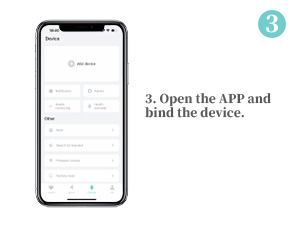
Image: The contents of the product box, showing the smart watch, its charging cable, and the user manual.
3. Setup Guide
3.1 Charging the Smart Watch
Before initial use, fully charge your smartwatch. Connect the magnetic charging cable to the charging points on the back of the watch. Plug the USB end of the cable into a standard USB power adapter (not included) or a computer's USB port. A full charge typically takes 1.5 to 2 hours.

Image: The back of the smart watch showing the magnetic charging cable attached to its charging pins.
3.2 Downloading the "Keep Health" App
To unlock all features and synchronize data, download the "Keep Health" app on your smartphone. Scan the QR code provided in the manual or search for "Keep Health" in your device's app store (Google Play Store for Android, Apple App Store for iOS).
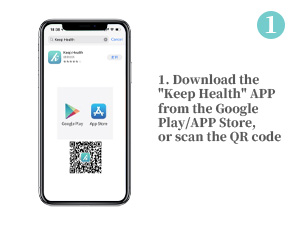
Image: A smartphone screen displaying the "Keep Health" app icon and a QR code for download from Google Play or the App Store.
3.3 Pairing with Your Smartphone
- Ensure your smartphone's Bluetooth is enabled.
- Open the "Keep Health" app.
- Navigate to the "Device" section within the app and select "Add device" or "Bind device".
- The app will search for nearby devices. Select "Q23-" from the list to connect.
- Follow any on-screen prompts to complete the pairing process.
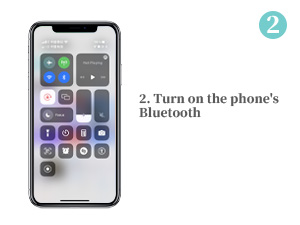
Image: A smartphone screen with its control center open, showing the Bluetooth icon highlighted, indicating it is enabled.
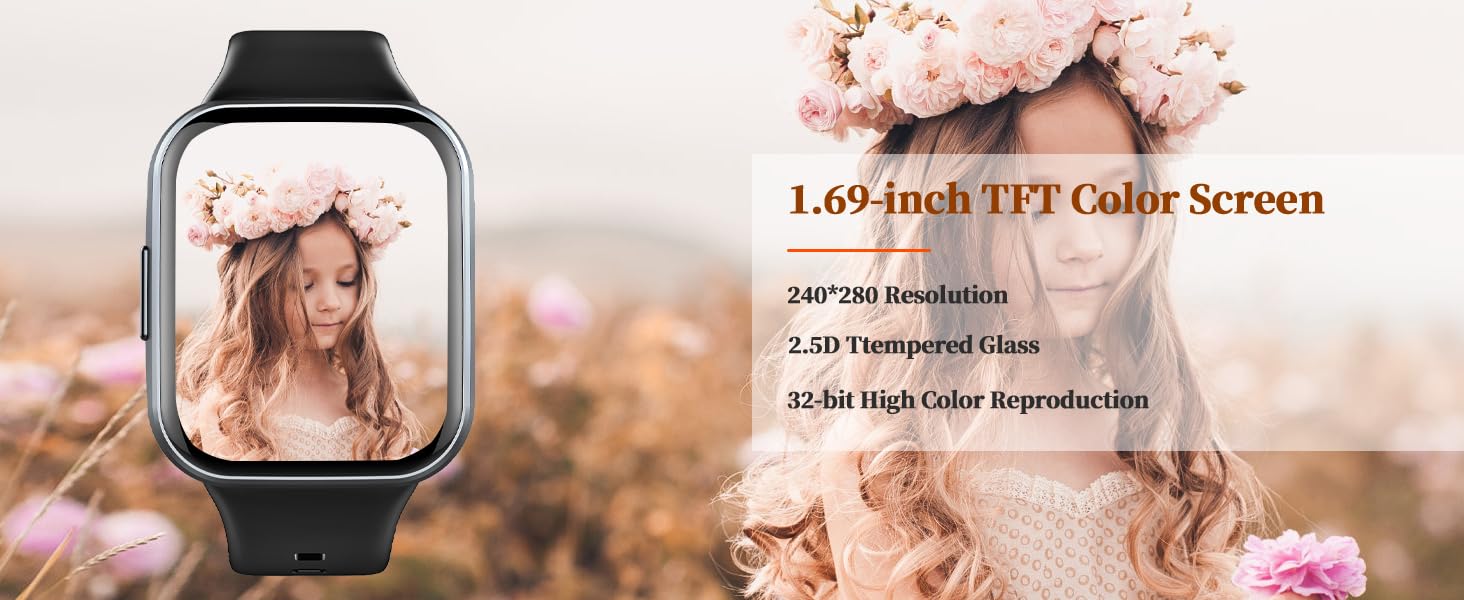
Image: A smartphone screen displaying the "Keep Health" app interface, showing options to add or bind a device, with the Q23 Smart Watch visible for connection.
4. Operating Your Smart Watch
4.1 Basic Navigation
The Jugeman Q23 Smart Watch features a full touch screen for easy navigation. Swipe left/right or up/down to access different functions and menus. The side button typically serves as a back button or to return to the main watch face.
4.2 Key Features
- Activity Tracking: The watch tracks daily activities such as steps taken, calories burned, and distance covered. This data is synchronized with the "Keep Health" app for detailed analysis.

Image: The smart watch screen showing icons for 25 sport modes and daily activity records like step count, calories, and distance.
- Heart Rate Monitoring: The watch continuously monitors your heart rate throughout the day. View real-time heart rate data on the watch or in the app for historical trends.

Image: A split image showing the smart watch monitoring heart rate on a person running and sleep patterns on a person sleeping, with corresponding data displays.
- Sleep Monitoring: Track your sleep patterns, including deep sleep, light sleep, and awake times. The app provides a detailed breakdown of your sleep quality.

Image: The smart watch screen showing sleep data, including total sleep time, and sleep/wake times.
- 25 Sport Modes: Choose from 25 different sport modes, including walking, running, cycling, yoga, and more. The watch provides real-time data specific to your chosen activity.
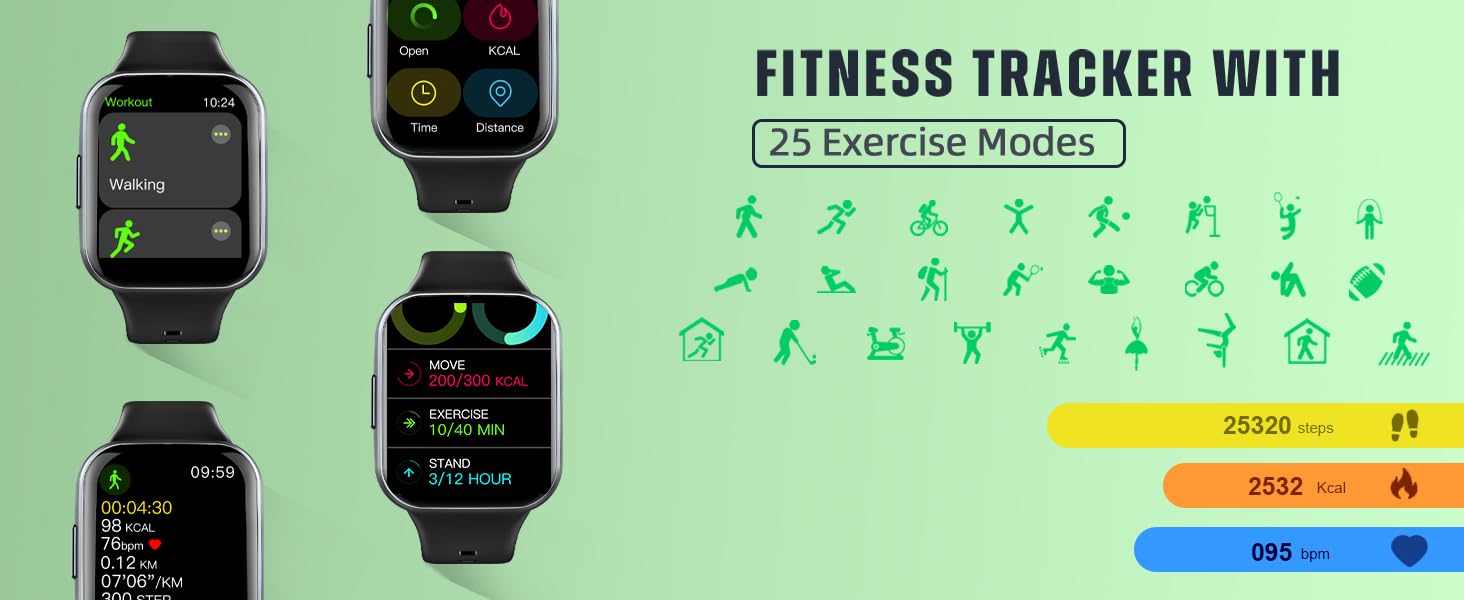
Image: The smart watch screen showing different workout modes and fitness data such as steps, calories, and heart rate.
- Notifications: Receive call, message, and social media notifications directly on your wrist. Ensure the app is running in the background and notification permissions are granted on your phone.
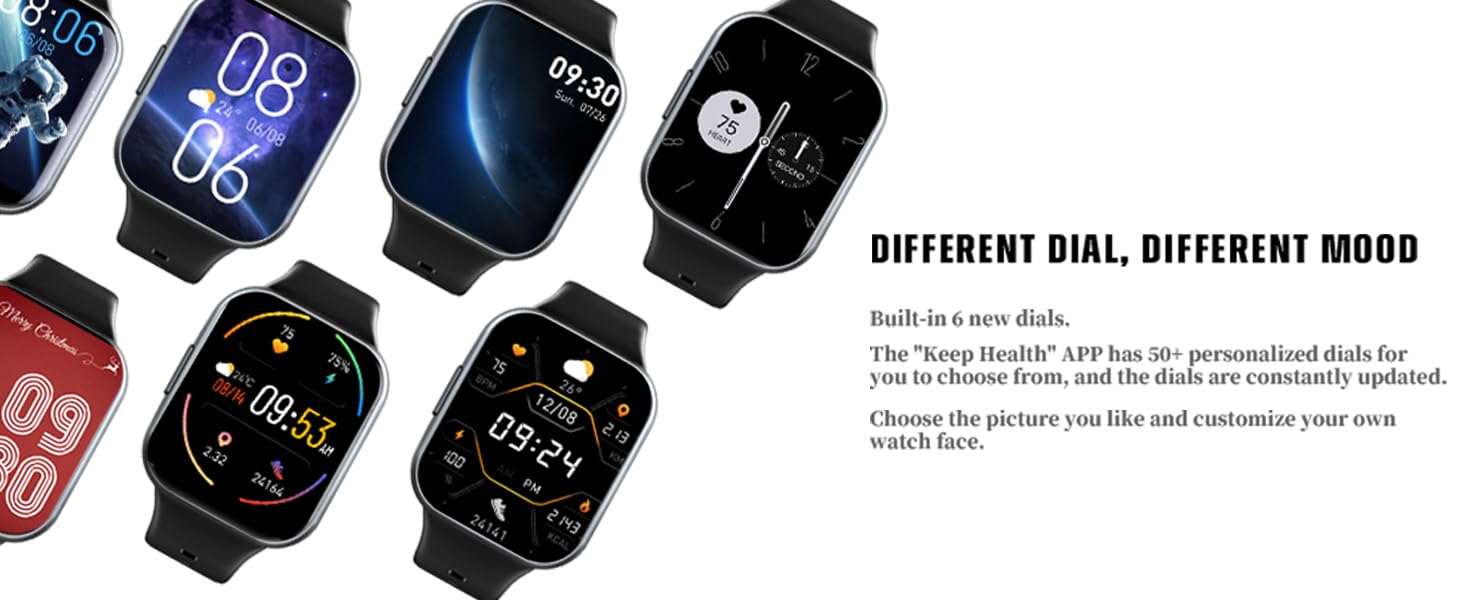
Image: A hand wearing the smart watch, which displays incoming social media notifications from various platforms like Facebook, Twitter, and Line.
- Additional Functions: The watch includes features such as weather display, alarm clock, music control, and remote camera control.
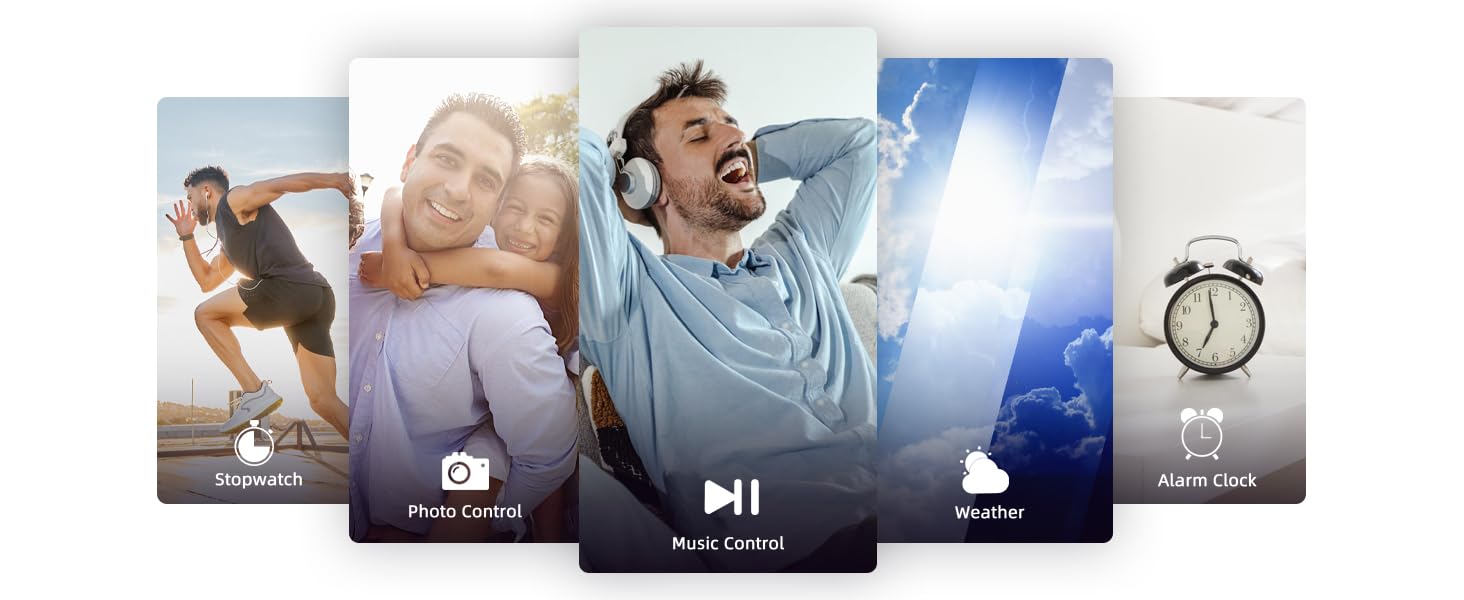
Image: A collage of smart watch screens showcasing different functions: stopwatch, photo control, music control, weather forecast, and alarm clock.
4.3 Watch Faces
Customize your watch's appearance with over 100 watch face styles available through the "Keep Health" app. You can also upload your own photos to create personalized watch faces.
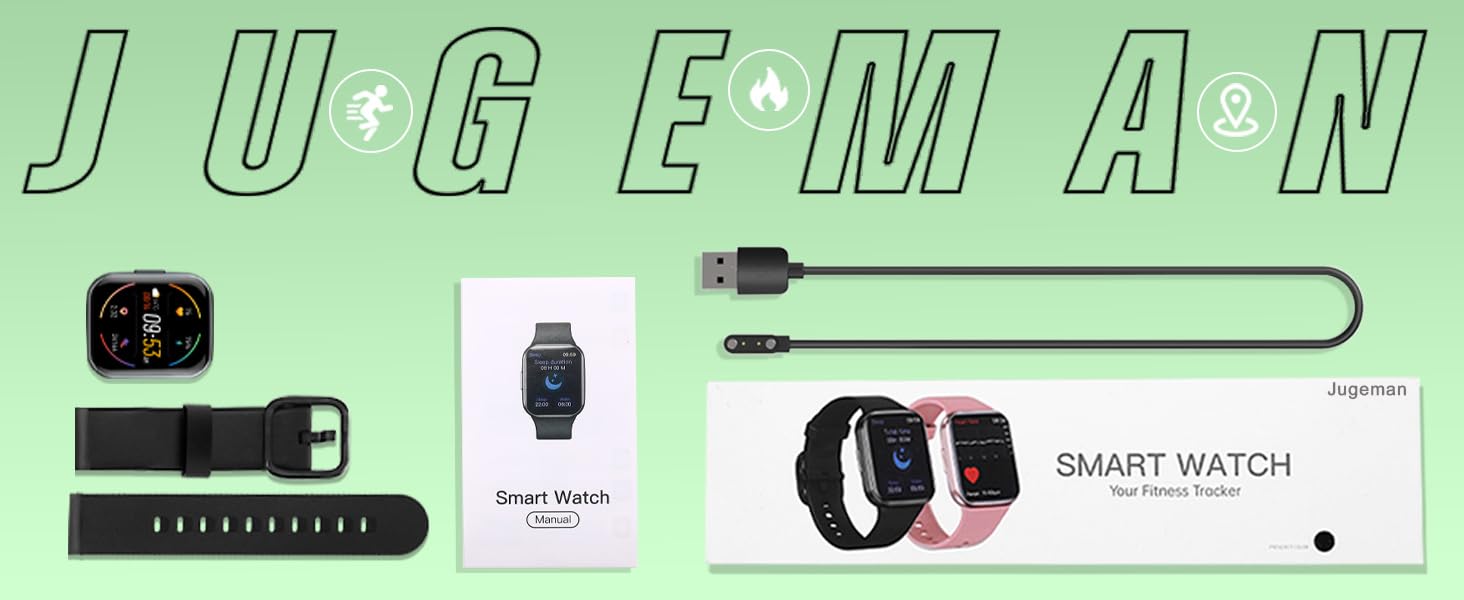
Image: A grid displaying numerous digital and analog watch face designs available for customization on the smart watch.
4.4 Product Features Video
Video: An official product video demonstrating the 1.69" HD screen, heart rate and sleep monitoring, 25 sport modes, and IP68 waterproof features of the Jugeman Smart Watch.
5. Maintenance
5.1 Water Resistance (IP68)
The Jugeman Q23 Smart Watch is IP68 waterproof, meaning it is resistant to dust and can withstand immersion in water up to 1.5 meters for up to 30 minutes. It is suitable for daily use, hand washing, and light rain. Avoid hot water, saunas, or diving, as steam and high pressure can compromise the seal.

Image: The smart watch partially submerged in water, with water droplets splashing around it, illustrating its IP68 waterproof capability.
5.2 Cleaning and Care
Regularly clean your watch and strap to prevent skin irritation and maintain device longevity. Wipe the screen and body with a soft, damp cloth. For the TPU strap, mild soap and water can be used. Ensure the watch is completely dry before charging or wearing.
5.3 Battery Care
To prolong battery life, avoid extreme temperatures. Charge the watch fully when the battery is low. The watch offers a super long battery life of up to 7 days of normal usage and 30 days of standby time.
6. Troubleshooting
- Watch not turning on: Ensure the watch is fully charged. Connect it to the charger and wait a few minutes before attempting to power it on again.
- Unable to pair with phone:
- Ensure Bluetooth is enabled on your phone and the watch is within range (8-10 meters).
- Restart both your phone and the watch.
- Make sure the "Keep Health" app is updated to the latest version.
- If previously paired, try unpairing the device from your phone's Bluetooth settings and then re-pairing through the app.
- Notifications not appearing:
- Verify that notification permissions are enabled for the "Keep Health" app in your phone's settings.
- Ensure the "Keep Health" app is running in the background.
- Check the app's settings to confirm which app notifications are enabled for the watch.
- Inaccurate heart rate/sleep data:
- Ensure the watch is worn snugly on your wrist, not too loose or too tight.
- Clean the sensor on the back of the watch.
- Environmental factors or movement during measurement can affect accuracy.
7. Specifications
| Feature | Detail |
|---|---|
| Model Number | Q23 |
| Screen Size | 1.69 Inches |
| Screen Type | TFT HD Color Screen, 2.5D Tempered Glass |
| Product Dimensions | 1.77 x 1.69 x 0.43 inches |
| Item Weight | 3.52 ounces |
| Water Resistance | IP68 |
| Battery Life (Normal Use) | Up to 7 days |
| Standby Time | Up to 30 days |
| Charging Time | 1.5 - 2 hours |
| Connectivity | Bluetooth |
| Compatibility | Android 4.0 and above, iOS 9.0 and above |
| Special Features | Activity Tracker, Sleep Monitor, Pedometer, Heart Rate Monitor, Notifications, Oxymeter (SpO2), 25 Sport Modes |
8. Warranty and Support
Your Jugeman Q23 Smart Watch comes with a standard manufacturer's warranty. For detailed warranty information, product support, or technical assistance, please refer to the contact information provided on the product packaging or visit the official Jugeman website. Keep your purchase receipt as proof of purchase for warranty claims.

