
HoTiyan B09V2BKCGH
HoTiyan Digital Voice Recorder User Manual
Model: B09V2BKCGH
Brand: HoTiyan
Introduction
This manual provides detailed instructions for the HoTiyan Digital Voice Recorder, a compact and portable audio recording device. It is designed for various applications including lectures, meetings, interviews, and classes, offering high-quality audio capture and convenient features. Please read this manual thoroughly before using the device to ensure proper operation and to maximize its capabilities.

Image: The HoTiyan Digital Voice Recorder, a sleek black rectangular device with a textured surface and an ON/OFF switch at the top. A small, round accessory, possibly a USB adapter, is shown in the foreground.
Key Features
- Excellent Sound Quality: Equipped with a professional microphone chip and advanced DSP noise cancellation technology, capturing audio at 1536kbps for clear recordings.
- User-Friendly One-Click Operation: Simple ON/OFF switch for instant recording and saving, designed for ease of use.
- Impressive 16GB Storage: Stores up to 999 audio files, equivalent to approximately 200 hours of 192kbps recording.
- Ultra-Long Battery Life: Features a rechargeable 2600mAh lithium battery, providing approximately 520 hours of continuous recording or 300 hours of playback. Standby time can reach 365 days.
- Automatic Save Function: Low battery automatic save function ensures recording safety.
- Fast File Transfer and OTG Connection: Easily transfer recordings to Mac or Windows computers via USB. Supports OTG connection for direct file transfer to mobile devices.
- Timestamp Organization: Files are organized with timestamps in YY/MM/DD/HH/MM/SS format.
- Voice Activated Recording (VOR): Automatically starts recording when sound is detected and pauses during silence, optimizing storage space.
- Powerful Magnetic Design: Can firmly attach to metal surfaces, capturing clear audio up to 65 feet away.

Image: Illustration highlighting HD Stereo Recording, Noise Reduction, and PCM Professional Chip capabilities of the device.

Image: Depiction of the 16GB storage capacity (represented by an SD card) and the 2600mAh rechargeable lithium battery, emphasizing long battery life.
Setup
1. Charging the Device
Before first use, fully charge the voice recorder. Connect the device to a computer's USB port or a USB wall adapter (not included) using the provided USB cable. The indicator light will show charging status and turn off when fully charged.
2. Powering On/Off
To power on the device, slide the ON/OFF switch to the "ON" position. To power off, slide the switch to the "OFF" position. Powering off automatically saves any active recording.
Operation
1. One-Click Recording
To start recording, simply slide the ON/OFF switch to the "ON" position. The device will begin recording immediately. To stop recording and save the file, slide the switch to the "OFF" position. Each recording will be saved as a separate file with a timestamp.

Image: A finger sliding the ON/OFF switch on the device, illustrating the one-key operation for starting recording ("ON") and saving ("OFF").
2. Voice Activated Recording (VOR)
The device supports Voice Activated Recording (VOR) mode. When VOR is enabled, the recorder will automatically start recording when it detects sound and pause when there is silence. This feature helps conserve storage space and battery life by avoiding recording silent periods.

Image: A visual representation of the voice activated recording feature, showing the device detecting sound waves from a microphone.
3. File Management and Playback
Recordings are saved as audio files on the device's internal 16GB storage. To access and manage your files:
- Connect to PC: Use the provided USB cable to connect the recorder to your Windows or Mac computer. The device will appear as a removable disk. You can then copy, move, or delete files as needed.
- OTG Connection (for Mobile Devices): For Android phones with OTG functionality, you can use an OTG adapter (not included) to connect the recorder directly to your phone. This allows for quick file transfer and playback on your mobile device.
- Playback: Playback of recorded files can be done on your computer or mobile device using standard audio playback software. The device itself does not have a built-in speaker or screen for direct playback.
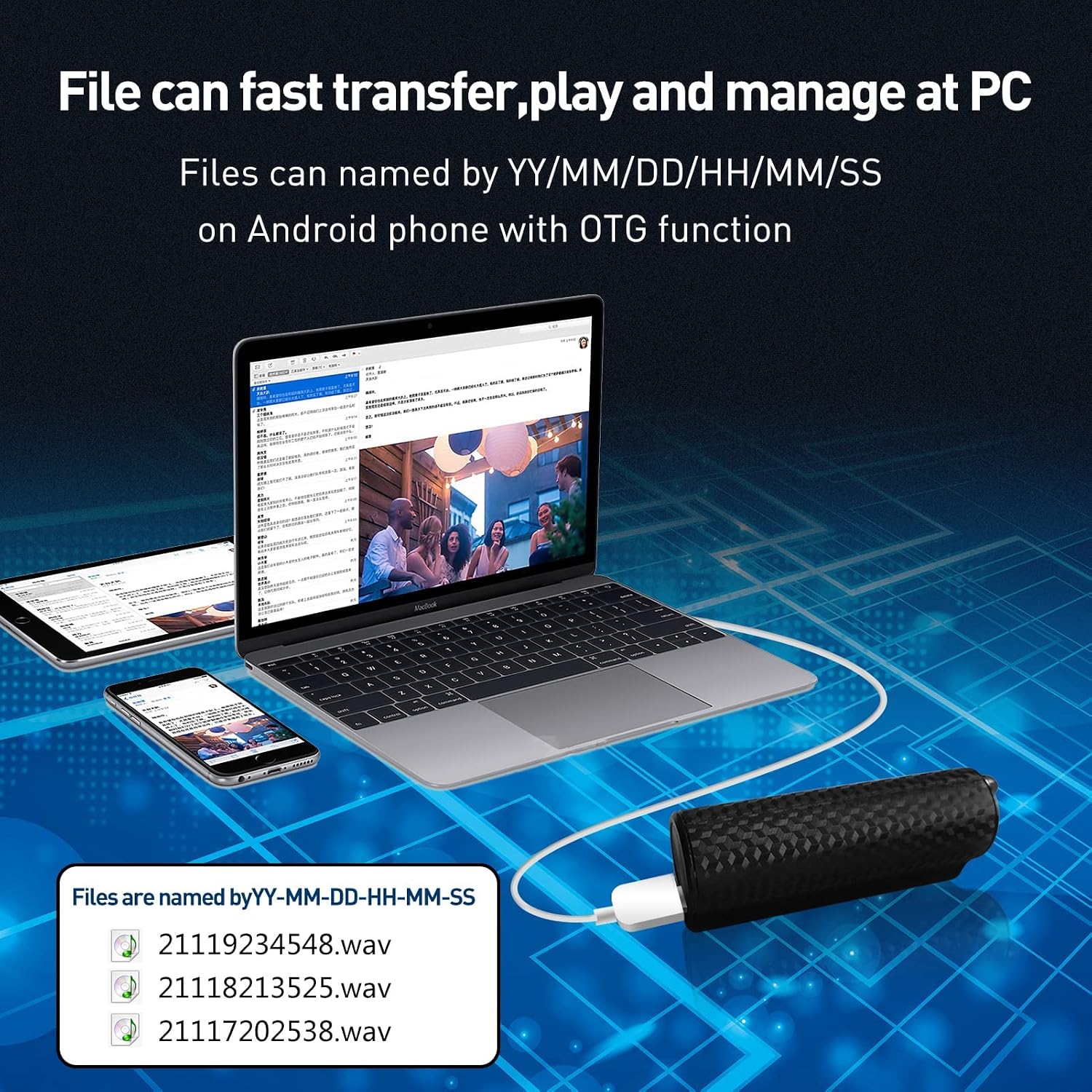
Image: Illustration showing the digital voice recorder connected via USB to a laptop, with a smartphone also connected via OTG, demonstrating file transfer and management capabilities.
Files are named with timestamps (YY/MM/DD/HH/MM/SS) for easy organization.
4. Magnetic Attachment
The recorder features a powerful magnet, allowing it to be securely attached to any metal surface. This is useful for discreet placement and capturing audio from a distance, up to 65 feet from the speaker.

Image: The digital voice recorder shown attached to various metal surfaces (under a table, in a file cabinet, under a car seat) and in different scenarios (interview, classroom, meeting, lecture), highlighting its strong magnetic feature and wide range of applications.
Maintenance
- Keep the device dry. Avoid exposure to water or high humidity.
- Do not expose the device to extreme temperatures (hot or cold).
- Clean the device with a soft, dry cloth. Do not use harsh chemicals or abrasive cleaners.
- Avoid dropping or subjecting the device to strong impacts.
- Store the device in a cool, dry place when not in use for extended periods.
Troubleshooting
| Problem | Possible Cause | Solution |
|---|---|---|
| Device does not power on. | Battery is depleted. | Charge the device fully using the provided USB cable. |
| Cannot record. | Device storage is full. | Connect to a computer and delete unnecessary files to free up space. |
| Poor recording quality. | Device too far from sound source; high background noise. | Place the recorder closer to the sound source. Reduce environmental noise if possible. |
| Device not recognized by computer. | Faulty USB cable; incorrect USB port; driver issue. | Try a different USB cable or USB port. Restart your computer. Ensure the device is powered on when connected. |
| Voice Activated Recording (VOR) not working as expected. | Ambient noise too low or too high; VOR sensitivity setting. | Ensure the sound level is sufficient to trigger VOR. Check if there are any settings for VOR sensitivity (if applicable, though not specified in this model's features). |
Specifications
| Feature | Detail |
|---|---|
| Product Dimensions | 3 x 1.3 x 1.3 inches |
| Item Weight | 4.2 ounces (118 Grams) |
| ASIN | B09V2BKCGH |
| Battery Type | 1 Lithium Polymer battery (2600mAh) |
| Memory Storage Capacity | 16 GB |
| Recording Quality | 1536kbps (up to 200 hours at 192kbps) |
| Continuous Recording Time | Approx. 520 hours |
| Playback Time | Approx. 300 hours |
| Standby Time | Up to 365 days (fully charged) |
| Hardware Interface | USB |
| Microphone Form Factor | Built-In |
| Compatible Devices | Personal Computer (Mac/Windows), Android mobile devices (with OTG) |
| Country of Origin | China |
Ask a question about this manual
Ask about setup, troubleshooting, compatibility, parts, safety, or missing instructions. Manuals+ will review the question and use this page’s manual context to help answer it.