
GreenForest Noyer
GreenForest No Assembly Folding Desk User Manual
Model: Noyer
1. Introduction
Thank you for choosing the GreenForest No Assembly Folding Desk. This compact and versatile 2-tier desk is designed for efficiency and convenience, making it ideal for small spaces such as home offices, dorm rooms, or apartments. Its innovative design requires no assembly, allowing for quick setup and easy storage.
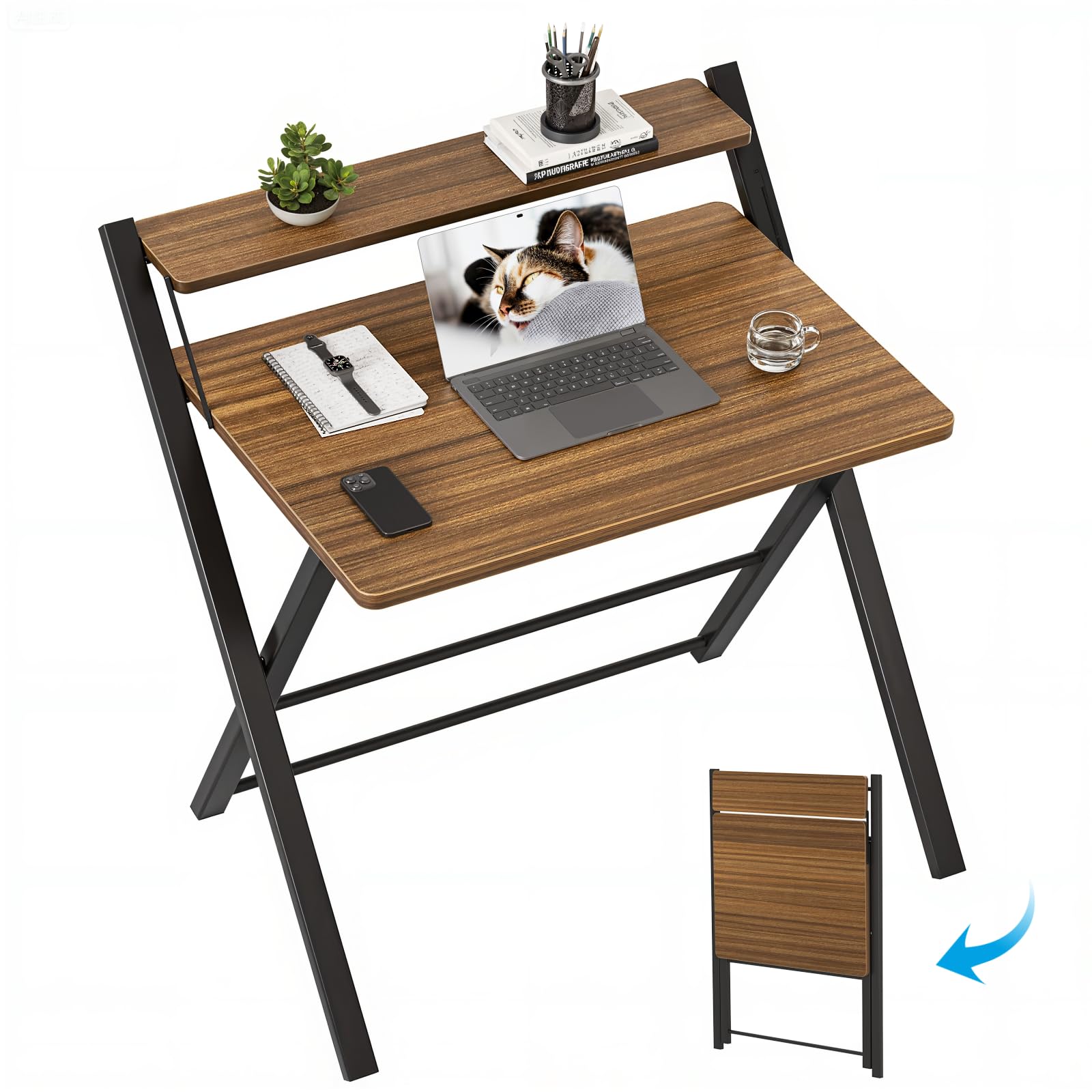
Figure 1: GreenForest No Assembly Folding Desk in use.
2. Key Features
- No Assembly Needed: Ready to use out of the box, no screws or tools required. Folds open in seconds.
- Smarter Storage: Built-in shelf provides additional space for books, plants, or accessories, helping to keep your desktop organized.
- Strong Frame, Stable Support: Features X-shaped metal legs and a solid desktop for a sturdy and wobble-free workspace.
- Compact Fit, Versatile Style: Designed for tight corners, fitting seamlessly into various room types while offering a minimalist aesthetic.
- Fold Flat, Store Anywhere: Folds down to just 1.5 inches thick for easy storage under beds, sofas, or behind doors.
3. Setup Instructions
The GreenForest Folding Desk requires no assembly. Simply unfold it to begin use.
Unfolding the Desk:
- Carefully remove the desk from its packaging.
- Place the folded desk on its side.
- Gently pull out the tabletop a little.
- Hold the two legs and pull them out opposite each other until the desk is fully extended.
- Flip the desk upright. Ensure all legs are stable and locked into position before placing any items on it.

Figure 2: Quick unfolding process of the desk.

Figure 3: Desk in folded and unfolded configurations.
Video Guide:
Video 1: Demonstrates the unfolding and folding process of the GreenForest desk.
4. Operating Instructions
The GreenForest Folding Desk is designed for versatile use in various settings.
Using the 2-Tier Design:
The upper shelf is ideal for placing monitors, small plants, or office supplies, elevating your screen to a comfortable viewing height and freeing up space on the main desktop.

Figure 4: Desk set up with a laptop and monitor on the upper tier.

Figure 5: Detailed view of the smart shelf design.
Stability and Safety:
The X-shaped metal frame provides robust support, ensuring the desk remains stable during use. The desktop features curved edges to prevent accidental injuries.

Figure 6: Features highlighting curved edges and stable X-frame.
5. Maintenance
To maintain the quality and appearance of your GreenForest Folding Desk, simply wipe it with a dry cloth. Avoid using harsh chemicals or abrasive cleaners that could damage the finish.
6. Storage
When not in use, the desk can be easily folded flat for convenient storage.
Folding the Desk for Storage:
- Remove all items from the desk surfaces.
- Locate the folding mechanism (typically a bar or latch) underneath the main desktop.
- Engage the mechanism to release the legs and fold the desk inwards until it is flat.
- The desk folds to a thickness of approximately 1.5 inches, allowing it to be stored in narrow spaces, such as behind a door, under a bed, or in a closet.

Figure 7: Compact dimensions for easy storage.

Figure 8: Desk stored discreetly behind furniture.
Video Guide:
Video 2: Demonstrates the unfolding and folding process of the GreenForest desk.
7. Specifications
| Feature | Detail |
|---|---|
| Brand | GreenForest |
| Model Number | Noyer |
| Product Dimensions | 22"D x 27.3"W x 31.9"H |
| Color | Walnut |
| Style | Modern |
| Top Material Type | Engineered Wood |
| Base Material | Metal (X-shaped legs) |
| Special Feature | Folding, 2-Tier Shelf |
| Number Of Shelves | 2 |
| Maximum Weight Recommendation | 45 Kilograms |
| Required Assembly | No |
8. Safety Information
- Always ensure the desk is fully extended and stable before use.
- Do not place heavy items on the desk that could cause it to tip over.
- Keep the desk away from heat sources.
- Avoid placing the desk in high-traffic areas to prevent accidents.
- The maximum weight recommendation for this desk is 45 kg.
9. Troubleshooting
If you encounter any issues with your GreenForest Folding Desk, please review the setup and operating instructions. Ensure the desk is properly unfolded and all support mechanisms are engaged. For persistent problems, please contact customer support.
10. Warranty and Support
This product comes with a limited warranty. For warranty details, product support, or to report any issues, please refer to the contact information provided with your purchase or visit the official GreenForest website.
Related documentsNoyer

Ask a question about this manual
Ask about setup, troubleshooting, compatibility, parts, safety, or missing instructions. Manuals+ will review the question and use this page’s manual context to help answer it.