
1. Product Overview
The Waveshare CH343 USB to TTL UART Communication Module is designed for stable and reliable serial communication between a computer and various devices. It features the new CH343G chip, offering higher data rates up to 6Mbps and support for multiple serial port IO levels (5V / 3.3V / 2.5V / 1.8V). This module is compatible with a wide range of operating systems, including Mac, Linux, Android, and Windows 7/8/8.1/10/11. Its robust design includes resettable fuse, transient voltage suppressor, and IO protection circuits for enhanced safety and performance.

Figure 1: Waveshare CH343 USB to TTL UART Communication Module (Type A)
2. Package Contents
Verify that all items listed below are included in your package:
- CH343 USB UART Board (Type A) x1
- 6-pin squid wire x1

Figure 2: Package Contents
3. Key Features
- Adopts the new version CH343G chip, supporting higher data rates (up to 6Mbps) and more serial port IO levels (5V / 3.3V / 2.5V / 1.8V) compared to CH340G.
- Compatible with Mac, Linux, Android, Windows 7/8/8.1/10/11 operating systems.
- Features a double-sided black immersion gold process for durability and aesthetic appeal.
- Integrated resettable Fuse and Transient Voltage Suppressor (TVS) for protection against overcurrent, overvoltage, surge, and static, enhancing shock resistance and communication stability.
- Onboard IO protection circuits provide anti-surge and anti-static capabilities, ensuring stable and safe communication.
- Includes 3.3V and 5V TTL level switch pins for selecting the appropriate communication level.
- Supports 3.3V/5V output (when powered by USB, the onboard jumper must be shorted to the corresponding voltage).

Figure 3: Features at a Glance
4. Technical Specifications
| Feature | Description |
|---|---|
| Host Interface | USB |
| Device Interface | UART |
| Communication Range | 50bps ~ 6Mbps |
| USB Device Interface | Connector: USB Type-A; Protection: Resettable Fuse, ESD protection |
| UART Interface | Connector: 6-pin right-angle pinheader; Protection: IO protection diode |
| Operating Systems | Mac, Linux, Android, Windows 7/8/8.1/10/11 |

Figure 4: Technical Specifications Table
5. Setup and Installation
5.1 Driver Installation
Before connecting the module to your computer, it is recommended to install the necessary drivers. The CH343G chip requires specific drivers for proper functionality across different operating systems. Please visit the Waveshare official website or the product page for the latest driver downloads compatible with your operating system (Windows, Mac, Linux, Android).
5.2 Hardware Connection
Connect the CH343 USB UART module to your computer's USB port. The module will draw power from the USB connection. Use the provided 6-pin squid wire to connect the module's UART interface to your target device. Ensure correct pin connections (VCC, GND, TXD, RXD, RTS#, CTS#) as detailed in the pinout definition.

Figure 5: Interface Introduction and Pinouts Definition
The module can be directly plugged into a USB port on your computer or a USB hub. Observe the LED indicators for power and data transmission status.

Figure 6: Module Connected to a Laptop
6. Operation
6.1 TTL Level Selection
The module supports multiple TTL communication levels. Use the onboard jumper to select between 3.3V and 5V for the VCC output and TTL signal levels. Ensure the jumper is correctly positioned to match the voltage requirements of your target device to prevent damage.
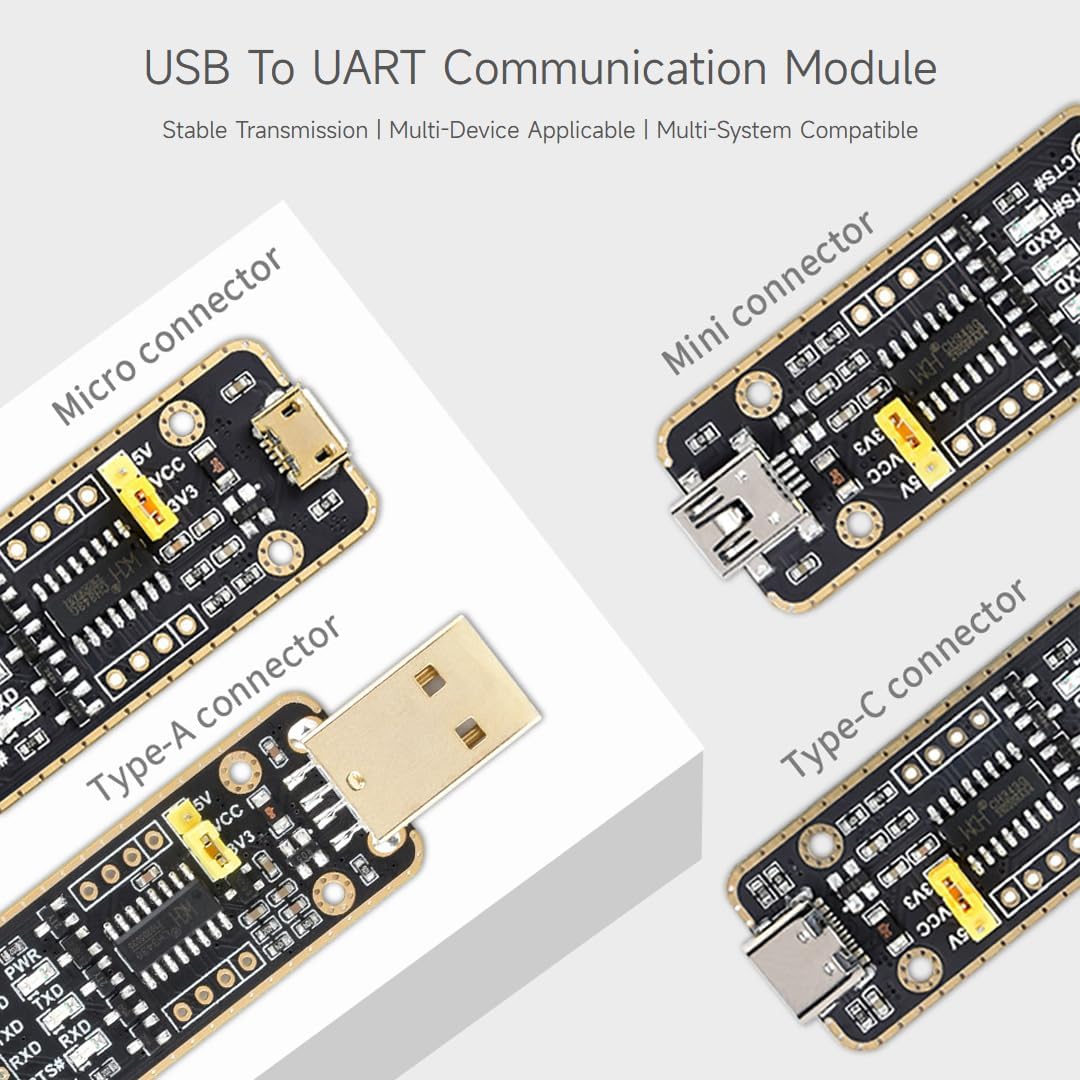
Figure 7: TTL Level Selection Jumper
6.2 LED Indicators
The module is equipped with three LED indicators to monitor its operating status:
- PWR: Power indicator. Illuminates when voltage is detected from the USB interface.
- RXD: Receiving indicator. Flashes when data is being received from the device interface.
- TXD: Sending indicator. Flashes when data is being sent from the USB interface.

Figure 8: LED Indicators
7. Protection Features
The CH343 USB UART module incorporates multiple protection circuits to ensure safe and stable operation:
- Resettable Fuse: Protects against overcurrent conditions, automatically resetting once the fault is cleared.
- Transient Voltage Suppressor (TVS): Prevents high voltage backflow and protects against voltage spikes.
- IO Protection Circuits: Guards against surge and electrostatic discharge (ESD), maintaining stable communication performance.

Figure 9: Multiple Protection Circuits
8. System Compatibility
The Waveshare CH343 USB to TTL UART Communication Module offers broad compatibility with popular operating systems, ensuring versatility for various development and application environments:
- Windows (7/8/8.1/10/11)
- Mac OS
- Linux
- Android

Figure 10: Multiple Systems Support
9. Outline Dimensions
Refer to the diagram below for the physical dimensions of the CH343 USB UART module. All measurements are in millimeters (mm).

Figure 11: Outline Dimensions
10. Troubleshooting
If you encounter issues with your CH343 USB UART Communication Module, consider the following troubleshooting steps:
- No Power (PWR LED off): Ensure the module is securely plugged into a functional USB port. Try a different USB port or cable.
- Communication Failure:
- Verify that the correct drivers are installed for your operating system.
- Check the pin connections (TXD, RXD, GND) between the module and your target device. Ensure TXD on one device is connected to RXD on the other, and vice-versa.
- Confirm that the TTL level selection jumper (3.3V/5V) matches the voltage requirements of your target device.
- Check the baud rate settings in your serial terminal software; they must match the target device's settings.
- Ensure the target device is powered on and functioning correctly.
- Intermittent Connection: Check for loose connections. Ensure the USB cable is not damaged.
- Device Not Recognized: Reinstall the drivers. Try connecting to a different computer to rule out system-specific issues.
11. Maintenance
To ensure the longevity and optimal performance of your Waveshare CH343 USB to TTL UART Communication Module, follow these maintenance guidelines:
- Keep the module in a clean, dry environment, away from dust, moisture, and extreme temperatures.
- Avoid exposing the module to strong electrostatic fields.
- Handle the module by its edges to prevent damage to components or pins.
- Do not attempt to disassemble or modify the module, as this may void the warranty and cause damage.
12. Warranty and Support
Waveshare products are designed for reliability and performance. For warranty information, technical support, or further assistance, please visit the official Waveshare website or contact their customer service. Keep your purchase receipt for warranty claims.
13. Product Video
Video 1: Overview of the CH343 USB UART Board series, demonstrating key features and different connector types.


