
OnePlus E305A
OnePlus Bullets Wireless Z2 User Manual
Model: E305A
Introduction
The OnePlus Bullets Wireless Z2 are in-ear Bluetooth earphones designed for high-quality audio playback and convenient wireless use. Featuring 12.4mm dynamic drivers for deep bass and a long-lasting battery, these earphones are built for extended listening sessions. This manual provides essential information for setting up, operating, maintaining, and troubleshooting your device.

Figure 1: OnePlus Bullets Wireless Z2 Earphones
What's in the Box
Verify that all items are present in the package:
- 1x Pair of OnePlus Bullets Wireless Z2 Earphones
- 3x Silicone Eartips (Sizes S, M, L)
- 1x USB Charging Cable (Type-C)
- 1x User Guide (This document)
- 1x Safety and Warranty Card
Product Overview
Familiarize yourself with the components of your OnePlus Bullets Wireless Z2 earphones.

Figure 2: Inline Control Module
- Earbuds: Equipped with 12.4mm dynamic drivers and magnetic backs for auto-play/pause.
- Neckband: Flexible band that rests around the neck, housing the battery and main electronics.
- Inline Control Module: Contains volume buttons, multi-function button, and microphone.
- USB Type-C Port: For charging the earphones.
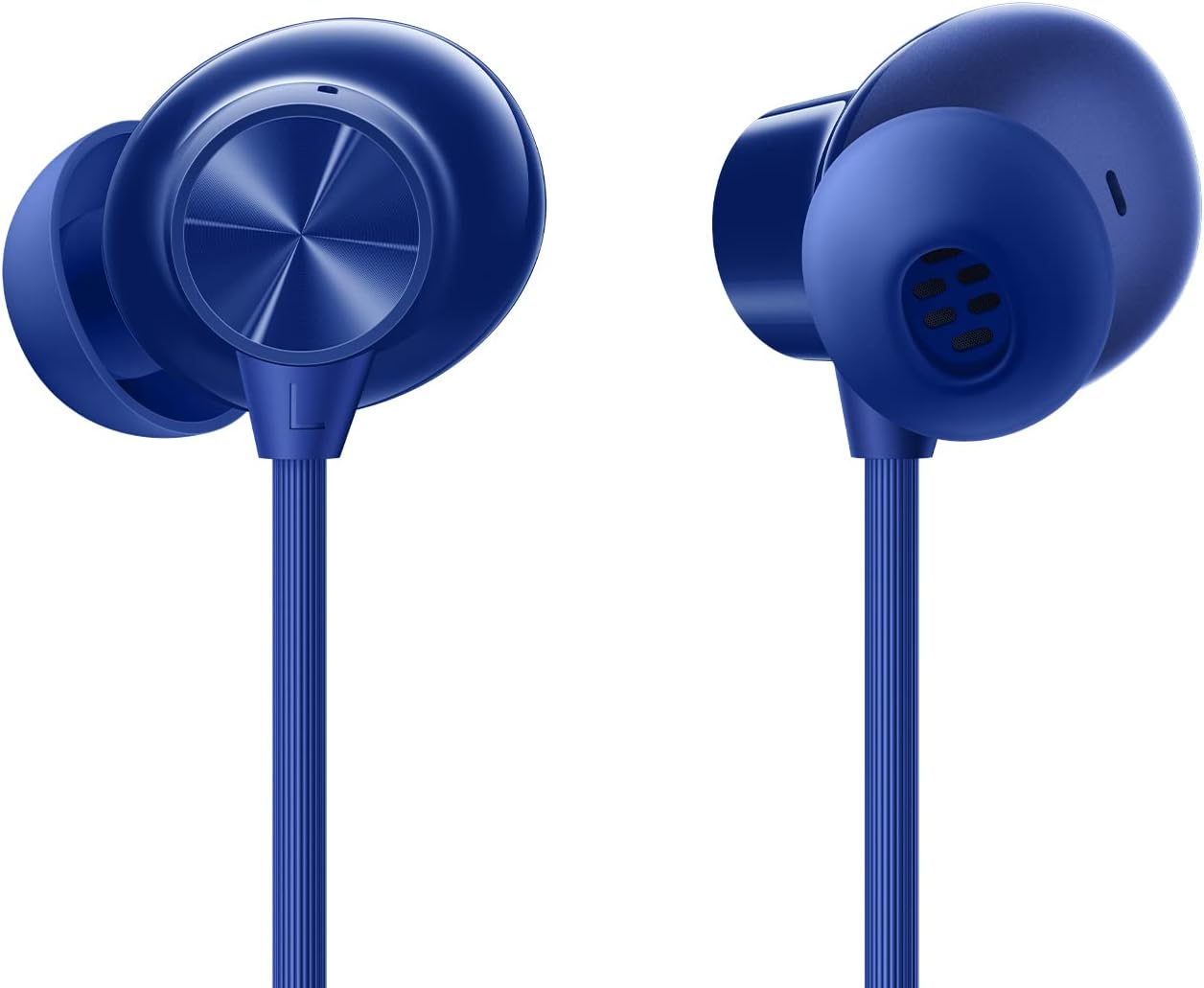
Figure 3: Earbud Detail
Setup
1. Charging the Earphones
Before first use, fully charge your earphones. A full charge provides up to 30 hours of music playback. A quick 10-minute charge can provide up to 20 hours of playback.
- Locate the USB Type-C charging port on the inline control module.
- Connect the provided USB charging cable to the port.
- Connect the other end of the USB cable to a power adapter (not included) or a computer's USB port.
- The indicator light will show charging status (refer to LED indicator section for details).
2. Bluetooth Pairing
Pair your earphones with your device (smartphone, tablet, computer) via Bluetooth.
- Ensure the earphones are charged.
- Separate the magnetic earbuds to power on the earphones and enter pairing mode (the indicator light will flash).
- On your device, go to Bluetooth settings and enable Bluetooth.
- Select "OnePlus Bullets Wireless Z2" from the list of available devices.
- Once connected, the indicator light will turn solid blue.
Note: Fast Pairing is supported only on OnePlus smartphones for quicker connection.
3. Fitting the Eartips
Properly fitting eartips ensure optimal sound quality and comfort.
- Experiment with the three sizes (S, M, L) of silicone eartips provided.
- Gently insert the earbud into your ear canal and twist slightly to secure a snug fit.
- A good seal will provide better bass response and passive noise isolation.
Operating Instructions
Button Controls
The inline control module allows for easy management of audio and calls.
| Action | Function |
|---|---|
| Press Multi-function Button (center) | Play/Pause music, Answer/End call |
| Double Press Multi-function Button | Next track |
| Triple Press Multi-function Button | Previous track |
| Press and Hold Multi-function Button | Activate voice assistant (Smart Assistance) |
| Press '+' Button | Increase volume |
| Press '-' Button | Decrease volume |
Magnetic Control
The earbuds feature a magnetic control function for convenient power management and playback control.
- Separate Earbuds: Powers on the earphones and connects to the last paired device. If music is paused, it will resume playback.
- Attach Earbuds (magnetically): Powers off the earphones and pauses music playback.
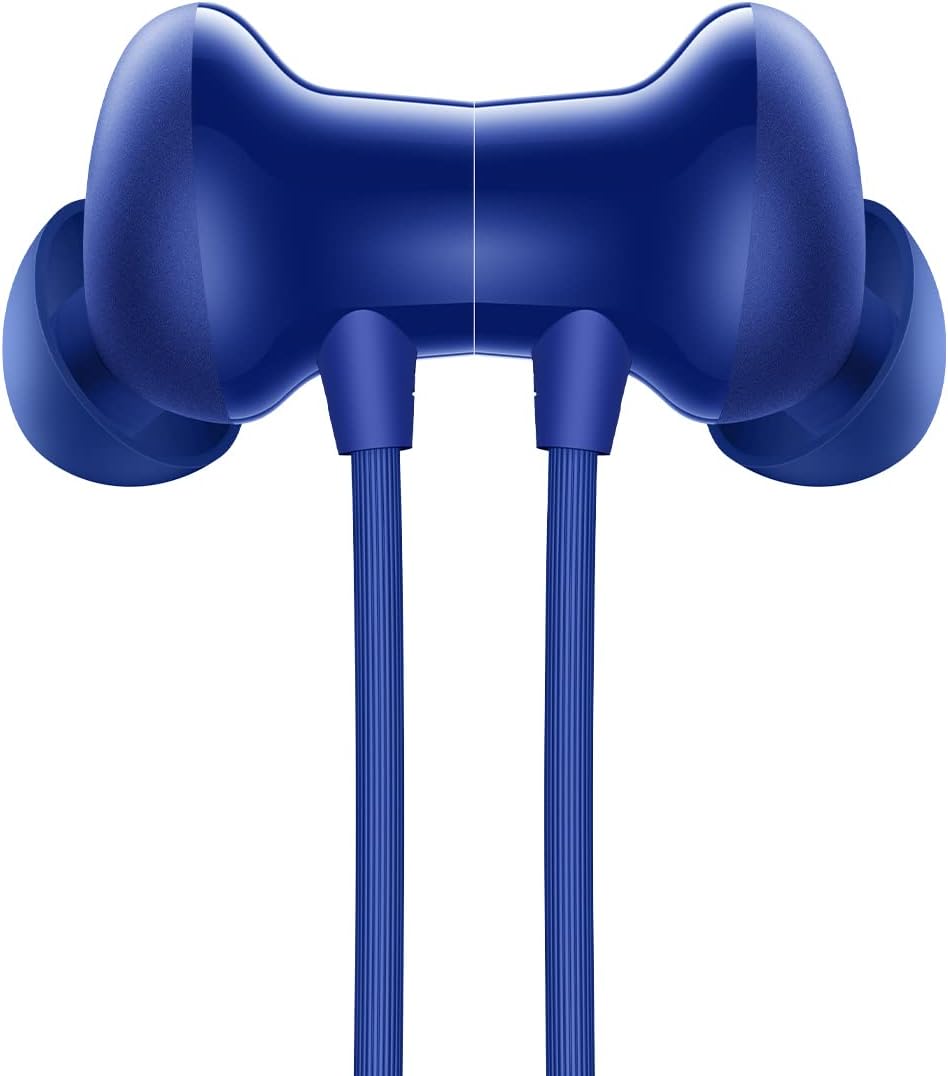
Figure 4: Magnetic Earbud Connection
Maintenance
Cleaning
Regular cleaning helps maintain performance and hygiene.
- Gently wipe the earbuds and neckband with a soft, dry, lint-free cloth.
- Remove eartips and clean them with mild soap and water, then dry thoroughly before reattaching.
- Do not use abrasive cleaners or solvents.
Storage
Store your earphones properly to prevent damage.
- When not in use, attach the magnetic earbuds to power off and prevent tangling.
- Store in a cool, dry place away from direct sunlight and extreme temperatures.
Water and Sweat Resistance (IP55)
The OnePlus Bullets Wireless Z2 are rated IP55 for water and sweat resistance. This means they are protected against limited dust ingress and low-pressure water jets from any direction. While suitable for workouts and light rain, they are not designed for submersion in water or exposure to heavy rain.
- Do not intentionally submerge the earphones in water.
- Avoid exposing the charging port to moisture. Ensure it is dry before charging.
- Clean and dry the earphones after exposure to sweat or water.
Troubleshooting
If you encounter issues with your earphones, try the following solutions:
- No Power/Won't Turn On:
- Ensure the earphones are charged. Connect to a power source and allow some time to charge.
- Separate the magnetic earbuds to power on.
- Cannot Pair/Connect:
- Ensure Bluetooth is enabled on your device and the earphones are in pairing mode (indicator light flashing).
- Move the earphones closer to your device (within 10 meters).
- Forget "OnePlus Bullets Wireless Z2" from your device's Bluetooth list and try pairing again.
- Restart both your earphones (by attaching and separating earbuds) and your device.
- No Sound/Low Volume:
- Check the volume levels on both the earphones and your connected device.
- Ensure the earphones are properly connected to your device.
- Try different eartip sizes to ensure a proper seal in your ear.
- Clean any debris from the earbud speaker mesh.
- Poor Sound Quality/Distortion:
- Ensure the earphones are within Bluetooth range of your device.
- Check for interference from other wireless devices.
- Ensure the eartips are properly fitted.
- Microphone Not Working:
- Ensure the earphones are properly connected and selected as the audio input device on your phone/computer.
- Check for any obstructions around the microphone hole on the inline control module.
Specifications
Detailed technical specifications for the OnePlus Bullets Wireless Z2.
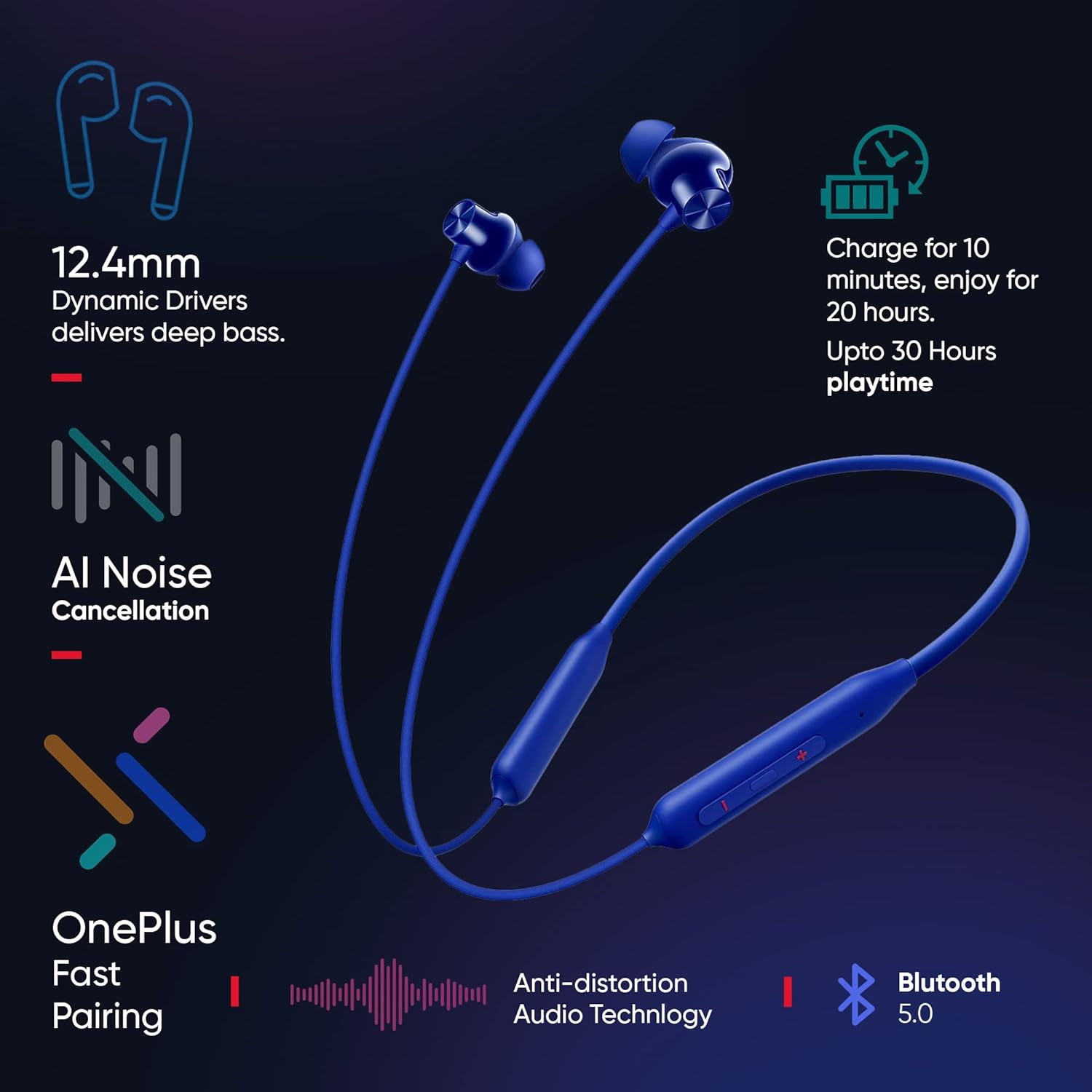
Figure 5: Key Features Overview
| Feature | Detail |
|---|---|
| Model Name | Wireless Z2 (E305A) |
| Color | Beam Blue |
| Driver Size | 12.4 mm Dynamic Driver |
| Frequency Response Range | 20Hz - 20,000KHz |
| Impedance | 32 Ω |
| Bluetooth Version | Bluetooth 5.0 |
| Bluetooth Connection Range | Up to 10 meters |
| Supported Codecs | AAC, SBC |
| Battery Capacity | 220 mAh |
| Battery Life (Music Playback) | Up to 30 Hours (50% volume) |
| Fast Charge | 10 mins for 20 Hours playback |
| Charging Method | USB Type-C |
| Water/Sweat Resistance | IP55 |
| Weight | 26.65g (approx. 0.952 ounces) |
| Dimensions | 12.43 x 17.45 x 1.31 cm (approx. 14.76 x 4.33 x 0.98 inches) |
Warranty and Support
Warranty Information
Your OnePlus Bullets Wireless Z2 earphones come with a limited warranty. Please refer to the included Safety and Warranty Card for detailed terms and conditions, including warranty period and coverage.
The warranty typically covers manufacturing defects and malfunctions under normal use. It does not cover damage caused by misuse, accidents, unauthorized modifications, or exposure to conditions beyond the product's specifications (e.g., submersion in water beyond IP55 rating).
Customer Support
For technical assistance, warranty claims, or further inquiries, please contact OnePlus customer support through their official website or the contact information provided on the Safety and Warranty Card.
You can also visit the official OnePlus support page for FAQs and additional resources: www.oneplus.com/support
Related documentsE305A


Ask a question about this manual
Ask about setup, troubleshooting, compatibility, parts, safety, or missing instructions. Manuals+ will review the question and use this page’s manual context to help answer it.