
Introduction
Welcome to the instruction manual for your new Lava Probuds 21 Wireless In-Ear Earbuds. This guide provides essential information on setting up, operating, maintaining, and troubleshooting your earbuds to ensure optimal performance and longevity. Please read this manual thoroughly before using the product.
Product Overview
The Lava Probuds 21 are advanced wireless in-ear earbuds designed for an immersive audio experience. Key features include:
- Extended Playtime: Up to 45 hours of total playtime with the charging case, and 9 hours on a single charge for the earbuds.
- Intuitive Touch Controls: Manage music playback, calls, and activate voice assistants with simple touch gestures.
- Low Latency Gaming: Experience smooth online and offline gaming with ultra-low 75ms latency.
- Immersive Audio: Equipped with 12mm dynamic drivers for rich sound quality across various music genres.
- Sound Isolation: Enjoy clear calls and music by minimizing external noise.
- Fast Charging: Type-C fast charging provides 100 minutes of playback from just 10 minutes of charging.
- Water and Sweat Resistant: IPX4 rating ensures durability against splashes and sweat.
- Voice Assistant Support: Compatible with Siri and Google Assistant for hands-free control.
Package Contents
Upon unboxing, you should find the following items:
- Lava Probuds 21 Wireless In-Ear Earbuds (Left and Right)
- Charging Case
- USB Type-C Charging Cable
- Ear Cushions (various sizes)
- Instruction Manual (this document)

Figure 1: Lava Probuds 21 Earbuds in their charging case.
Setup and Initial Use
1. Charging the Earbuds and Case
- Place both earbuds into the charging case. Ensure they are correctly seated in their respective slots (L for left, R for right).
- Connect the provided USB Type-C charging cable to the charging port on the case and the other end to a compatible USB power source (e.g., wall adapter, computer USB port).
- The indicator light on the charging case will illuminate to show charging status. A full charge for the case and earbuds provides approximately 45 hours of total playtime. The earbuds themselves offer up to 9 hours of playback on a single charge.
- Benefit from fast charging: 10 minutes of charging can provide up to 100 minutes of playback.

Figure 2: The charging case connected via a Type-C cable for fast charging.

Figure 3: Diagram illustrating 45 hours total playtime with the case and 9 hours per earbud charge.
2. Bluetooth Pairing
- Ensure the earbuds are charged.
- Open the charging case. The earbuds will automatically enter pairing mode, indicated by a flashing LED light on the earbuds.
- On your device (smartphone, tablet, laptop), go to the Bluetooth settings.
- Search for available devices and select "Lava Probuds 21" from the list.
- Once connected, the LED indicator on the earbuds will stop flashing, and you will hear a confirmation tone.
- The earbuds will automatically reconnect to the last paired device when taken out of the case, provided Bluetooth is enabled on the device.
Operating Instructions
Touch Controls
The Lava Probuds 21 feature intuitive touch controls on each earbud. The specific functions may vary slightly, but common controls include:
- Play/Pause: Single tap on either earbud.
- Next Track: Double tap on the right earbud.
- Previous Track: Double tap on the left earbud.
- Answer/End Call: Single tap on either earbud.
- Reject Call: Long press on either earbud.
- Activate Voice Assistant: Triple tap on either earbud (Siri & Google Enabled).
Voice Assistant
Your Lava Probuds 21 support voice assistants like Siri and Google Assistant. Triple tap an earbud to activate your device's voice assistant and issue commands hands-free.
Gaming Mode (Low Latency)
For an enhanced gaming experience, the earbuds offer ultra-low 75ms latency. Refer to your device's settings or the earbuds' specific touch control gestures (if available) to activate gaming mode for reduced audio delay.
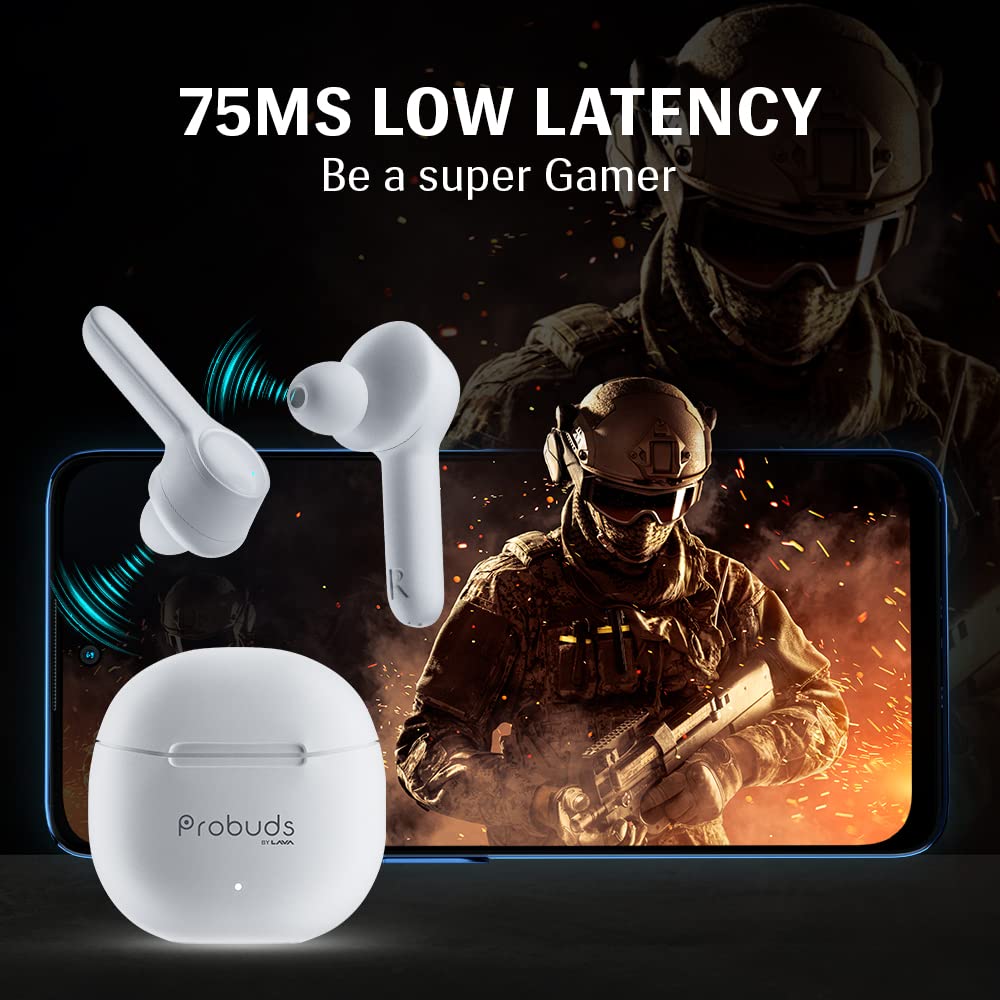
Figure 4: The earbuds provide ultra-low 75ms latency for an optimized gaming experience.
Maintenance and Care
- Cleaning: Regularly clean the earbuds and charging case with a soft, dry, lint-free cloth. Avoid using abrasive materials or harsh chemicals.
- Ear Tips: Remove and clean the ear tips periodically to prevent wax buildup, which can affect sound quality. Ensure they are completely dry before reattaching.
- Water Resistance: The earbuds are IPX4 water and sweat resistant, meaning they can withstand splashes and light sweat. Do not submerge them in water or expose them to heavy rain. Ensure the charging port is dry before charging.
- Storage: When not in use, store the earbuds in their charging case to protect them and keep them charged. Store in a cool, dry place away from extreme temperatures.

Figure 5: The earbuds are IPX4 rated for water and sweat resistance.
Troubleshooting
If you encounter issues with your Lava Probuds 21, try the following solutions:
| Problem | Solution |
|---|---|
| Earbuds not pairing/connecting. |
|
| No sound or low volume. |
|
| Charging case not charging. |
|
| Earbuds not charging in case. |
|
If the issue persists, please contact customer support for further assistance.
Specifications
| Feature | Detail |
|---|---|
| Model Name | Probuds 21 by Lava |
| Item Model Number | T001A |
| Connectivity Technology | Wireless |
| Wireless Communication Technology | Bluetooth |
| Bluetooth Version | 5.1 |
| Audio Driver Type | Dynamic Driver (12mm) |
| Battery Life (Earbuds) | 9 Hours (single charge) |
| Total Playtime (with case) | 45 Hours |
| Fast Charging | 10 mins charge = 100 mins playback |
| Water Resistance Level | IPX4 (Water Resistant) |
| Control Method | Touch |
| Voice Assistant | Siri & Google Enabled |
| Item Weight | 50.5 Grams |
| Product Dimensions | 5.6 x 5 x 1.5 cm |
| Manufacturer | Lava International Ltd. |
| Country of Origin | India |
Warranty and Support
Your Lava Probuds 21 come with a standard brand warranty. For specific warranty terms, conditions, and duration, please refer to the warranty card included in your package or visit the official Lava website.
Customer Support
For any product-related queries, technical assistance, or service requests, please contact Lava customer support:
- Email: lavacare@lavainternational.in
- Service Network: Lava maintains a network of over 700 service centers for your convenience.
Safety Information
Please observe the following safety guidelines to prevent damage to your earbuds or personal injury:
- Do not disassemble, repair, or modify the earbuds or charging case.
- Avoid exposing the product to extreme temperatures, direct sunlight, or fire.
- Keep the product away from water and liquids, except for the specified IPX4 resistance.
- Do not use the product at high volume for extended periods to prevent hearing damage.
- Keep out of reach of children and pets.
- Dispose of the product and its battery responsibly according to local regulations.
Product Features Demonstration
Watch this video for a visual demonstration of the Lava Probuds 21's key features and color variants.
Video 1: An overview of Lava Probuds 21 features, including low latency, dynamic drivers, noise isolation, extended playtime, touch controls, and voice assistant compatibility. It also showcases available color options.


