
1. Introduction to SuperPCS Resin
SuperPCS 3D Printer Resin is engineered by 3DMaterials to deliver exceptional toughness, speed, and precision for a wide range of 3D printing applications. This resin is designed for industrial production parts, offering superior mechanical properties and compatibility with various LCD 3D printers.

Figure 1: SuperPCS Grey Resin bottle and a sample 3D printed part.
Key Features:
- Tough & Durable: SuperPCS boasts 1.8GPa tensile and 2.8GPa flexural modulus with 15% elongation at break, ensuring robust and long-lasting prints.
- Fast Printing: Achieve rapid printing speeds of 50um layers in just 1.5 seconds with monochrome LCD 3D printers, significantly reducing print times and energy consumption.
- Enhanced Productivity: The super-fast printing capability can boost the productivity of 3D printing farms by at least 40% or more.
- 8K Precision: Its extremely low viscosity enables high-resolution 8K 3D printing with a fine 22um resolution, capturing intricate details.
- Broad Compatibility: Unique photosensitization technology ensures SuperPCS is compatible with all regular and mono LCD 3D printers.
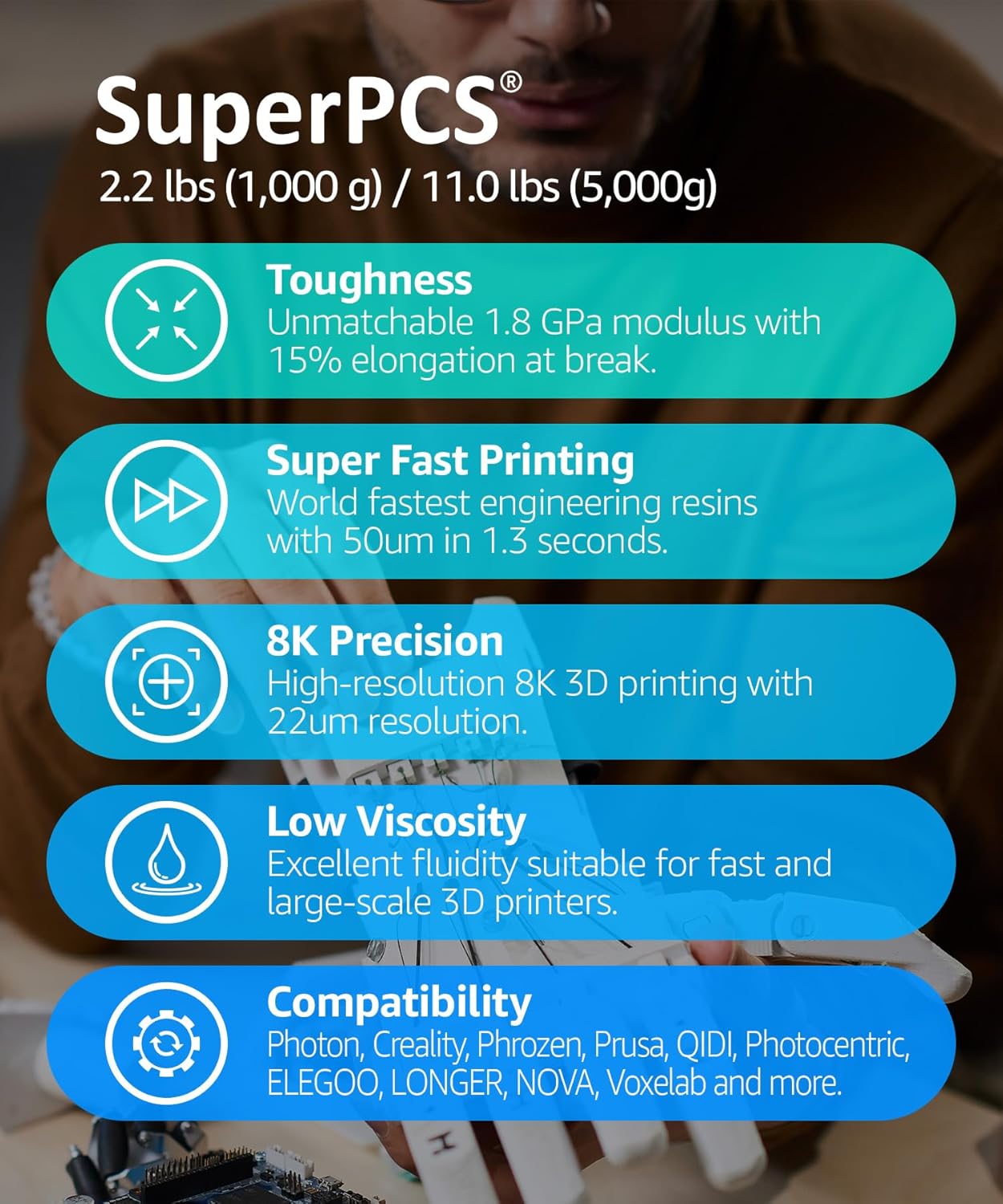
Figure 2: Overview of SuperPCS Resin's core advantages.
About 3DMaterials:
3DMaterials is a leading innovator in 3D printing materials, dedicated to developing advanced resins through rigorous research and testing. Watch the video below to learn more about our commitment to innovation.
Video 1: "3DMaterials Where Innovation Takes Place" - An overview of 3DMaterials' development and testing processes for their resins.
2. Product Specifications
Mechanical Properties:
The following table details the mechanical properties of SuperPCS resin after post-curing. Note that properties may vary depending on part geometry, printing orientation, and specific print settings.

Figure 3: Mechanical Properties of SuperPCS Resin.
General Specifications:
| Specification | Detail |
|---|---|
| Product Dimensions | 3.35 x 3.35 x 10.04 inches; 2.2 Pounds |
| Item Model Number | ENGR-C27L |
| Date First Available | August 15, 2022 |
| Manufacturer | 3DMaterials Co., Ltd. |
| ASIN | B09TS859T7 |
| Country of Origin | Korea, Republic of |
| Brand | 3DMaterials |
| Material | 3D Printer Resin |
| Color | Grey |
| Item Weight | 1000 Grams |
| Compatible Devices | 3D Printer |

Figure 4: Examples of high-precision, durable parts printed with SuperPCS resin.
3. Preparation for Use (Setup)
Proper preparation is crucial for safe and successful 3D printing with SuperPCS resin. Always follow these guidelines:
- Always wear protective gloves when handling the products.
- Keep the products away from direct sunlight or other light sources.
- Read this manual carefully before using the products.


Figure 5: Front and back of the SuperPCS Resin bottle.
4. Operating Instructions
Follow these steps for optimal printing results with SuperPCS resin:
- Shake the product well before use to ensure proper mixing of components.
- Check the recommended exposure conditions for your specific 3D printer model. Refer to the detailed setting chart provided by 3DMaterials.
- Use Isopropyl Alcohol (IPA) or any type of alcohol to remove excess resin from your prints after printing.
- Dry the printings completely before post-curing.
- Post-cure the printings with a UV light source or a dedicated post-curing unit to achieve final material properties.
Printer Compatibility and Settings:
SuperPCS resin is designed for broad compatibility with various mono and RGB LCD 3D printers. Below are general guidelines and specific exposure settings for common printer models. For the most up-to-date and comprehensive settings, please refer to the official setting chart:
Download Official Setting Chart (PDF)

Figure 6: Broad compatibility with major 3D printer brands.
Example Exposure Settings (50um Slicing):
Note: These are general guidelines. Optimal settings may vary based on printer condition, ambient temperature, and specific print requirements.

Figure 7: Creality and Elegoo Printer Settings.

Figure 8: Anycubic Photon Printer Settings.

Figure 9: Elegoo Saturn, Phrozen, NOVA3D, and Voxelab Printer Settings.

Figure 10: Voxelab, LONGER, Zortrax, and Prusa Printer Settings.
5. Storage and Handling (Maintenance)
Proper storage and handling of SuperPCS resin will ensure its longevity and performance:
- Store the products at 10-25°C (50-77°F) in a dry, dark room.
- Keep the products away from direct sunlight or other light sources.
- Do not use products after the expiration date indicated on the label.
- This product is not harmful to the environment when it is solid. After printing, residual products should be disposed of in accordance with local waste management regulations.

Figure 11: Detailed instructions on the product label.
6. Safety Precautions
Adhere to the following safety precautions to prevent injury or adverse reactions:
- Eye Contact: If contacted with eyes, do not rub your eyes and immediately flush eyes with plenty of water for at least 15 minutes. Call a doctor.
- Inhalation: If inhaled, move to a location with clean air.
- Ingestion: If ingested, rinse your mouth with water immediately and take the advice of a doctor.
- Skin Contact: If contacted with skin, flush skin with plenty of water for at least 15 minutes and remove contaminated clothes and shoes. Go to the hospital immediately if symptoms (inflammation, irritation) occur.
- Talk to a doctor immediately if allergic signs are shown.
Always consult the Safety Data Sheet (SDS) for complete safety information.
7. Troubleshooting and Support
For common printing issues, ensure your printer settings match the recommended values in the official setting chart. Inconsistent prints often stem from incorrect exposure times, insufficient shaking of the resin, or improper post-processing.
If you encounter persistent issues or require further assistance, please refer to the resources below:
- Official User Guide (PDF): For detailed instructions and troubleshooting tips, download the comprehensive guide: Download User Guide
- 3DMaterials Brand Store: Explore other products and resources from 3DMaterials: Visit 3DMaterials Store
- Contact Support: For direct support inquiries, please visit the 3DMaterials website or contact their customer service as listed on the product packaging.


