
1. Introduction
This manual provides essential instructions for the proper setup, operation, and maintenance of your Premier MS3-2D BR Barcode Reader. Please read this guide thoroughly before using the device to ensure optimal performance and longevity. The Premier MS3-2D BR is a versatile 2D barcode imager designed for efficient data capture in various retail and industrial environments, featuring both Bluetooth and Wi-Fi connectivity.
2. Package Contents
Before proceeding with the setup, please verify that all items are present in the package:
- Premier MS3-2D BR Barcode Reader
- USB Charging Cable
- Quick Start Guide (if included)
3. Setup
3.1. Charging the Device
The Premier MS3-2D BR Barcode Reader is powered by a rechargeable Lithium-ion battery. Before initial use, fully charge the device. Connect the USB charging cable to the charging port on the barcode reader and plug the other end into a compatible USB power adapter or computer USB port. The charging indicator light will illuminate during charging and change color or turn off when fully charged.

Image: Rear view of the Premier MS3-2D BR Barcode Reader, highlighting the charging port located at the base of the handle.
3.2. Powering On/Off
To power on the device, press and hold the power button (usually located on the handle or top) for a few seconds until the indicator lights activate. To power off, press and hold the power button again until the device shuts down.
3.3. Connectivity (Bluetooth & Wi-Fi)
The MS3-2D BR supports both Bluetooth and Wi-Fi connectivity for flexible integration with compatible devices such as cellphones and other POS systems.
- Bluetooth Pairing: Activate Bluetooth on your host device. Put the barcode reader into pairing mode (refer to the Quick Start Guide for specific button combinations, often a long press of a dedicated Bluetooth button). Select the barcode reader from your host device's Bluetooth discovery list to pair.
- Wi-Fi Connection: For Wi-Fi connectivity, the device may require initial configuration via a utility or by scanning specific configuration barcodes. Consult the detailed product documentation for Wi-Fi setup procedures.

Image: Top view of the Premier MS3-2D BR Barcode Reader, displaying the Wi-Fi indicator icon and other status lights.
4. Operating Instructions
4.1. Scanning Barcodes
To scan a barcode, aim the scanning window of the device at the barcode you wish to read. Press the trigger button firmly. A successful scan is typically indicated by an audible beep and/or a visual confirmation light.
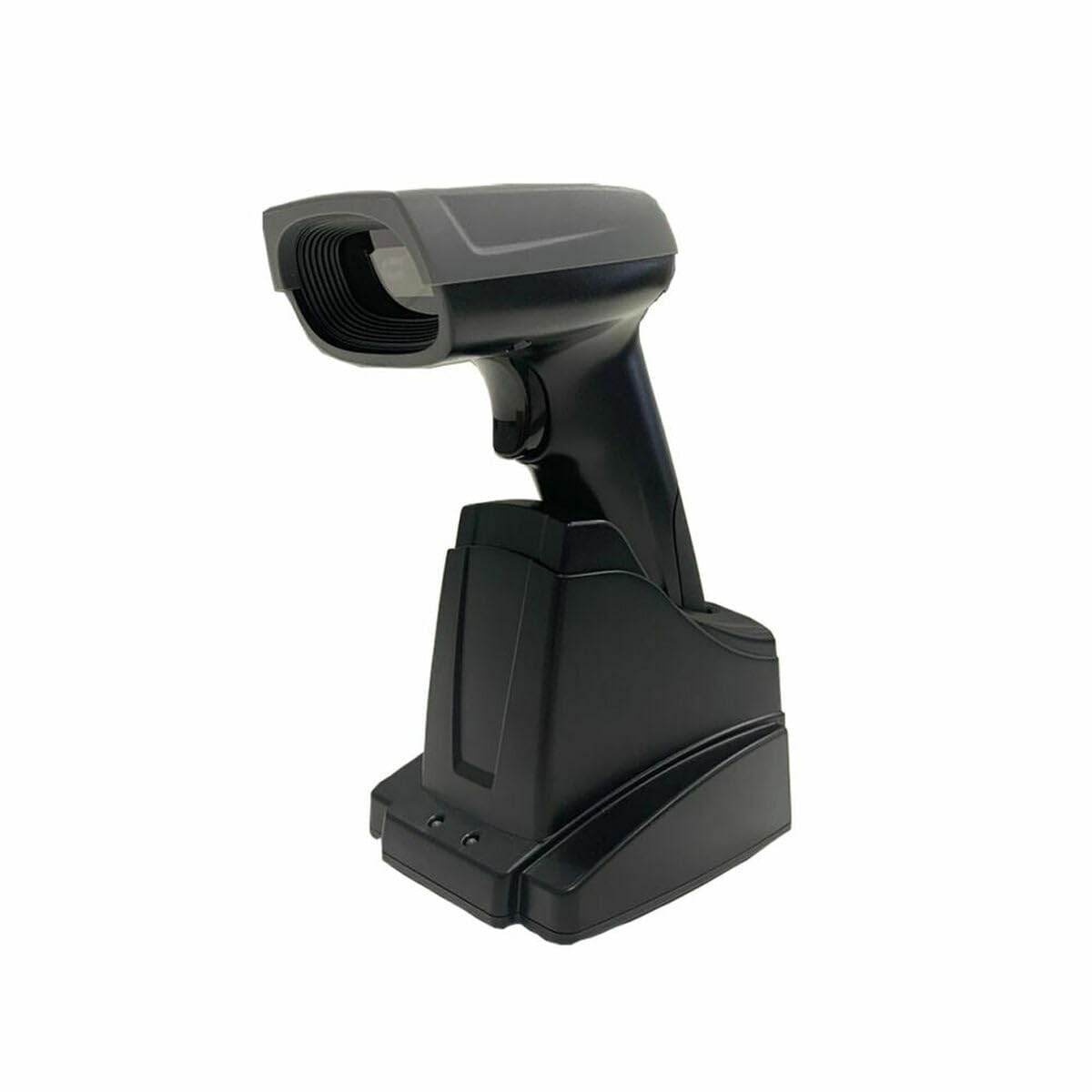
Image: Front view of the Premier MS3-2D BR Barcode Reader, showing the imager lens and illumination LEDs within the scanning window.
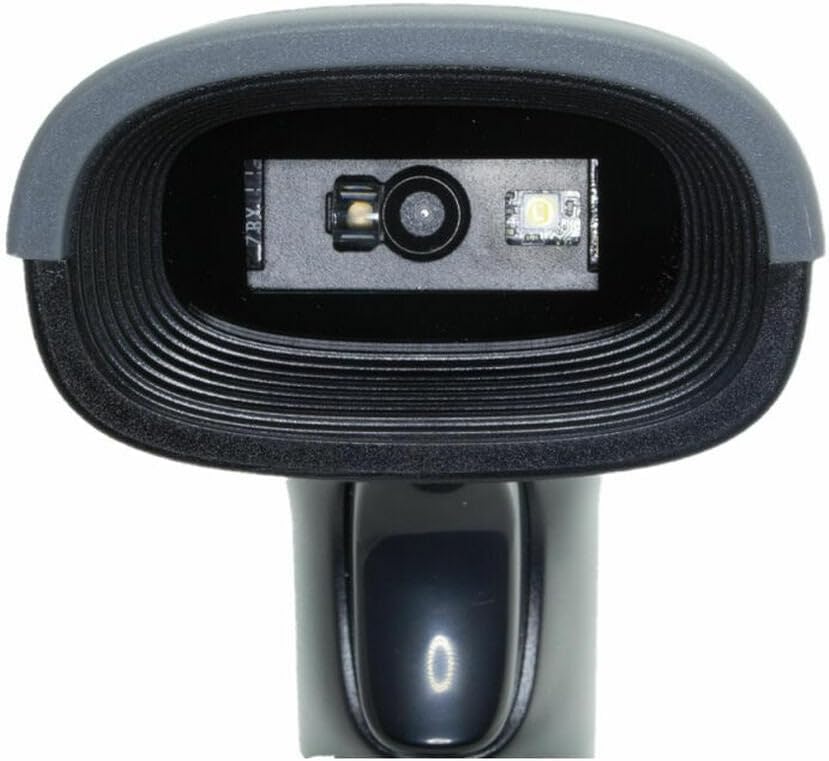
Image: Side view of the Premier MS3-2D BR Barcode Reader, illustrating the ergonomic design and the location of the trigger button.
4.2. Reading 2D Barcodes
The MS3-2D BR is capable of reading various 2D barcode symbologies. Ensure the entire barcode is within the scanner's field of view for accurate and rapid decoding.
5. Maintenance
5.1. Cleaning the Device
To maintain optimal scanning performance, keep the scanning window clean. Use a soft, lint-free cloth lightly dampened with water or a mild, non-abrasive cleaning solution. Do not spray cleaners directly onto the device. Avoid using harsh chemicals or abrasive materials that could scratch the scanning window.
5.2. Battery Care
To prolong battery life, avoid fully discharging the battery frequently. Store the device in a cool, dry place when not in use for extended periods. If the device will not be used for a long time, charge it to approximately 50% before storage.
6. Troubleshooting
- Device not powering on: Ensure the battery is sufficiently charged. Connect the device to a power source and attempt to power on after a few minutes.
- Unable to scan barcodes:
- Check if the scanning window is clean and free from obstructions.
- Ensure the barcode is within the scanner's optimal reading range and angle.
- Verify that the barcode symbology is supported by the scanner.
- Connectivity issues (Bluetooth/Wi-Fi):
- Ensure the device is within range of the host device or Wi-Fi access point.
- Re-establish the Bluetooth pairing or Wi-Fi connection.
- Check the host device's settings for connectivity status.
- No data transmission: Verify that the device is successfully connected to your host system and that the application receiving data is correctly configured.
7. Specifications
| Feature | Specification |
|---|---|
| Brand | Premier |
| Model Number | 8437019184841 |
| Connectivity Technology | Bluetooth, Wi-Fi |
| Power Source | Battery Powered |
| Battery Type | 1 Lithium-ion (rechargeable) |
| Compatible Devices | Cellphone |
| Software Updates Guaranteed Until | April 13, 2030 |
| Spare Parts Availability | 2 Years |
| Compliance | TUV |
8. Warranty and Support
The Premier MS3-2D BR Barcode Reader comes with guaranteed software updates until April 13, 2030, ensuring your device remains current with the latest features and security enhancements. Spare parts are available for a period of 2 years from the date of purchase. For technical support or warranty inquiries, please contact your retailer or the manufacturer's customer service.