
ODK B0101802USAN0302ZLI4NIW
ODK 66" L-Shaped Computer Desk Instruction Manual
Model: B0101802USAN0302ZLI4NIW
1. Introduction
Thank you for choosing the ODK 66" L-Shaped Computer Desk. This modern and spacious desk is designed to maximize your workspace, offering ample room for multiple monitors, a PC tower, and various office essentials. Its sturdy construction and thoughtful features make it ideal for gaming, writing, and general home office use. This manual provides detailed instructions for assembly, operation, and maintenance to ensure long-lasting satisfaction with your new desk.
2. Safety Information
CAUTION: Use caution when assembling and moving this desk. Do not exceed the recommended weight limit to ensure stability and safety.
- Always assemble the desk on a soft, clean surface to prevent scratches.
- Ensure all screws and fasteners are securely tightened before use.
- Do not stand or sit on the desk.
- Keep small parts away from children during assembly.
- For ease and safety, it is recommended that two people assemble this desk.
3. Parts List
Please unpack all components and verify against the parts list provided in the assembly video. Ensure all parts are present and in good condition before beginning assembly.
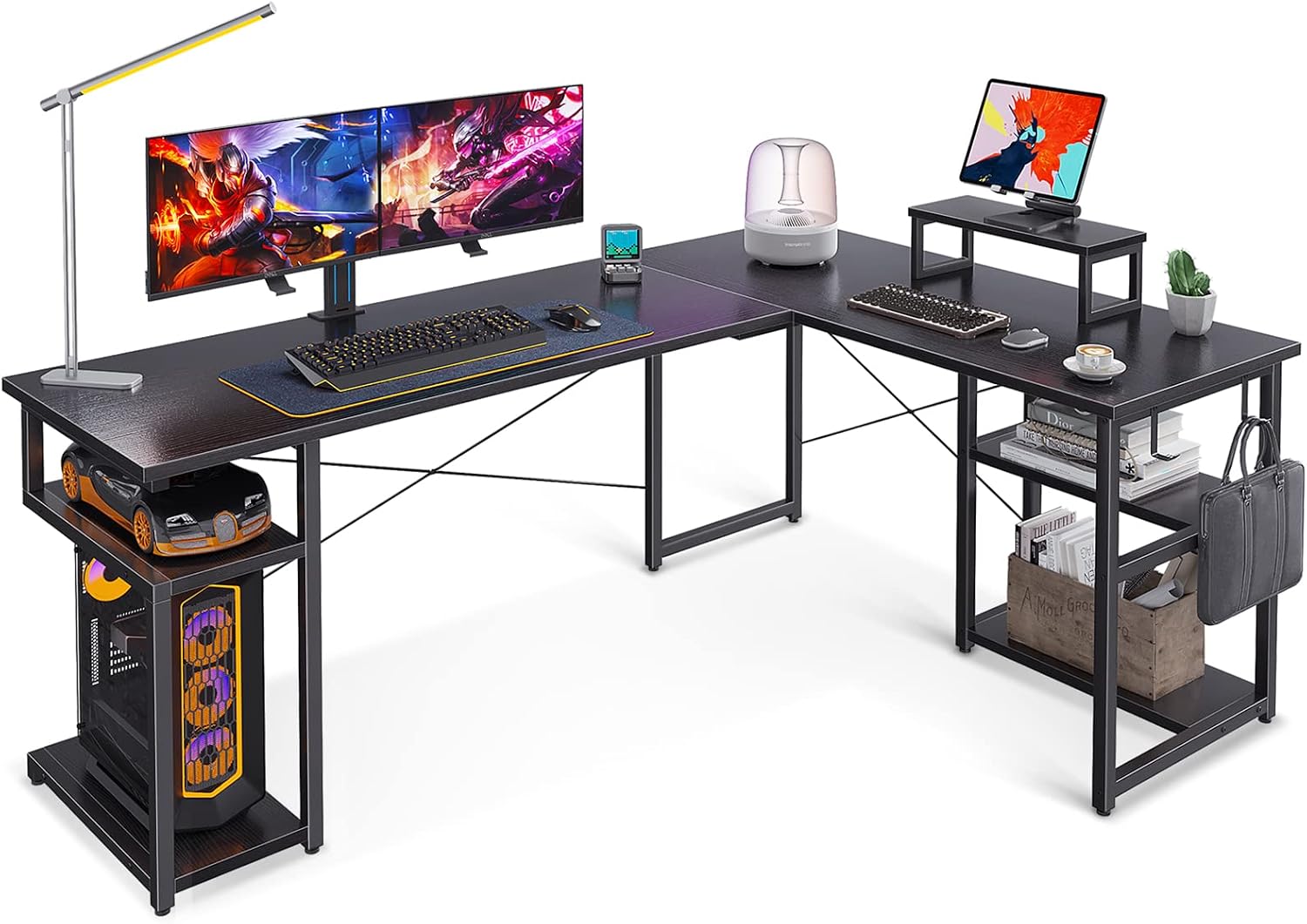
Figure 3.1: All components of the ODK L-Shaped Computer Desk.

Figure 3.2: Detailed view of desk dimensions and some structural parts.
4. Setup and Assembly
Follow the steps below carefully. For a visual guide, please refer to the official installation video.
Video 4.1: ODK L-Shaped Desk Installation Guide. This video provides a step-by-step visual walkthrough of the assembly process.
- Step 1: Assemble the Desk Legs. Use screws (3) to assemble frame components F, G, J, K, N, and P together. Pay close attention to the orientation of parts N and P, ensuring the holes align as indicated by arrows in the video.
- Step 2: Install Foot Pads. Attach foot pads (8) to the bottom of all desk legs (G, J, N, H, L).
- Step 3: Assemble Storage Shelves. Use screws (1) to install shelf E between frame components L and N. Confirm the direction of L and N based on the hole positions.
- Step 4: Connect Desk Panels. Place desk panels A and B as shown in the figure. Use functional screws (4) to install connector M onto panels A and B. Ensure A and B are completely aligned before tightening to avoid gaps.
- Step 5: Attach Legs to Panel B. Install frame components J, L, and N onto desk panel B using screws (2).
- Step 6: Install Rear Support Bar. Confirm the direction of rear support bar R according to the arrow pointing to the hole. Then, install R between frame components N and J using screws (3).
- Step 7: Install Cross Braces. Use screws (5) to install cross brace T on frame components L and J. Tighten screws (5) and (6) to secure.
- Step 8: Attach Remaining Leg to Panel A. Use screws (2) to install frame component H on desk panel A. Pay attention to the hole position indicated by the arrow to determine the correct installation direction of H.
- Step 9: Install Additional Support. Use screws (3) to install component Q between R and H. Then, use screws (2) to install Q on panel A.
- Step 10: Install PC Stand Frame. Use screws (2) to install frame component F on panel A, paying attention to its direction.
- Step 11: Install PC Stand Shelf. Install shelf D between frame components F and H using screws (1).
- Step 12: Install Remaining Cross Brace. Install cross brace S on frame components H and J with screws (5), and then tighten screws (5) and (6).
- Step 13: Install Monitor Stand. Install monitor stand W on desk panel C with screws (4). Then, stick anti-skid pads (9) on the bottom of W.
- Step 14: Install Headphone Hooks. Install headphone hook (7) on frame component N with screws (5) to complete the assembly.
5. Operating Instructions
The ODK L-Shaped Computer Desk is designed for versatile use in various settings. Its ergonomic design and ample space enhance productivity and comfort.
- Workspace Utilization: The L-shaped design maximizes corner space, providing a large surface area for multiple monitors (2-3), keyboards, mice, and other peripherals.
- Storage Management: Utilize the integrated PC stand for your desktop tower, and the two-tier storage shelves for books, documents, and personal items. The monitor stand elevates your screen for better ergonomics.
- Accessory Organization: Use the two iron hooks to hang headphones, bags, or other accessories, keeping your desktop clutter-free.
- Adjustable Stability: The adjustable leg pads ensure the desk remains stable even on uneven floors. Adjust them as needed to prevent wobbling.
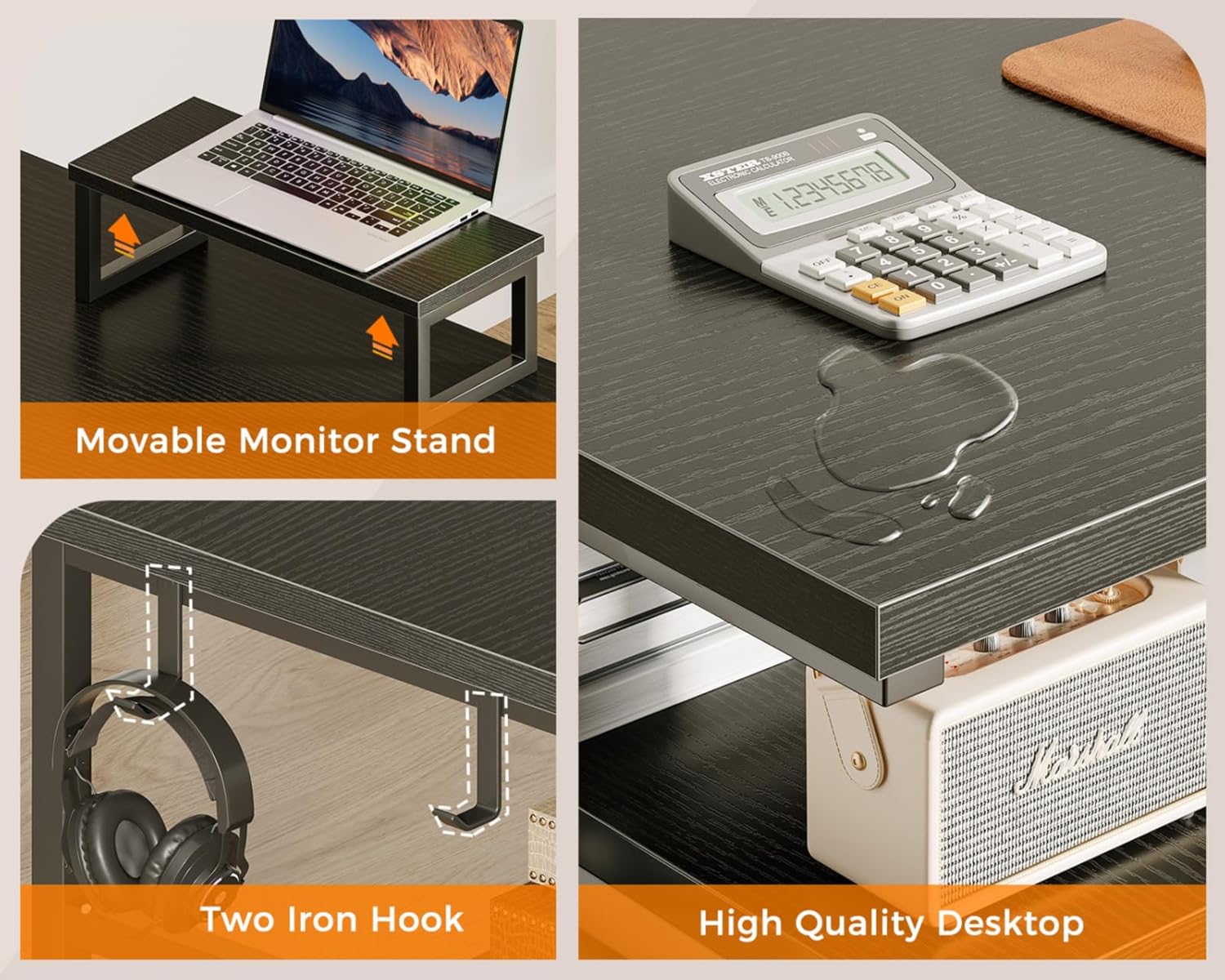
Figure 5.1: Features including the movable monitor stand, iron hooks, and durable desktop surface.

Figure 5.2: Dedicated storage spaces for PC tower and other items.
6. Maintenance
Proper care will extend the life and appearance of your ODK L-Shaped Computer Desk.
- Cleaning: Wipe the desk surface with a soft, damp cloth. Avoid using harsh chemicals, abrasive cleaners, or polishes that may damage the wooden finish.
- Spills: Immediately wipe up any spills to prevent moisture damage to the desktop.
- Fasteners: Periodically check all screws and bolts to ensure they remain tight. Re-tighten if necessary to maintain stability.
- Weight Distribution: Distribute weight evenly across the desk surface and shelves to prevent strain on the frame.
7. Troubleshooting
If you encounter any issues with your desk, refer to the following common problems and solutions:
- Desk Wobbles:
- Ensure all assembly screws are fully tightened.
- Adjust the leg pads on the bottom of the desk legs to compensate for uneven flooring.
- Parts Missing or Damaged:
- Carefully re-check all packaging materials.
- Contact ODK Customer Service for assistance with replacement parts.
- Difficulty Assembling:
- Review the assembly video (Video 4.1) and step-by-step instructions.
- Ensure you are using the correct screws and parts for each step as indicated by the labels.
8. Specifications
| Feature | Detail |
|---|---|
| Brand | ODK |
| Product Dimensions | 47.24"D x 66.14"W x 29.53"H |
| Color | Black |
| Style | Gaming |
| Base Material | Alloy Steel |
| Top Material Type | Wood |
| Finish Type | Wooden |
| Special Feature | Ergonomic |
| Room Type | Office |
| Recommended Uses | Gaming, Writing, Working |
| Included Components | PC Stand, Storage Shelf, Two-tier Storage Shelves, Monitor Stand, 2 Iron Hooks |
| Item Weight | 53.1 Pounds |
| Required Assembly | Yes |
| Tabletop Thickness | 2 Millimeters |
9. Warranty and Support
ODK is committed to your satisfaction. The ODK 66" L-Shaped Computer Desk comes with a limited warranty. For any issues regarding product quality, missing parts, or problems during use, please contact ODK Customer Service. Easy and fast replacement is guaranteed.
For further assistance, please visit the ODK Store on Amazon or refer to the contact information provided with your purchase.
Related documentsB0101802USAN0302ZLI4NIW


Ask a question about this manual
Ask about setup, troubleshooting, compatibility, parts, safety, or missing instructions. Manuals+ will review the question and use this page’s manual context to help answer it.