
ODK B01XS01735JP
ODK L-Shaped Computer Desk Instruction Manual
Model: B01XS01735JP
Brand: ODK
1. Product Overview
The ODK L-shaped computer desk is a versatile and stylish solution designed for both gaming and office environments. Its intelligent L-shaped design maximizes corner space, providing an expansive work area while integrating convenient storage options.
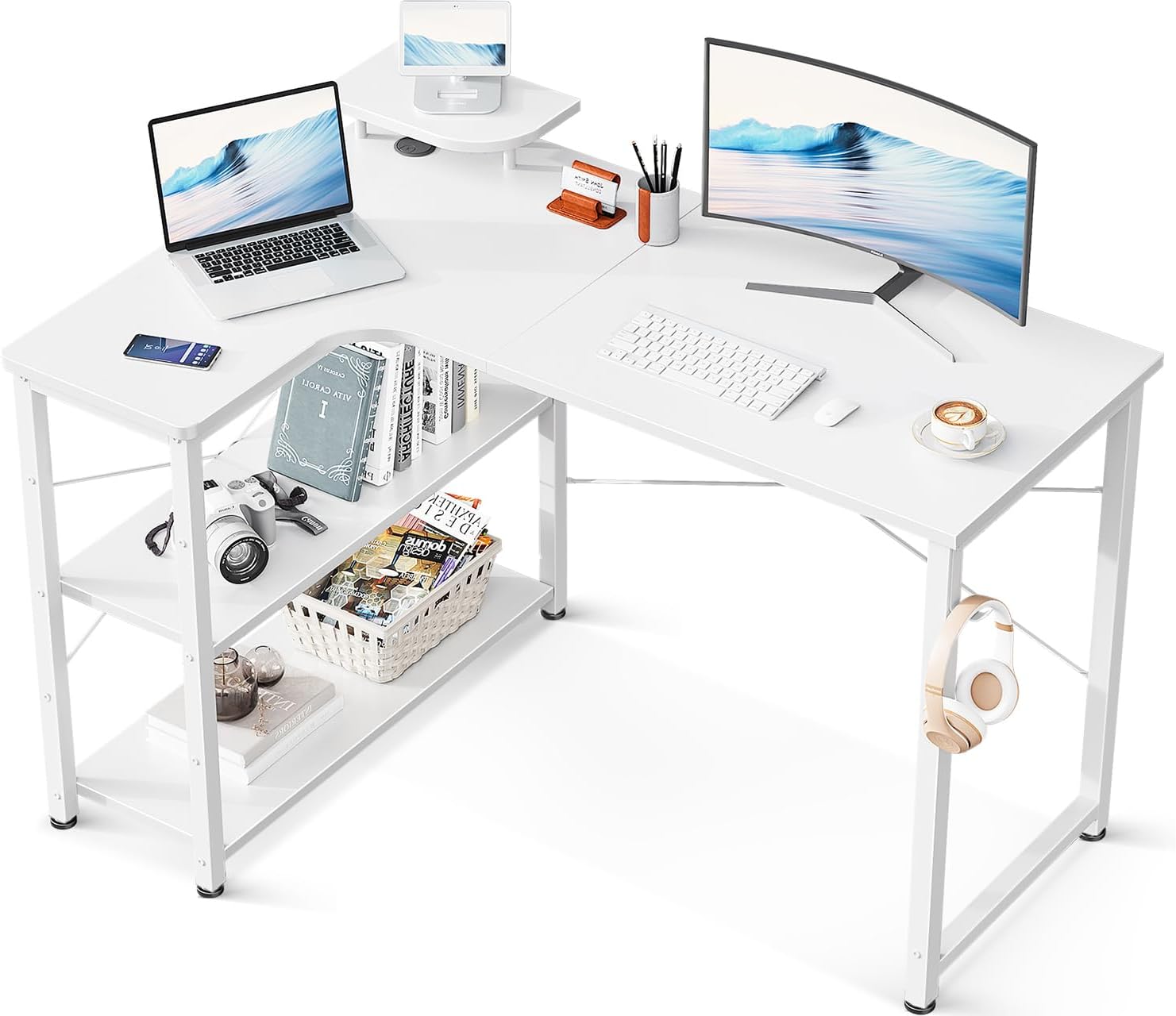
Image: The ODK L-shaped computer desk, showcasing its spacious white tabletop and integrated shelving, ideal for a modern workspace.
Key features include an integrated rack at the base for easy access to books and documents, and a sturdy construction with a 60kg tabletop load capacity. The desk is built with reinforcement pipes, cross-bracing hardware, and adjustable feet to ensure stability and a wobble-free experience.
Video: An overview of the ODK L-shaped desk, demonstrating its design, features, and various color options in different room settings.
2. Safety Information
Please read and understand all safety instructions before assembly and use to prevent injury or damage to the product.
- Weight Capacity: The tabletop has a maximum load capacity of 60 kg (approximately 132 lbs). Each shelf has a maximum load capacity of 25 kg (approximately 55 lbs). Do not exceed these limits to ensure stability and prevent collapse.
- Fillet Design: The desk's tabletop features a fillet (rounded edge) design to enhance safety and minimize the risk of injury from accidental impact.
- Stability: Ensure all screws are tightened securely during assembly. The adjustable feet allow for leveling the desk on uneven surfaces, preventing wobbling.
- Placement: Place the desk on a flat, stable surface. Avoid placing it in areas with high humidity or direct sunlight, which may affect material integrity over time.
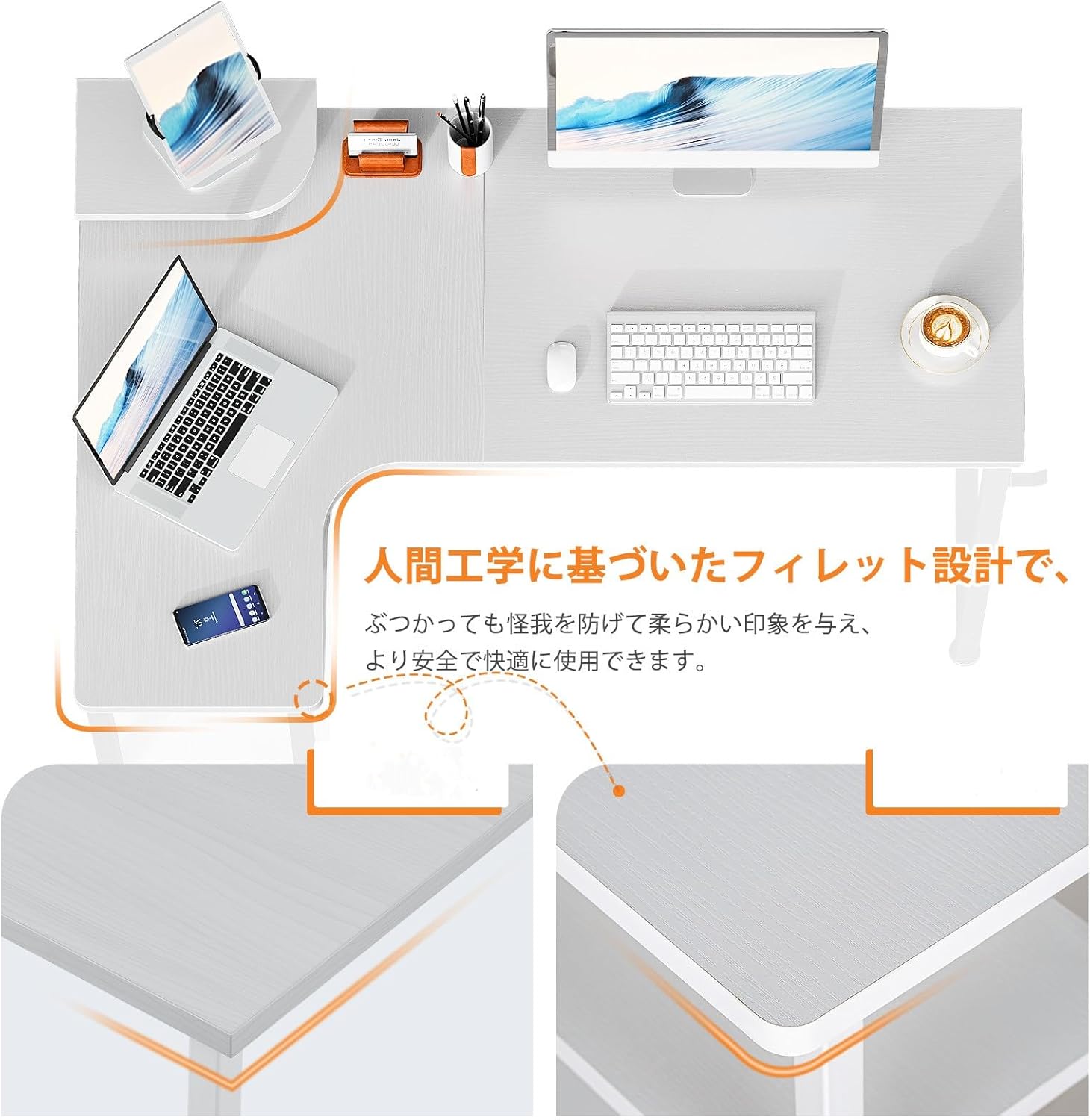
Image: Detail of the desk's fillet design, highlighting the rounded edges for user safety.
3. Assembly Instructions
The ODK L-shaped desk is designed for easy assembly and comes with clear, easy-to-follow instructions. While one person can assemble the desk, assembly may be smoother and quicker with two people.
3.1. Before You Begin
- Unpack all components and verify against the parts list provided in the packaging.
- Ensure you have the necessary tools (usually an Allen wrench, often included).
- Clear a spacious area for assembly to avoid damage to the desk or your surroundings.
3.2. Assembly Steps
Refer to the detailed graphical instructions included in your product packaging for step-by-step guidance. General steps include:
- Attach the steel frame components.
- Secure the tabletop sections.
- Install the integrated storage rack and shelves.
- Adjust the leveling feet for stability.

Image: A diagram illustrating the desk's dimensions (110x80x74cm) and load capacities for the tabletop (60kg) and shelves (25kg each).

Image: Detailed views of the desk's practical features, including the headphone hook, optional monitor stand, and adjustable leveling feet.
4. Usage
The ODK L-shaped desk is designed to enhance productivity and comfort in various settings.
4.1. Versatile Applications
- Gaming Setup: Provides ample space for multiple monitors, gaming peripherals, and a PC tower.
- Home Office: Ideal for remote work, offering a large surface for computers, documents, and office supplies.
- Study Area: Suitable for students, providing organized space for textbooks and study materials.

Image: The desk configured for a gaming setup, demonstrating its suitability for immersive gaming experiences.

Image: The desk in an office setting, highlighting its functionality for professional work.
4.2. Space Optimization
- The L-shaped design efficiently utilizes corner spaces, which are often underutilized.
- The integrated rack provides convenient storage for items you need close at hand, reducing clutter on the main desk surface.
- An optional monitor stand (if included or purchased separately) can help raise your monitor to an ergonomic eye level, improving posture and comfort during long work sessions.

Image: Illustration of the adjustable shelf height, allowing customization for various storage needs.
5. Maintenance
The ODK L-shaped desk is constructed with high-strength melamine laminated board, making it resistant to dirt, scratches, heat, and moisture. Regular cleaning will help maintain its appearance and longevity.
5.1. Cleaning
- Wipe the desk surface with a soft, damp cloth.
- For stubborn stains, use a mild soap solution and then wipe dry immediately.
- Avoid using abrasive cleaners, harsh chemicals, or rough sponges, as these can damage the finish.
5.2. General Care
- Periodically check all screws and connections to ensure they remain tight. Tighten if necessary.
- Avoid dragging the desk across the floor; lift it when moving to prevent damage to the legs and floor.
- Do not place extremely hot items directly on the surface without a protective coaster.

Image: A close-up view of the desk's tabletop texture, demonstrating its durable and easy-to-clean surface.
6. Troubleshooting
This section addresses common issues you might encounter with your ODK L-shaped desk.
6.1. Desk Wobbles
- Check Leveling: Ensure the desk is placed on a flat surface. Use the adjustable feet at the bottom of the legs to level the desk and eliminate any wobbling.
- Tighten Screws: Verify that all assembly screws are securely tightened. Loose connections can cause instability.
- Cross-Bracing: Confirm that the cross-bracing hardware is correctly installed and tightened, as this is designed to prevent lateral swaying.

Image: Detail of the adjustable foot, which can be rotated to level the desk on uneven floors.
6.2. Missing or Damaged Parts
In the unlikely event of initial defects or missing parts upon delivery, please contact ODK customer support immediately. Refer to the 'Warranty and Support' section for contact information.
7. Specifications
| Attribute | Detail |
|---|---|
| Brand | ODK |
| Model Number | B01XS01735JP |
| ASIN | B09TQFDD3N |
| Product Dimensions | 80D x 110W x 74H cm (Approx. W110 x D80 x H74CM) |
| Product Weight | 16.4 Kilograms (Approx. 14.5KG for body) |
| Material | Metal (Frame), Engineered Wood (Top) |
| Top Material Type | Engineered Wood (Melamine Laminated Board) |
| Base Material | Metal |
| Finish Type | Powder Coated |
| Color | White |
| Shape | L-shaped |
| Desk Type | Computer Desk, Desk with Shelves |
| Special Feature | Space-saving, Integrated Rack, Fillet Design, Adjustable Feet |
| Tabletop Load Capacity | 60 kg |
| Shelf Load Capacity | 25 kg per shelf |
| Batteries Used | No |
| Date First Available | March 2, 2022 |
8. Warranty and Support
ODK is committed to providing high-quality products and excellent customer service.
8.1. Manufacturer Warranty
This ODK L-shaped computer desk comes with a 1-year manufacturer warranty from the date of purchase. This warranty covers defects in materials and workmanship under normal use.
8.2. Customer Support
If you encounter any issues with your product, such as initial defects, missing parts, or require assistance with assembly or usage, please do not hesitate to contact our customer support team.
Contact Information:
- For support regarding your purchase, please contact the seller directly through your Amazon order history. The seller for this product is ODK JP.
- You can also visit the ODK brand store on Amazon for more information and contact options: ODK Amazon Store
Please have your purchase details (e.g., order number, ASIN: B09TQFDD3N) ready when contacting support to facilitate a quicker resolution.
Related documentsB01XS01735JP


Ask a question about this manual
Ask about setup, troubleshooting, compatibility, parts, safety, or missing instructions. Manuals+ will review the question and use this page’s manual context to help answer it.