
Introduction
This manual provides essential information for the safe and efficient operation of your DuraPro 55-Inch Outdoor 4K UHD LED TV. Please read these instructions thoroughly before installation and use, and retain them for future reference.
The DuraPro 55-Inch Outdoor 4K UHD LED TV is designed for outdoor entertainment in partially shaded areas. It features a 4K display with HDR, 500-nit brightness, and a rugged, weatherproof IP54-rated exterior with tempered glass for protection against environmental elements.
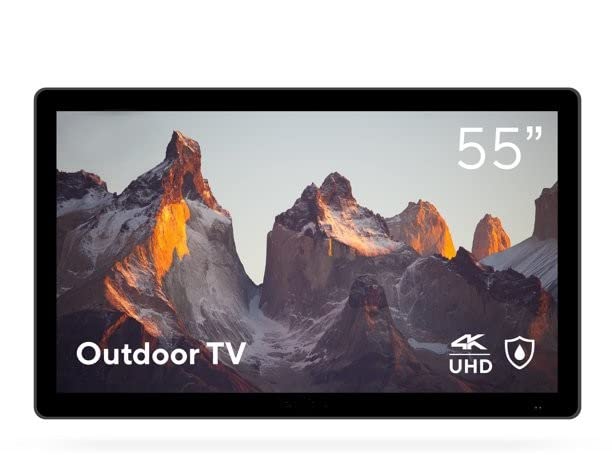
Image: DuraPro 55-Inch Outdoor 4K UHD LED TV.

Image: DuraPro TV mounted on an outdoor wall, showcasing the WebOS smart platform.

Image: DuraPro TV displaying 4K UHD and HDR capabilities.

Image: DuraPro TV demonstrating IP54 weatherproof rating with water resistance.
Key Features
- Optimized for Outdoors: Designed for use in outdoor spaces like covered patios and gazebos.
- 4K UHD HDR Screen: Delivers crisp 4K resolution with High Dynamic Range and 500-nit brightness for enhanced clarity.
- All-Weather Protection: IP54-rated exterior and tempered glass screen provide protection against rain, dust, and UV rays.
- Integrated Components: Includes built-in speakers, an IP55 waterproof remote, and a compatible TV wall mount.
- User-Friendly Connectivity: Equipped with 3 HDMI 2.0 inputs (HDCP 2.2 compatible) and 1 USB input for various media sources.
What's in the Box
Verify that all components are present before proceeding with installation.
- DuraPro 55-Inch Outdoor 4K UHD LED TV
- Power Cable
- IP55 Waterproof Remote Control
- Compatible Wall Mount Bracket

Image: Included wall mount bracket for DuraPro outdoor TV.
Safety Information
Always follow basic safety precautions when using this product to reduce the risk of fire, electric shock, and injury to persons.
- Do not expose the TV to direct sunlight for extended periods. This TV is designed for partially shaded outdoor areas.
- Ensure proper ventilation around the TV. Do not block ventilation openings.
- Use only the power cable supplied with the TV. Connect to a grounded outdoor-rated power outlet.
- Do not attempt to service this product yourself. Refer all servicing to qualified service personnel.
- Keep the remote control dry. While it is IP55 waterproof, prolonged submersion or exposure to harsh chemicals should be avoided.
- Securely mount the TV using the provided wall mount and follow all installation instructions carefully to prevent injury or damage.
Setup
1. Wall Mount Installation
The DuraPro 55-Inch Outdoor TV includes a compatible wall mount. Follow the instructions provided with the wall mount for secure installation. Ensure the mounting surface is structurally sound and capable of supporting the TV's weight (approximately 72 pounds).

Image: Rear view of DuraPro TV showing VESA mounting points and rugged exterior.
2. Connecting Devices
Locate the input ports on the back or side of the TV. Connect your external devices (e.g., streaming box, game console) using HDMI cables. The TV supports HDMI 2.0 and HDCP 2.2 for 4K sources. A USB port is also available for media playback.
- HDMI: Connect up to three HDMI devices.
- USB: Insert a USB drive for viewing photos or playing videos.
3. Power Connection
Connect the supplied power cable to the TV's power input and then to a suitable outdoor-rated, grounded electrical outlet.
4. Initial Power-On and Network Setup
Press the power button on the remote control or on the TV. Follow the on-screen prompts to complete the initial setup, including language selection, time zone, and network connection for smart TV features (WebOS).

Image: DuraPro Outdoor TV with WebOS interface on a patio.
Operating Instructions
Using the Remote Control
The included IP55 waterproof remote control allows full functionality of your TV. Familiarize yourself with the button layout for power, volume, channel, input selection, and smart TV navigation.

Image: DuraPro IP55 waterproof remote control with water droplets.
Basic TV Functions
- Power On/Off: Press the Power button.
- Volume Control: Use the Volume Up/Down buttons.
- Input Selection: Press the Input button to cycle through connected sources (HDMI 1, HDMI 2, HDMI 3, USB).
Smart TV Features (WebOS)
Your DuraPro TV is powered by WebOS, providing access to various streaming applications and smart features. Connect the TV to your home Wi-Fi network during initial setup to enable these functions.
- Home Dashboard: Access your favorite apps, inputs, and settings from the home screen.
- App Store: Download and install additional streaming applications.
- Network Settings: Manage your Wi-Fi connection and other network preferences.

Image: DuraPro TV displaying the WebOS smart TV interface.
Maintenance
Regular maintenance helps ensure the longevity and optimal performance of your outdoor TV.
- Cleaning the Screen: Gently wipe the screen with a soft, lint-free cloth. For stubborn marks, dampen the cloth with water or a mild, non-abrasive screen cleaner. Do not spray liquid directly onto the screen.
- Cleaning the Exterior: Wipe the TV's exterior casing with a soft, damp cloth. Avoid harsh chemicals or abrasive cleaners.
- Weather Protection: While the TV is IP54-rated, it is designed for partially shaded areas. For prolonged periods of extreme weather (heavy rain, snow, direct intense sunlight), consider using a protective cover (not included) to extend the product's life.
- Cable Management: Ensure all cables are securely connected and routed to prevent water ingress or damage.
Troubleshooting
If you encounter issues with your TV, refer to the following common problems and solutions before contacting customer support.
| Problem | Possible Solution |
|---|---|
| No power / TV does not turn on. |
|
| No picture, but sound is present. |
|
| No sound. |
|
| Remote control not working. |
|
| Cannot connect to Wi-Fi. |
|
Specifications
| Feature | Detail |
|---|---|
| Brand | DuraPro |
| Model Number | DP-55 |
| Screen Size | 55 Inches |
| Display Technology | LED |
| Resolution | 4K UHD |
| Refresh Rate | 120 Hz |
| Special Feature | Flat, HDR, Weatherproof (IP54), Tempered Glass |
| Connectivity Technology | 3x HDMI 2.0 (HDCP 2.2), 1x USB |
| Speaker Type | Built-In |
| Aspect Ratio | 16:9 |
| Product Dimensions (D x W x H) | 7 x 45.5 x 28.5 inches |
| Item Weight | 72 pounds |
| Color | Black |
| Included Components | Power Cable, Remote, Wall Mount |
Warranty and Support
For warranty information and technical support, please refer to the warranty card included with your product or visit the official DuraPro website. You may also contact DuraPro customer service directly for assistance with product registration, troubleshooting, or service requests.
Please note: Specific warranty terms and conditions may vary by region and purchase date. Keep your proof of purchase for warranty claims.


