
Introduction
This manual provides essential information for the setup, operation, and maintenance of your DuraPro 43-Inch Outdoor 4K UHD LED TV. Designed for outdoor entertainment, this TV features a 4K display with HDR, 500-nit brightness, and an IP54-rated weatherproof exterior with tempered glass. It is ideal for partially shaded outdoor living areas such as covered patios and gazebos. Please read this manual thoroughly before using your TV.

Image: The DuraPro 43-inch Outdoor 4K UHD LED TV highlighting its weatherproof design, USB, AV IN, RF connectivity, IP54 rating, IP55 waterproof remote, and included wall mount.
Key Features
- Stunning 4K UHD Picture Quality: Enjoy breathtaking clarity and detail with 4K resolution, vibrant colors, and sharp images.
- Weatherproof and Durable: Designed for outdoor use with an IP54 rating, protecting against dust, moisture, and extreme temperatures.
- Enhanced HDR Technology: Experience enhanced contrast and realistic colors with High Dynamic Range (HDR) technology, improving brightness and color accuracy.
- Wall Mount Included: Comes with a sturdy and adjustable wall mount for flexible positioning and secure display.
- Multiple Connectivity Options: Includes HDMI, USB, and AV ports for connecting various devices.
- Bright Display: 500-nit brightness, up to 60% brighter than typical indoor TVs, for clear viewing in outdoor conditions.
- Tempered Glass Screen: Provides extra protection against impacts and environmental elements.
- IP55 Waterproof Remote: Included remote control is designed to withstand water exposure.

Image: The DuraPro Outdoor TV displaying a bright image, illustrating its 500cd/m² display, which is up to 60% brighter than an indoor TV.
What's in the Box
Upon unboxing your DuraPro 43-Inch Outdoor TV, please ensure all the following components are present:
- DuraPro 43-Inch Outdoor 4K UHD LED TV
- Power Cable
- Remote Control
- Wall Bracket
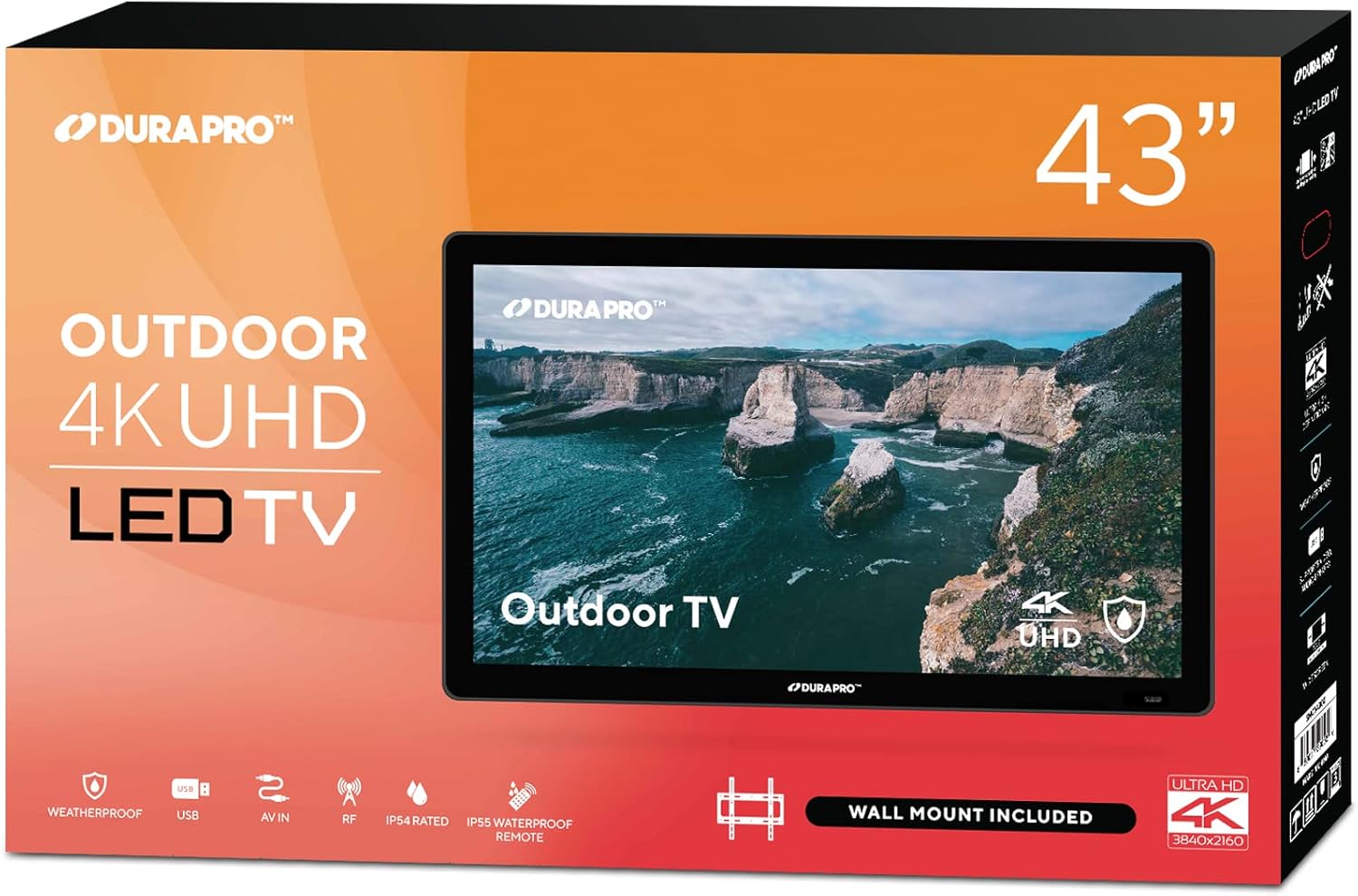
Image: The retail packaging box for the DuraPro 43-inch Outdoor 4K UHD LED TV, indicating its size and key features.
Setup
1. Wall Mount Installation
The DuraPro Outdoor TV includes a compatible wall mount. Follow these steps for secure installation:
- Select Location: Choose a partially shaded outdoor area, such as a covered patio or gazebo, that can support the TV's weight. Ensure the mounting surface is sturdy.
- Mounting Bracket: Attach the wall bracket to the desired location on the wall using appropriate hardware (not always included, check wall mount instructions). Ensure it is level and securely fastened. The VESA mount standard for this TV is 200 x 200 mm.
- Attach TV Brackets: Secure the TV-side brackets to the back of the DuraPro TV using the provided screws.
- Mount TV: Carefully lift the TV and hook the TV-side brackets onto the wall bracket. Ensure the TV is securely seated and locked into place. It is recommended to have at least two people for this step.

Image: A black metal wall mount bracket, indicating it fits 26"-55" TVs, is VESA compliant, and has a 110 LB weight limit.
2. Connecting Power and Devices
- Power Connection: Connect the power cable to the TV and then to a grounded outdoor power outlet.
- Remote Control: Insert AA batteries into the IP55 waterproof remote control.
- External Devices: Connect your external devices (e.g., gaming consoles, media players) to the available HDMI, USB, or AV ports on the TV. This TV has 3 HDMI ports and 3 USB ports.

Image: The IP55 waterproof remote control for the DuraPro TV, shown with water splashing around it, emphasizing its water-resistant design.
Operating Instructions
1. Initial Power On and Setup
- Press the Power button on the remote control to turn on the TV.
- Follow the on-screen instructions to select your language, country, and connect to your Wi-Fi network.
- The TV is powered by webOS TV, offering a smart and intuitive interface for streaming apps and other functions.

Image: A close-up of the DuraPro TV screen displaying the webOS TV interface, showing various app icons and navigation options.
2. Basic TV Functions
- Power: Use the Power button on the remote to turn the TV on or off.
- Input Source: Press the "Input" or "Source" button on the remote to switch between HDMI, USB, AV, and other connected devices.
- Volume: Use the Volume Up/Down buttons to adjust the sound level.
- Channel: Use the Channel Up/Down buttons for broadcast TV channels (if an antenna is connected to the RF input).
- Smart TV Features: Navigate the webOS interface to access pre-installed apps like Netflix, Prime Video, YouTube, and more.
Maintenance
1. Cleaning the TV
- Always unplug the TV before cleaning.
- Use a soft, lint-free cloth slightly dampened with water or a mild, non-abrasive screen cleaner.
- Do not spray cleaner directly onto the screen. Apply it to the cloth first.
- Wipe the screen and frame gently to remove dust and smudges.
2. Weatherproofing and Durability
Your DuraPro Outdoor TV is designed with an IP54 rating for protection against dust and splashing water. The tempered glass screen adds an extra layer of durability.
- While weatherproof, it is recommended to install the TV in a partially shaded area to prolong its lifespan and optimize viewing.
- Avoid direct, prolonged exposure to heavy rain or extreme weather conditions.
- Ensure all port covers (if applicable) are securely closed when not in use to maintain water resistance.

Image: The DuraPro Outdoor TV screen with water splashing over it, accompanied by text indicating its IP54 rating for protection from water and dust.

Image: The back of the DuraPro TV mounted on a brick wall, highlighting its tough built exterior and rugged casing, ideal for outdoor settings.
Troubleshooting
- No Power:
- Ensure the power cable is securely connected to both the TV and a working power outlet.
- Check if the power outlet is functional by plugging in another device.
- Try pressing the power button on the TV itself, if available, to rule out a remote issue.
- No Picture/No Signal:
- Verify that the correct input source is selected (e.g., HDMI 1, USB).
- Check all cable connections between the TV and external devices.
- Ensure external devices are powered on and functioning correctly.
- Remote Control Not Working:
- Replace the AA batteries in the remote control.
- Ensure there are no obstructions between the remote and the TV's IR sensor.
- Poor Picture Quality:
- Check the resolution settings of your connected device and the TV.
- Ensure cables are high-quality and securely connected.
- Adjust picture settings (brightness, contrast, color) in the TV menu.
- Wi-Fi Connectivity Issues:
- Restart your Wi-Fi router.
- Go to the TV's network settings and try reconnecting to your Wi-Fi network.
- Ensure the TV is within range of your Wi-Fi router.
Specifications
| Feature | Detail |
|---|---|
| Screen Size | 43 Inches |
| Brand | DuraPro |
| Model Name | DP-43 |
| Display Technology | LED |
| Resolution | 4K UHD (3840 x 2160) |
| Refresh Rate | 120 Hz |
| Special Feature | Flat Screen, HDR Support |
| Included Components | Power Cable, Remote Control, Wall Bracket |
| Connectivity Technology | HDMI, USB, Wi-Fi |
| Aspect Ratio | 16:9 |
| Product Dimensions (D x W x H) | 7"D x 45.5"W x 28.5"H |
| Maximum Display Brightness | 500 Nit |
| HDR Format Supported | HDR10 and/or Dolby Vision |
| Total Number of HDMI Ports | 3 |
| Total USB Ports | 3 |
| Mounting Type | Wall Mount |
| VESA Mount Standard | 200 x 200 mm |
| Internet Applications | webOS TV (also listed as Roku TV in some specifications) |
| Control Method | Remote Control |
| Color | Black |
| Water Resistance Level | Water Resistant (IP54 Rated) |
| UPC | 843715173375 |
Warranty Information
The DuraPro 43-Inch Outdoor 4K UHD LED TV comes with a 1 Year Full Warranty from the manufacturer. Please retain your proof of purchase for warranty claims. For detailed terms and conditions, refer to the warranty card included with your product or visit the official DuraPro website.
Customer Support
For technical assistance, troubleshooting, or warranty inquiries, please contact DuraPro customer support:
- Website: www.durapro.com/support (Example link, replace with actual if known)
- Email: support@durapro.com (Example email, replace with actual if known)
- Phone: 1-800-XXX-XXXX (Example number, replace with actual if known)
Please have your model number (DP-43) and purchase date ready when contacting support.